6 Best Daily Routine Apps for iPhone in 2026
Short on Time? Here's the Quick Take



Your alarm goes off at 6:30 AM. You had a plan. Meditate, exercise, journal, eat a real breakfast. By 6:47, you're scrolling your phone in bed. The plan evaporated somewhere between the snooze button and the notification badges.
This is a routine problem, not a willpower problem. As we explored in why routines beat goals, systems you follow daily outperform ambitions you set once. And that's exactly why daily routine apps exist.
A good routine app doesn't just list your habits. It structures them into your actual day, with time blocks, timers, and reminders that pull you from one task to the next. The difference between "I should meditate" and actually sitting down for ten minutes often comes down to whether something nudged you at the right moment.
We spent two weeks testing six routine apps on iPhone. We downloaded every one, used them daily, read hundreds of App Store reviews, and dug through Reddit threads where real users talk about what actually sticks after month three. Then we ranked them.
Full disclosure: Habi is our app. We built it, and we included it because we believe it belongs here. But every app in this article got the same honest treatment. Real pros. Real cons. No affiliate links. No sponsored placements.
Here's what we found.
Quick Comparison
| App | Best For | Price | Rating | Routine Features |
|---|---|---|---|---|
| 1. Habi | Best overall routine app | Free (optional Pro) | 5.0 | Calendar-attached habits, focus timer, ambient sounds |
| 2. Routinery | Time-blocked routines | Free / $7.99/mo | 4.72 | Step-by-step timer, visual timeline, routine templates |
| 3. Structured | Visual daily planner | Free / $2.49/mo | 4.80 | Timeline view, calendar sync, task scheduling |
| 4. Fabulous | Guided coaching | Free trial / $12.99/mo | 4.46 | Science-based programs, guided onboarding, coaching |
| 5. Productive | Habit scheduling | Free / $4.17/mo | 4.60 | Flexible scheduling, streaks, habit analytics |
| 6. Streaks | Apple ecosystem | $5.99 one-time | 4.82 | Apple Health auto-tracking, Watch app, tappable circles |
How We Evaluated These Apps
We looked at six things for every app:
- Routine structure. Can it organize habits into timed sequences throughout your day? Morning routine, work blocks, evening wind-down?
- Ease of daily use. How many taps to check off your morning routine at 6:45 AM when you're half awake?
- Reminders and nudges. Does the app actually pull you into the next step, or does it sit there waiting?
- Flexibility. Can you handle weekday routines that differ from weekends? Skip days without guilt?
- Price-to-value. Is the free tier usable? Is the premium worth it, or are basic features locked behind a paywall?
- Real user sentiment. What do people in App Store reviews and Reddit threads actually say after months of daily use?
No affiliate links in this article. No app paid to be here.
The 6 Best Daily Routine Apps
1. Habi - Best Overall Routine App
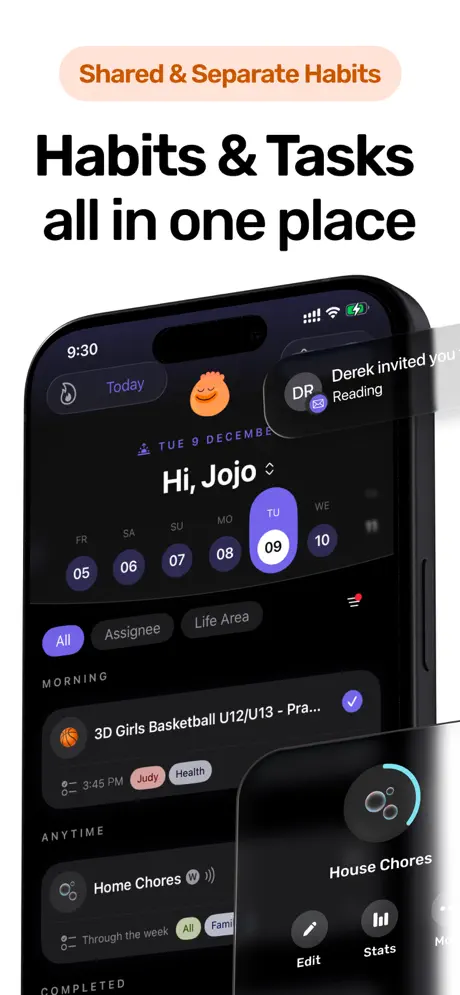
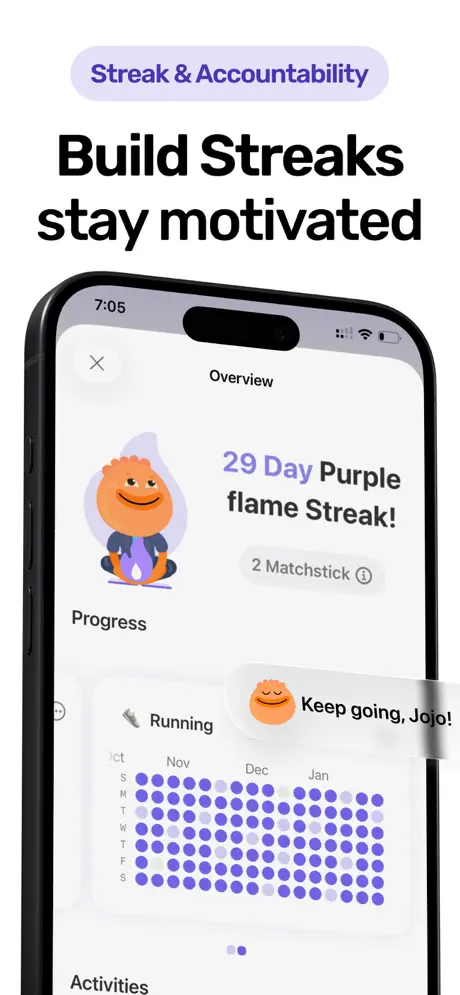
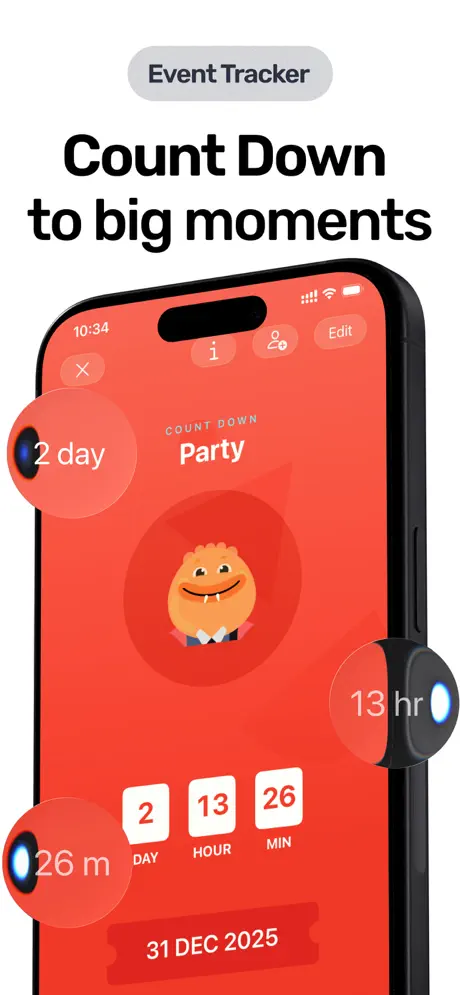
One app for your routines, habits, tasks, and focus sessions. No account required. No data collected.
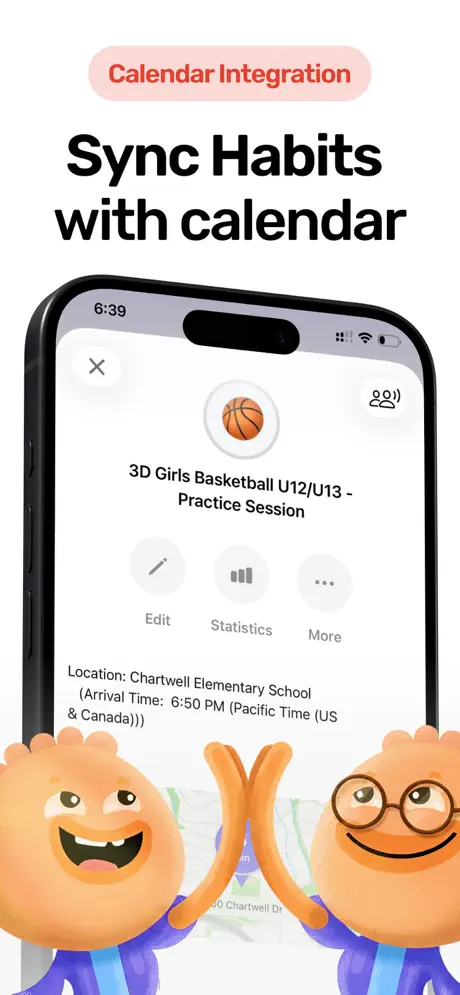
Habi started with a simple problem. Our lead developer's daughter kept forgetting things before basketball practice. Water bottle, sports glasses, shoes. The event was on the calendar, but the stuff she needed wasn't. Standalone habit trackers didn't help because they lived outside her actual schedule.
So we built an app where calendar events become habits. Your routines live where your day already is.
That calendar-first approach turned into something broader. Habi now combines habit tracking, project management with progress bars, simple to-do lists, a Pomodoro focus timer, event countdowns, and background ambient sounds. All in one app. All synced through your personal iCloud. We don't run a backend server. We don't collect data. Period.
The routine angle works like this: you create habits and attach them to specific times or calendar events. Your morning routine doesn't float in a separate app. It's woven into the calendar you already check every day. When the event arrives, your habits are right there.
What it does well:
- Calendar-driven routines. Habits attach to specific times and calendar events. Your morning routine, gym prep, evening wind-down -- they all live inside your schedule, not in a separate silo.
- All-in-one dashboard. Habits, tasks, projects, focus timer, and countdowns in a single view. No switching between five different apps to manage your day.
- Privacy-first architecture. Everything stored on-device and synced through your iCloud. We collect zero data. Not anonymized data. Zero. No account creation, no email, no analytics tracking.
- Calm, focused design. No gamification pressure, no social leaderboards, no streak anxiety. One Reddit user noted: "The calendar to habit flow is a smart angle." A Product Hunt reviewer put it differently: "Habi feels like it made a conscious choice to remove rather than add."
Where it falls short:
- Apple-only. No Android version. If you're on Android, you'll need to wait. It's in consideration but not yet in development.
- New app, small review count. With a 5.0 rating from just 4 App Store reviews, Habi doesn't have the social proof of apps with years of history. It's earning trust one user at a time.
Pricing: Free to download and use. Optional Pro subscription ($1.99 - $89.99) unlocks additional features, though the core app is fully usable without paying.
Platforms: iPhone, iPad, Mac (Apple Silicon), Apple Vision Pro.
Bottom line: If you want a routine app that lives inside your calendar, respects your privacy, and doesn't try to gamify your life, download Habi from the App Store. It's free, and your first routine takes about two minutes to set up.
2. Routinery - Best for Time-Blocked Routines
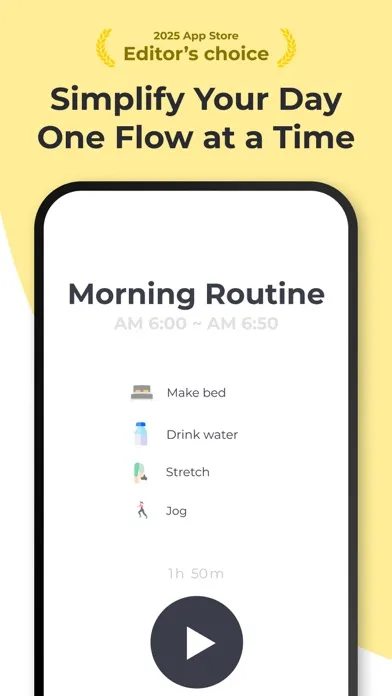
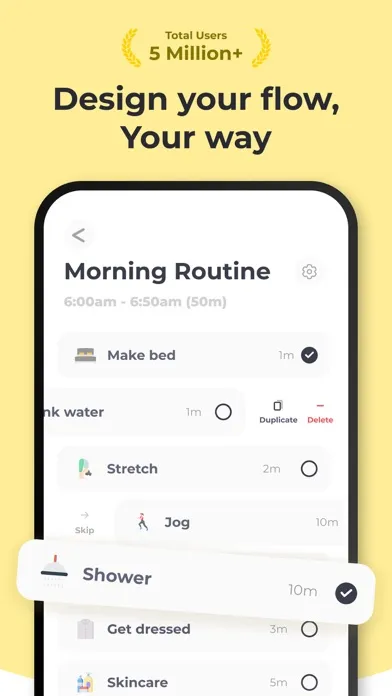
Build your morning routine as a step-by-step sequence with visual timers. Routinery is purpose-built for people who want their day broken into time blocks.
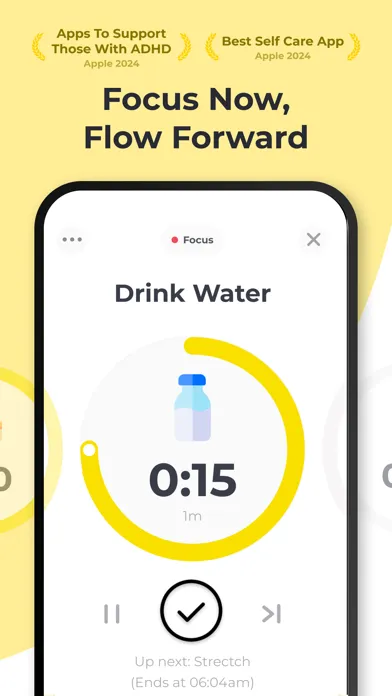
Routinery won Apple's App of the Day in 2025, and it deserved it. The core idea is simple: you build routines as ordered lists of steps, each with a time allocation. Start your morning routine, and the app walks you through each step with a countdown timer and a visual progress bar. Brush teeth (2 min), make bed (3 min), meditate (10 min), make breakfast (15 min).
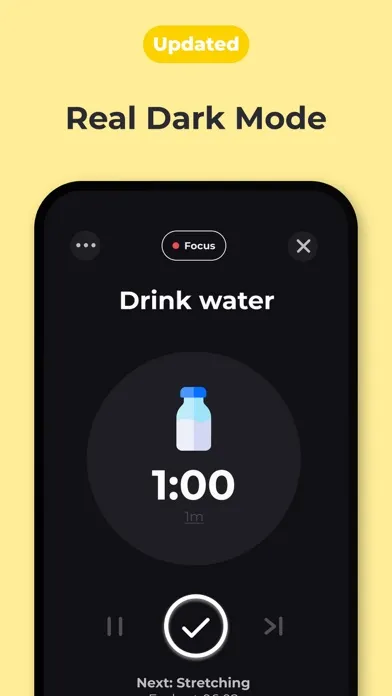
The visual timer is what makes it click. You see a colored bar filling up as time passes. When the step is done, you swipe to the next one. It turns an abstract "morning routine" into a concrete sequence you can follow even when your brain is still waking up.
As one App Store reviewer wrote: "This app has helped me so much in my daily life. I used to struggle with getting ready in the morning and now I have a routine that I follow every day."
But the honeymoon phase doesn't last for everyone.
What it does well:
- Visual time-blocked routines. No other app does this as well. You define each step with a duration, and the app guides you through the sequence with a satisfying visual timer. It's like having a personal assistant tapping your shoulder.
- Step-by-step timer. The countdown per task keeps you moving. If you tend to spend 20 minutes on a "5-minute" task, the timer makes you aware of it.
- Beautiful UI. The design is polished. Animations are smooth. The routine cards look great. It feels premium.
- App of the Day winner. Apple featured it for a reason. The concept is well-executed and the onboarding is excellent.
Where it falls short:
- Aggressive paywall. This is the most common complaint in recent reviews. Users report features being moved from free to premium, routines being limited in the free tier, and basic customization locked behind the subscription. One reviewer wrote: "They keep removing features from the free version and putting them behind a paywall." Another: "I used to love this app but they've made it basically unusable without paying."
- Expensive premium. At $7.99/month or $39.99/year, Routinery is one of the pricier options in this category. For an app focused primarily on routine timing, that's a steep ask.
- Post-update bugs. Several recent reviews mention bugs after updates. Routines not saving, timers glitching, steps disappearing. The team seems responsive, but it's worth noting.
Pricing: Free with increasingly strict limits. Premium at $7.99/month or $39.99/year.
Platforms: iPhone, iPad, Android, Web.
Bottom line: If time-blocking your routines is what you're after, Routinery does it better than anyone. The step-by-step timer is genuinely useful. Just go in knowing the free tier is limited and getting more limited with each update.
3. Structured - Best Visual Daily Planner
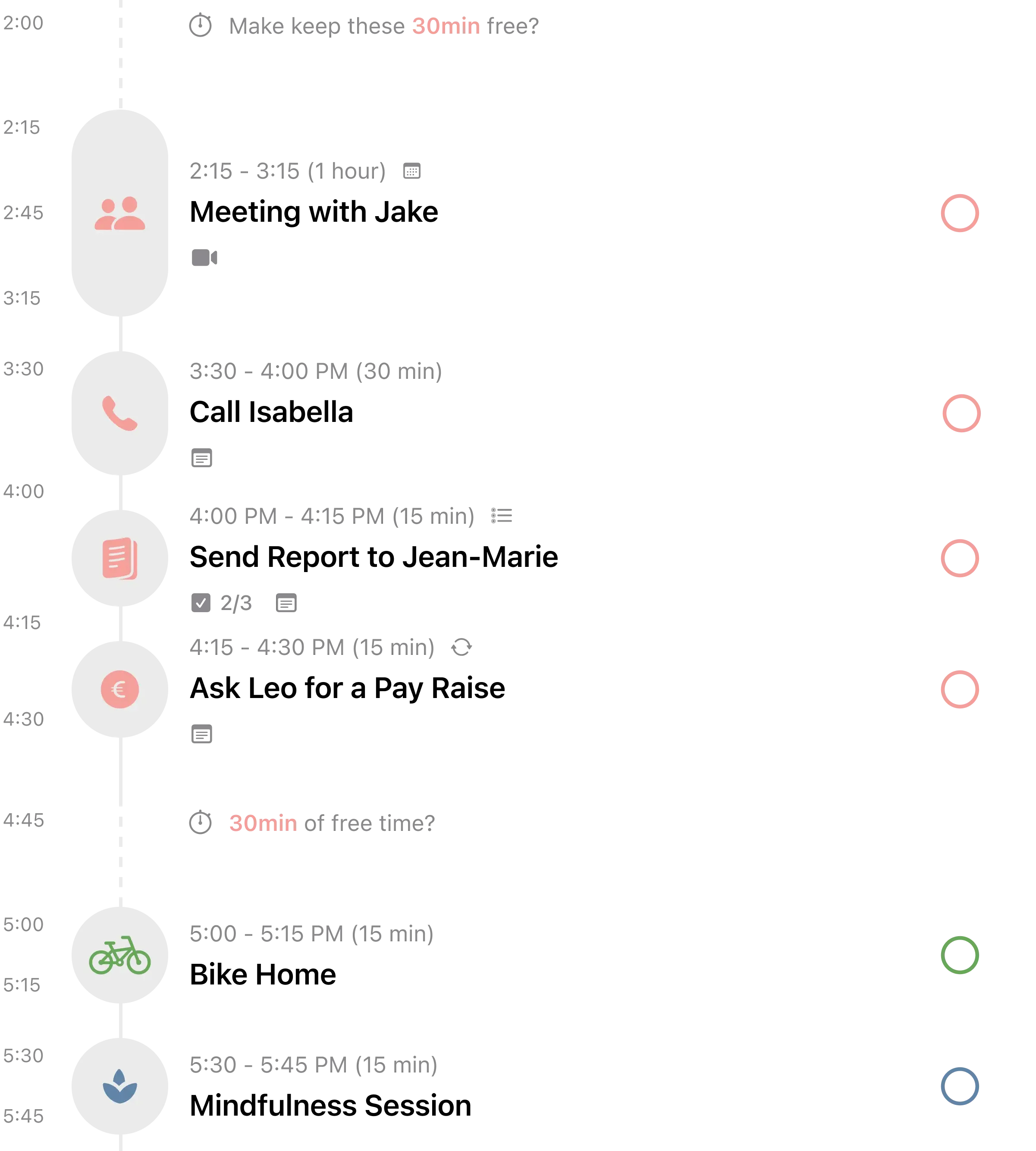
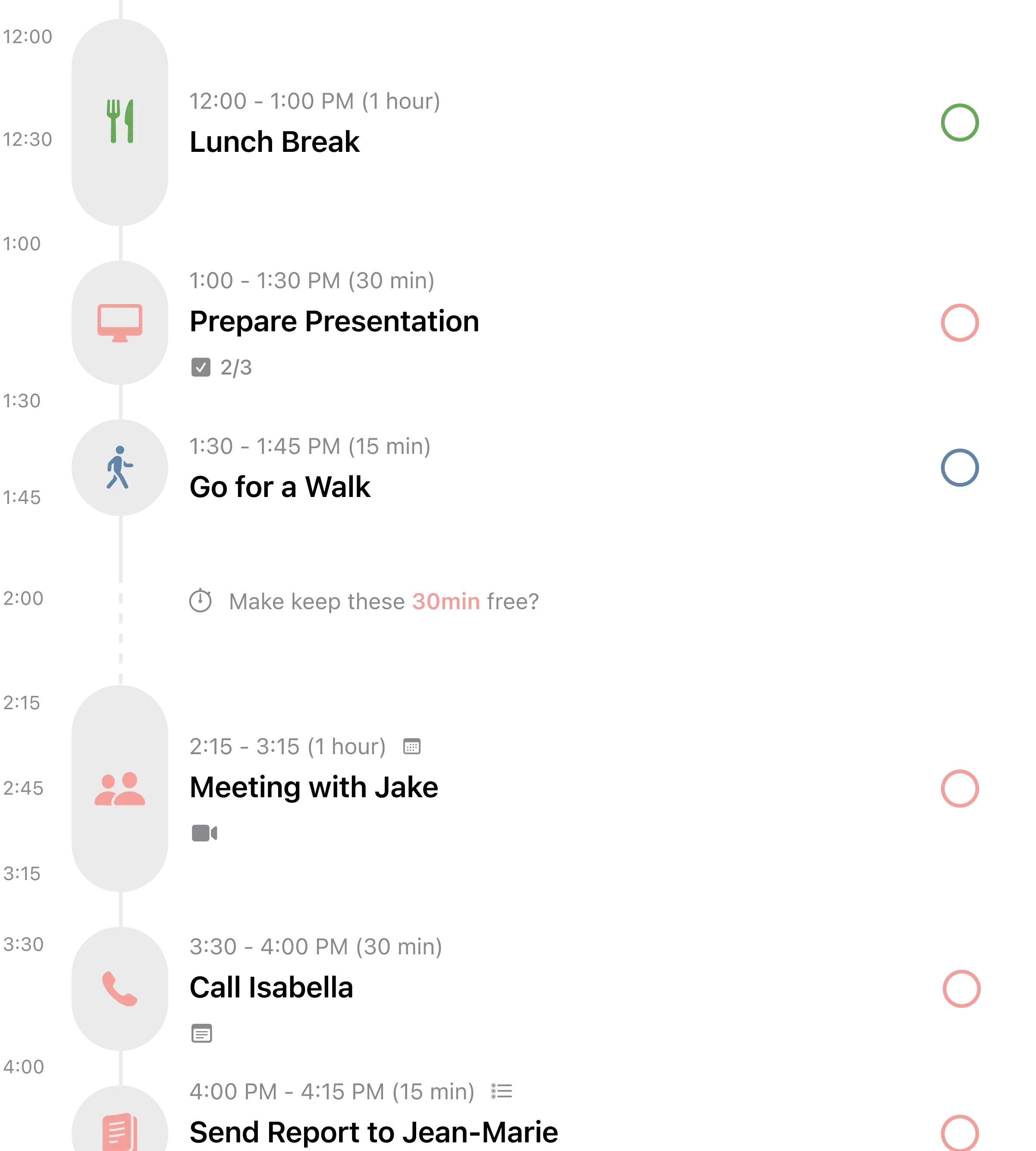
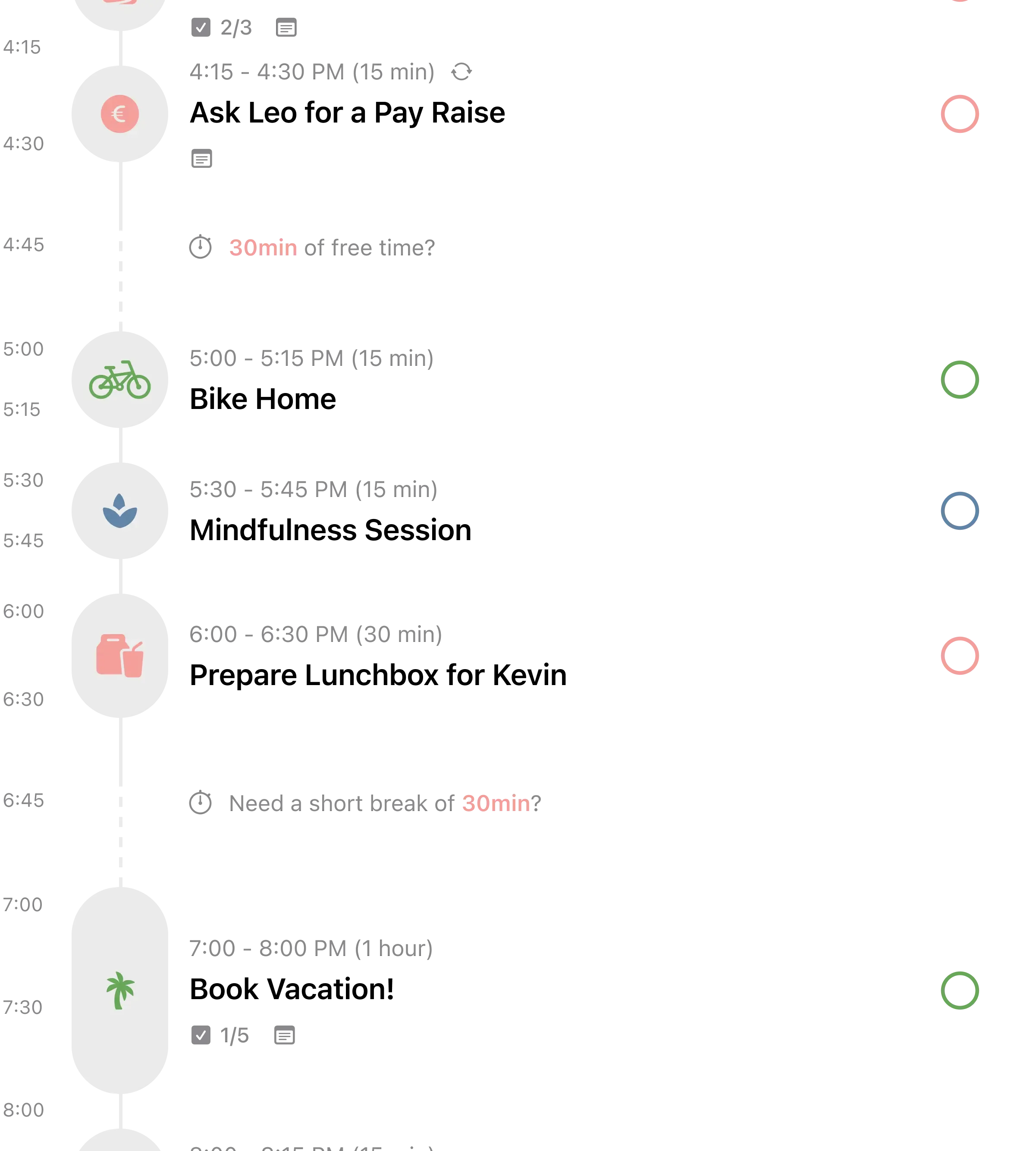
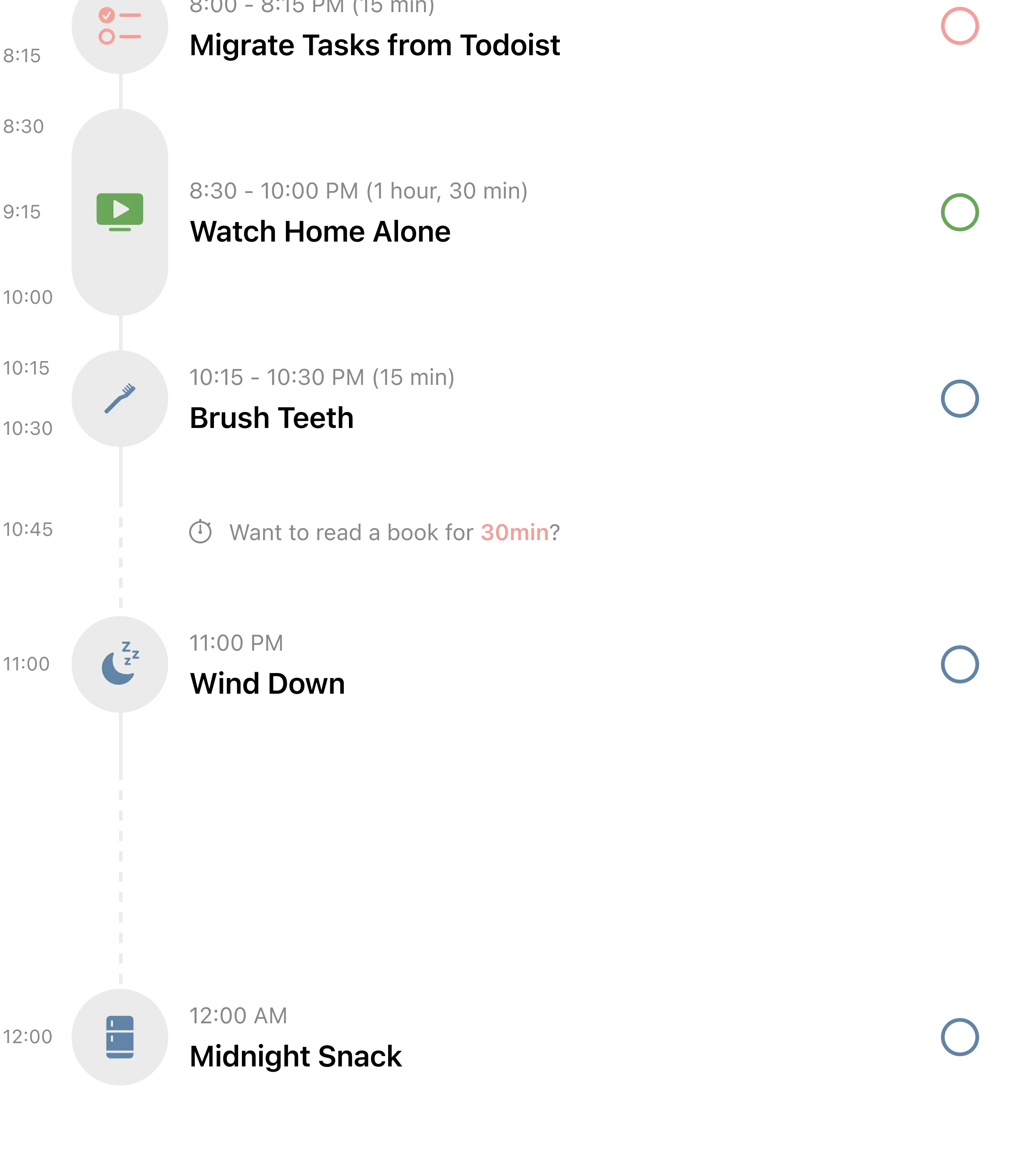
A visual daily planner that turns your calendar and task list into a single, color-coded timeline. 154,000 ratings and counting.
Structured combines your calendar events and tasks into one visual timeline. You see your entire day laid out as colored blocks, stacked vertically. Calendar meetings import automatically. Tasks slot in between. The result is a single view of everything you need to do, in order, with time allocated.
For routine building, you create recurring tasks at specific times. "Morning journaling" at 6:30 AM. "Review daily goals" at 7:00 AM. "Exercise" at 7:30 AM. Each shows up as a block on your timeline every day, creating a visual routine you can see at a glance.
The simplicity is the selling point. There's no onboarding wizard, no AI coach, no social features. You open the app, see your day, and start checking things off. Users consistently praise this: "I've tried probably a dozen planning apps and this is the one that stuck."
What it does well:
- Gorgeous visual timeline. The day-as-timeline view is intuitive and satisfying. Color-coded blocks give you an instant sense of how full your day is and what comes next.
- Calendar integration. Pulls in events from your iPhone calendar, so you see meetings and tasks together. No double-entering.
- Lifetime purchase option. In addition to the subscription, Structured offers a $49.99 lifetime purchase. Pay once, own it forever. This is increasingly rare.
- Apple Watch app. A capable Watch companion that shows your next tasks and lets you check them off from your wrist.
Where it falls short:
- Some features locked behind Pro. Recurring tasks, custom icons, and iCloud sync require the Pro subscription. For a daily routine app, recurring tasks being paywalled is a real limitation on the free tier.
- Occasional sync issues. Multiple reviews mention iCloud sync delays or tasks not appearing on all devices. Most users don't experience this, but it's a recurring theme in negative reviews.
- Not a dedicated routine app. Structured is a daily planner that you can use for routines, but it doesn't have routine-specific features like step timers or guided sequences. You're building routines manually through recurring tasks.
Pricing: Free with limits. Pro at $2.49/month, $29.99/year, or $49.99 lifetime.
Platforms: iPhone, iPad, Mac, Apple Watch, Android.
Bottom line: If you want to see your entire day in one visual timeline and slot routines into it alongside calendar events, Structured is the best option. The lifetime purchase makes it an especially good long-term value.
4. Fabulous - Best for Guided Coaching
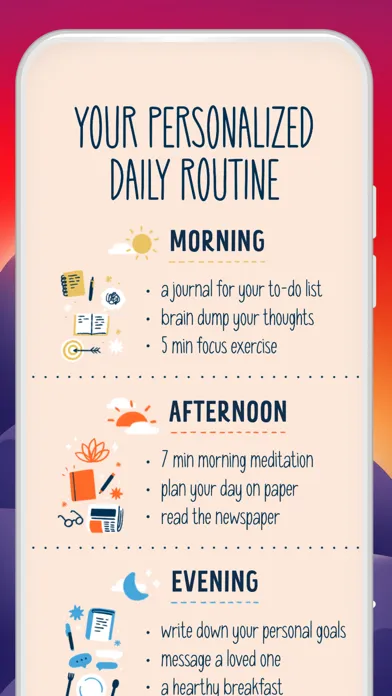
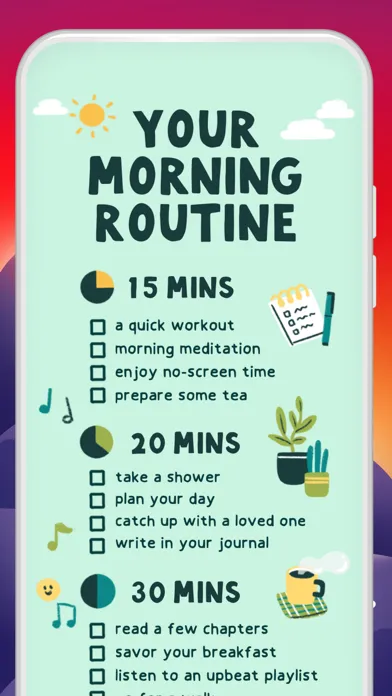
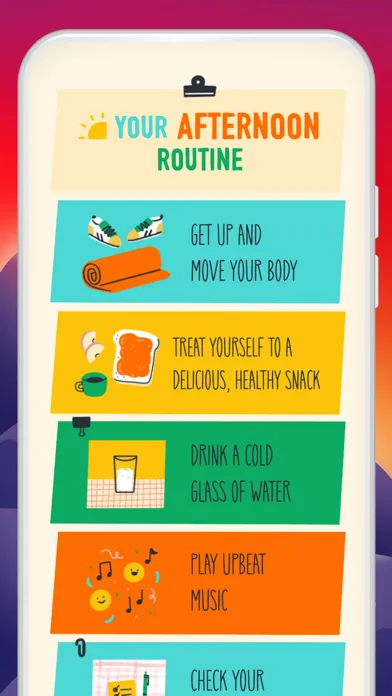
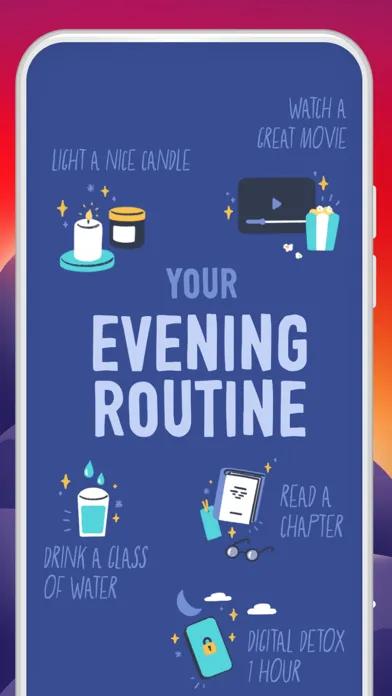
A science-based coaching app backed by Duke University research. The onboarding and guided approach are best-in-class. The billing practices are a serious problem.
Fabulous doesn't hand you a blank routine and say "fill it in." It walks you through building one. The app uses behavioral science principles (habit stacking, starting small, celebrating wins) to gradually introduce new routines into your day. You start with one small habit -- drinking water in the morning -- and the app layers more over days and weeks.
The design is gorgeous. The letters from your "coach" feel personal. The science backing is real -- Fabulous was developed in collaboration with Duke University's Center for Advanced Hindsight. For someone who has never built a morning routine before, this guided approach is genuinely helpful.
But we need to talk about the billing.
Recent App Store reviews paint a concerning picture. The average rating in recent reviews sits around 2.03 out of 5. The overwhelming majority of one-star reviews are about billing. Users report being charged after cancelling their subscription. Others describe an inability to cancel at all through the app. Some were charged $99 for an annual plan they didn't knowingly sign up for.
"They charged me $99 after I cancelled" -- App Store review, January 2026
"Cannot cancel subscription. Been trying for weeks." -- App Store review, December 2025
"Terrible billing practices. Charged me twice." -- App Store review, January 2026
We're including Fabulous because the coaching approach is genuinely good when it works. But we can't recommend it without this warning.
What it does well:
- Science-based coaching. The gradual habit-building approach, backed by behavioral science research from Duke University, is more effective for beginners than a blank-slate app.
- Guided onboarding. The app doesn't dump 20 features on you at once. It introduces one habit at a time, building complexity as you prove consistency.
- Beautiful design. The UI is polished. The motivational letters are a nice touch. The overall experience feels premium and thoughtful.
- Good for complete beginners. If you've never stuck with a routine before, the hand-holding approach can be the structure you need to get started.
Where it falls short:
- Billing nightmare. This is not an edge case. It's the dominant theme in recent reviews. Users report being charged after cancellation, difficulty cancelling, unexpected annual charges, and poor customer service responses. If you subscribe, document everything and manage the subscription through Apple's settings, not through the app.
- Expensive. At $12.99/month, Fabulous is the most expensive app on this list. Some users report being charged $99.99 annually, even higher than advertised.
- Forced annual plan. Multiple reviews mention difficulty finding monthly options, with the app steering users toward annual commitments.
- Limited free experience. The free trial is short and converts to a paid subscription. There's no meaningful free tier for ongoing use.
Pricing: Free trial (duration varies), then $12.99/month or $69.99/year. Some users report being charged $99.99/year.
Platforms: iPhone, iPad, Android.
Bottom line: Fabulous has the best guided coaching for building routines from scratch. The science is real and the approach works. But the billing complaints are severe enough that we'd strongly recommend managing any subscription directly through your Apple ID settings and monitoring charges carefully. If billing transparency matters to you, look elsewhere.
5. Productive - Best for Habit Scheduling

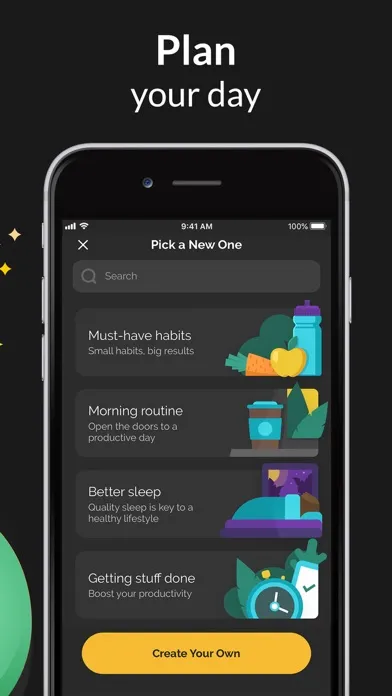
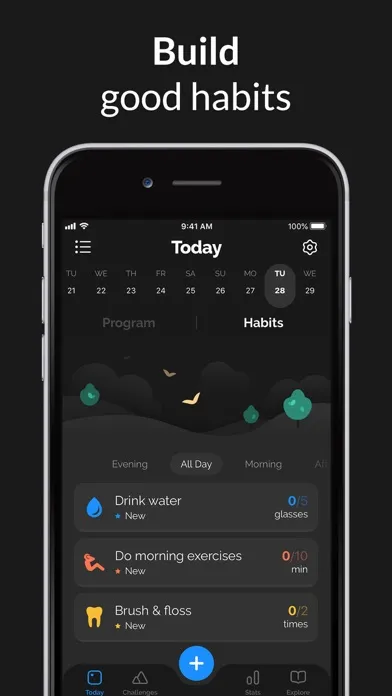
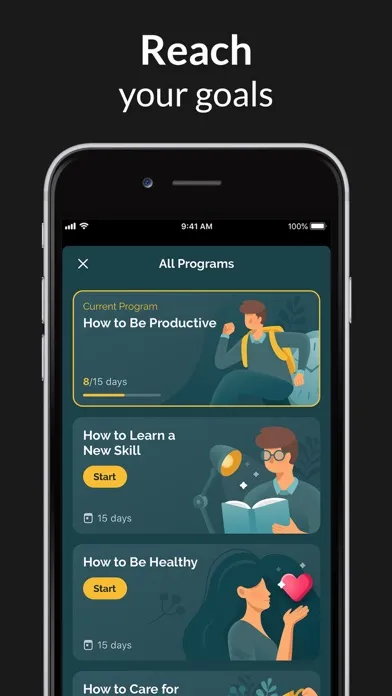
A clean habit scheduler with flexible scheduling options and a solid reminder system. The interface is polished. The recent pricing direction has frustrated long-time users.
Productive focuses on scheduling habits at specific times throughout your day. You create habits, assign them to morning, afternoon, or evening, set custom days and reminder times, and track streaks. The interface groups habits by time of day, which naturally creates routine-like structures.
The scheduling flexibility is where Productive stands out. You can set habits for specific days (only weekdays, every other day, 3 times per week), at specific times, with multiple reminder options. For someone who needs different routines on different days, this granularity is helpful.
Stats tracking is solid too. You get completion rates, streak counts, and weekly/monthly views of your consistency. It's enough data to spot patterns without being overwhelming.
The catch: recent App Store reviews average around 2.71 out of 5, and the most common complaint is about pricing changes.
What it does well:
- Clean, focused interface. The UI is uncluttered and easy to navigate. Habits grouped by time of day (morning, afternoon, evening, anytime) creates natural routine structure.
- Flexible scheduling. More scheduling options than most competitors. Specific days, custom intervals, multiple reminders per habit, and flexible skip options.
- Good reminder system. Notifications arrive reliably and at the right times. For a routine app, reminders that actually work are non-negotiable.
- Streak and stats tracking. Completion rates, streak counts, and historical views give you enough data to stay motivated without being overwhelming.
Where it falls short:
- Frequent price increases. Long-time users are vocal about prices going up while value stays the same. One reviewer: "Price has gone up significantly since I started using this. Same features, higher cost." Another: "Was a great app at $20/year. Now nearly $30 with no meaningful additions."
- Core features paywalled. The free tier has become increasingly limited. Custom habit icons, detailed stats, and certain scheduling options require Premium. Users feel basic functionality is being moved behind the paywall.
- Post-update bugs. Several recent reviews mention issues after app updates -- habits disappearing, notifications breaking, sync problems. The team patches them, but the pattern is frustrating for daily users who rely on the app.
Pricing: Free with limits. Premium at $4.17/month (billed annually at $49.99/year) or $29.99/year during promotions.
Platforms: iPhone, iPad, Mac, Apple Watch.
Bottom line: Productive is a clean, well-designed habit scheduler with strong scheduling flexibility. If you need different routines on different days with reliable reminders, it handles that well. Just be aware that pricing has been a sore point and the free tier is shrinking.
6. Streaks - Best for Apple Ecosystem
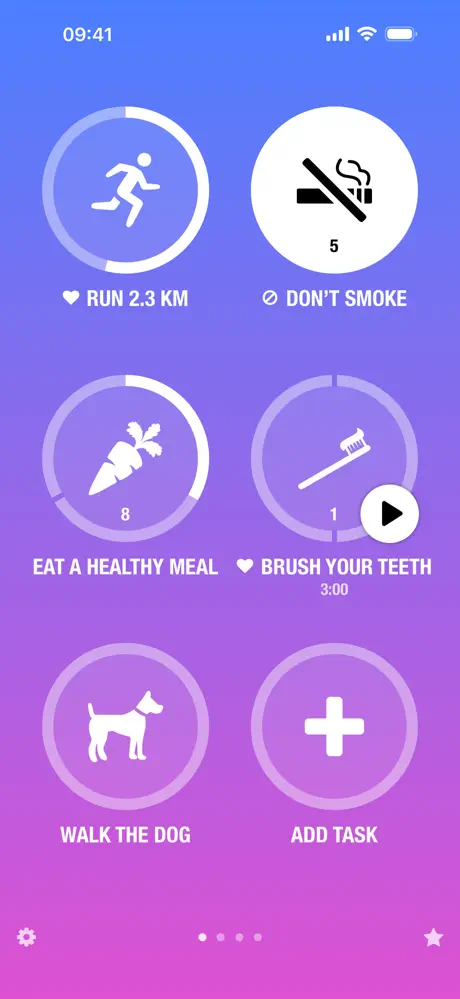
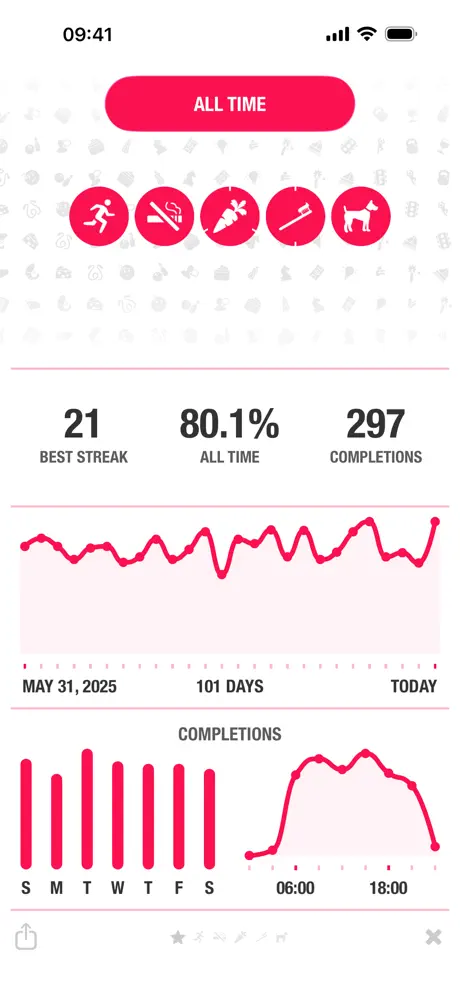
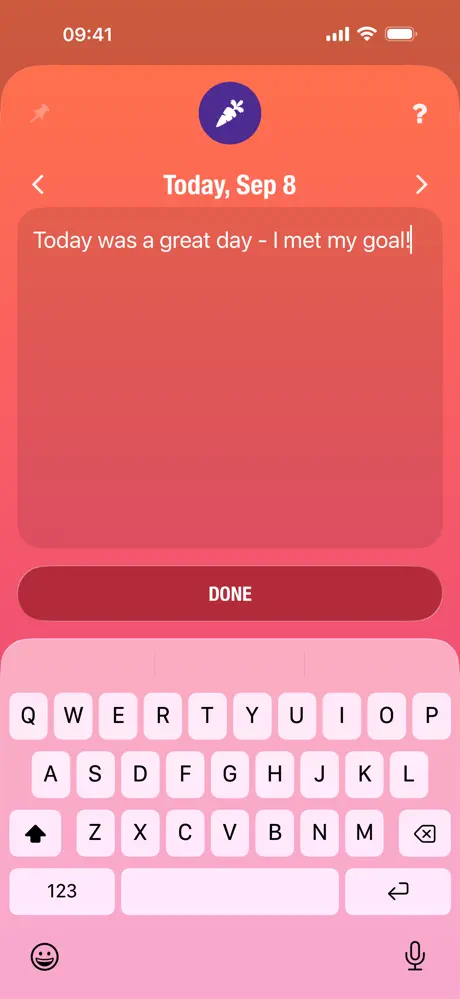
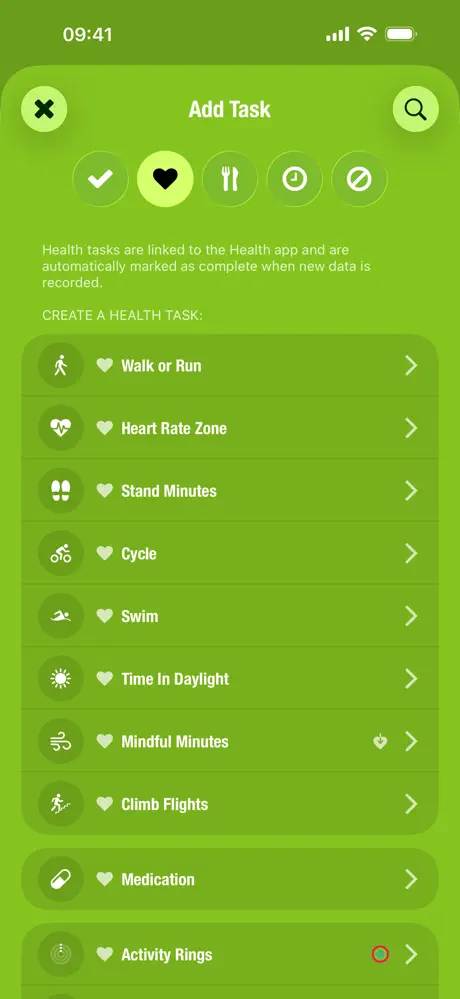
Apple Design Award winner. Up to 24 habits displayed as tappable circles. One-time purchase. The best Apple Watch habit tracking you can get.
Streaks takes the "Don't Break the Chain" philosophy and executes it with Apple-level polish. You define up to 24 tasks, displayed as large tappable circles (six per page). Complete them daily, and the streak counter grows. Miss a day, and it resets.
For routines, Streaks works differently than Routinery or Structured. It doesn't guide you through a timed sequence or show a visual timeline. Instead, it tracks whether you completed each habit in your routine. Did you meditate? Tap. Did you exercise? Tap. Did you journal? Tap. The simplicity is the point.
The Apple Health integration is where Streaks earns its "best for Apple ecosystem" title. Link a habit to Health data and it completes automatically. Walked 10,000 steps? Done. Hit your exercise minutes? Done. No manual logging. This turns Apple Watch into a passive routine tracker -- your wrist does the work.
With 27,000+ ratings averaging 4.82 stars, Streaks has proven itself since its 2015 launch.
What it does well:
- Apple ecosystem perfection. Full Apple Watch app with complications, Apple Health auto-tracking, Siri Shortcuts, and four types of home screen widgets. No competitor matches this integration.
- Health auto-completion. Link habits to Apple Health data and they check themselves off. Steps, exercise minutes, mindfulness -- all tracked passively.
- One-time purchase. $5.99 and you own it. No subscription. No ads. No premium tier to upsell you into. In a market of $80/year routine apps, that matters.
- Intentional simplicity. The 24-habit limit forces you to focus. As one long-time user with a 1,400+ day streak put it: "A streak is mentally rewarding, which is why these check-off apps work well."
Where it falls short:
- Apple only. No Android. No web. No Windows. If anyone in your life uses Android, you can't share or sync with them.
- Limited analytics. Monthly calendars and bar graphs, but no trend analysis, correlations, or detailed data export. Power users who want deep insights will feel limited.
- Basic routine scheduling. Streaks tracks whether you did something, not when you did it or in what order. It's a habit tracker you can use for routines, not a routine app that schedules your day.
Pricing: $5.99 one-time (iOS). $4.99 separate purchase for Mac.
Platforms: iPhone, iPad, Mac, Apple Watch, Apple Vision Pro.
Bottom line: If you're deep in the Apple ecosystem and want a beautiful, no-nonsense habit tracker that respects your wallet, Streaks is the obvious pick. It won't structure your routine for you, but it will make sure you don't skip any part of it.
Which Routine App Should You Pick?
Here's the short version:
- If you want your routines inside your calendar with all-in-one productivity and zero data collection: pick Habi.
- If you want step-by-step timed routines that walk you through each task with a visual countdown: pick Routinery.
- If you want a visual daily timeline that combines your calendar and tasks in one view: pick Structured.
- If you've never built a routine before and want guided, science-based coaching to get started (and you're very careful with billing): pick Fabulous.
- If you need different habit schedules for different days with flexible reminders: pick Productive.
- If you're all-in on Apple and want the best Watch experience with a one-time purchase: pick Streaks.
There's a pattern worth noticing. The apps with the best user ratings (Streaks at 4.82, Structured at 4.80) are the ones with straightforward pricing: a one-time purchase or a reasonable subscription with a lifetime option. The apps with the most frustrated users (Fabulous, Productive) are the ones where pricing feels unpredictable.
Looking for something more goal-oriented than routine-focused? Check our best goal tracker apps comparison for apps that focus on long-term goal tracking and progress.
The best routine app is the one you'll actually open tomorrow at 6:30 AM. Pick one and give it 30 days.
Frequently Asked Questions
What's the best free daily routine app?
Habi and Structured both offer solid free tiers. Routinery's free version is increasingly limited -- users report features being moved behind the paywall with each update. Avoid Fabulous if you're looking for free. The free trial converts to an expensive subscription, and many users report difficulty cancelling.
Are routine apps worth paying for?
Depends on how seriously you take your daily schedule. Free tiers work for basic tracking. Premium unlocks better customization and analytics. One-time purchases like Streaks ($5.99) and Structured's lifetime option ($49.99) give you long-term value without recurring costs. If you use a routine app daily for a year, even $30/year works out to about 8 cents per day.
What's the difference between a routine app and a habit tracker?
A routine app schedules habits into time blocks across your day. It structures when and in what order you do things. A habit tracker just logs whether you did something, regardless of timing. Routinery and Structured are routine-first apps. Streaks and Productive are habit-first. Habi bridges both by letting you attach habits to calendar events, giving you routine structure within your existing schedule.
Which routine app works best with Apple Watch?
Streaks has the best Apple Watch experience with a full standalone watch app, complications, and the ability to log habits directly from your wrist. Structured also has a capable Watch app that shows your timeline. Habi supports Apple Watch through widgets and will expand Watch functionality in future updates.
Can I use a routine app for morning and evening routines?
Yes, all six apps support multiple routines throughout the day. Routinery is specifically designed for this with its time-blocked approach -- you can have a separate morning, midday, and evening routine, each with its own sequence of timed steps. Habi lets you attach routines to calendar events, so your morning and evening habits sit right inside your schedule. Structured shows them as blocks on your daily timeline.
Final Thoughts
A routine without a system is just a wish list. You can tell yourself you'll meditate every morning, but without something nudging you at the right time, most mornings end with your thumb on Instagram instead.
The six apps in this list take different approaches to the same problem. Some structure your day into timed blocks. Some guide you through building habits gradually. Some just give you circles to tap. They all work. The one that sticks is the one that matches how your brain operates.
If you're the kind of person who likes seeing your whole day mapped out, try Structured. If you need a timer pushing you through each step, try Routinery. If you want your routines woven into your existing calendar with no data tracking, give Habi a try. It's free, it takes two minutes to set up, and your data stays on your device.
Pick one app. Use it for 30 days before switching. The biggest mistake isn't choosing the wrong app. It's spending so long comparing them that you never start building the routine. If you're new to habit formation, our guide on how to build habits that stick covers the science behind why some habits last and others don't.
Your morning tomorrow can be different from this morning. That starts with one download.