5 Best Goal Tracker Apps in 2026 (Tested and Compared)

Short on Time? Here's the Quick Take



Most goals don't fail because they're bad goals. They fail because nobody tracks them.
You write "learn Spanish" in January. By March, you can't remember which lesson you stopped at. The goal didn't change. Your tracking did. Or rather, you never had any.
We spent three weeks researching over 30 goal tracker apps. We downloaded them, poked at every feature, read hundreds of App Store reviews, and dug through Reddit threads where real users share what actually works. Then we narrowed it down to five.
Full disclosure: Habi is our app. We built it. We included it because we genuinely believe it belongs on this list, but every app here got the same honest treatment. Real pros. Real cons. No affiliate links. No sponsored placements.
Here's what we found.
Quick Comparison
| App | Best For | Price | Platforms | Our Rating |
|---|---|---|---|---|
| 1. Habi | Best overall goal tracker | Free (optional Pro) | iOS, iPad, Mac, Vision Pro | 4.5/5 |
| 2. Notion | Best for customization | Free / $10/mo | iOS, Android, Web, Mac, Windows | 4.0/5 |
| 3. TickTick | Best all-in-one productivity | Free / $3/mo | iOS, Android, Web, Mac, Windows, Linux | 4.5/5 |
| 4. Streaks | Best for Apple users | $5.99 one-time | iOS, iPad, Mac, Watch, Vision Pro | 4.5/5 |
| 5. Habitica | Best for gamification | Free / $4/mo | iOS, Android, Web | 4.0/5 |
How We Evaluated These Apps
We looked at six things for every app:
- Goal type support. Can it handle daily habits, long-term projects, and measurable targets?
- Tracking flexibility. How easy is it to log progress on a random Tuesday at 7 AM?
- Reminders and nudges. Does the app actually prompt you, or does it sit there silently?
- Analytics. Can you see trends, streaks, or completion rates over time?
- Price-to-value. Is the free tier usable? Is the paid tier worth it?
- Real user sentiment. What do people on Reddit and the App Store actually say after months of use?
No affiliate links in this article. No app paid to be here.
The 5 Best Goal Tracker Apps
1. Habi - Best Overall Goal Tracker
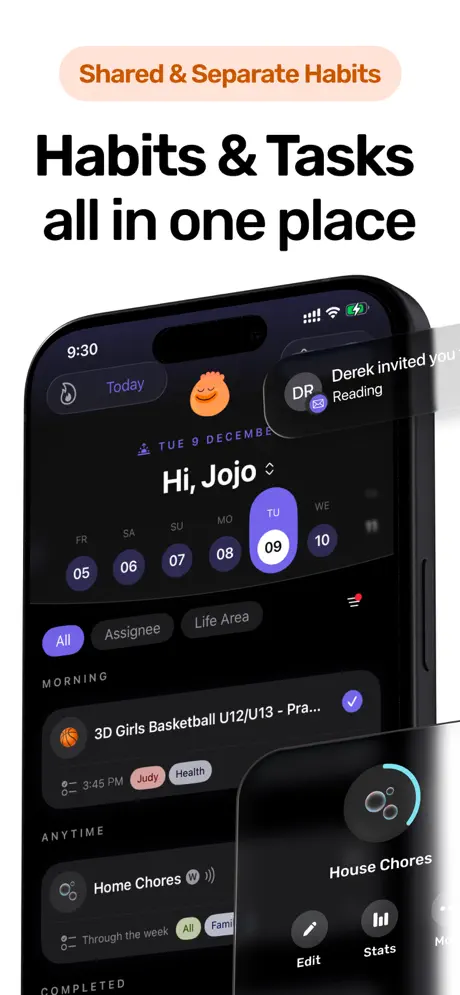
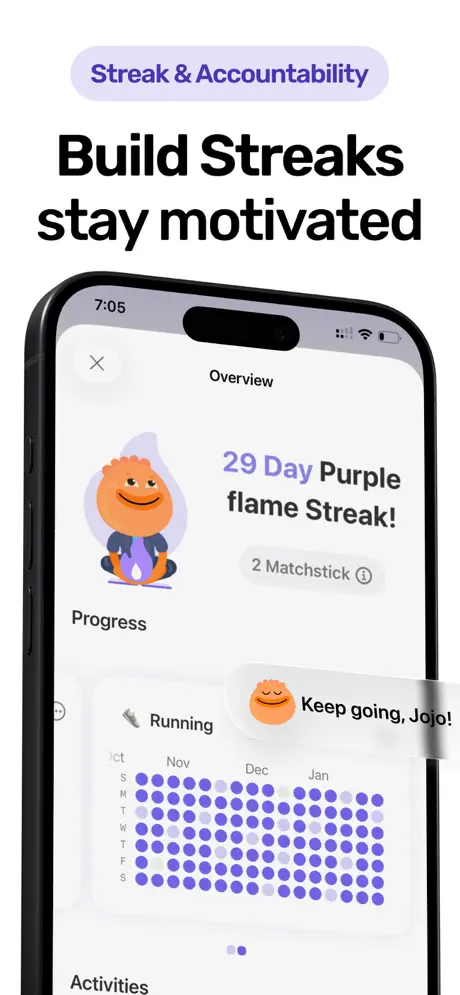
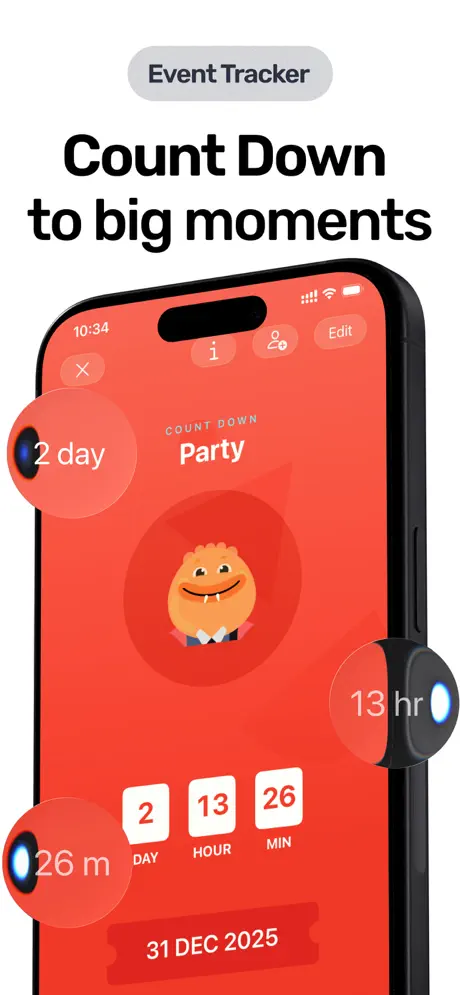
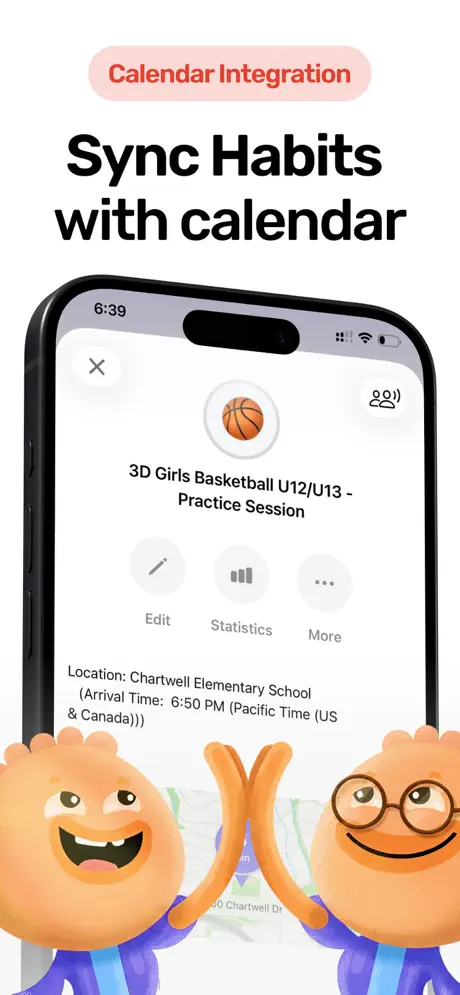
One app for your goals, habits, tasks, and focus sessions. No account required. No data collected.
Habi started with a simple problem. Our lead developer's daughter kept forgetting things before basketball practice. Her water bottle, sports glasses, shoes. The event was always on the calendar, but the stuff she needed wasn't. Reminders and standalone habit trackers didn't work because they lived outside her actual schedule.
So we built an app where calendar events become habits. Your goals live where your day already is.
That calendar-first approach turned into something bigger. Habi now combines habit tracking, project management with progress bars, simple to-do lists, a Pomodoro focus timer, event countdowns, and even background ambient sounds. All in one app. All synced through your personal iCloud. We don't have a backend server. We don't collect data. Period.
What it does well:
- Calendar-driven habits. Goals attach to specific times and calendar events, so tracking happens in context. As one App Store reviewer wrote: "This app fixed my routine."
- All-in-one dashboard. Habits, tasks, projects, focus timer, and countdowns in a single view. No switching between five different apps.
- Privacy-first architecture. Everything stored on-device and synced through your iCloud. We collect zero data. Not anonymized data. Zero.
- Calm, focused design. No gamification pressure, no social leaderboards, no streak anxiety. One Reddit user noted: "The calendar to habit flow is a smart angle." A Product Hunt reviewer put it differently: "Habi feels like it made a conscious choice to remove rather than add."
Where it falls short:
- Apple-only (for now). No Android version yet, though it's in active development. If you're on Android, you'll need to wait.
- New app, small review count. With a 5.0 rating but only 3 App Store ratings, Habi doesn't have the social proof of apps that have been around for a decade. It's earning trust one user at a time.
Pricing: Free to download and use. Optional Pro subscription ($1.99 - $89.99) unlocks additional features, though the core app is fully usable without paying.
Platforms: iPhone, iPad, Mac (Apple Silicon), Apple Vision Pro.
Bottom line: If you want a goal tracker that lives inside your calendar, respects your privacy, and doesn't try to gamify your life, download Habi from the App Store.
2. Notion - Best for Customization
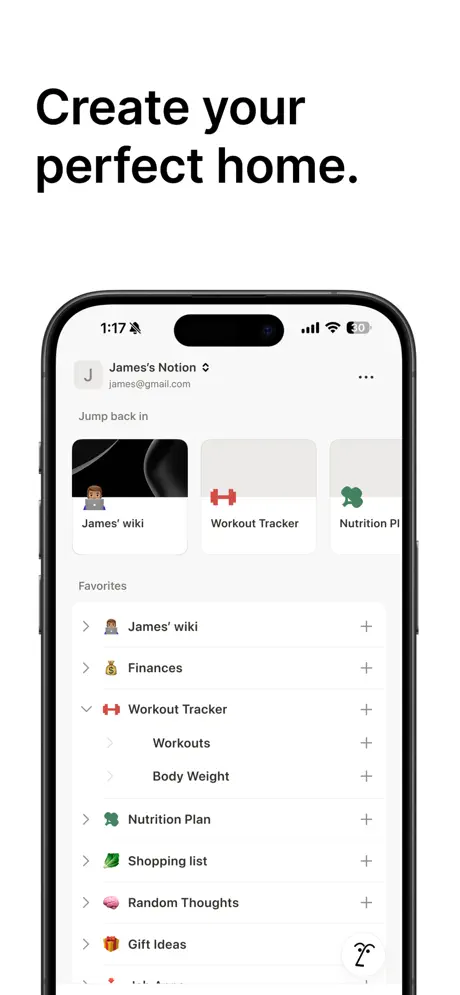
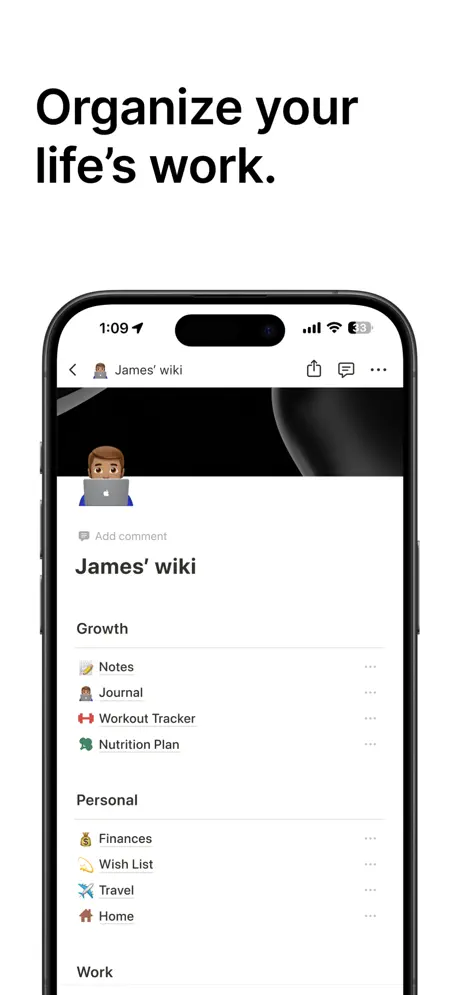
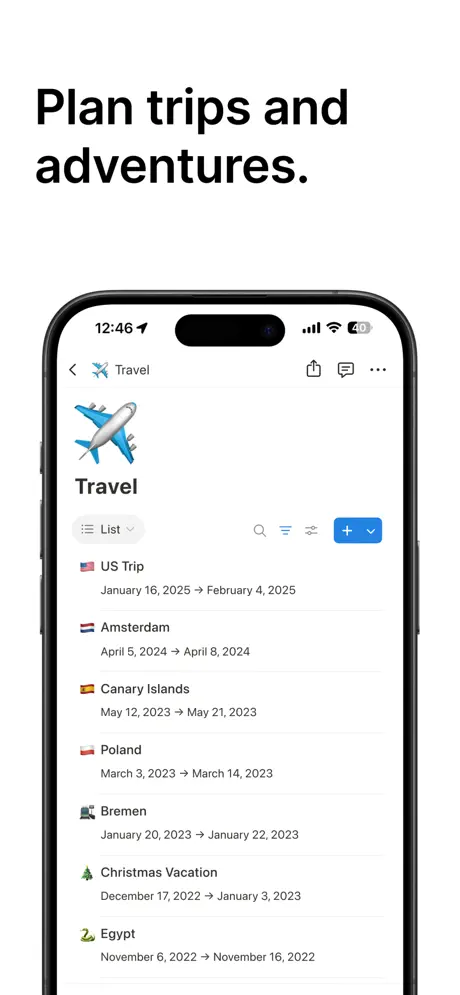
Build any goal tracking system you can dream up. The trade-off? You have to build it yourself.
Notion isn't a goal tracker. It's a workspace that you can turn into one. Using databases, relations, roll-up formulas, and multiple views, you can create everything from a simple weekly habit checkbox grid to a full OKR system with quarterly reviews, cascading sub-goals, and automatic progress calculations.
The template marketplace has hundreds of goal-tracking setups, from free minimal layouts to elaborate $30 "Life OS" dashboards covering goals, habits, finances, fitness, and journaling. And if none of those work, you can build your own from scratch.
That flexibility is both Notion's superpower and its biggest problem. As one Reddit user put it: "I've made 7+ habit trackers and this is the final form." But another was more blunt: "Apps like Notion are powerful but overkill for daily goals."
What it does well:
- Limitless customization. No other app lets you redesign the entire data model, create computed fields with formulas, or link goals to project docs, meeting notes, and reference material. It's a goal tracker construction kit.
- Everything in one place. Your goals live next to your notes, projects, and reading lists. No context switching.
- Free tier is generous. Unlimited pages and databases for a single user. You can build a full personal goal tracking system without paying anything.
- Cross-platform sync. Changes sync across web, desktop (Mac/Windows), and mobile (iOS/Android) in real time.
Where it falls short:
- Setup is a project in itself. Building a functional goal system requires understanding databases, relations, roll-ups, and formulas. Multiple Reddit users describe spending weeks setting up before actually tracking goals.
- Mobile app is sluggish. Quick daily habit check-ins, the kind that should take five seconds, feel slow on Notion's mobile app. Complex dashboards can take several seconds to load. For a daily tracking tool, that friction adds up.
Pricing: Free for personal use. Plus plan at $10/month (billed annually) for teams and advanced features.
Platforms: iOS, Android, Mac, Windows, Web.
Bottom line: If you enjoy building systems and want total control over how your goals are structured, Notion is unmatched. If you just want to open an app, check off today's habits, and move on, look elsewhere.
3. TickTick - Best All-in-One Productivity
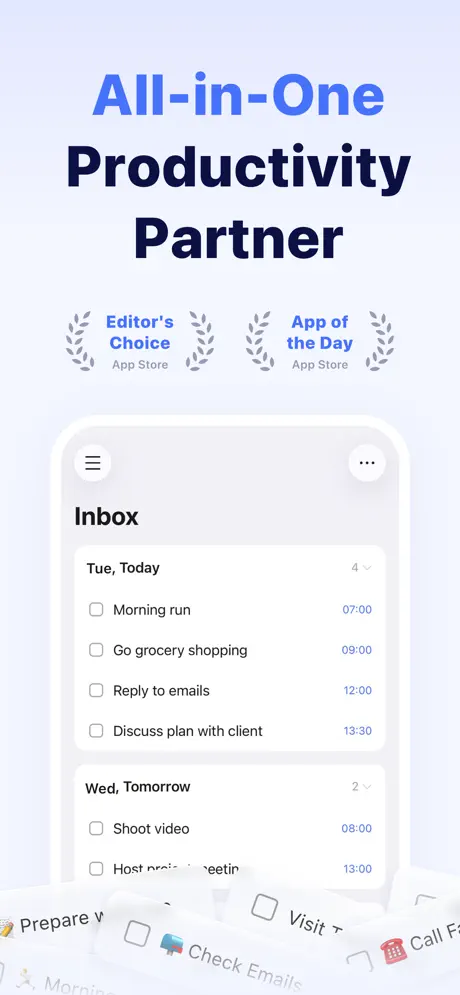
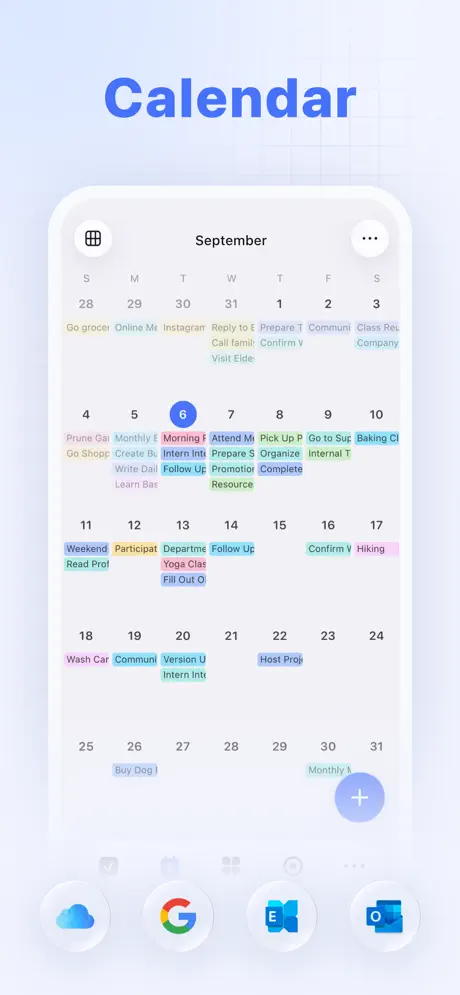
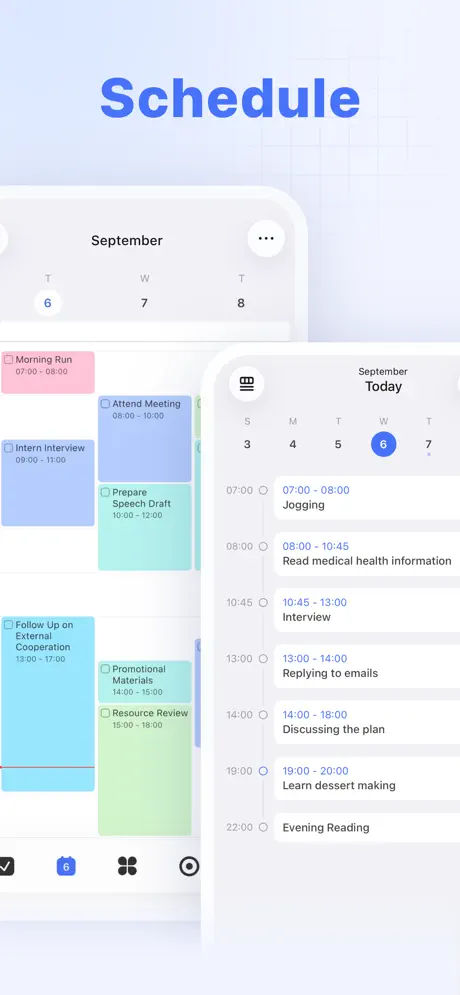
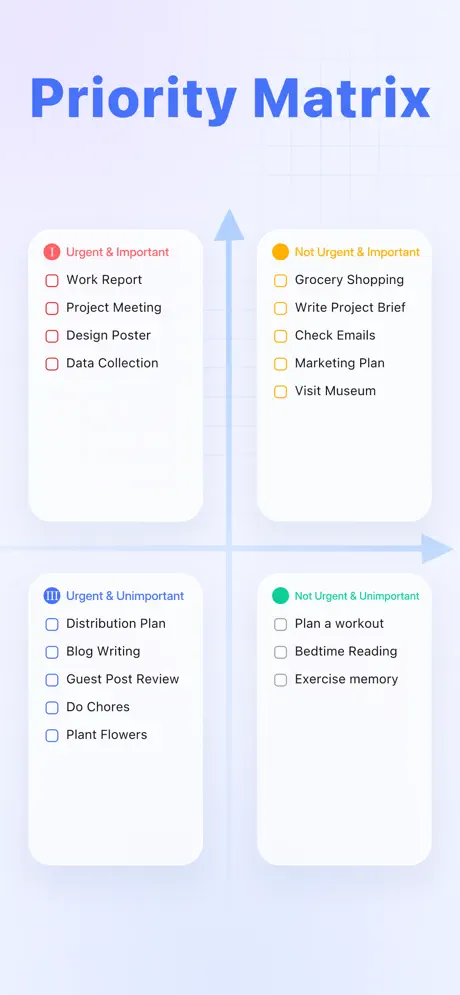
Tasks, habits, calendar, and Pomodoro timer. One app, one subscription, zero app-switching.
TickTick is what happens when a task manager grows up and absorbs every productivity tool around it. It started as a to-do list. Now it handles tasks with subtasks and priorities, a built-in habit tracker with streaks and stats, a calendar with Google Calendar sync, a Pomodoro focus timer with ambient sounds, and even an Eisenhower Matrix for sorting tasks by importance.
The habit module lets you choose from 60+ pre-built habits or create custom ones. Each habit can have a measurable goal ("drink 8 glasses of water"), flexible scheduling, and reminders. Streaks provide just enough gamification to keep you going without turning the app into a game.
With a 4.86/5 rating from over 41,000 App Store reviews, TickTick has earned serious loyalty. As one long-term user wrote: "It replaced 5+ other apps on my phone because it does all these things better than dedicated apps."
What it does well:
- Genuine all-in-one. Tasks, habits, calendar, Pomodoro, and notes in a single app. Most competitors specialize in one area. TickTick does all five.
- Cross-platform everywhere. iOS, Android, Mac, Windows, Linux, and web. Real-time sync across all six platforms, including Linux (which is unusual for productivity apps).
- Natural language input. Type "Meeting with client tomorrow at 3pm" and TickTick parses it automatically. Fast task capture with low friction.
- ADHD-friendly design. Multiple App Store reviewers specifically called it out as helpful for neurodivergent users who struggle with organization. One wrote: "This completely changed my life from terrible grades to waking up early."
Where it falls short:
- Calendar view is paywalled. The most common complaint across reviews. Users feel a calendar should be a basic feature, not locked behind a $3/month subscription.
- Free habit count is limited. Free users get roughly five habits. If you're tracking more than that, you'll need Premium. As one reviewer put it: "Premium should offer additional features, not basic functionality."
Pricing: Free with limits. Premium at $3.99/month or $35.99/year (about $3/month).
Platforms: iOS, Android, Mac, Windows, Linux, Web, Apple Watch.
Bottom line: If you're tired of juggling separate apps for tasks, habits, and focus sessions, TickTick consolidates everything and does it well. Just know the free tier has real limits.
4. Streaks - Best for Apple Users
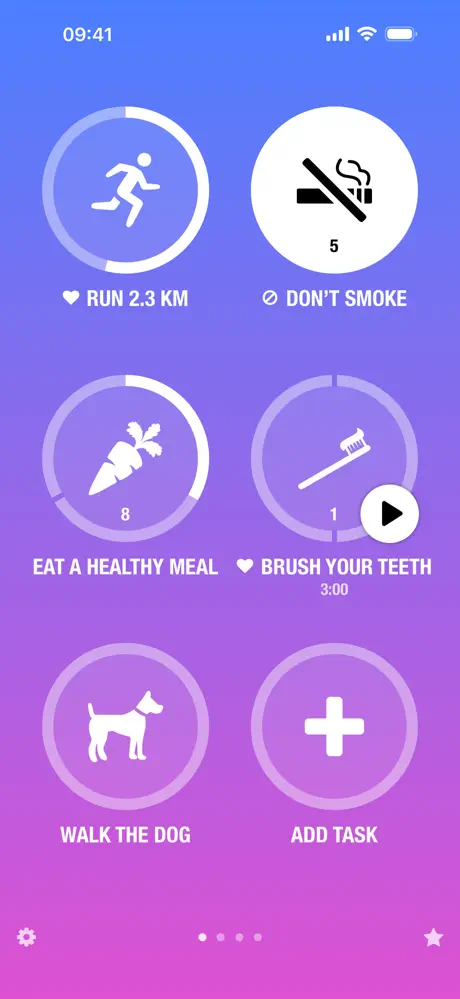
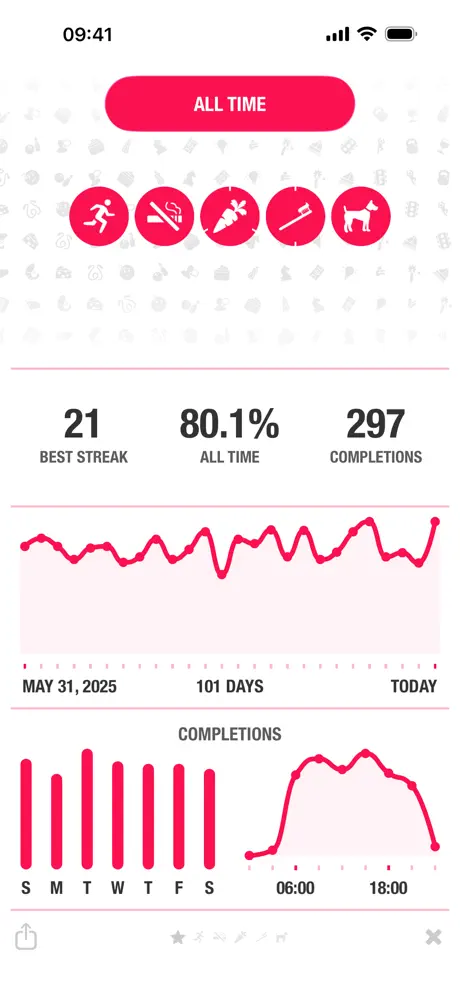
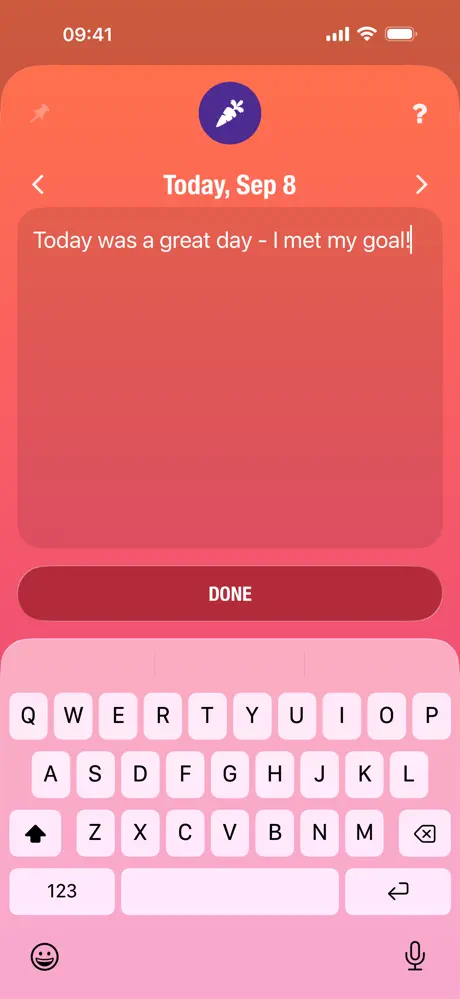
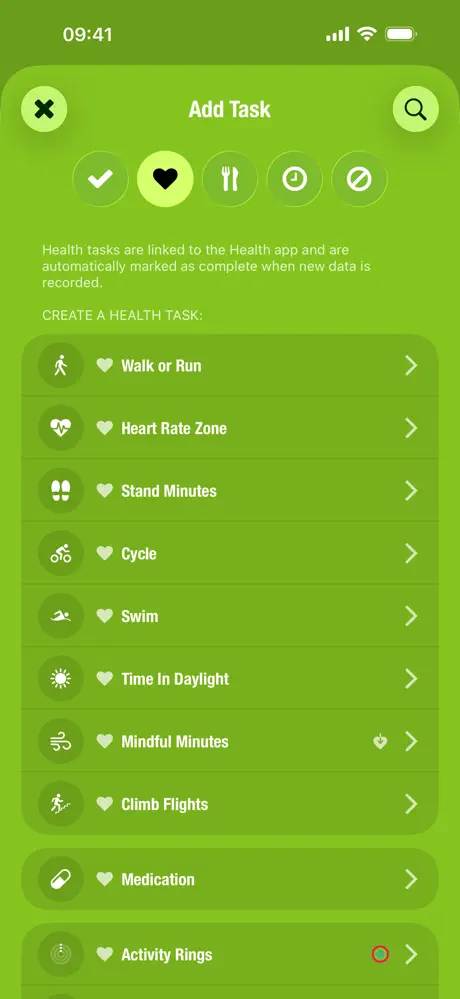
Apple Design Award winner. 24 habits max. One-time purchase. The best Apple Watch habit tracking experience you can get.
Streaks does one thing and does it beautifully: daily habit tracking built on the "Don't Break the Chain" philosophy. You define up to 24 tasks, displayed as large tappable circles, six per page. Complete them daily, and the streak counter grows. Miss a day, and it resets to zero.
Simple? Yes. But the execution is what earned Streaks an Apple Design Award and Editor's Choice status. The animations are gorgeous, the Dark Mode is perfect, and the Apple Watch app is in a league of its own. You can log habits from your wrist without ever pulling out your phone, which solves a real problem: the distraction spiral that comes from opening your phone to "just check off one habit."
With 27,000+ ratings averaging 4.8/5 stars, Streaks has proven itself over nearly a decade since its 2015 launch.
What it does well:
- Apple ecosystem perfection. Full Apple Watch app, Apple Health auto-tracking (steps, exercise, mindfulness), Siri Shortcuts integration, and four types of home screen widgets. No competitor matches this on Apple platforms.
- Health auto-completion. Link a habit to Apple Health data and it completes automatically. Walked 10,000 steps? The habit checks itself off. No manual logging needed.
- One-time purchase. $5.99 and you own it. No subscription. No ads. In a world of $80/year productivity apps, that's refreshing.
- Intentional simplicity. The 24-habit limit is a feature, not a bug. It forces you to focus on what actually matters. As one user who maintained a 1,470+ day streak noted: "A streak is mentally rewarding, which is why these check-off apps work well."
Where it falls short:
- Apple only. No Android, no Windows, no web. If anyone in your household uses Android, you can't share habits with them.
- Limited analytics. You get monthly calendars and bar graphs, but no trend analysis, correlations, or deep data visualization. Power users wanting detailed insights will feel constrained.
Pricing: $5.99 one-time (iOS). $4.99 separate purchase for Mac.
Platforms: iPhone, iPad, Mac, Apple Watch, Apple Vision Pro.
Bottom line: If you're all-in on Apple and want a beautiful, focused habit tracker that respects your wallet, Streaks is the obvious pick. One reviewer nailed it: "I accomplished more in one day than I had in the previous week."
5. Habitica - Best for Gamification
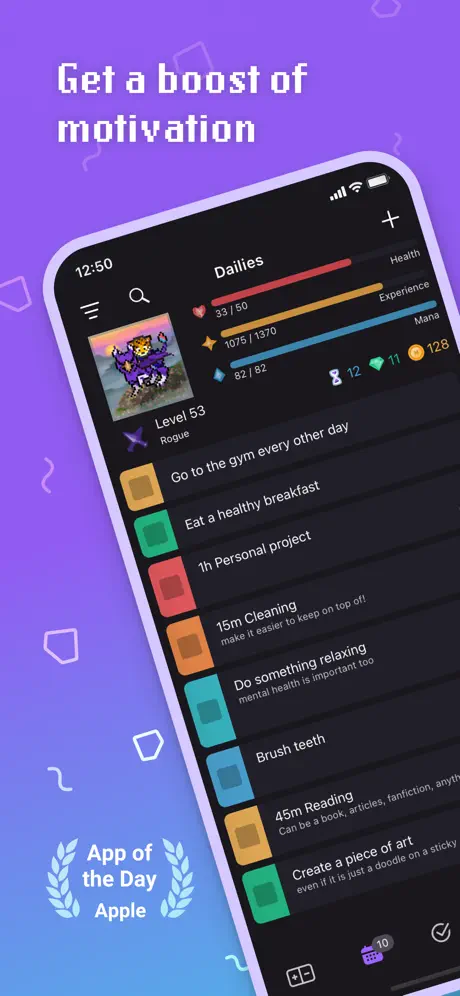
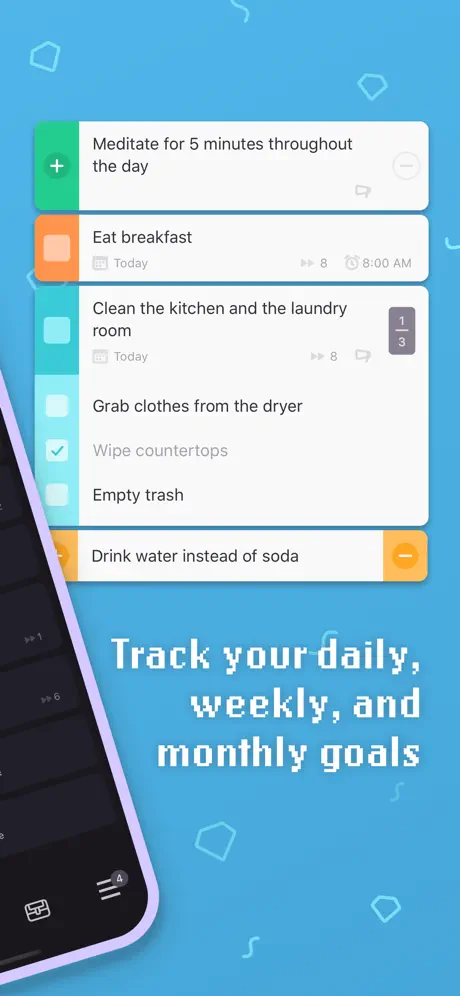
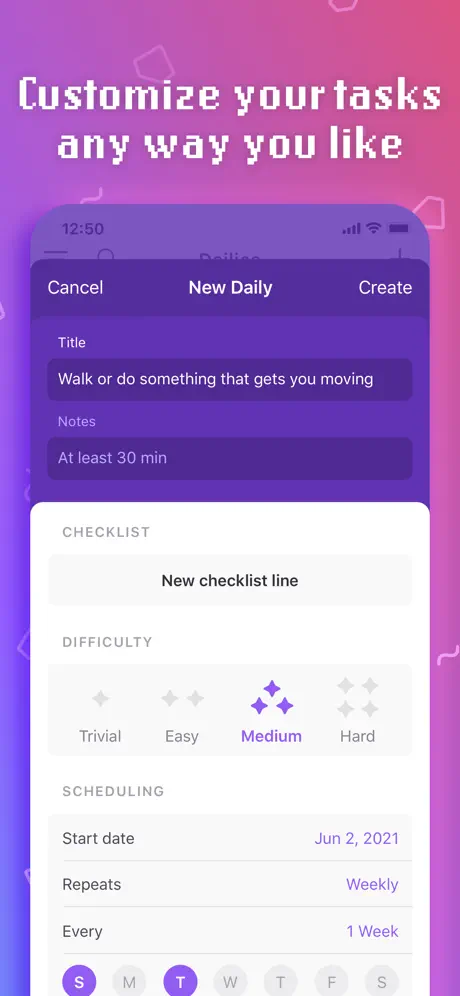
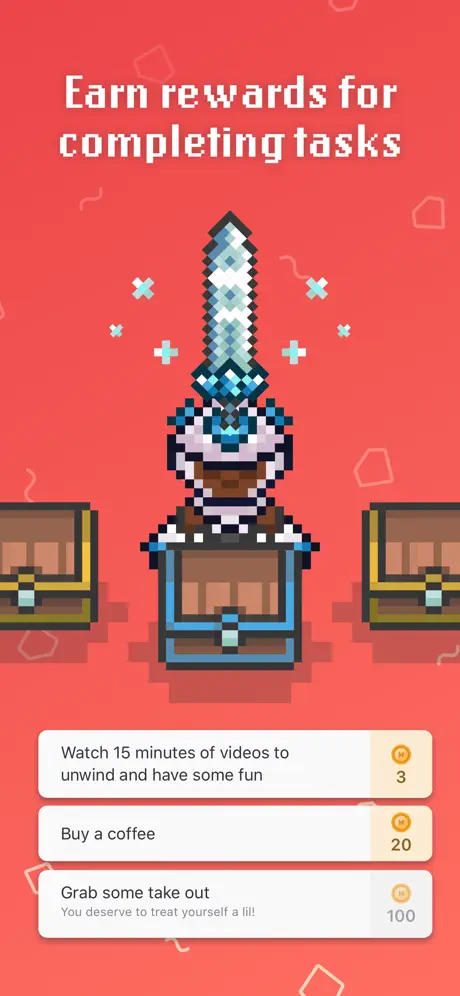
Your habits become quests. Your to-do list levels up your character. Miss a daily? The boss attacks your whole party.
Habitica turns productivity into a retro pixel-art RPG. You create a character, choose a class (Warrior, Mage, Healer, or Rogue), and organize your life into habits, dailies, and to-dos. Completing tasks earns XP and gold. Missing dailies costs HP. Reach zero HP and your character dies, losing a level, gold, and a random item.
The social layer is where Habitica gets really interesting. Join a party of up to 30 people and take on boss quests together. Every completed task deals damage to the boss. Every missed daily causes the boss to attack the entire party. Your procrastination literally hurts your friends. It's accountability with a game-design twist that works surprisingly well.
With 15 million downloads and active content updates multiple times per month (new quests, pets, equipment sets through all of 2025), Habitica is very much alive. The free tier includes every core feature. The subscription ($4/month) is purely cosmetic, which one long-term user specifically praised: "I've been using the app since 2018 and it's the only organization app I've used that doesn't pressure users for money."
What it does well:
- Gamification that actually works. The RPG mechanics aren't a gimmick. XP, gold, collectible pets (90+ species), equipment, and class abilities create genuine motivation loops. As one Reddit user said: "It has legitimately made me a far more productive person."
- Group accountability through quests. Party boss battles create social pressure that goes beyond "Hey, did you work out today?" When your inaction damages your friends' characters, you show up.
- ADHD-friendly feedback loops. The immediate tap-and-reward cycle is particularly effective for neurodivergent users. One G2 reviewer wrote: "It's been perfect for getting me and my ADHD brain completing tasks."
- Truly free. All core features (habits, dailies, to-dos, parties, quests, pets, classes) are free. No ads. The subscription is cosmetic. This is rare.
Where it falls short:
- Overwhelming for new users. The interface presents habits, dailies, to-dos, equipment, pets, quests, guilds, challenges, and a market all at once. New users frequently report feeling lost. The learning curve is real.
- Dated UI. The pixel art is charming if you grew up with 16-bit games, but some users find it looks outdated compared to modern productivity apps. The interface hasn't had a major visual overhaul in years.
Pricing: Free (all core features). Subscription at $4.99/month or $47.99/year for cosmetic bonuses and convenience features.
Platforms: iOS, Android, Web.
Bottom line: If you've tried other habit trackers and lost interest within a week, Habitica's RPG mechanics might be the motivation system that sticks. Just be prepared for a learning curve.
Which Goal Tracker App Should You Pick?
Here's the short version:
- If you want a calm, all-in-one goal tracker that respects your privacy and lives inside your calendar: pick Habi.
- If you love building custom systems and want your goals integrated with notes, docs, and projects: pick Notion.
- If you need tasks, habits, calendar, and focus timer in one app across every platform: pick TickTick.
- If you're deep in the Apple ecosystem and want beautiful design with Apple Watch and Health integration: pick Streaks.
- If traditional trackers bore you and you want RPG gamification with group accountability: pick Habitica.
No single app is perfect for everyone. The best goal tracker is the one you'll actually open tomorrow morning.
Frequently Asked Questions
What's the best free goal tracker app?
Habitica gives you the most for free: habits, dailies, to-dos, parties, quests, and collectible pets with no paywall on core features. Habi is also free with a fully usable core experience. Notion's free tier supports unlimited personal goal tracking databases.
Can you track goals in Notion?
Yes. Notion uses databases with relations and roll-up formulas to create goal tracking systems. You can build anything from a simple weekly habit grid to a full OKR dashboard with cascading sub-goals and automatic progress bars. The trade-off is setup time. Expect to spend a few hours building your system before you start tracking.
What's the difference between a goal tracker and a habit tracker?
A goal tracker helps you define and measure progress toward specific outcomes ("run a marathon," "save $5,000"). A habit tracker focuses on daily behaviors ("run 3 times a week," "skip takeout on weekdays"). Most apps in this list do both. Habi and TickTick integrate goals and habits into a single system. Streaks focuses purely on daily habit streaks.
Is Habitica still active in 2026?
Very much so. Habitica released version 3.14.7 in January 2026 and ships new quests, pets, equipment, and seasonal events multiple times per month. The app has 28 staff members, about $5.2 million in annual revenue, and an active open-source community on GitHub.
What goal tracker app works with Apple Watch?
Streaks has the best Apple Watch experience by far, with a full standalone watch app, complications, and the ability to log habits from your wrist without opening your phone. TickTick also supports Apple Watch. Habi supports Apple Watch through widgets and will expand Watch functionality in future updates.
Final Thoughts
Goals without tracking are wishes. You can write them in a journal, pin them to your wall, or set a New Year's resolution with conviction. Without a system to measure daily progress, they fade.
Pick one app from this list. Just one. Use it for 30 days before deciding if it works. The biggest mistake isn't choosing the wrong app. It's spending so long comparing apps that you never start tracking.
If you want to start right now, give Habi a try. It's free, it takes about two minutes to set up your first goal, and your data stays on your device.
The best time to start tracking was yesterday. The second best time is now.