Best ADHD Planner Apps in 2026 (Tested and Compared)

Short on Time? Here's the Quick Take





Finding the right planner app when you have ADHD is not the same as finding a planner app in general. Standard task managers assume you will check them regularly, organize tasks logically, and follow through without external prompts. ADHD brains work differently. You need an app that accounts for time blindness, executive function challenges, and the reality that motivation arrives unpredictably.
We tested over a dozen ADHD planner apps to find the ones that actually work for how ADHD brains process time, tasks, and transitions. We narrowed the list to six that stand out for different reasons: visual scheduling, distraction blocking, AI-powered task breakdown, and guided routines.
Full disclosure: Habi is our app. We built it because we wanted a focus-first approach to habit building. Every app on this list got the same honest evaluation. No affiliate links. No paid placements.
Here are the six ADHD planner apps worth trying in 2026.
Quick Comparison
| App | Best For | Price | Platforms | Rating |
|---|---|---|---|---|
| 1. Habi | Focus and distraction blocking | Free / $2.49/mo | iOS, iPad, Mac, Vision Pro | 4.9/5 |
| 2. Tiimo | Visual ADHD planner | Free / $4.50/mo | iOS, Android, Web | 4.6/5 |
| 3. Structured | Timeline day view | Free / $2.99/mo | iOS, Android, Mac, Web | 4.7/5 |
| 4. Todoist | Traditional task management | Free / $4/mo | iOS, Android, Mac, Web, Windows | 4.6/5 |
| 5. Goblin Tools | AI task breakdown | Free / $1.99 app | iOS, Android, Web | 4.8/5 |
| 6. Routinery | Guided routine timers | Free / $3/mo | iOS, Android, Web | 4.5/5 |
How We Evaluated These Apps
Every app was tested against five criteria specific to ADHD needs:
- Low-friction task entry. Can you capture a thought before it vanishes? ADHD brains need fast input: voice, natural language, or one-tap entry.
- Visual structure. Does the app show time visually? Timelines, color coding, and visual cues combat time blindness better than text-only lists.
- External scaffolding. Does it provide reminders, timers, or step-by-step guidance? ADHD executive function gaps mean your app needs to be your external frontal lobe.
- Sensory-friendly design. Is the interface calming or overwhelming? Cluttered dashboards with dozens of options trigger ADHD paralysis instead of action.
- Distraction prevention. Does the app help you stay on task, or does it become another source of distraction?
No affiliate links. No app paid to be here.
The 6 Best ADHD Planner Apps
1. Habi - Best for Focus and Distraction Blocking
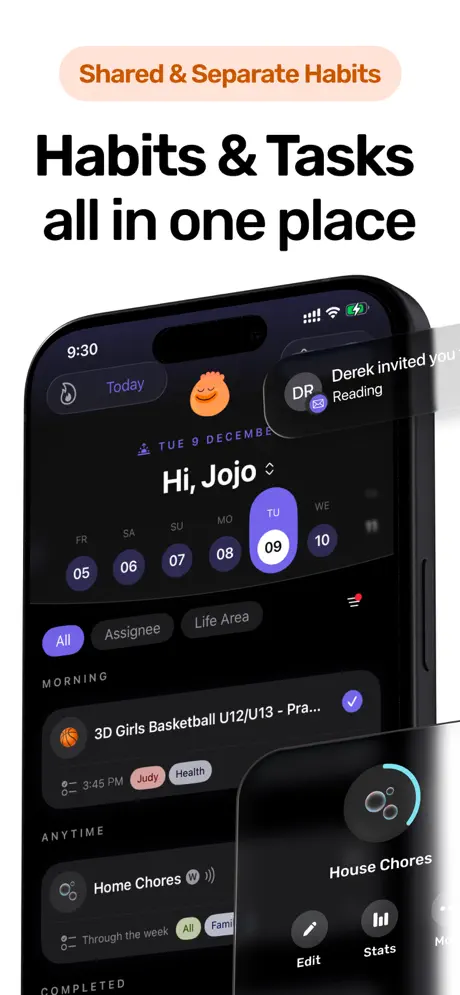
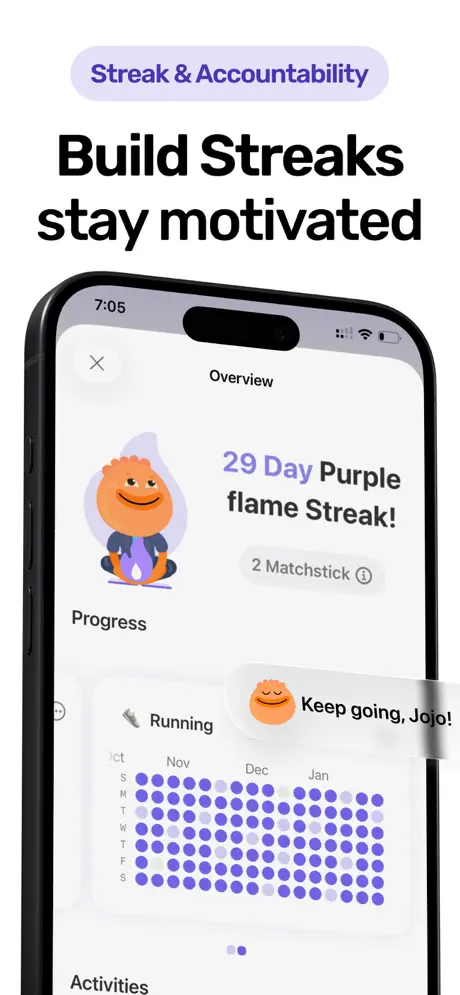
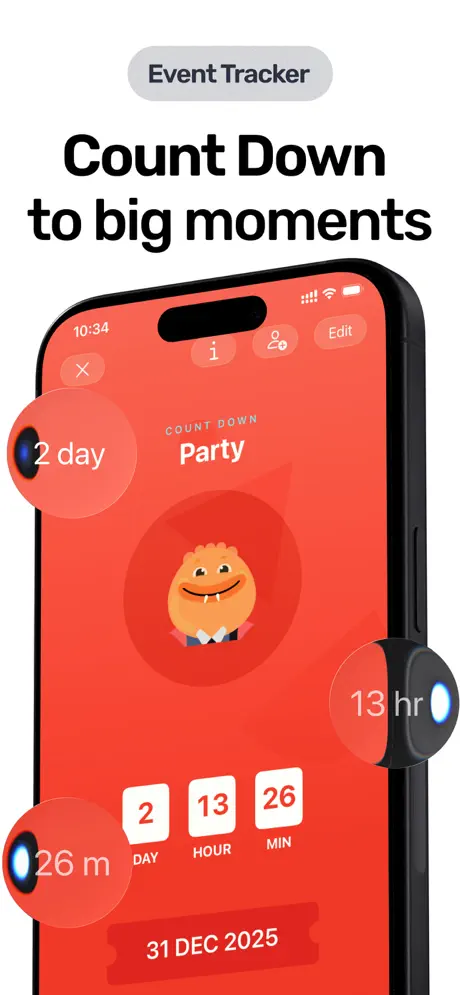
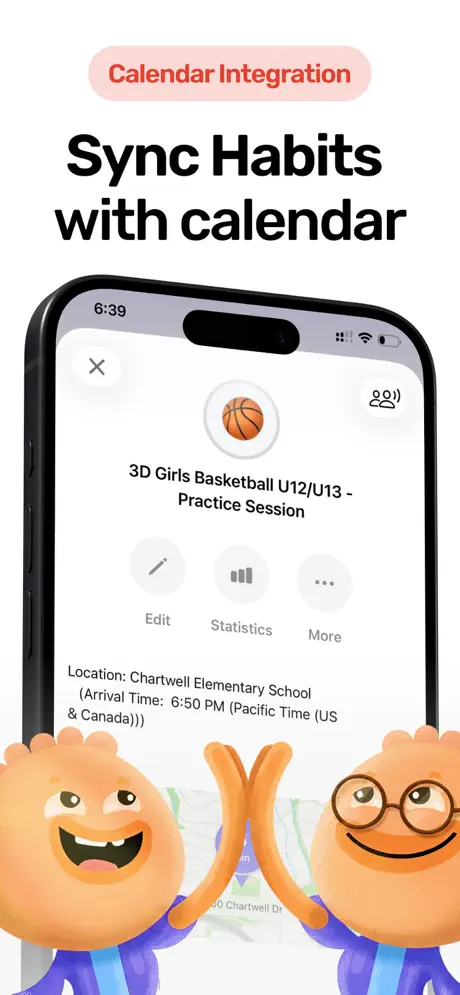
Most ADHD planner apps help you organize tasks. Habi goes one step further: it blocks the distractions that prevent you from doing them.
The combination of habit tracking, a Pomodoro focus timer with ambient soundscapes, and screen time blocking makes Habi uniquely suited for ADHD brains that struggle with follow-through. You can build a morning routine, set a 25-minute focus session, and block Instagram, TikTok, and YouTube while you work. The ambient sounds (rain, forest, white noise) provide the sensory background that many ADHD brains need to maintain attention without feeling understimulated.
The drag-and-drop scheduling lets you rearrange your day based on energy levels. ADHD energy is not linear. Some days you are sharp at 9 AM; other days your brain does not engage until 2 PM. Habi lets you adapt your plan without fighting a rigid structure. That flexibility matters more than most planner apps realize.
Project management with shared checklists adds an accountability layer. You can invite friends or family to a project and track progress together. For ADHD brains that rely on body doubling and external accountability, this turns solo habits into shared commitments.
What it does well:
- Screen time blocking during focus sessions. Block distracting apps while you work. No other ADHD planner on this list offers active distraction prevention. This is the single most impactful feature for ADHD users who lose hours to phone scrolling.
- Focus timer with ambient sounds. Built-in Pomodoro timer plus white noise, rain, and forest soundscapes. Provides the sensory input ADHD brains need to sustain attention without adding visual clutter.
- Drag-and-drop flexible scheduling. Rearrange your day based on energy, not a fixed template. ADHD brains need plans that bend, not break.
- Shared projects for accountability. Invite others into your routines. External accountability is one of the most effective ADHD habit-building strategies.
Where it falls short:
- No visual timeline. If you need a color-coded day view like Tiimo or Structured, Habi takes a different approach. It focuses on habit streaks and focus sessions rather than a visual calendar.
- Apple-only. iPhone, iPad, Mac, and Vision Pro. No Android or web version. If you need cross-platform, look at Todoist or Structured.
Pricing: Free to use. Optional premium at $2.49/month unlocks extras, but the core habit tracking, focus timer, and screen time blocking all work without paying.
Platforms: iPhone, iPad, Mac (Apple Silicon), Apple Vision Pro.
Bottom line: Habi is the ADHD planner for people whose biggest problem is not planning but following through. If you already know what you should be doing but distractions keep pulling you away, the combination of focus timer, ambient sounds, and screen time blocking addresses the root cause. Give Habi a try and see if blocking the noise changes your routine.
2. Tiimo - Best Visual Planner for ADHD
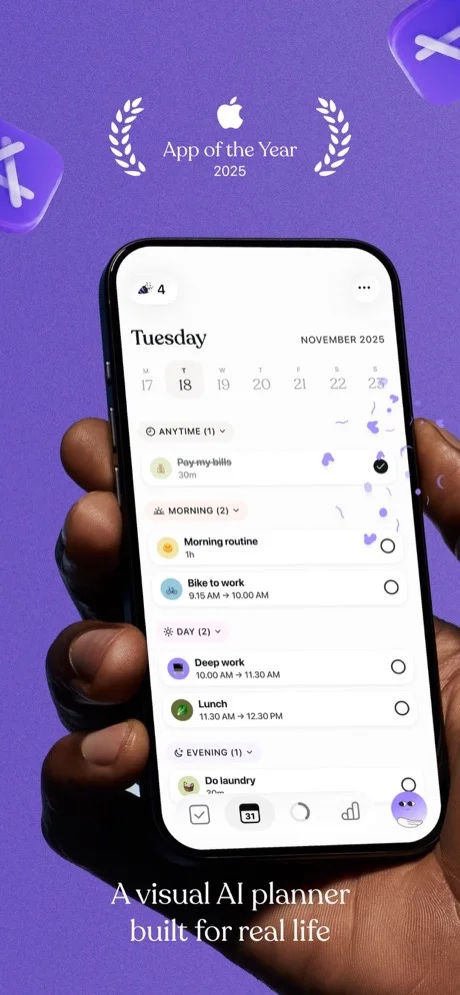
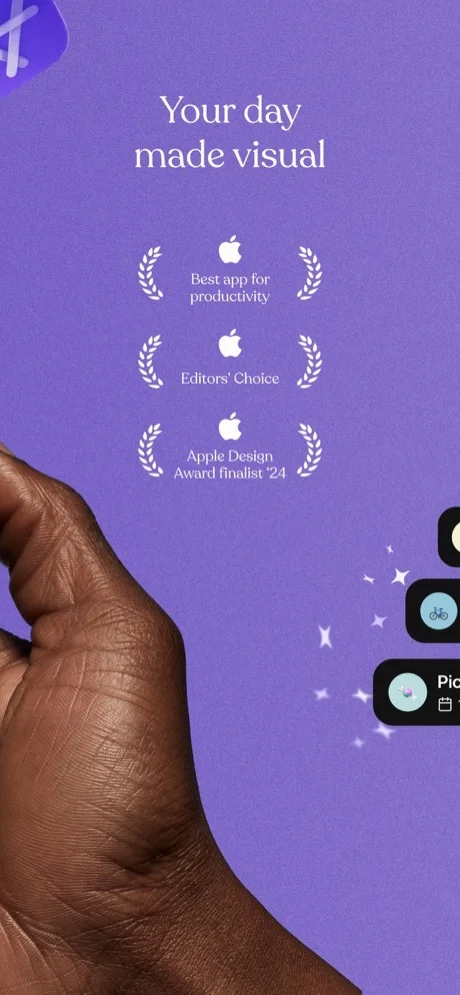
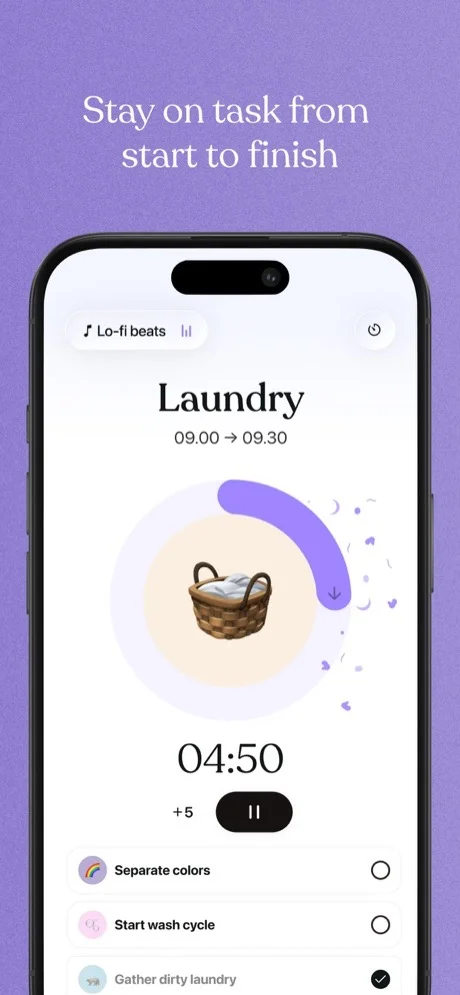
Tiimo was built from the ground up for neurodivergent users, and it shows. Where most planner apps adapt general-purpose features for ADHD, Tiimo starts with the ADHD brain and designs outward. It won Apple's iPhone App of the Year 2025, and the award was well-earned.
The core experience is a color-coded visual timeline. Instead of a text list of tasks, your day appears as a flowing sequence of colored blocks. Each block shows what you are doing, for how long, and what comes next. This visual approach directly addresses time blindness, the inability to feel how long tasks take or how much time remains in a day. Research on ADHD time management consistently shows that making time visible is one of the most effective strategies.
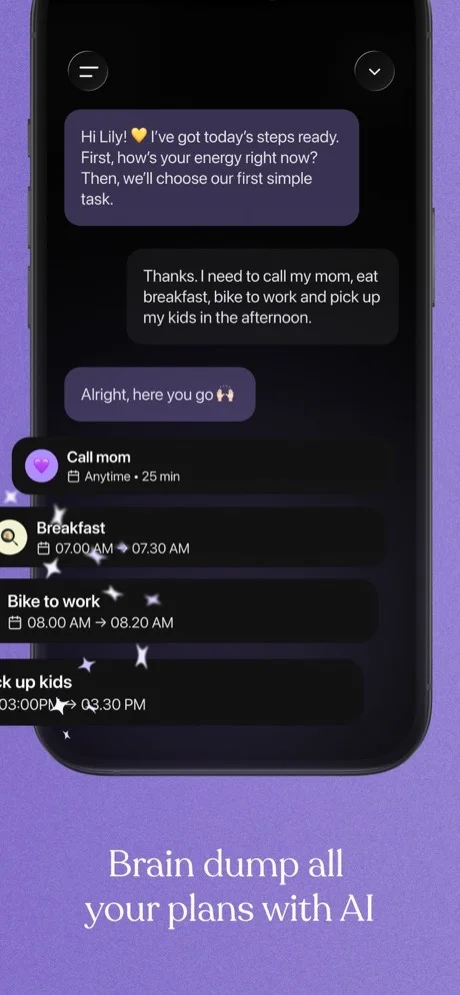
Tiimo's AI planner turns a rough idea into a structured schedule. Tell it "I need to clean the apartment, do laundry, and cook dinner," and it breaks each task into steps, estimates durations, and slots them into your timeline. For ADHD brains that freeze at the planning stage, this removes the executive function barrier that prevents getting started.
The design is sensory-friendly by default. Over 3,000 custom colors and icons let you build a visual system that works for your brain. The focus timer is calming rather than stressful. Widgets keep your next task visible on your home screen and lock screen, reducing the friction of opening the app.
What it does well:
- Purpose-built for neurodivergent brains. Not a general planner with ADHD tweaks. The entire design philosophy centers on visual thinking, time blindness, and executive function support.
- AI-powered planning. Describe your tasks in natural language and the AI creates a structured timeline with estimated durations. Removes the planning barrier that causes ADHD paralysis.
- Visual timeline for time blindness. Color-coded blocks make abstract time concrete. You can see and feel how your day flows instead of guessing.
- Lock screen and home screen widgets. Your next task stays visible without opening the app. Reduces the friction that causes ADHD brains to forget what they planned.
Where it falls short:
- Expensive. At $4.50/month (annual) or $12/month (monthly), Tiimo is the priciest app on this list. The free tier covers basic planning, but AI features and advanced customization require Pro.
- No distraction blocking. Tiimo helps you plan your day but does not prevent phone distractions during execution. You still need willpower (or another app) to stay off social media.
Pricing: Free (basic features). Pro at $4.50/month (annual) or $12/month. 7-day free trial on annual plan.
Platforms: iPhone, iPad, Android, Apple Watch, Web.
Bottom line: Tiimo is the gold standard for visual ADHD planning. If time blindness is your primary challenge and you want an app that was designed specifically for how your brain works, Tiimo is the strongest option. The price is higher than most alternatives, but for an app that won iPhone App of the Year on the strength of its neurodivergent design, the investment may be worth it. See our best daily planner apps guide for more options in this category.
3. Structured - Best Timeline View
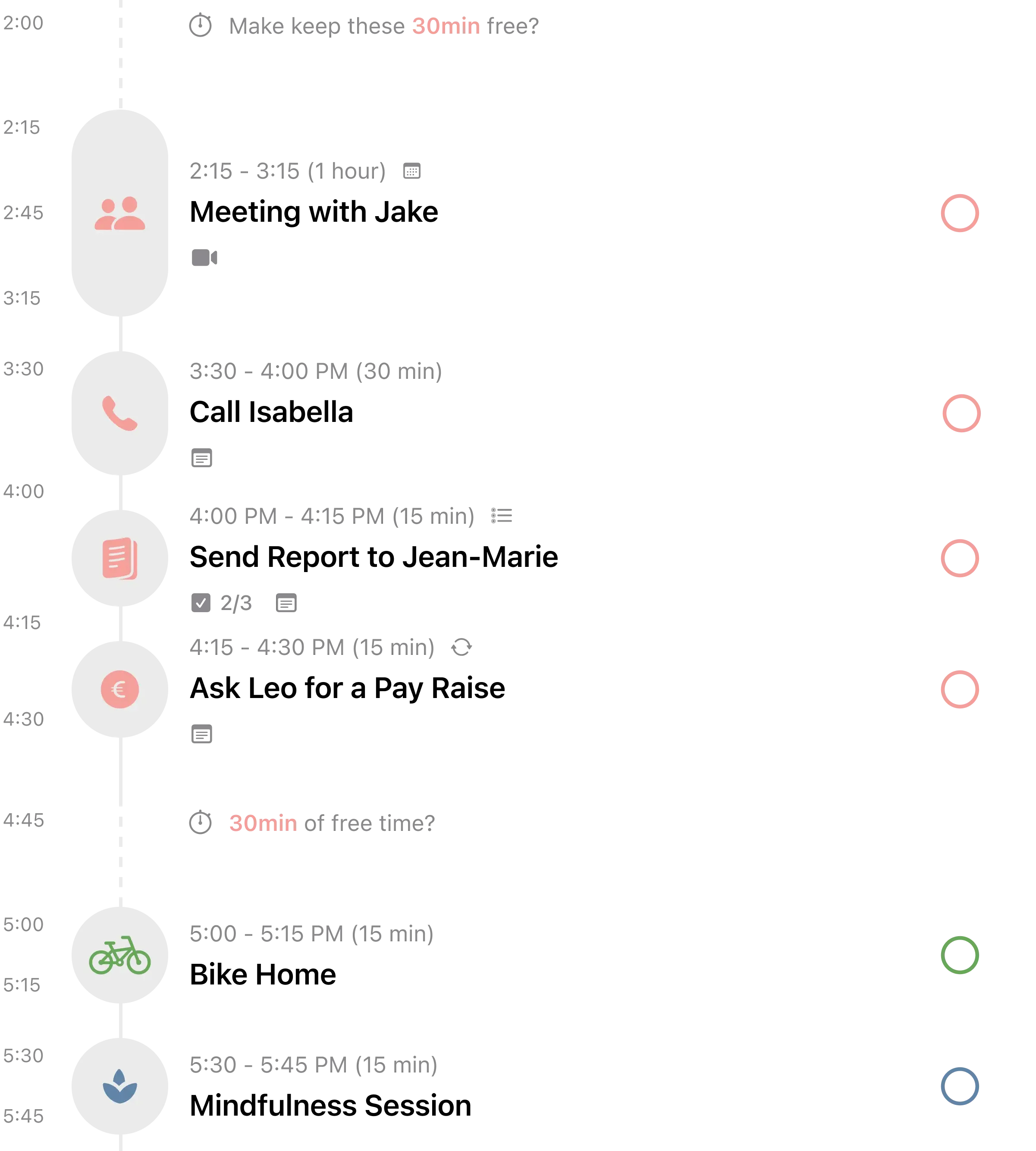
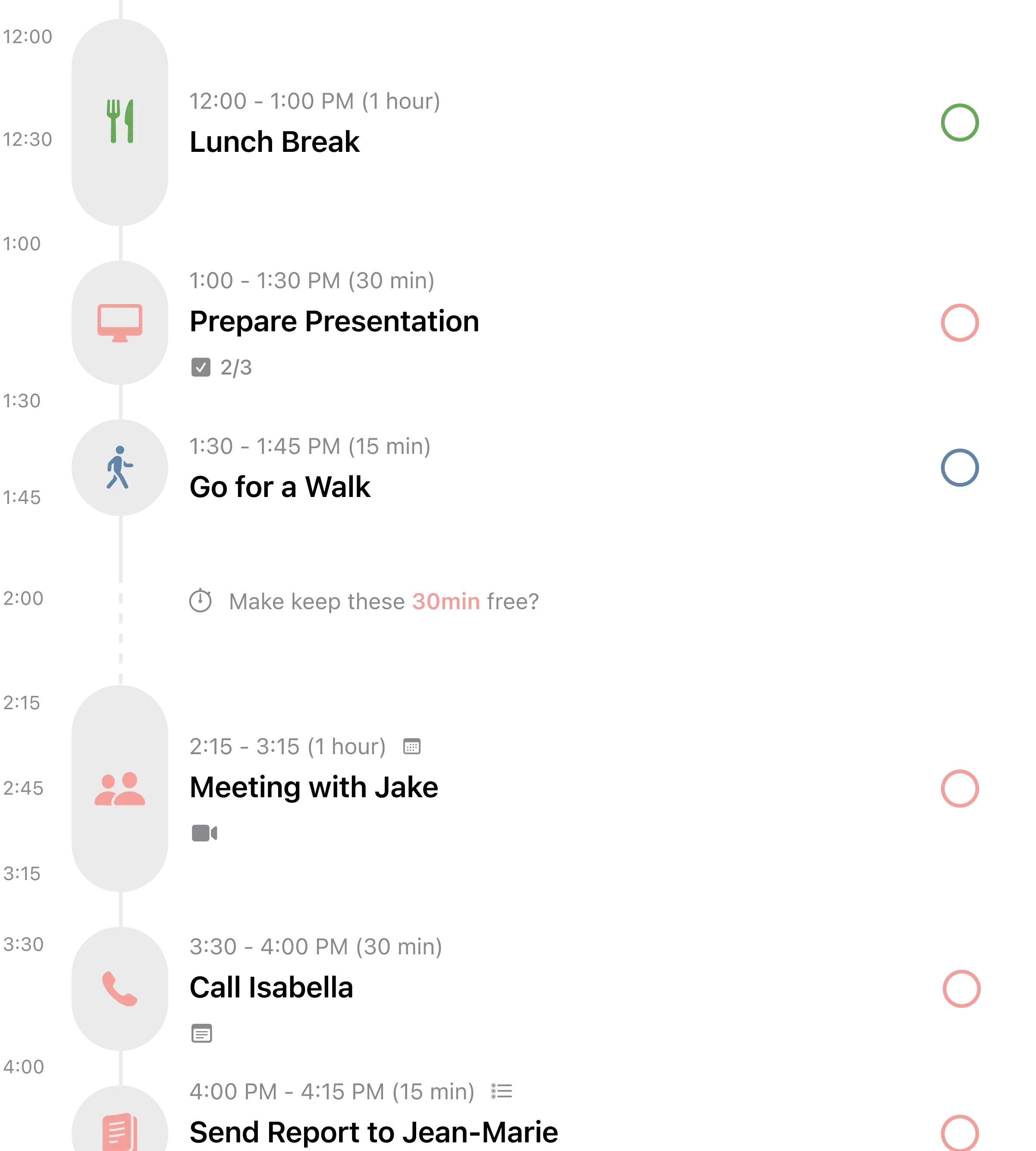
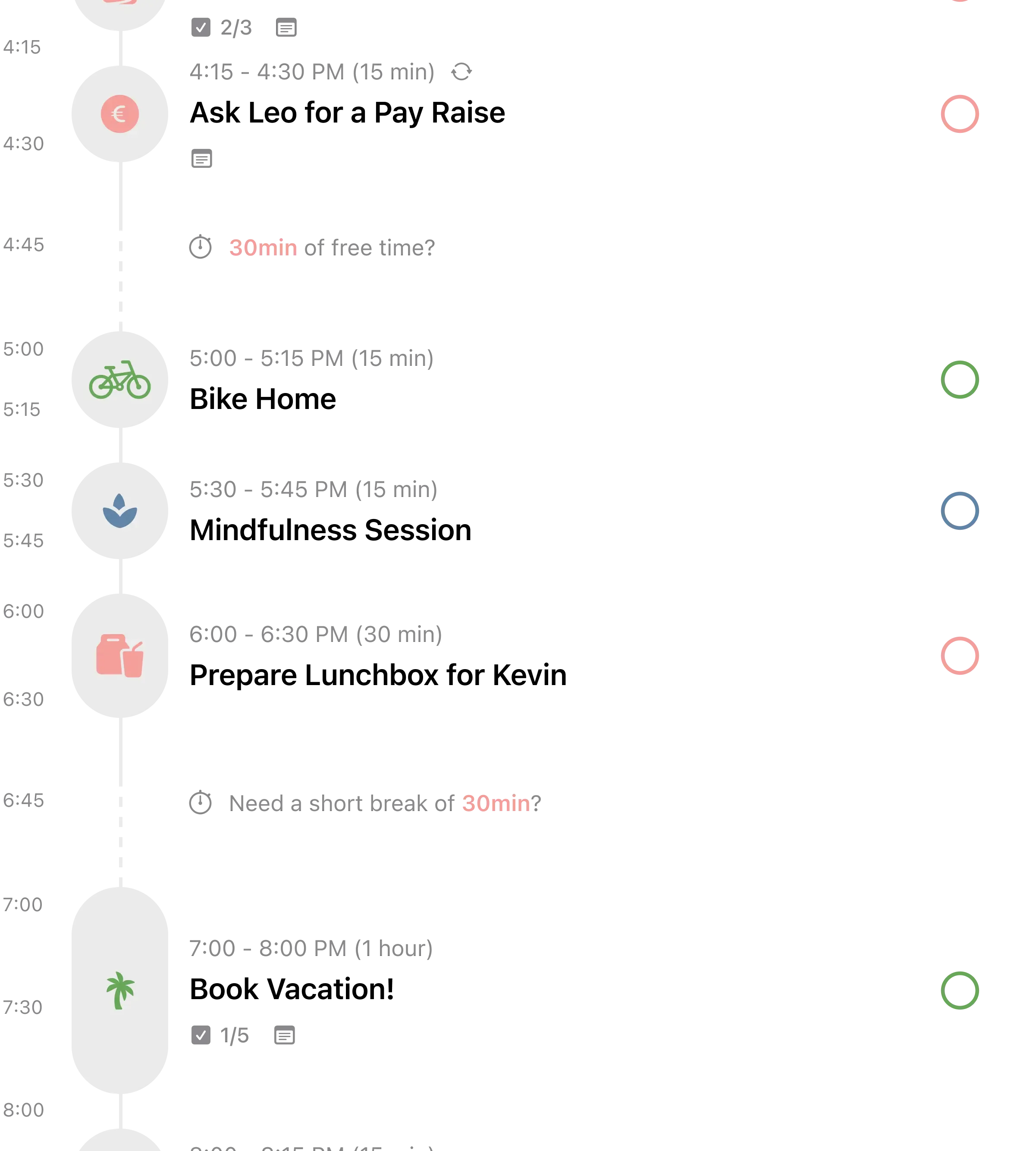
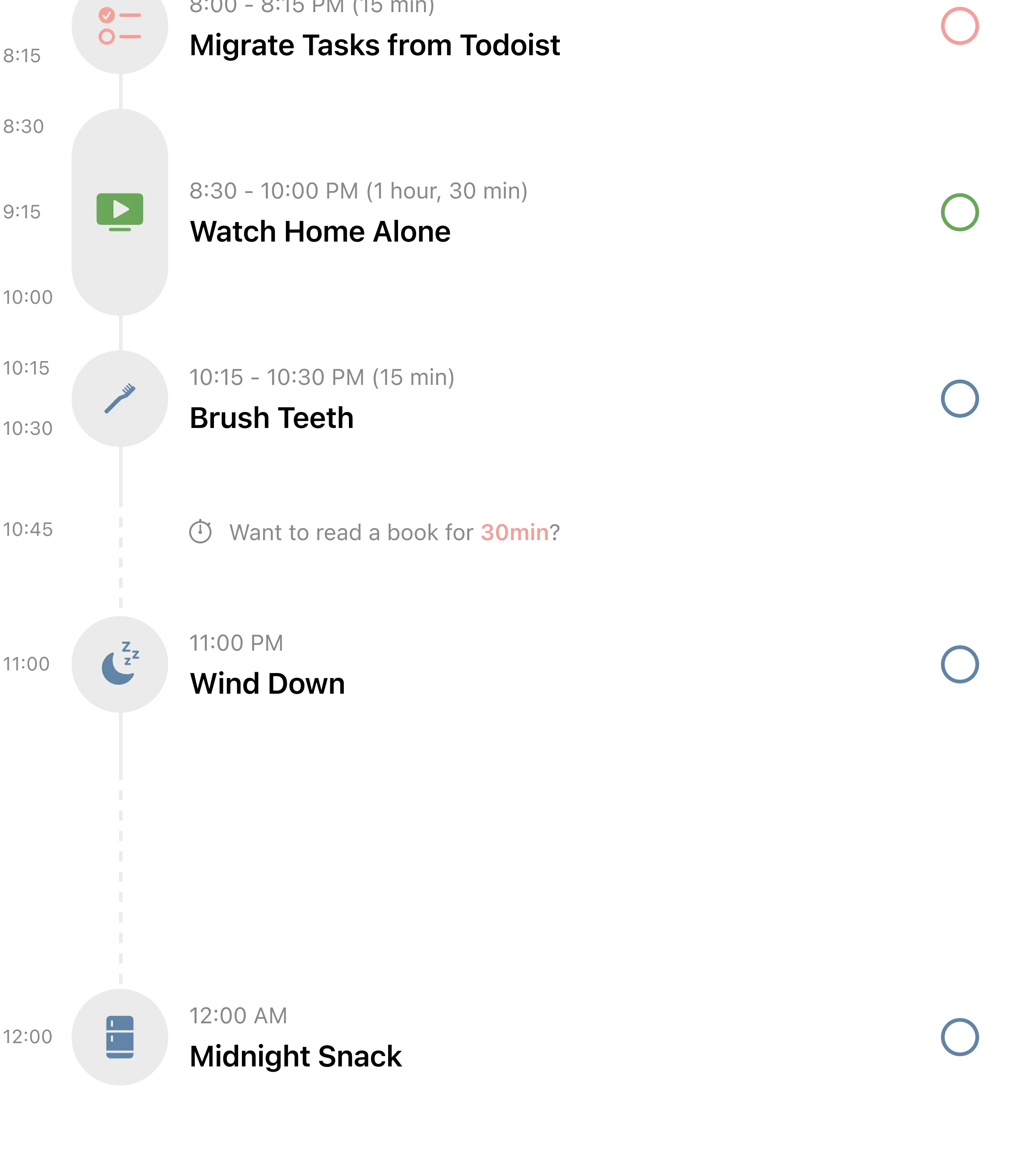
If Tiimo is the ADHD specialist, Structured is the visual planner that works for everyone but happens to be excellent for ADHD. Over 1.5 million active users rely on its timeline view to organize their days, and the ADHD community has adopted it enthusiastically.
The core feature is an intuitive timeline that merges your calendar events, to-dos, routines, and habits into one visual flow. Color-coded blocks show your day at a glance. You can see gaps, overlaps, and transitions. For ADHD brains, this visual structure provides the external scaffolding that internal executive function cannot reliably deliver.
Structured's AI feature lets you type or dictate your plans for the day in natural language, and the app organizes them into a timeline. "Meeting at 10, gym at 4, groceries after" becomes a structured visual schedule. Voice dictation support makes this particularly ADHD-friendly, since you can capture plans the moment they form without switching to typing mode.
The app syncs across iPhone, iPad, Apple Watch, and Mac, with Android and web versions also available. The inbox feature lets you quickly dump ideas without organizing them immediately, which matches how ADHD brains capture information: fast and messy first, organized later.
What it does well:
- Clean visual timeline. Calendar, to-dos, habits, and routines in one color-coded view. The visual clarity reduces decision fatigue and makes transitions between tasks obvious.
- AI planning with voice dictation. Speak your plans and the app creates a structured timeline. Removes the barrier between thinking and planning that trips up ADHD brains.
- Inbox for quick capture. Dump ideas into the inbox without organizing them. Process later when your brain is in sorting mode. Matches ADHD's burst-capture thinking style.
- Cross-platform sync. iPhone, iPad, Mac, Apple Watch, Android, and web. Your plan follows you across every device throughout the day.
Where it falls short:
- Android and web versions lag behind iOS. The core experience is built for Apple platforms. If you primarily use Android, expect fewer features and slower updates.
- No built-in accountability. Structured is a solo planning tool. No shared projects, no social features, no body doubling. If external accountability drives your follow-through, you will need to add it separately.
Pricing: Free (basic features). Pro at $2.99/month, $19.99/year, or $64.99 lifetime.
Platforms: iPhone, iPad, Mac, Apple Watch, Android, Web.
Bottom line: Structured is the best balance of visual planning and cross-platform availability. It is not ADHD-specific like Tiimo, but its timeline view, AI planning, and quick-capture inbox address the same core challenges. The lifetime pricing option is a strong value if you commit to visual planning. For more timeline-based planners, see our best daily planner apps roundup.
4. Todoist - Best Traditional Task Manager
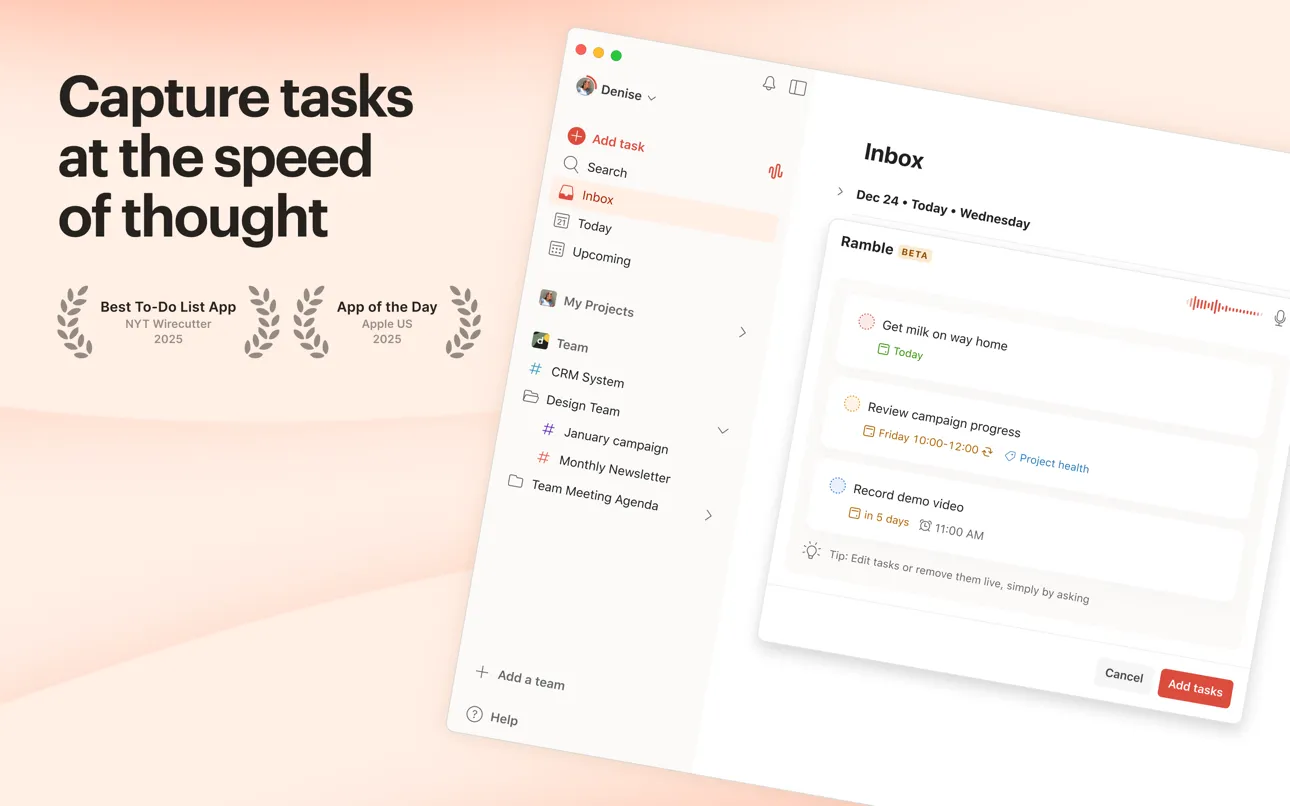
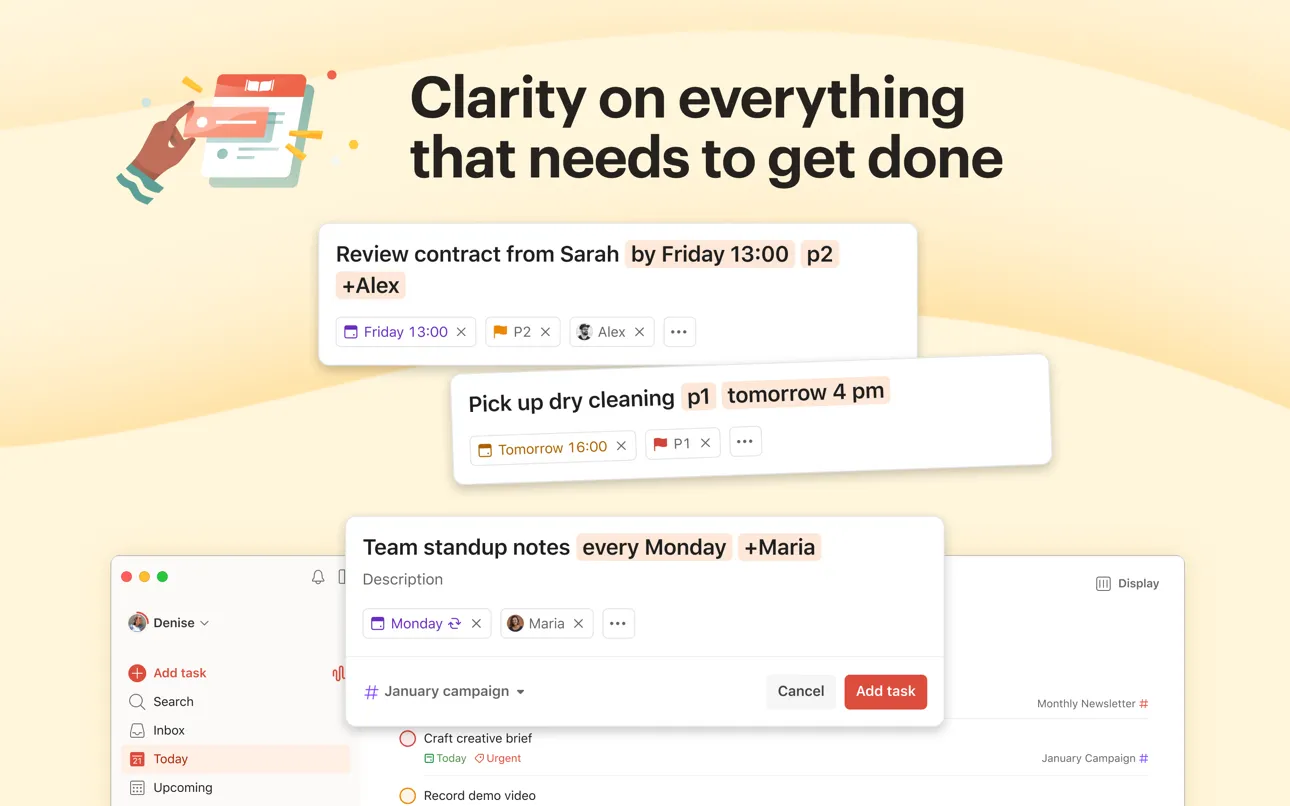
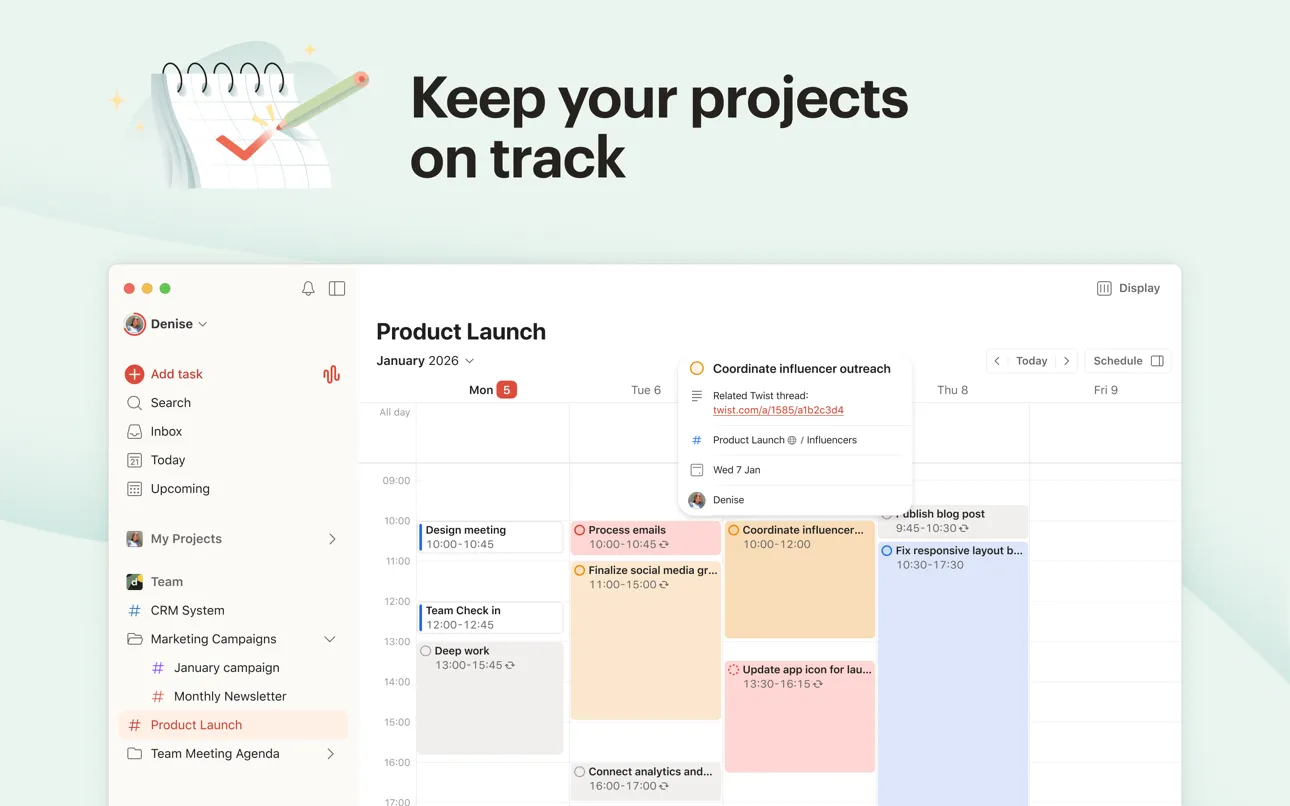
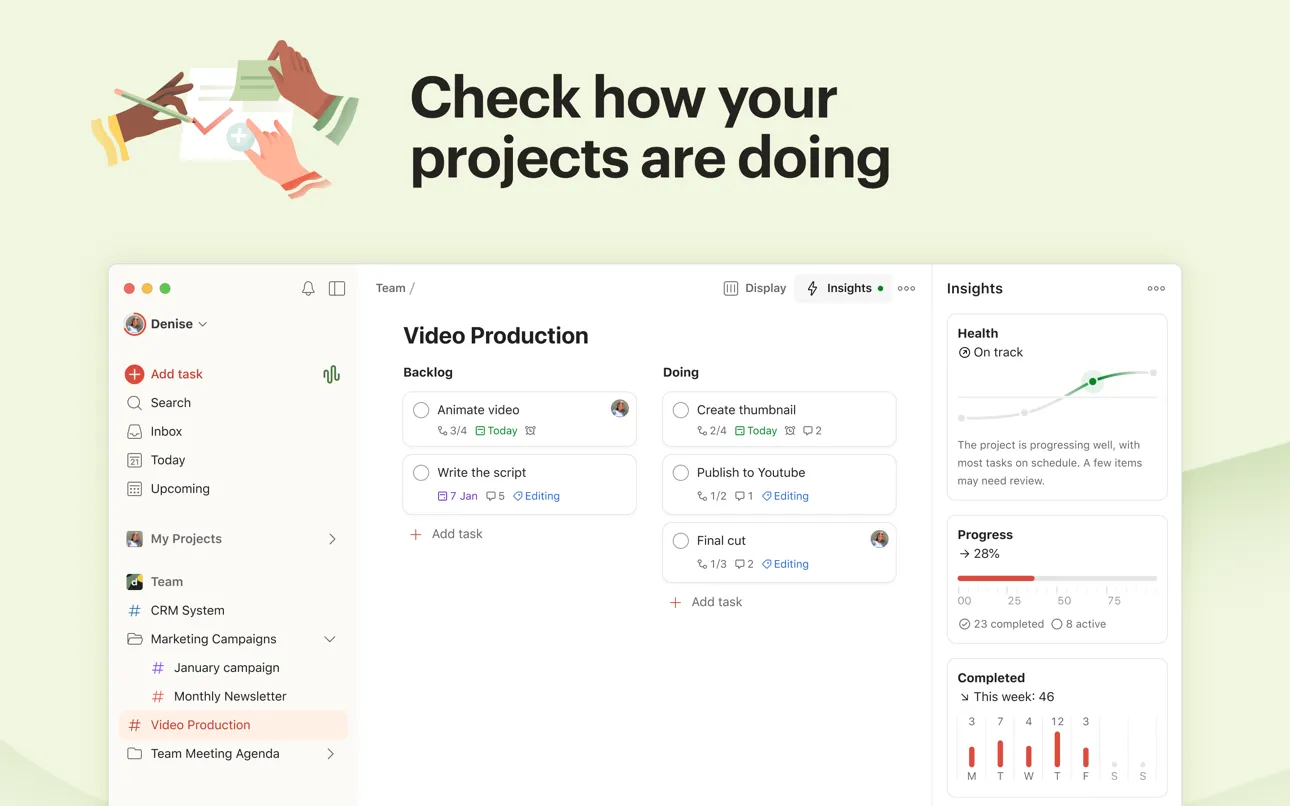
Todoist is not designed specifically for ADHD. It is a general-purpose task manager used by over 40 million people. But its natural language input, priority system, and new voice capture feature make it one of the most ADHD-friendly traditional task managers available.
The standout feature for ADHD users is speed of capture. Type "Call dentist tomorrow at 3pm p1" and Todoist creates a task with a due date, time, and high priority. No forms to fill. No menus to navigate. The thought goes from your brain to the app in seconds. For ADHD brains where ideas vanish as quickly as they arrive, that speed is the difference between a captured task and a forgotten one.
Ramble, launched in January 2026, takes this further. Speak your thoughts naturally and Todoist's AI (powered by Gemini 2.5 Flash) parses unstructured speech into organized tasks with due dates, priorities, and assignees. Say "I need to buy groceries this weekend, finish the report by Friday, and remind me to call Mom on Tuesday." Ramble turns that into three separate tasks, correctly dated and prioritized. For ADHD brains that think in streams of consciousness, this is transformative.
The priority system (P1 through P4 with color coding) provides instant visual hierarchy. Labels let you tag tasks by context (home, work, errands) so you can filter by what is relevant right now. Recurring tasks handle the routines ADHD brains forget: "Take medication every morning at 8am" runs on autopilot once set up.
What it does well:
- Fastest task capture available. Natural language input and voice-to-task with Ramble. Capture thoughts before they vanish. No ADHD planner matches Todoist's input speed.
- Priority color coding. P1 (red) through P4 (no color) creates instant visual hierarchy. Your brain sees what matters first without reading every task.
- Works everywhere. iOS, Android, Mac, Windows, web, browser extensions, email integrations. The most cross-platform option on this list by far.
- Team and shared projects. Assign tasks to others, comment on tasks, and share project boards. Built-in accountability without needing a separate app.
Where it falls short:
- Not visually structured for ADHD. Todoist is fundamentally a text-based list. No visual timeline, no color-coded day view. If time blindness is your core challenge, Tiimo or Structured serve that need better.
- Overwhelming at scale. Todoist's power comes from its depth: filters, labels, sections, sub-tasks, integrations. For ADHD brains prone to over-engineering their system, Todoist can become a productivity project instead of a productivity tool.
Pricing: Free (5 projects, basic features). Pro at $4/month (annual). Business at $6/user/month (annual).
Platforms: iPhone, iPad, Android, Mac, Windows, Web, Apple Watch, Wear OS.
Bottom line: Todoist is the right choice if your ADHD challenge is capturing and organizing tasks, not visualizing time. Ramble's voice capture is a genuine breakthrough for ADHD users who think in spoken streams. Just be careful not to over-build your system. The best Todoist setup for ADHD is a simple one. See our best daily planner apps guide for how Todoist compares to other planners.
5. Goblin Tools - Best for Task Breakdown
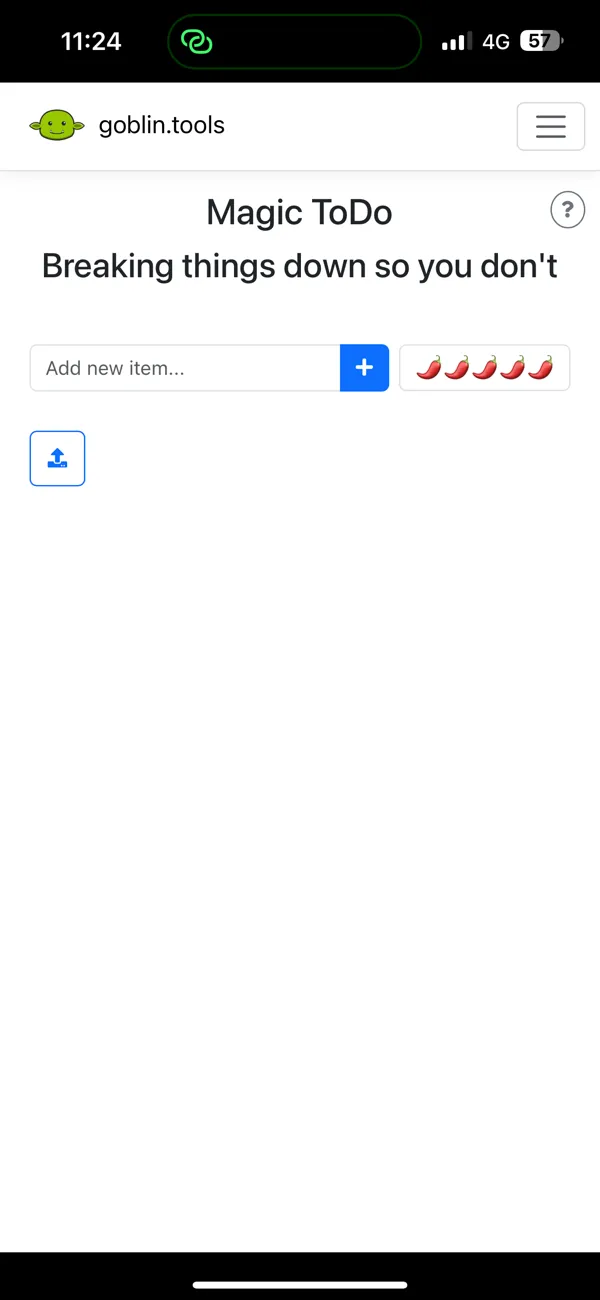
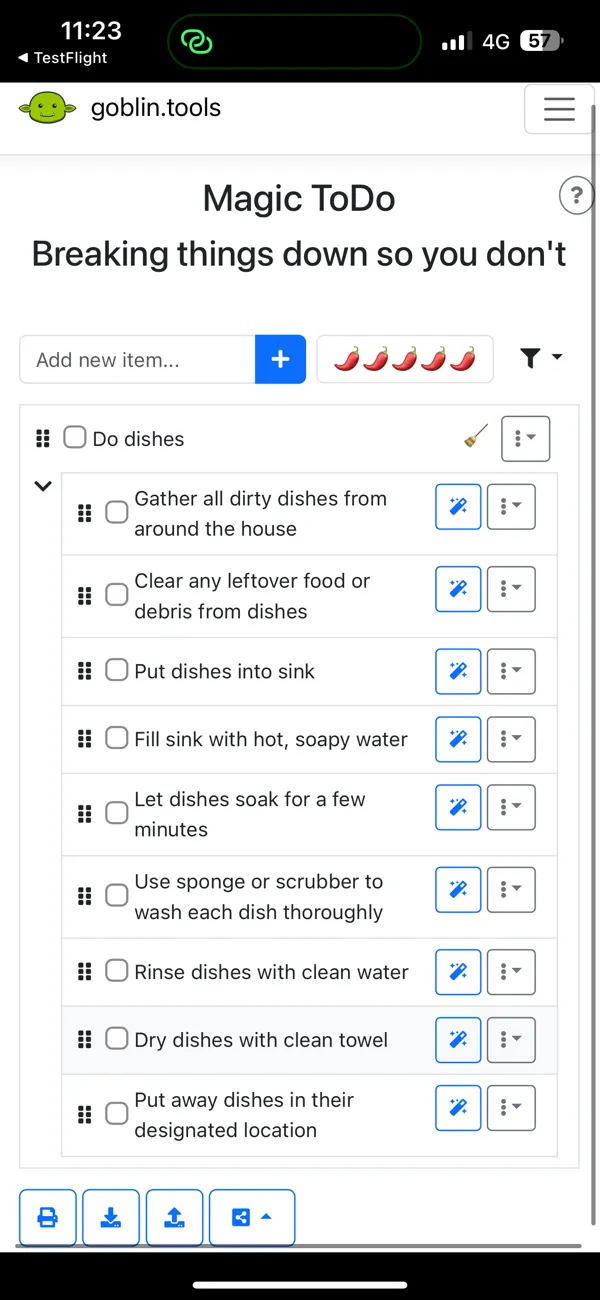
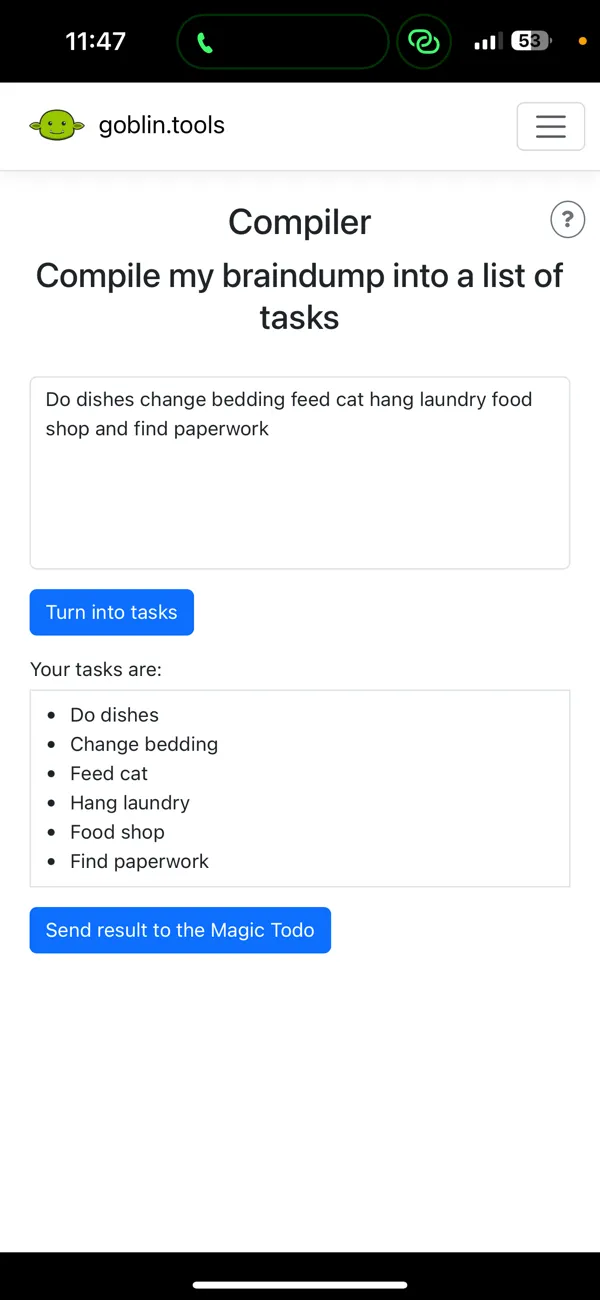
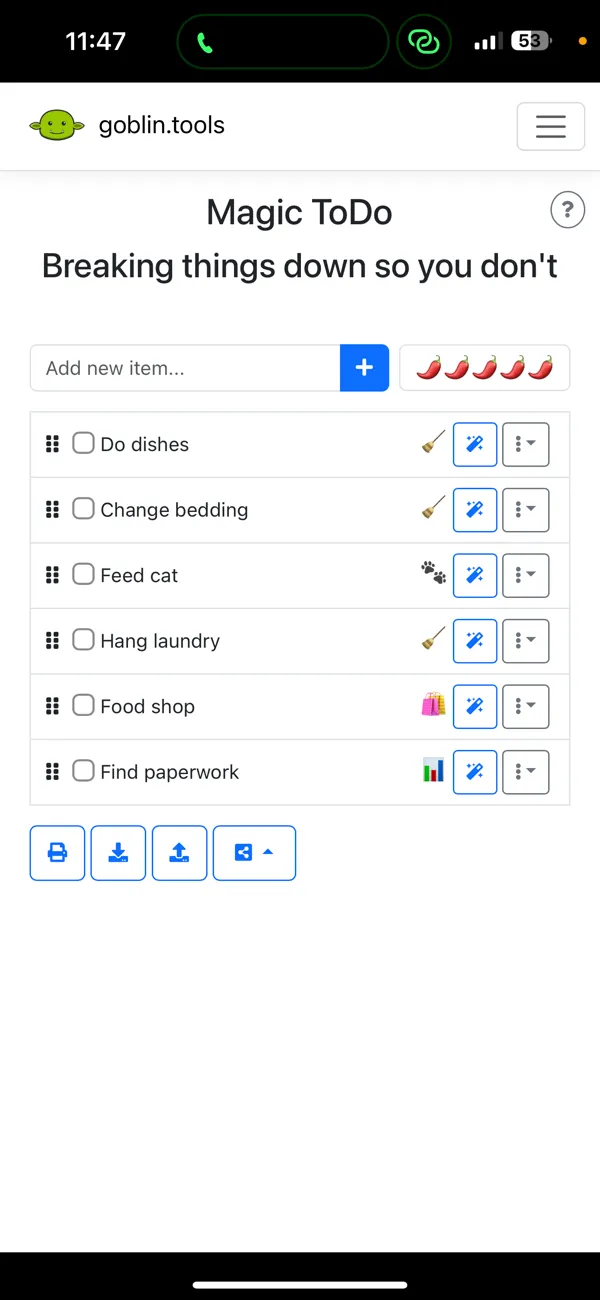
Goblin Tools solves one specific ADHD problem better than any other app: the inability to start a task because it feels too big. Built by developer Bram De Buyser specifically for neurodivergent users, it uses AI to break overwhelming tasks into small, actionable steps.
The core feature is Magic ToDo. Type "clean the kitchen" and the AI generates a step-by-step checklist: clear the counters, load the dishwasher, wipe down surfaces, take out the trash, sweep the floor. Each step can be broken down further. The "spiciness" slider controls how detailed the breakdown gets. "Mild" gives you three to four broad steps. "Spicy" gives you a granular sequence that an ADHD brain can follow without thinking about what comes next.
This directly addresses the executive function deficit that makes task initiation so difficult with ADHD. The problem is rarely that you do not want to clean the kitchen. The problem is that "clean the kitchen" feels like one enormous, undefined blob. Your brain cannot find a starting point, so it defaults to avoidance. Goblin Tools removes that barrier by turning the blob into a list of tiny, concrete actions.
The Formalizer tool helps with another ADHD challenge: communication. It rewrites text to be more formal, casual, or concise. For ADHD brains that agonize over emails or overcomplicate messages, this removes hours of editing paralysis.
What it does well:
- AI task breakdown with adjustable detail. The spiciness slider lets you control how granular the breakdown gets. Mild for simple tasks, spicy for complex ones. No other app matches this level of customizable task decomposition.
- Free and always will be. The web version is completely free with no ads or paywalls. The creator has committed to keeping it that way. Mobile apps cost a one-time $1.99 to support development.
- Solves the hardest ADHD problem. Task initiation failure is the core executive function challenge for most ADHD adults. Goblin Tools targets it directly instead of working around it.
- Formalizer for communication anxiety. Rewrites messages in different tones. Removes the editing paralysis that ADHD brains experience with emails and professional communication.
Where it falls short:
- Not a full planner. Goblin Tools breaks tasks down but does not schedule them, track habits, or manage your day. You need to pair it with another app (Todoist, Structured, or Habi) for actual planning.
- Requires internet connection. The AI features need connectivity. You cannot break down tasks offline, which limits its usefulness during commutes or in areas with poor signal.
Pricing: Free (web). iOS and Android apps at $1.99 one-time.
Platforms: Web (free), iPhone, Android.
Bottom line: Goblin Tools is not a planner. It is a planning companion. Use it alongside your main planner app to break down the tasks that trigger ADHD paralysis. The free web version means there is zero risk in trying it. If you have ever stared at a task for 30 minutes without starting, Goblin Tools was built for exactly that moment.
6. Routinery - Best for Guided Routines
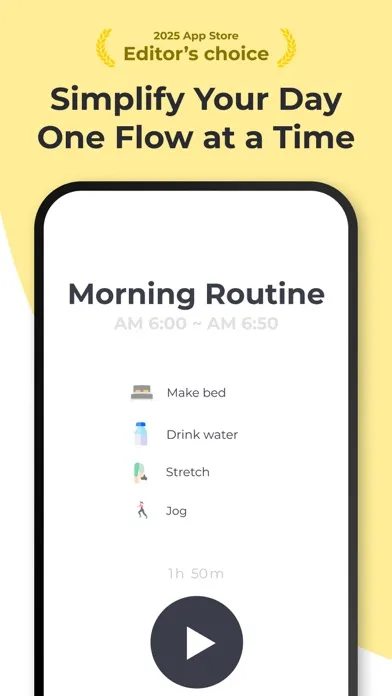
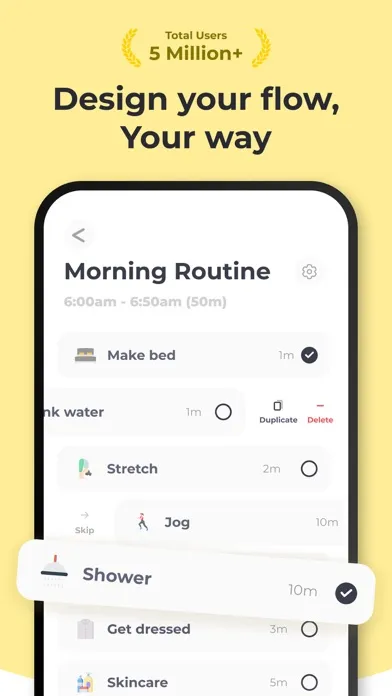
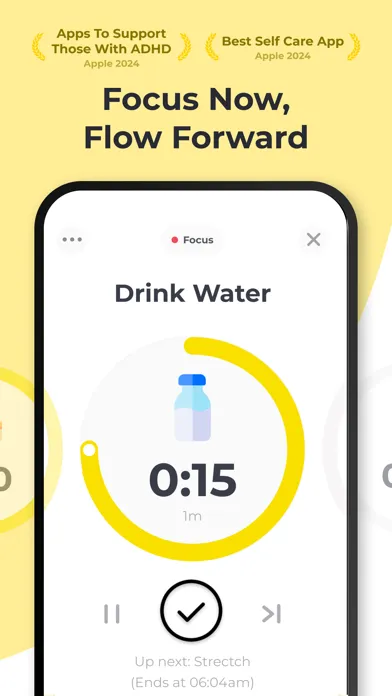
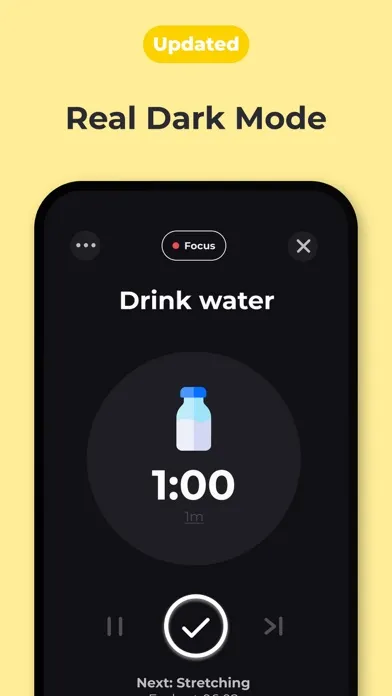
If your ADHD makes mornings feel like navigating without a map, Routinery draws the map and walks beside you. Trusted by over 5 million users, Routinery is a timer-based routine planner that guides you through each step of your routine with countdown timers, push notifications, and optional voice alerts.
The approach is simple but effective for ADHD brains: break your morning into sequential steps, assign a time to each one, and let the app tell you what to do and when. "Brush teeth (2 minutes), shower (10 minutes), get dressed (5 minutes), breakfast (15 minutes)." Each step gets its own countdown timer. When the timer ends, the app moves you to the next step automatically. Voice alerts (text-to-speech) can announce each transition so you do not even need to look at your phone.
This structure directly addresses time blindness. Without Routinery, "get ready in the morning" is an open-ended time void. You start brushing your teeth, hyperfocus on organizing the bathroom cabinet, and suddenly 40 minutes have passed. With Routinery, each step has a clear boundary. When 2 minutes of teeth-brushing ends, the timer announces "shower" and your brain transitions. The external structure replaces the internal time-tracking that ADHD brains lack.
Routinery also offers structured "Journeys" that gradually introduce habits. Instead of building your entire routine from scratch, you can follow a pre-built sequence that layers one new habit at a time. This matches the research on habit formation showing that gradual habit stacking produces better long-term results than trying to overhaul your entire day at once.
What it does well:
- Timer-guided step-by-step routines. Each routine step has a countdown timer with automatic transitions. The app tells you what to do and when. Replaces the internal time-tracking ADHD brains cannot reliably provide.
- Voice alerts for hands-free guidance. Text-to-speech announces each step. You can follow your routine without looking at your phone, which reduces the temptation to get distracted by notifications.
- Flexible mid-routine adjustments. Pause, skip tasks, adjust times, or add new steps on the fly. ADHD mornings are unpredictable, and Routinery adapts instead of breaking.
- Cross-platform with Apple Watch support. iOS, Android, web, and Apple Watch. Start your routine from your wrist without picking up your phone.
Where it falls short:
- Routine-focused, not task-focused. Routinery is excellent for recurring sequences (morning, evening, workout) but weak for one-off tasks, projects, or ad-hoc to-dos. You will need a separate task manager for everything outside your routines.
- Shrinking free tier. Features keep moving behind the paywall in recent updates. The pattern is noticeable and frustrating for users who started with more free features.
Pricing: Free (limited). Premium at $3/month or $30/year. 7-day free trial.
Platforms: iPhone, iPad, Android, Apple Watch, Web.
Bottom line: Routinery is the best choice if your ADHD challenges center on recurring routines rather than general task management. The timer-guided approach provides exactly the external structure that ADHD brains need for morning, evening, and workout sequences. Pair it with Todoist or Goblin Tools for one-off tasks and you have a complete ADHD planning system. For more routine-based options, see our best daily routine apps guide.
Which ADHD Planner App Should You Pick?
The right app depends on which ADHD challenge hits you hardest. Here is the decision matrix:
- If distractions and phone scrolling derail your plans: pick Habi. Screen time blocking during focus sessions addresses the root cause. No other ADHD planner actively blocks distractions.
- If time blindness is your primary challenge: pick Tiimo. Purpose-built visual timelines for neurodivergent brains. The iPhone App of the Year 2025 for a reason.
- If you want a clean visual timeline that works everywhere: pick Structured. Best balance of visual planning and cross-platform availability, with a strong lifetime pricing option.
- If you think in words and need fast task capture: pick Todoist. Natural language input and Ramble voice capture match how ADHD brains process information.
- If you freeze at the starting line of every task: pick Goblin Tools. The AI task breakdown is free, instant, and solves the task initiation problem directly.
- If morning and evening routines are your battlefield: pick Routinery. Timer-guided step-by-step sequences replace the internal time-tracking your brain cannot do alone.
For broader comparisons, see our best daily planner apps guide and our best daily routine apps roundup. For the science behind ADHD and habits, read our guide on how to build habits with ADHD.
Frequently Asked Questions
What makes a planner app good for ADHD?
The best ADHD planner apps reduce friction at every step. Look for visual schedules that combat time blindness, low-effort task entry so you capture ideas before they vanish, built-in timers that create external structure, and sensory-friendly design that avoids overwhelming your attention. Apps that break tasks into smaller steps also help with the executive function challenges that make starting feel impossible.
Are ADHD planner apps worth paying for?
It depends on what you need. Goblin Tools and Habi both offer meaningful free tiers. Todoist's free plan covers the basics. But if you need advanced features like AI task breakdown, visual timelines, or unlimited routines, a paid plan between $3 and $12 per month is typical. The real cost of not having a system that works for your brain is usually higher than any subscription.
Can I use a regular planner app if I have ADHD?
You can, but most general planner apps assume consistent executive function. They expect you to remember to check them, organize tasks logically, and follow through without external prompts. ADHD-friendly apps add the scaffolding that general apps lack: visual cues, timers, step-by-step guidance, and sensory design that keeps your brain engaged instead of overwhelmed.
Which ADHD planner app is best for time blindness?
Tiimo and Structured are the strongest choices for time blindness. Both use visual timelines that show your entire day as a color-coded sequence, making abstract time feel concrete. Routinery also helps by attaching countdown timers to each routine step, so you always know exactly how long you have left. For more time management strategies, see our guide on ADHD time management.
Do any ADHD planner apps work offline?
Yes. Habi, Structured, and Routinery all work offline with local data storage. Todoist syncs when you reconnect but also functions offline. Goblin Tools requires an internet connection for its AI features. Tiimo works offline for viewing your schedule but needs connectivity for AI planning features.
Final Thoughts
ADHD planner apps have improved dramatically. Five years ago, your options were generic task managers with a "set reminders" suggestion. In 2026, you have apps built specifically for neurodivergent brains (Tiimo), AI that breaks tasks into actionable steps (Goblin Tools), and focus tools that block distractions while you work (Habi).
No single app solves every ADHD challenge. Some people combine two: Goblin Tools for task breakdown plus Structured for daily planning, or Habi for focus sessions plus Routinery for morning routines. The best system is the one you actually use, and for ADHD brains, that means the simplest setup that covers your specific weak spots.
If you want to start today, try Habi. It is free, takes two minutes to set up, and the screen time blocking alone may change how your mornings feel. For the science behind building lasting habits with ADHD, read our guide on how to build habits with ADHD. And if time management is the deeper challenge, start there.