7 Best Daily Checklist Apps in 2026 (Free and Paid)
Short on Time? Here's the Quick Take


Your phone is full of apps you downloaded last month and forgot about. Checklist apps are the worst offenders. You download one, add your tasks, use it for three days, and then go back to texting yourself reminders at 2 AM.
The problem is not that you lack discipline. The problem is that most checklist apps are either too basic to be useful or so packed with features that adding a simple task takes five taps and a project assignment. The sweet spot is narrow, and most apps miss it. The power of checklists is well-documented: a landmark study in the New England Journal of Medicine found that a simple 19-item surgical checklist reduced deaths by 47% across eight hospitals worldwide.
There is a reason checking items off a list feels satisfying. Psychologists call it the Zeigarnik effect: unfinished tasks create cognitive tension that weighs on your mind until you complete them. A checklist externalizes that mental load and gives your brain permission to let go. Even Harvard Business Review tested four to-do list methods and found that the right system depends entirely on how your brain works.
We spent over a week testing seven daily checklist apps. We used each one as our sole task manager: grocery lists, work tasks, recurring daily routines, shared lists with family. We tracked which apps we actually kept opening and which ones quietly collected dust in a folder.
Full disclosure: Habi is our app. We built it. We included it because it genuinely handles checklists alongside habit tracking, but every app on this list got the same honest evaluation. Real pros. Real cons. No affiliate links. No app paid to be here.
Here's what we found.
How We Tested
We evaluated each app across five criteria over at least one week of daily use:
- Daily task management. How quickly can you add a task, check it off, and move on? If it takes more than two taps to add something, that's a problem.
- Recurring tasks. Most daily checklists need repeating items. We tested daily, weekly, and custom recurrence patterns.
- Organization. Lists, projects, tags, priorities. Can you structure your tasks without overthinking the system?
- Cross-device sync. Does it work on your phone, tablet, and computer without lag or missing items?
- Price-to-value. Is the free tier genuinely usable? Does the paid tier justify the cost?
No affiliate links in this article. No app paid to be here. We also consulted real user reviews from the App Store, Google Play, and Reddit to confirm our findings matched long-term user experiences.
The 7 Best Daily Checklist Apps
1. Habi - Best for Habits + Checklists
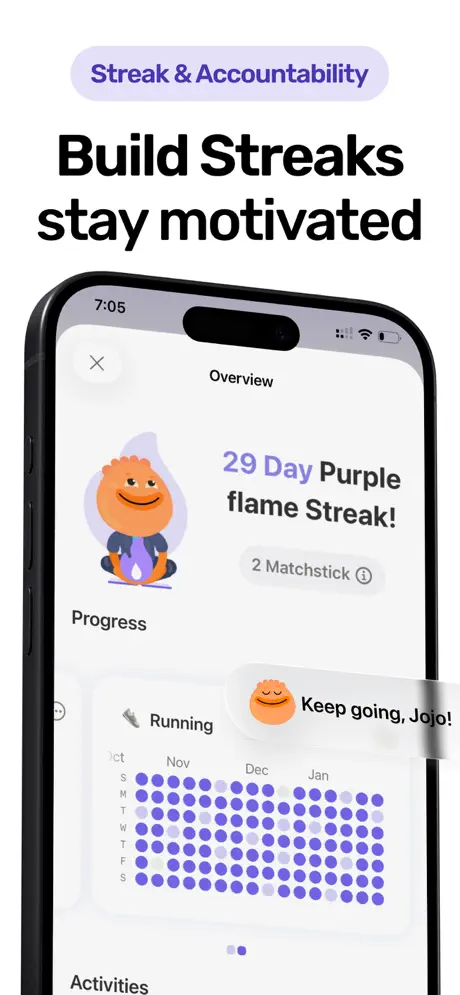
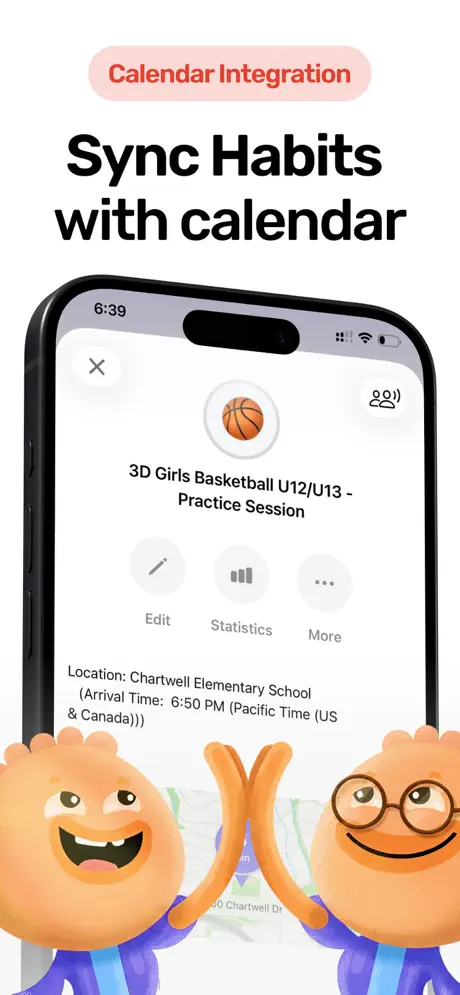
Most checklist apps stop at tasks. Habi starts there and keeps going.
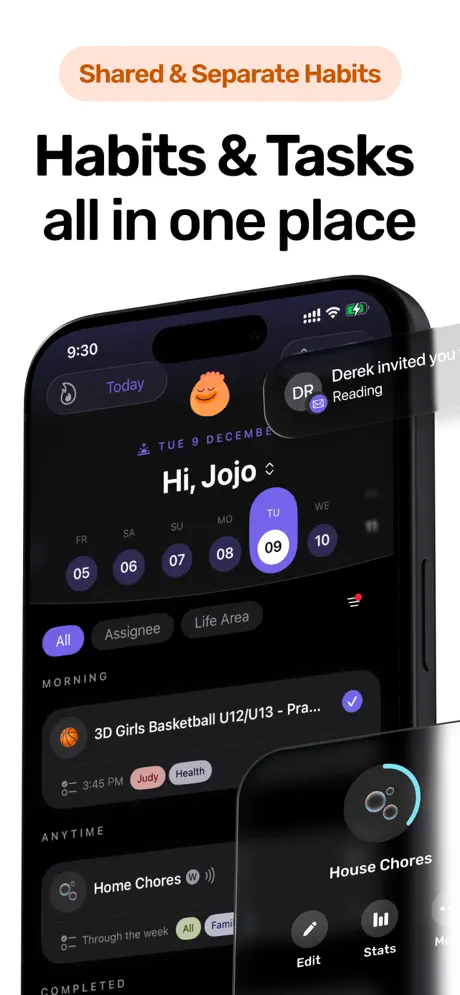
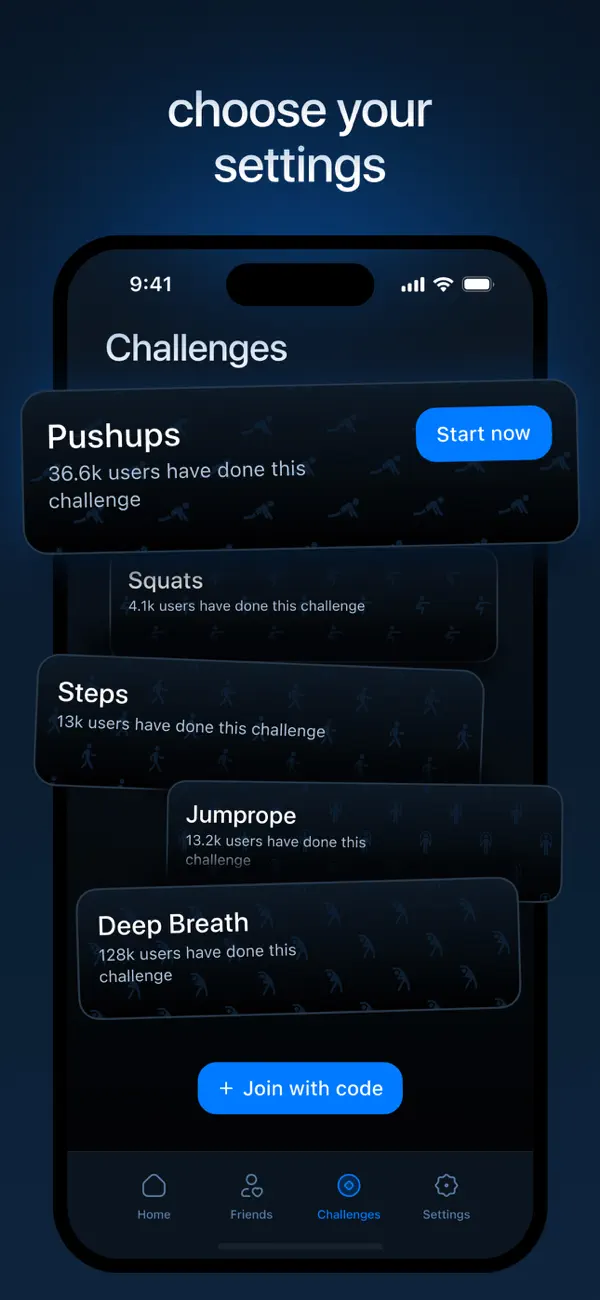
Habi is a habit tracker with a built-in task manager, focus timer, and screen time controls. The daily checklist is just one layer of a system designed to help you get through your day without switching between four different productivity apps. Your recurring habits show up alongside your one-off tasks, so your morning routine and your grocery list live in the same place.
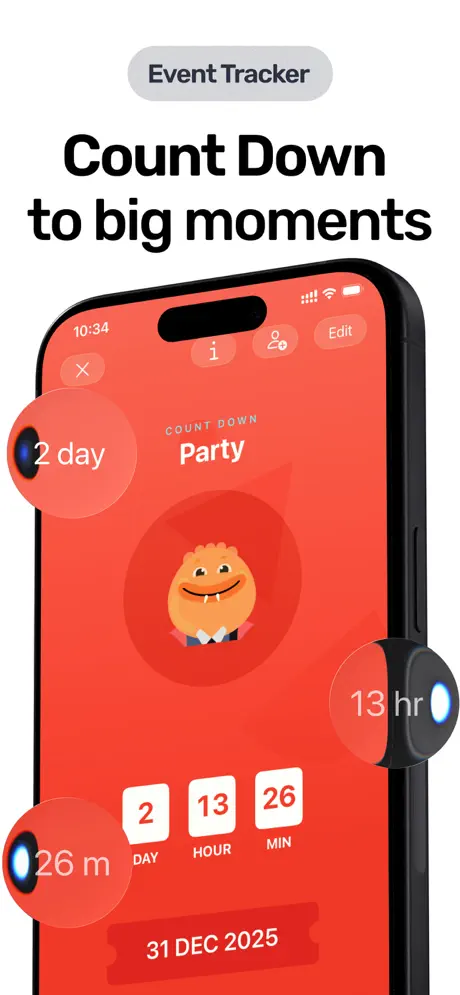
What makes Habi different from pure task apps is the integration. Anchor a task to a calendar event and it shows up in context. Start a focus session and your distracting apps get blocked automatically. Complete your daily checklist and your streak grows. It's a feedback loop that pure checklist apps can't offer because they only handle one piece of the puzzle.
The collaboration feature also works well for shared checklists. You can invite family members to track shared habits or tasks together, with gentle nudges when someone falls behind. One reviewer called it "accountability without the guilt."
What it does well:
- Habits and tasks in one place. Recurring habits and one-off to-dos share the same daily view. No switching between apps for routines and tasks.
- Built-in focus timer. A Pomodoro timer with ambient soundscapes that blocks distracting apps while you work through your checklist. See our tasks and projects guide for why this matters.
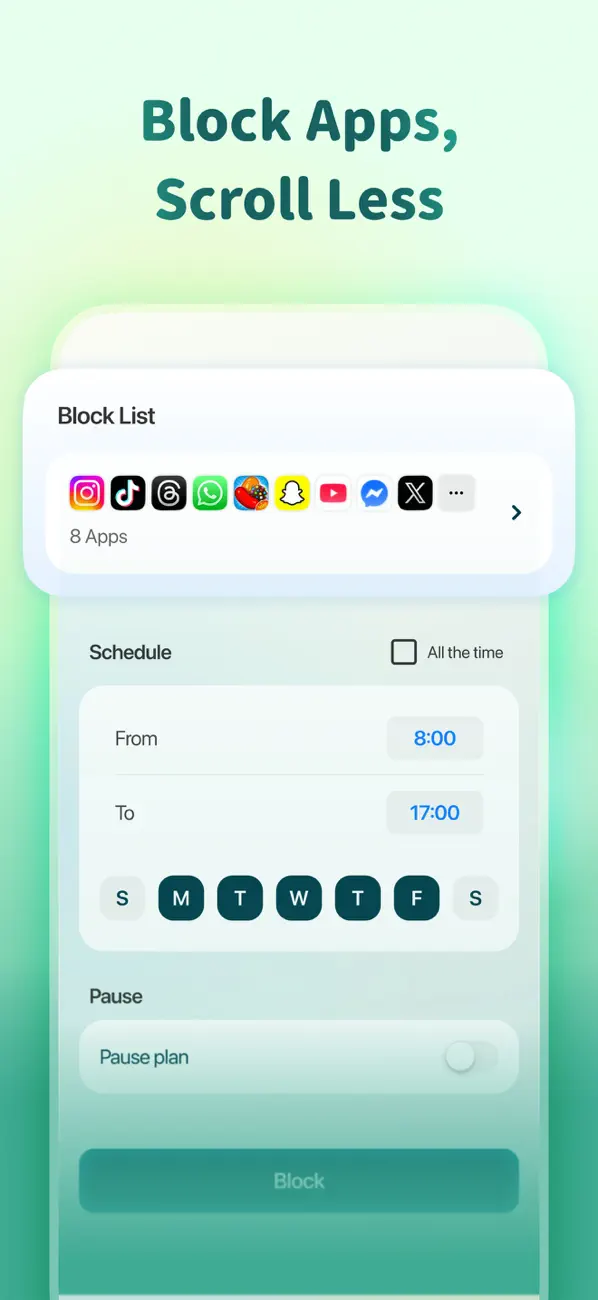
- Screen time controls. Block specific apps during focus sessions. Most checklist apps help you plan your day; Habi also helps you protect it.
- Zero data collection. Everything syncs through your personal iCloud. No account, no backend server, no analytics tracking your behavior.
Where it falls short:
- iOS only. iPhone, iPad, Mac, and Vision Pro. No Android or web app. If you need cross-platform sync with Android users, Todoist or TickTick are better options.
- Newer app. Habi launched in early 2026. The core is polished, but it doesn't have the decade-long track record of Todoist or Things 3.
Pricing: Free to use. Optional Pro upgrade unlocks extras, but the core habit and task tracking works without paying.
Platforms: iPhone, iPad, Mac (Apple Silicon), Apple Vision Pro.
Bottom line: If your daily checklist includes both recurring habits and one-off tasks, and you want a focus timer built in, download Habi from the App Store. It does the job of three apps in one.
2. Todoist - Best for Clean Design
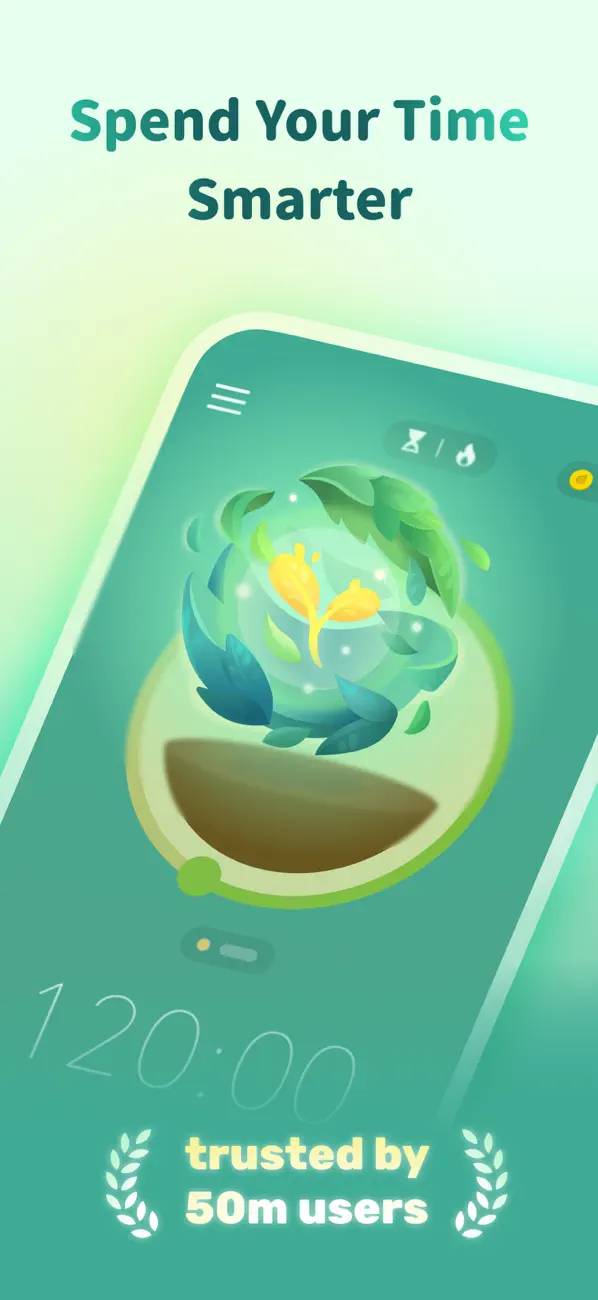
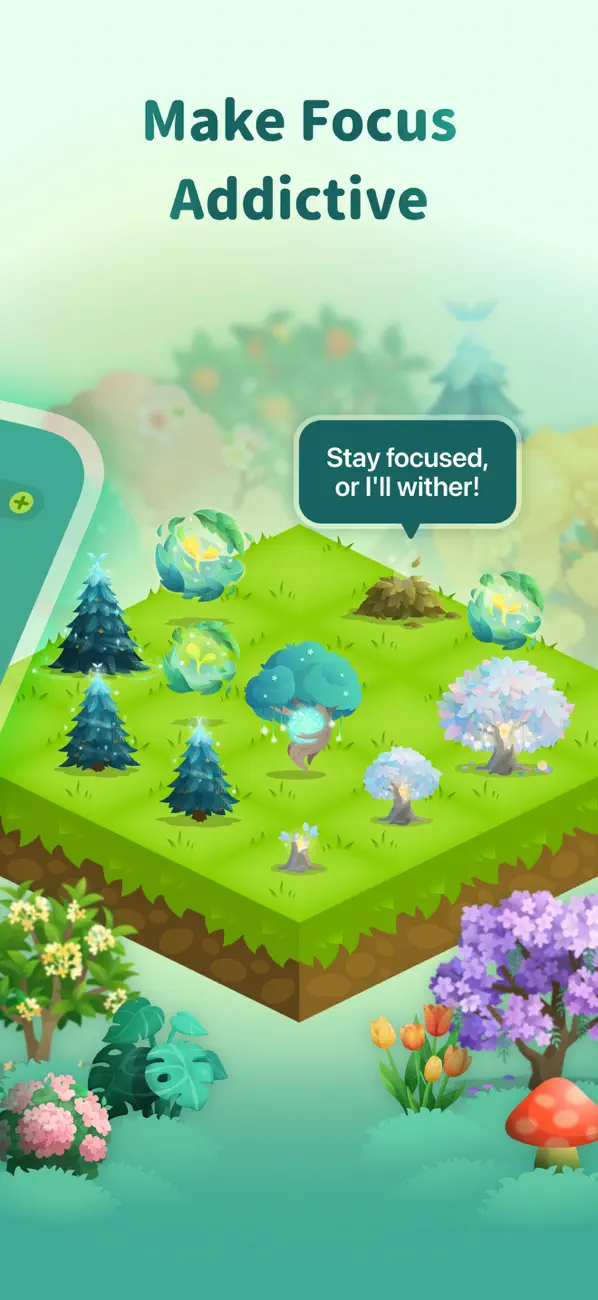
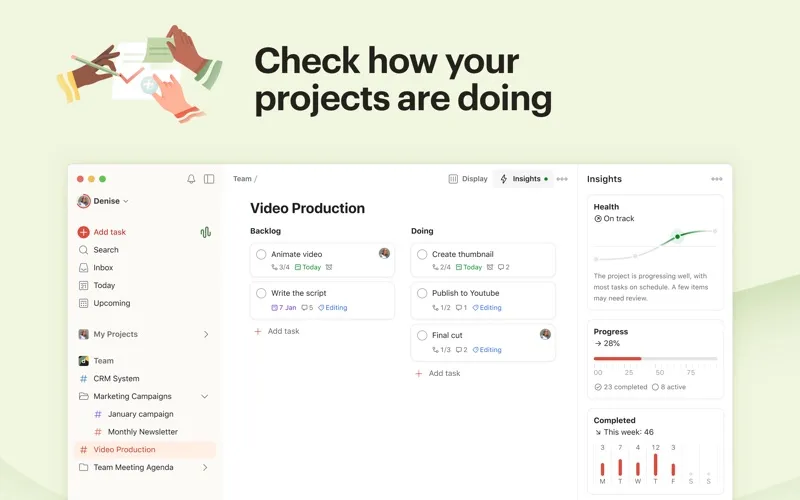
Type "buy milk tomorrow at 5pm" and Todoist understands every word. That's the experience in a nutshell.
Todoist has been the default recommendation in the task management space for years, and for good reason. The natural language input is the best in the category. You type a task the way you'd say it out loud, and the app parses the date, time, priority, and project automatically. No dropdowns. No date pickers. Just words.
The app is available on every platform you can think of: iOS, Android, Windows, Mac, Linux, web, Apple Watch, Wear OS, and even browser extensions. Your tasks sync instantly across all of them. The design is clean without being empty, and the filter system lets power users build custom views without cluttering the interface for everyone else.
Where Todoist shines for daily checklists is the "Today" view. It pulls all your due-today tasks from every project into one list, ordered by priority. You open the app, see what needs doing, and start checking things off. It's the closest thing to a digital paper checklist that still has the organizational power of a full project manager.
What it does well:
- Natural language input. "Call dentist every 3 months p1 #health" creates a recurring high-priority task in your Health project. No other app parses this well.
- Powerful filters. Build custom views like "overdue tasks in Work projects" or "tasks due this week with priority 1." It scales from simple checklist to GTD system.
- Team collaboration. Share projects, assign tasks, leave comments. Todoist Business works for teams of any size. Most personal checklist apps ignore collaboration entirely.
- Available everywhere. iOS, Android, Windows, Mac, Linux, web, browser extensions, email plugins, and watch apps. Your checklist is never out of reach.
Where it falls short:
- Limited free tier. Five active projects and 5 collaborators per project on the free plan. That's enough for personal use, but you'll hit the wall quickly if you try to organize multiple life areas.
- No built-in timer. If you want to time-box your checklist items, you'll need a separate Pomodoro app. Habi and TickTick both include timers natively.
- No habit tracking. Todoist handles recurring tasks, but there's no streak counter, no completion percentage, no habit-specific analytics. For daily routines, that's a gap. See our best habit tracker apps guide if that matters to you.
Pricing: Free (5 projects). Pro at $4/month. Business at $6/user/month.
Platforms: iOS, Android, Windows, Mac, Linux, Web, Apple Watch, Wear OS.
Bottom line: Todoist is the safest pick on this list. It works everywhere, handles everything from grocery lists to team projects, and the natural language input makes adding tasks genuinely fast. If you don't need habit tracking or a focus timer, it's hard to beat.
3. TickTick - Best All-in-One
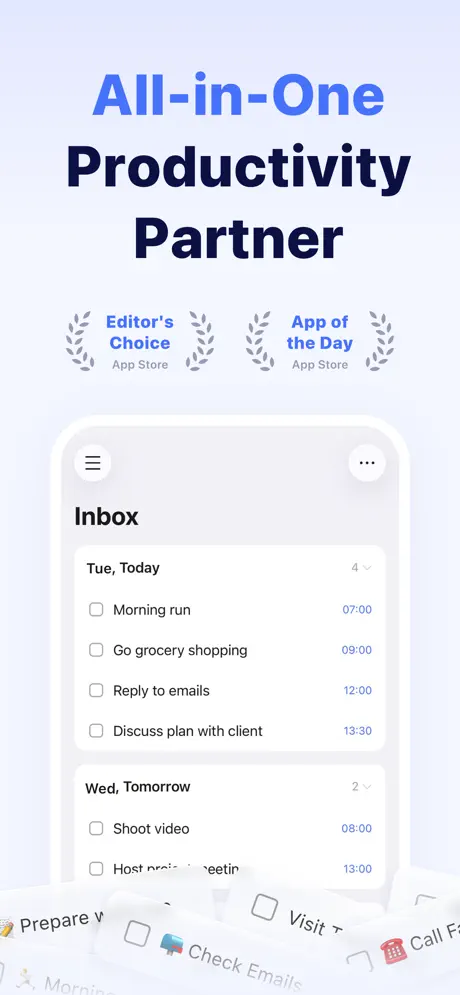
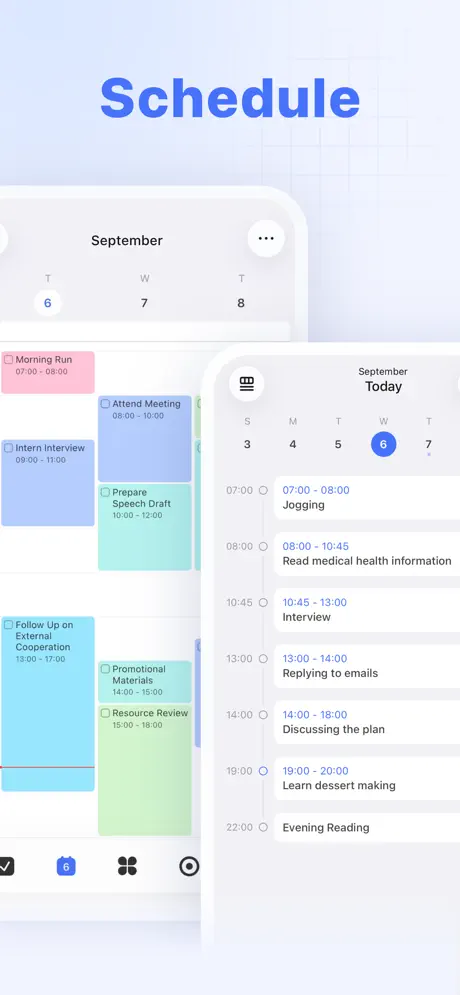
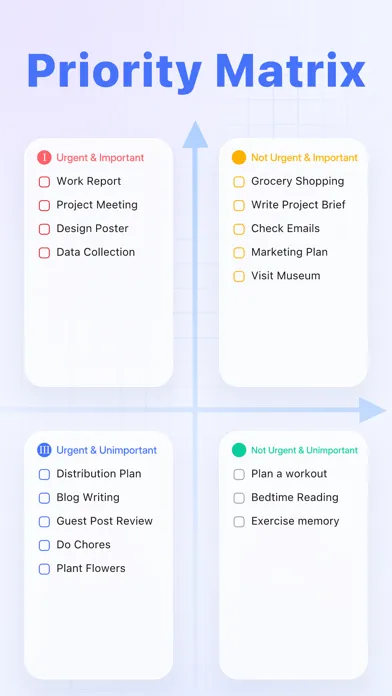
TickTick is what happens when a task manager decides to absorb every other productivity app on your phone.
TickTick handles tasks, calendar events, habit tracking, a Pomodoro timer, and even a white noise generator, all in one app. On paper, that sounds overwhelming. In practice, it works because each feature lives in its own tab and you can ignore what you don't need.
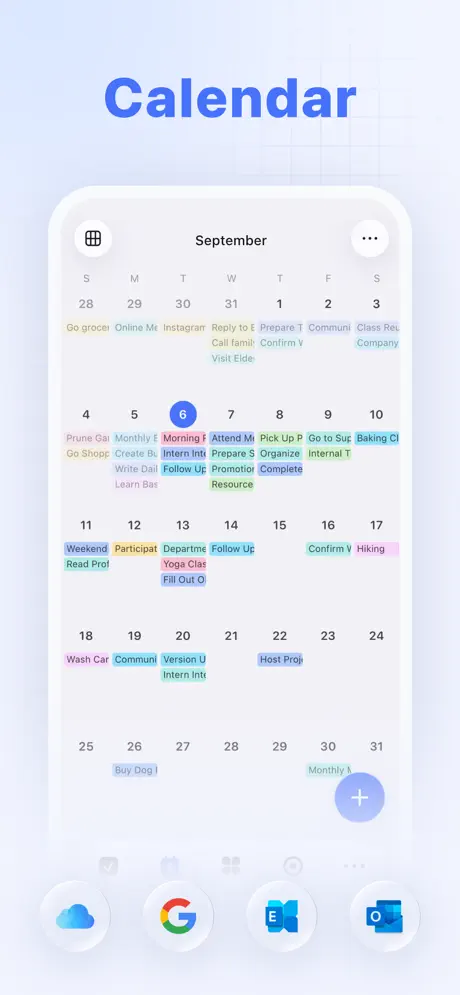
The checklist functionality is strong on its own. You get lists, tags, priorities, subtasks, and a smart date parser similar to Todoist's. The calendar view is where TickTick pulls ahead: you can see your tasks and calendar events side by side, drag tasks onto time blocks, and plan your day visually. Premium unlocks a full calendar view with week and month layouts.
The built-in habit tracker turns TickTick into a genuine Habi or Streaks alternative for people who want everything in one app. You can set daily, weekly, or custom frequency habits, track streaks, and view completion statistics. It's not as deep as a dedicated habit tracker, but it's more than enough for basic daily routines. For a deeper comparison of focus techniques, see our Pomodoro vs. Flowtime vs. time blocking guide.
What it does well:
- Calendar + tasks in one view. See your schedule and checklist side by side. Drag tasks onto your calendar to time-block your day. No other free checklist app does this.
- Built-in Pomodoro timer. Start a focus session directly from a task. Track how much time you spend on each item. Useful for work checklists.
- Habit tracker included. Daily, weekly, and custom habits with streak tracking and statistics. You don't need a separate app for recurring behaviors.
- Generous free tier. The free version includes unlimited tasks, lists, and basic habit tracking. Premium ($35.99/year) adds the calendar view and advanced features.
Where it falls short:
- Can feel cluttered. Five tabs, multiple views per tab, settings nested three levels deep. If you just want a simple daily checklist, TickTick might be overkill. Google Tasks or Microsoft To Do are cleaner.
- Calendar view requires Premium. The best feature, seeing tasks on a calendar, is locked behind the $35.99/year subscription. The free tier only shows a basic list view.
Pricing: Free (unlimited tasks). Premium at $35.99/year.
Platforms: iOS, Android, Windows, Mac, Linux, Web, Apple Watch, Wear OS.
Bottom line: TickTick is the Swiss Army knife of checklist apps. If you want tasks, calendar, habits, and a timer without installing four separate apps, this is the one. Just know that the full experience requires Premium.
4. Things 3 - Best for Apple Users
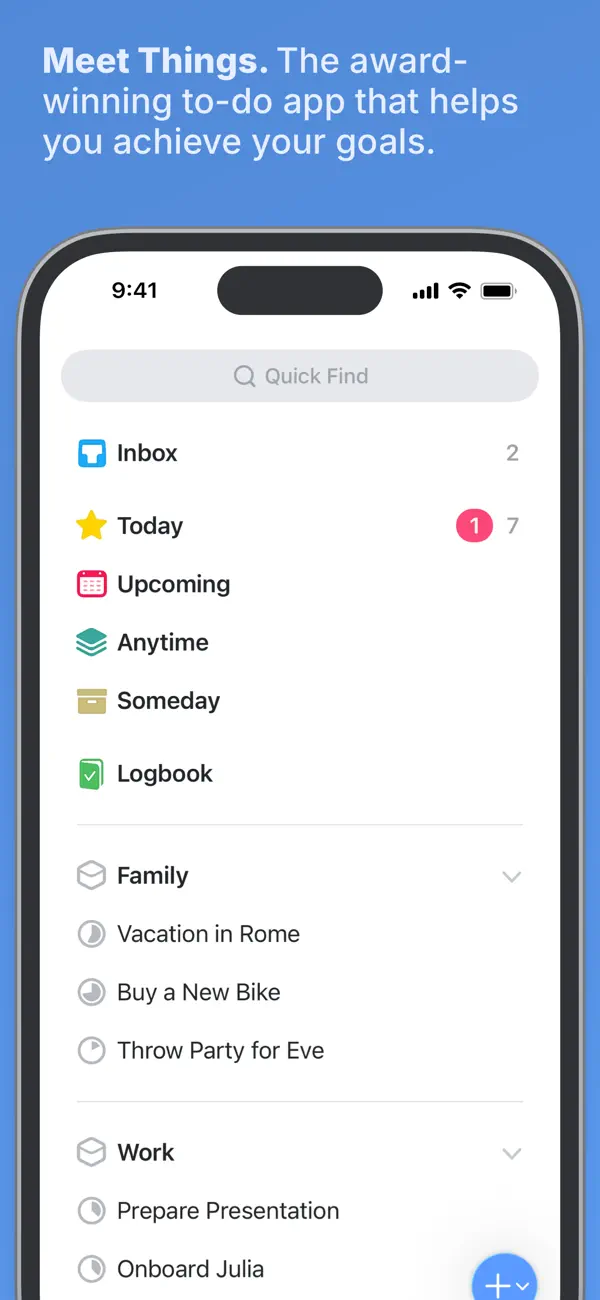
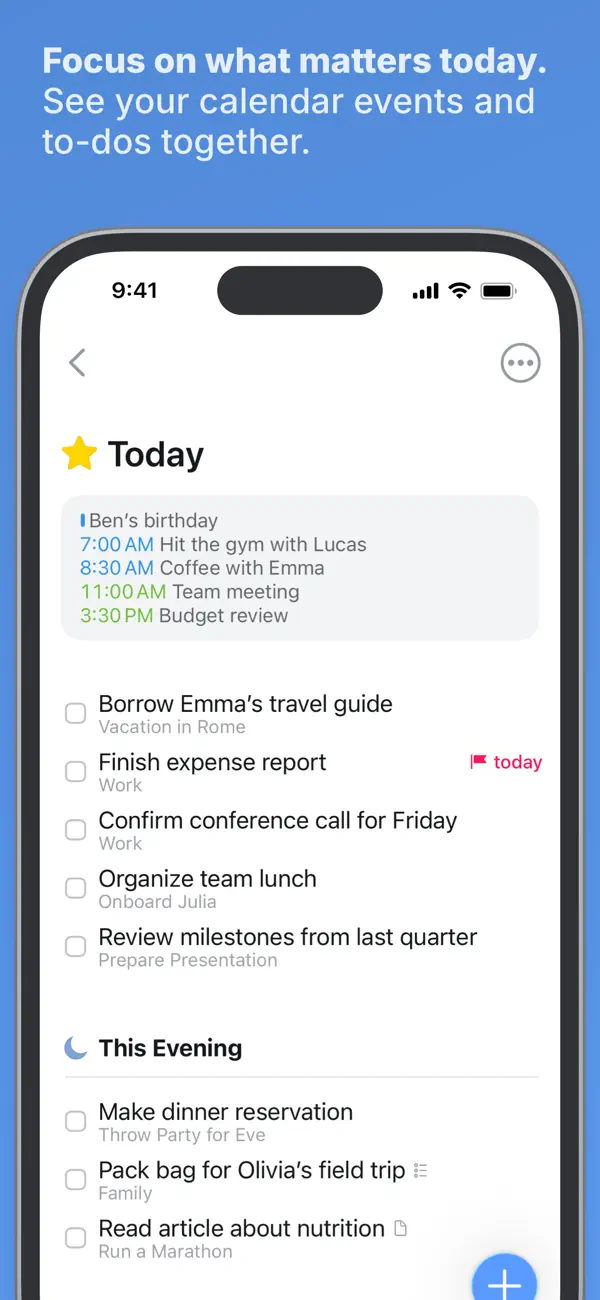
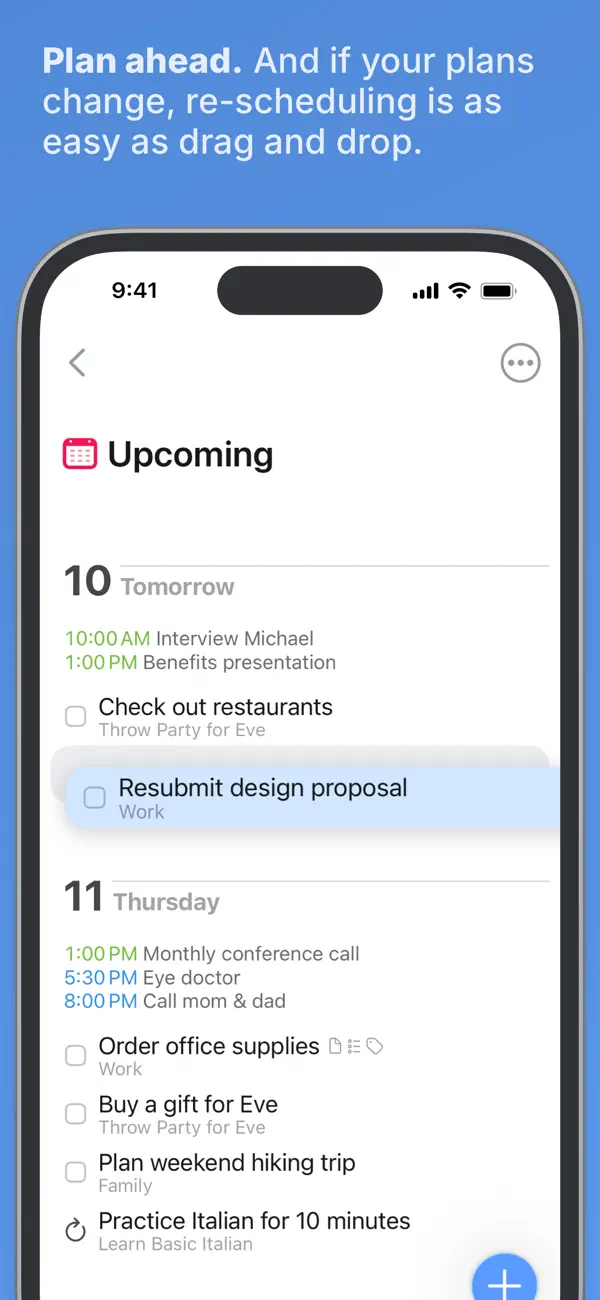
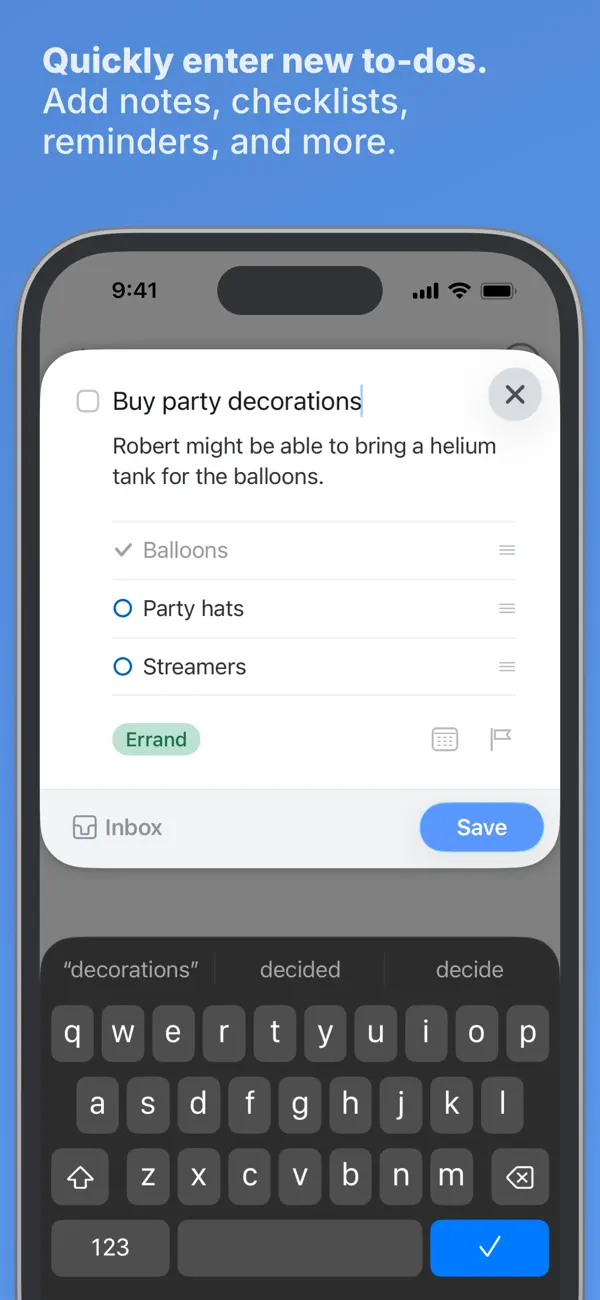
Things 3 is what a checklist app looks like when designers obsess over every pixel for three years before shipping.
Things 3 by Cultured Code is widely considered the most beautiful task manager on Apple platforms. The interface is so clean that using it feels like writing in a premium notebook. But it's not just a pretty face. The organizational structure, Areas for life categories, Projects for multi-step goals, Headings within projects, and Checklists within tasks, creates a hierarchy that handles everything from "buy eggs" to "plan a wedding."
The Today view pulls your due tasks into a focused daily checklist. The Evening view separates tasks you want to handle after work. Quick Entry (a keyboard shortcut on Mac) lets you capture a thought and file it later without breaking your flow. These small touches add up to an app that feels like it was designed by someone who actually uses a checklist every day.
The one-time purchase model is refreshing. You pay $9.99 for iPhone, $19.99 for iPad, or $49.99 for Mac, and you own it. No subscription. No ads. No premium tier. Everything is included from day one.
What it does well:
- One-time purchase. No monthly fees. Buy it once and own it forever. Over two years, it's cheaper than any subscription-based alternative.
- Gorgeous design. Multiple Apple Design Awards. The drag-and-drop, animations, and typography make task management feel pleasant rather than tedious.
- Headings and checklists within tasks. Organize a project with section headings and add mini-checklists inside individual tasks. The nesting is deeper than it looks.
- Quick Entry on Mac. A global keyboard shortcut captures a task from any app without switching windows. Essential for knowledge workers.
Where it falls short:
- Apple only. No Android. No Windows. No web app. If anyone in your workflow uses a non-Apple device, Things 3 won't work for shared lists.
- Expensive upfront. $9.99 + $49.99 for iPhone and Mac. That's $60 before you've added a single task. It saves money over two years compared to subscriptions, but the initial cost feels steep.
- No collaboration. Zero sharing features. No shared lists, no assigned tasks, no comments. Things 3 is a solo experience. For team checklists, use Todoist or Microsoft To Do.
Pricing: $9.99 (iPhone), $19.99 (iPad), $49.99 (Mac). One-time purchases.
Platforms: iPhone, iPad, Mac, Apple Watch.
Bottom line: If you're all-in on Apple and want the most polished checklist experience money can buy, Things 3 is the answer. Just don't expect to share your lists with anyone.
5. Microsoft To Do - Best Free for Teams
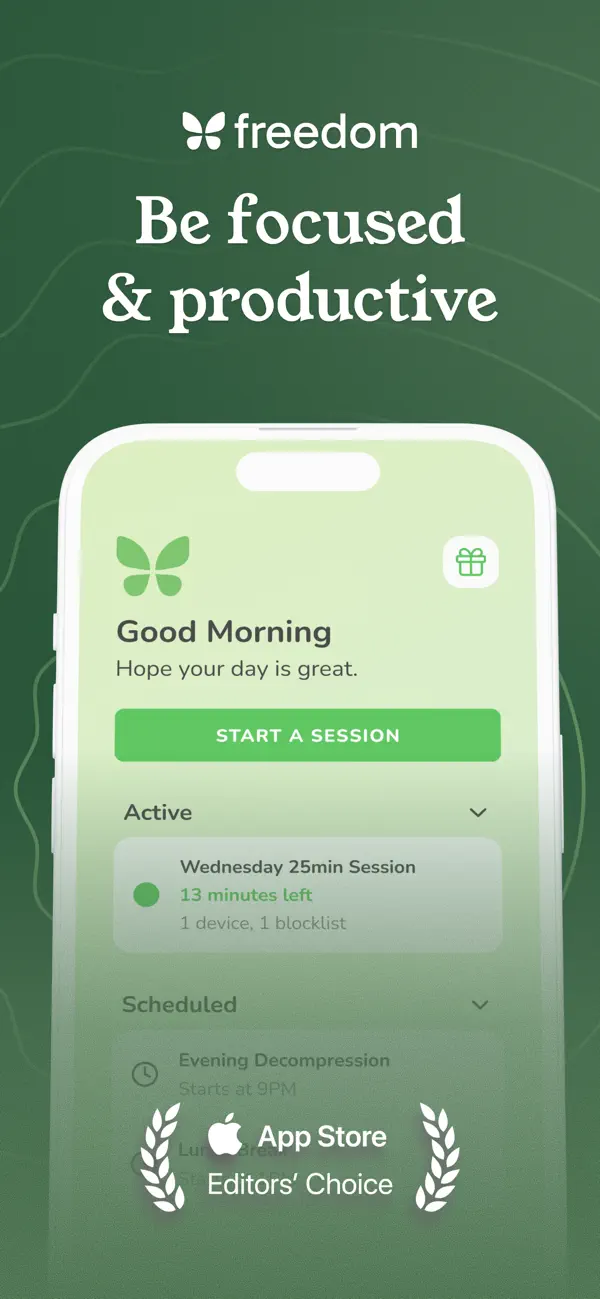
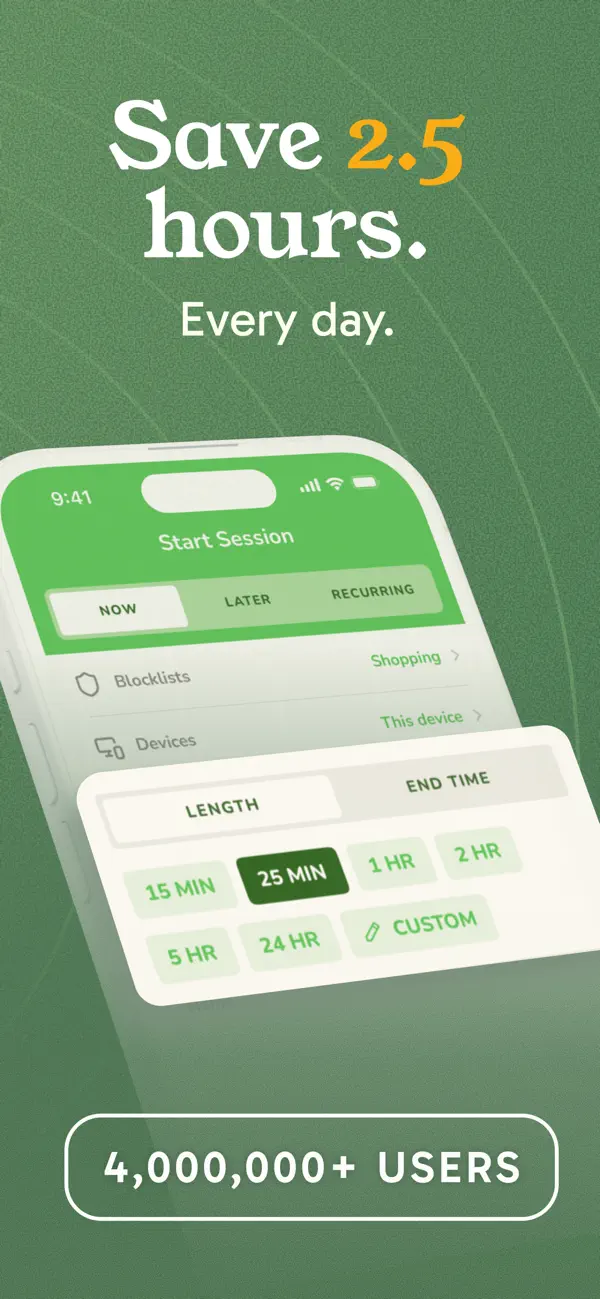
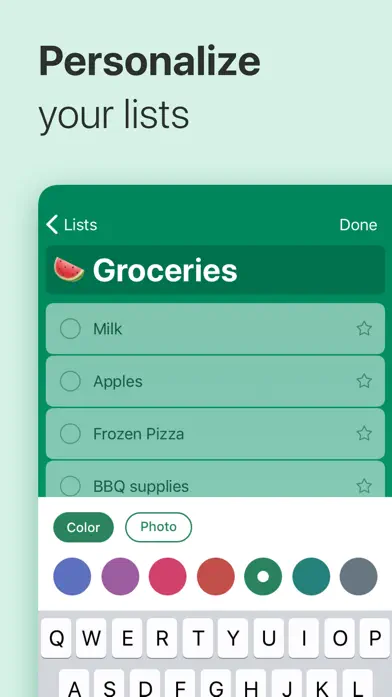
Microsoft bought Wunderlist, shut it down, and rebuilt it as Microsoft To Do. The result is a completely free checklist app that integrates deeply with the Microsoft ecosystem.
Microsoft To Do does exactly what its name suggests and nothing more. You create lists, add tasks, set due dates, add reminders, and share lists with other people. The My Day feature is its best trick: every morning, you review your tasks and pick what you want to tackle today. It creates a focused daily checklist from your broader task library without permanently moving anything.
The integration story is strong if you're already in the Microsoft world. Tasks from Outlook flagged emails appear automatically. Planner tasks sync in. Teams integration lets you create tasks from chat messages. For organizations already using Microsoft 365, To Do is the path of least resistance for daily checklists.
The sharing features are genuinely useful. Share a list with your partner for groceries, with your team for a project, or with your roommate for household chores. Everyone can add, check off, and rearrange tasks in real time. And it's all free. No premium tier. No limits on lists or tasks.
What it does well:
- Completely free. No premium tier. No task limits. No list limits. No collaboration limits. Everything is included. This is rare in the checklist app space.
- My Day. A daily planning ritual that lets you curate today's checklist from your full task library. It resets every night, keeping things fresh.
- Microsoft ecosystem. Outlook tasks, Planner boards, and Teams messages all connect to To Do. If your workplace runs on Microsoft 365, this is the obvious choice.
- Shared lists. Real-time collaboration on lists. Add your partner, assign tasks, and see who completed what. Works across platforms.
Where it falls short:
- Less polished design. The interface is functional but bland compared to Things 3 or Todoist. The Android app in particular feels like it was designed by a committee.
- Limited recurring options. Daily, weekly, and monthly repeat work fine, but complex patterns like "every other Tuesday" or "3 times per week" require workarounds.
- Sync can be slow. Some users report delays of 10-30 seconds for tasks to appear on other devices. Not a dealbreaker, but noticeable when sharing lists.
Pricing: Free. Completely free.
Platforms: iOS, Android, Windows, Mac, Web.
Bottom line: If you want a free checklist app with shared lists and you don't need habit tracking or a focus timer, Microsoft To Do is the best deal on this list. Zero cost, no catches.
6. Google Tasks - Best Minimalist Free
Google Tasks is the digital equivalent of a sticky note on your monitor. Simple, fast, and impossible to overcomplicate.
Google Tasks strips the checklist concept down to its absolute minimum. You get lists, tasks within lists, subtasks, due dates, and that's it. No priorities. No labels. No tags. No collaboration. No widgets (on most platforms). It's aggressively simple, and for a certain type of user, that's exactly right.
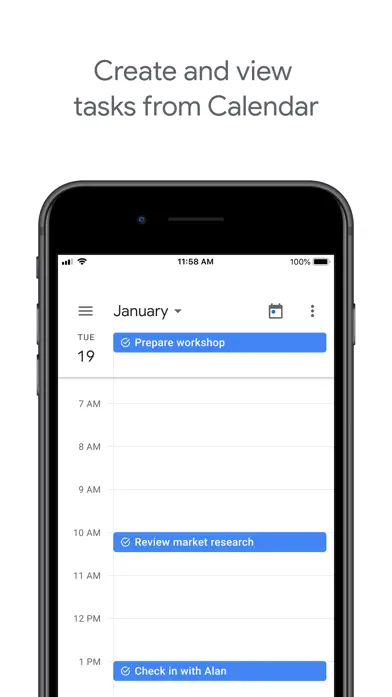
The real value of Google Tasks is where it lives. It's embedded in the Gmail sidebar, so you can turn an email into a task without leaving your inbox. It's integrated with Google Calendar, so tasks with due dates appear on your schedule. If you already live in the Google ecosystem, Tasks is always one click away without ever needing to open a separate app.
The mobile app is equally spare. Open it, see your list, tap to check things off, swipe to switch lists. There's almost nothing to learn. If you've been burned by overcomplicated productivity apps and just want somewhere to write things down, Google Tasks is a reset button.
What it does well:
- Dead simple. No learning curve. Open, add, check off. If the words "Kanban board" make you anxious, Google Tasks is your app.
- Deep Google integration. Tasks appear in Gmail's sidebar and Google Calendar. Turn emails into tasks with one click. Your checklist is everywhere you already work.
- Available on all platforms. iOS, Android, and web (via Gmail/Calendar). Your Google account syncs everything automatically.
- Completely free. No premium tier. No limits. No ads. It's a Google product, so the price is your data (as with all Google services).
Where it falls short:
- Extremely basic. No priorities, no labels, no custom sorting, no recurring task options beyond simple repeat. If you outgrow a basic list, there's nowhere to go within the app.
- No collaboration. You can't share a list with anyone. For shared grocery lists or team projects, Google Tasks simply doesn't work.
- No widgets on iOS. Android gets a home screen widget. iOS doesn't. For a daily checklist app, that's a significant gap.
Pricing: Free.
Platforms: iOS, Android, Web (Gmail/Calendar sidebar).
Bottom line: Google Tasks is the best checklist app for people who don't want a checklist app. If you live in Gmail and Calendar and just need a place to jot down what needs doing today, nothing is simpler.
7. Notion - Best for Power Users
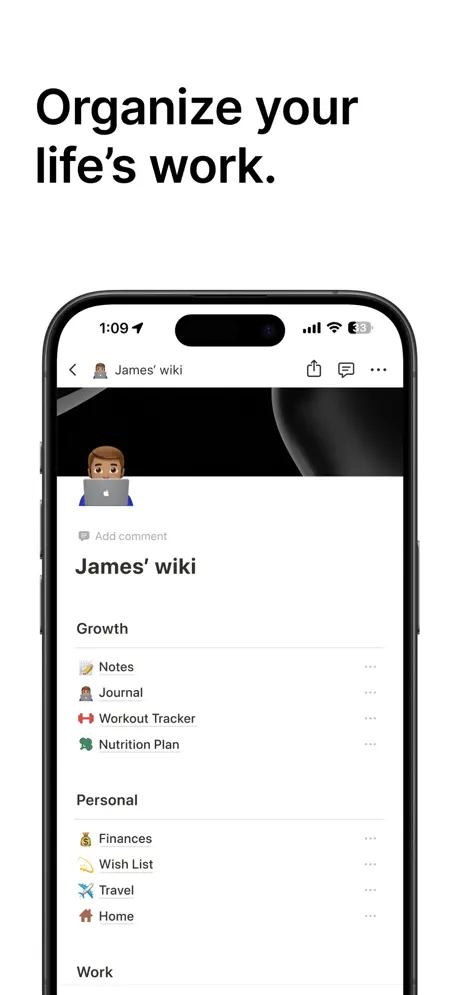
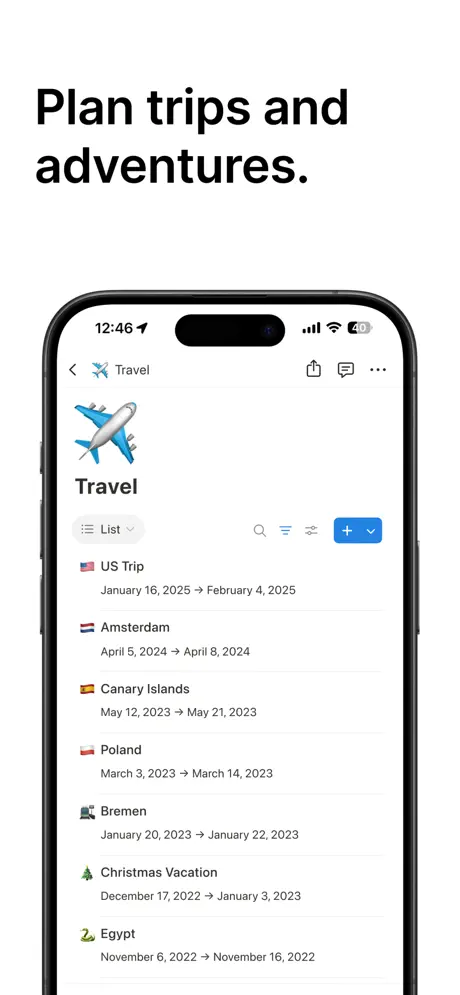
Notion is not a checklist app. But with 30 minutes of setup, it can become the most powerful checklist system you've ever used.
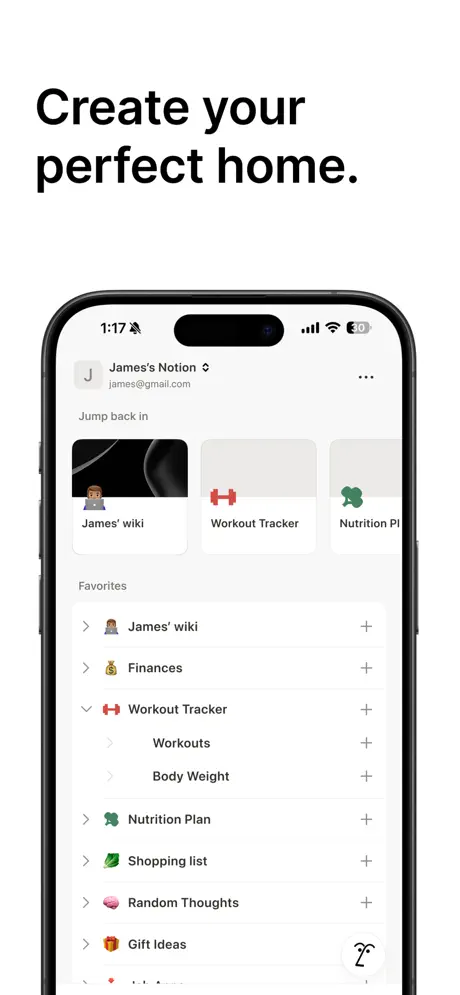
Notion is a workspace tool built on blocks and databases. A daily checklist in Notion is typically a database with a date property, a checkbox, and filtered views showing today's tasks. You can add tags, priorities, linked projects, formulas that calculate completion percentages, and custom templates that pre-fill your checklist every morning. The ceiling is as high as your willingness to build.
The template gallery shortcuts the setup. Hundreds of community-built daily planners, habit trackers, and checklist systems are available for free. Duplicate one into your workspace and customize from there. You don't need to be a database architect to get started, but you do need to be comfortable with a more complex interface than any other app on this list.
Where Notion excels is connecting your checklist to everything else. Your daily tasks can link to project pages, meeting notes, goal trackers, and knowledge bases. If you already use Notion for notes or project management, adding a daily checklist is natural. If you're starting from scratch just for checklists, Notion is probably overkill. For setting effective goals alongside your daily tasks, our goal tracker apps guide covers dedicated alternatives.
What it does well:
- Endlessly customizable. Build exactly the checklist system you want. Daily templates, recurring databases, filtered views, linked projects. If you can imagine it, Notion can probably do it.
- Templates. Hundreds of free daily planner and checklist templates from the community. Skip the setup and start using immediately.
- Databases. Turn your checklist into a filterable, sortable, formula-powered database. See completion rates, overdue items, and category breakdowns with custom views.
- Free for personal use. The free plan includes unlimited pages, blocks, and sharing with up to 10 guests. Most individuals will never need to pay.
Where it falls short:
- Steep learning curve. Blocks, databases, relations, rollups, formulas. New users frequently feel overwhelmed before they create their first checklist. Todoist or Google Tasks are ready in 30 seconds.
- Slow on mobile. The Notion mobile app is functional but noticeably slower than native apps like Things 3 or Todoist. Opening the app to check off a quick task takes 3-5 seconds of loading.
- Overkill for simple checklists. If you just want to write down five things and check them off, Notion's power is wasted. You'll spend more time maintaining the system than using it.
Pricing: Free (personal use). Plus at $10/month. Business at $18/user/month.
Platforms: iOS, Android, Windows, Mac, Web.
Bottom line: Notion is the right choice if you want your daily checklist to be part of a larger productivity system. If you just want a list, use literally anything else on this page.
Comparison Table
| App | Price | Platform | Recurring Tasks | Habits Built-In | Best For |
|---|---|---|---|---|---|
| 1. Habi | Free (optional Pro) | iOS, iPad, Mac, Vision Pro | Yes | Yes | Habits + Checklists |
| 2. Todoist | Free / $4/mo | iOS, Android, Windows, Mac, Linux, Web | Yes | No | Clean Design |
| 3. TickTick | Free / $35.99/yr | iOS, Android, Windows, Mac, Linux, Web | Yes | Yes | All-in-One |
| 4. Things 3 | $9.99-$49.99 one-time | iOS, iPad, Mac, Watch | Yes | No | Apple Users |
| 5. Microsoft To Do | Free | iOS, Android, Windows, Mac, Web | Yes | No | Free for Teams |
| 6. Google Tasks | Free | iOS, Android, Web | Basic | No | Minimalist Free |
| 7. Notion | Free / $10/mo | iOS, Android, Windows, Mac, Web | Via templates | Via templates | Power Users |
Frequently Asked Questions
What is the best free daily checklist app?
Google Tasks and Microsoft To Do are completely free with no paywalled features. Habi offers free habit checklists with a built-in focus timer and screen time controls. All three sync across devices so your lists stay current wherever you are.
What's the difference between a checklist app and a habit tracker?
A checklist app handles one-off tasks you check off and forget. A habit tracker records recurring behaviors over time with streaks and completion stats. Some apps like Habi do both, letting you manage daily to-dos and track long-term habits in one place. For more on building lasting routines, see our best daily routine apps guide.
Can I use a checklist app for daily routines?
Yes. Recurring checklists work well as routine builders. Habi and TickTick both support recurring daily tasks alongside habit tracking, so you can turn your morning or evening routine into a repeating checklist.
Do checklist apps sync across devices?
Most do. Google Tasks, Microsoft To Do, Todoist, and TickTick sync across all platforms including iOS, Android, and web. Things 3 syncs across Apple devices only via iCloud. Notion syncs everywhere but can feel slow on mobile.
Is Todoist or TickTick better?
Todoist wins for clean simplicity and team collaboration features. TickTick wins for all-in-one functionality with a built-in calendar, pomodoro timer, and habit tracker. Both have generous free tiers, so try each for a week and see which workflow fits you better.
Final Verdict
Seven apps, seven different philosophies about what a daily checklist should be. The right choice depends on what you're actually trying to do.
If your daily checklist blurs the line between tasks and habits, and you want a focus timer to actually get them done, Habi combines all three in one app. If you want the cleanest, most universally available task manager, Todoist is the safe pick. If you want everything (tasks, calendar, timer, habits) in one app and don't mind a busier interface, TickTick delivers. If you're all-in on Apple and want the most beautiful task manager ever made, Things 3 is worth the one-time price. If you need free shared lists for a family or team, Microsoft To Do costs nothing and works everywhere. If you want extreme simplicity and already live in Google, Google Tasks does one thing and does it quietly. And if you want to build your own system from scratch, Notion gives you the Lego blocks.
Pick one. Use it for two weeks. The biggest mistake isn't choosing the wrong checklist app. It's spending so long comparing that you never check off the first task. If you want a place to start, download Habi and set up your first daily checklist in under two minutes. It's free, your data stays on your device, and your habits and tasks finally live in the same place.