6 Best Daily Planner Apps in 2026 (Tested and Compared)

Short on Time? Here's the Quick Take


Daily planner apps, tools that turn an unstructured pile of tasks into a scheduled day with time slots, reminders, and calendar integration, exist because most people do not fail from having too little to do. They fail from never deciding when to do it. The difference between a to-do list and a daily planner sounds small. It is not. Research on time management consistently shows that people who schedule tasks into specific time slots complete more work, report lower stress, and maintain better work-life balance than people who work from open-ended lists.
The best daily planner app in 2026 is Habi, the only planner for iPhone that ties your schedule to focused execution through built-in habit tracking and distraction blocking. If you want visual time-blocking where you drag colored blocks across your afternoon like rearranging furniture, Structured is the best planner app. For cross-platform coverage that pulls from Google Calendar, Outlook, and iCal simultaneously, Todoist is the strongest schedule planner that works everywhere.
We tested over a dozen daily planner apps and cut the list to six. Each takes a different approach. No app paid to be on this list, there are no affiliate links, and Habi is our app. We gave every app the same honest treatment.
Quick Comparison
Six apps. Three free, three with paid tiers that matter. The table below shows what each one does best, what it costs, and where it runs. If you only have thirty seconds, this is the part to read.
| App | Best For | Price | Platforms | Rating |
|---|---|---|---|---|
| Habi | Planning + Habits + Focus | Free (Pro $1.99+) | Apple only | 5.0/5 |
| Structured | Visual Time-Blocking | Free (Pro $9.99/yr) | Apple, Android, Web | 4.8/5 |
| Todoist | Cross-Platform Task Planning | Free (Pro $60/yr) | All platforms | 4.8/5 |
| Things 3 | Premium Apple Experience | $9.99-$49.99 (one-time) | Apple only | 4.8/5 |
| Fantastical | Calendar-First Planning | Free (Premium $40/yr) | Apple, Windows | 4.2/5 |
| Any.do | Simple Daily Scheduling | Free (Premium $59.88/yr) | All platforms | 4.6/5 |
How We Evaluated These Apps
We installed each app, used it for real daily planning over a full work week, and scored it on six criteria. Not a weekend test. Not a quick walkthrough of the onboarding screens. Five days of actual tasks, actual calendar events, actual mornings where we had to decide what to do first. A 2016 meta-analysis of 138 studies (19,951 participants) found that simply monitoring your progress toward a goal significantly increases the likelihood of achieving it. The planner you pick matters less than whether you actually use it to schedule and review your day.
- Daily planning workflow. How easily can you build a plan for your day? Does the app prompt you, or do you assemble everything manually?
- Calendar integration. Can you see appointments and tasks in one view? Does it sync reliably with Google Calendar or iCal without duplicating events?
- Scheduling and time-blocking. Can you assign tasks to specific times? Drag them around? See gaps in your schedule?
- Free tier value. How much can you accomplish without paying? Are critical planning features locked behind a paywall?
- Reliability. Does it sync across devices? Does it crash? Do updates break things people depend on?
- Unique angle. What does this app do that the other five cannot?
No affiliate links. No app paid to be included. Habi is our own product, and we are saying that upfront rather than burying it in a disclaimer at the bottom.
The 6 Best Daily Planner Apps
1. Habi - Best for Planning + Habits + Focus
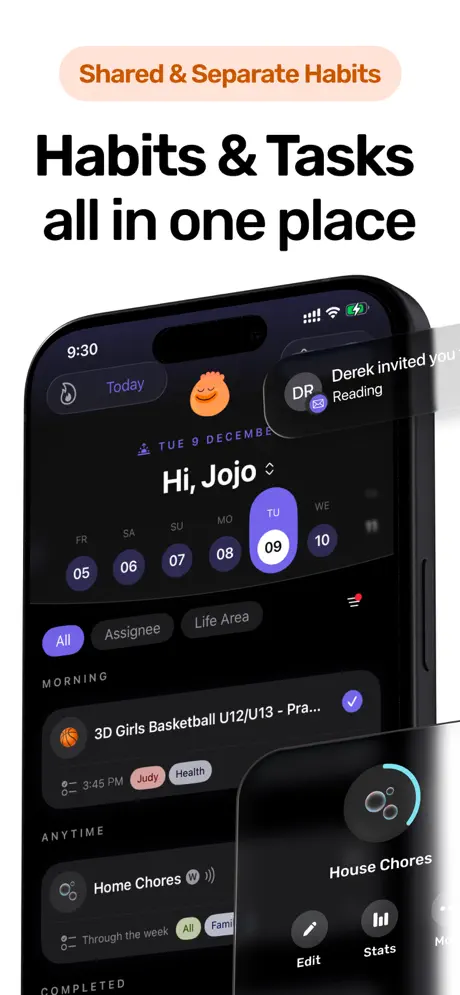
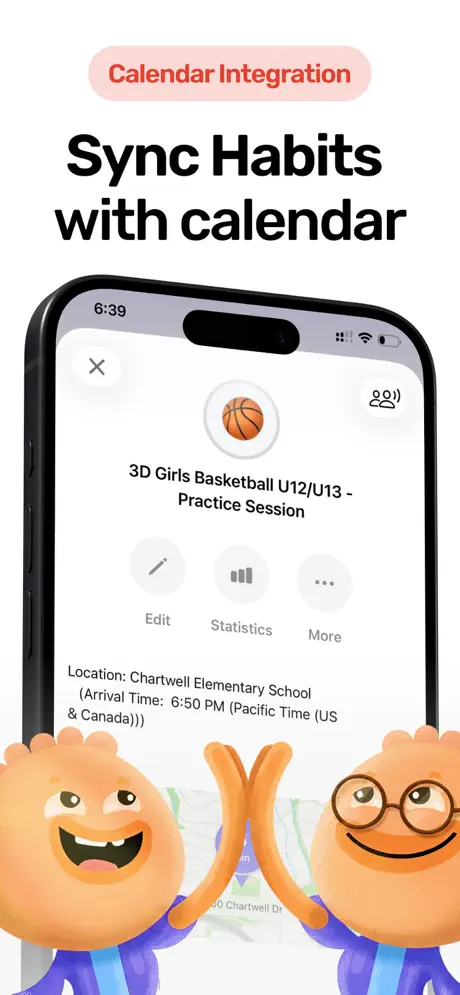
Most planner apps stop at scheduling. You plan your day, check things off, and close the app. Planning and execution are two different problems, though, and the gap between them is where most productivity setups quietly collapse. You can schedule "work on report from 2-4pm" with perfect intention and then spend both hours bouncing between a Reddit thread about noise-canceling headphones and a group chat deciding where to eat Friday.
Habi connects the plan to the action. Schedule your tasks and habits into your day, then start a focus session with ambient sounds and app blocking that locks out whatever normally pulls your attention during the hours you marked as protected. Screen time limits step in when willpower has already been spent on fifty smaller decisions since you woke up. It is the only planner on this list where your schedule actively defends your attention instead of passively hoping you follow through.
What it does well:
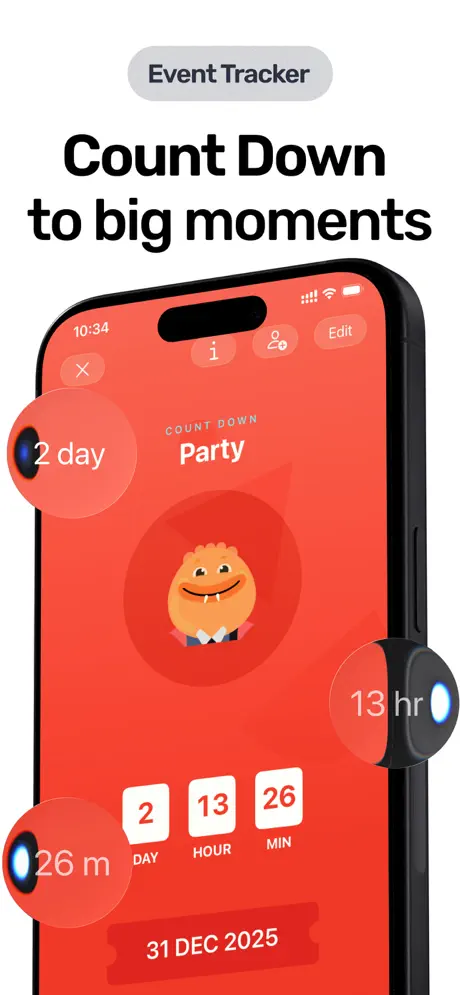
- Unified daily view. Habits, tasks, projects, focus timer, and countdown events all live in one place. No toggling between three apps to see your full day.
- Focus timer with teeth. A Pomodoro timer that plays ambient soundscapes and blocks distracting apps while you work. Your planned focus time is actually focused.
- Screen time controls. Set limits on specific apps. When your Instagram allowance runs out, it's out. Most planners help you schedule your day. Habi also helps you defend it.
- Privacy by design. All data stored on-device and synced through your personal iCloud. No account required. No data collected by the developer.
Where it falls short:
- Apple ecosystem only. iPhone, iPad, Mac, Apple Watch, and Vision Pro. No Android or web version.
- Young app. Launched early 2026 with a 5.0 rating, but the review count is still growing. The core is polished, but it lacks the decade-long track record of Todoist or Things 3.
Pricing: Free. The free tier includes unlimited habits, tasks, focus timer, screen time blocking, calendar features, widgets, and shared projects. Pro unlocks advanced themes and extras starting at $1.99.
Platforms: iPhone, iPad, Mac (Apple Silicon), Apple Watch, Apple Vision Pro
Bottom line: If your daily planner needs to include habit tracking and distraction blocking alongside task scheduling, Habi does what would otherwise require three separate apps competing for space on your home screen.
2. Structured - Best for Visual Time-Blocking
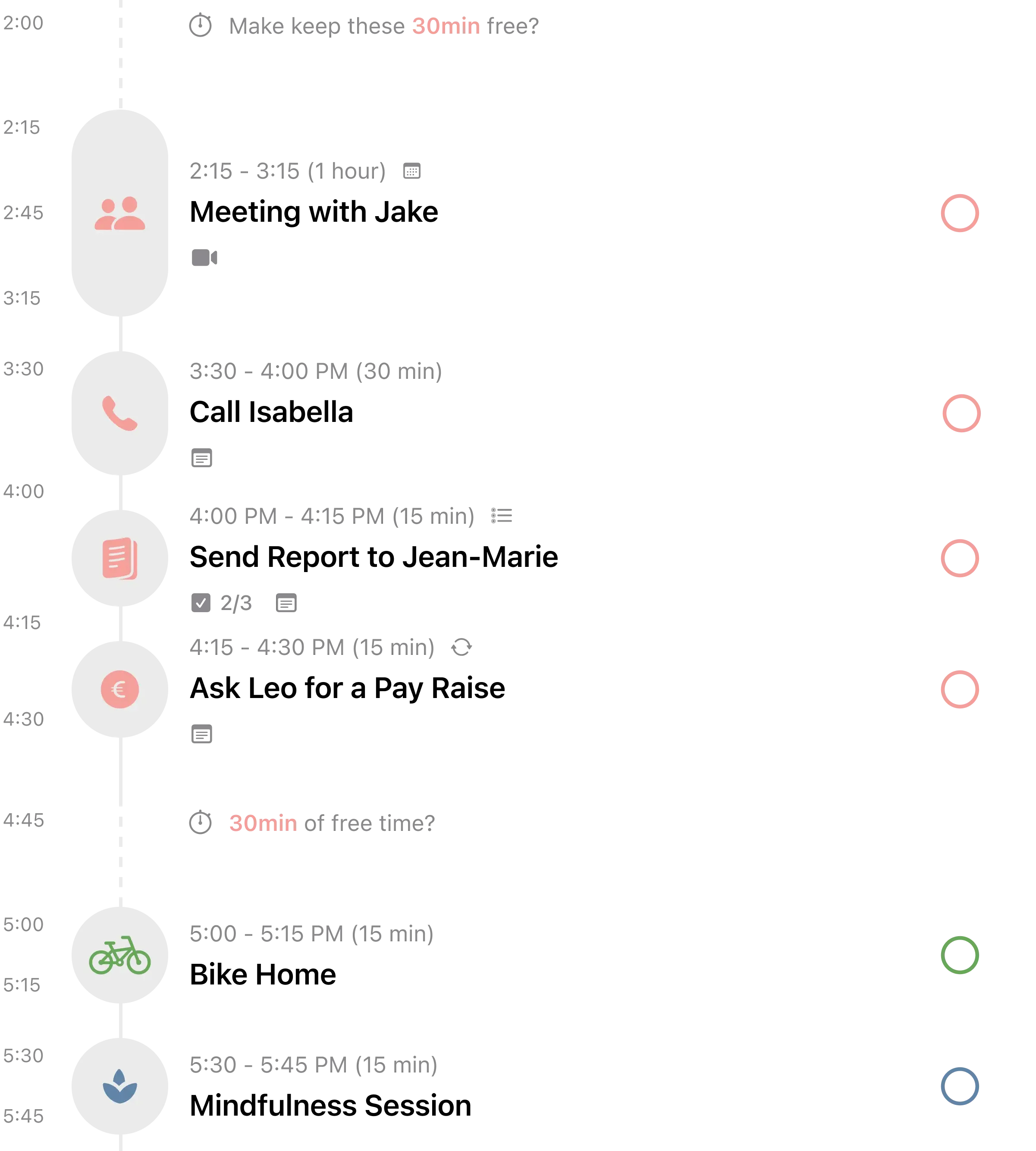
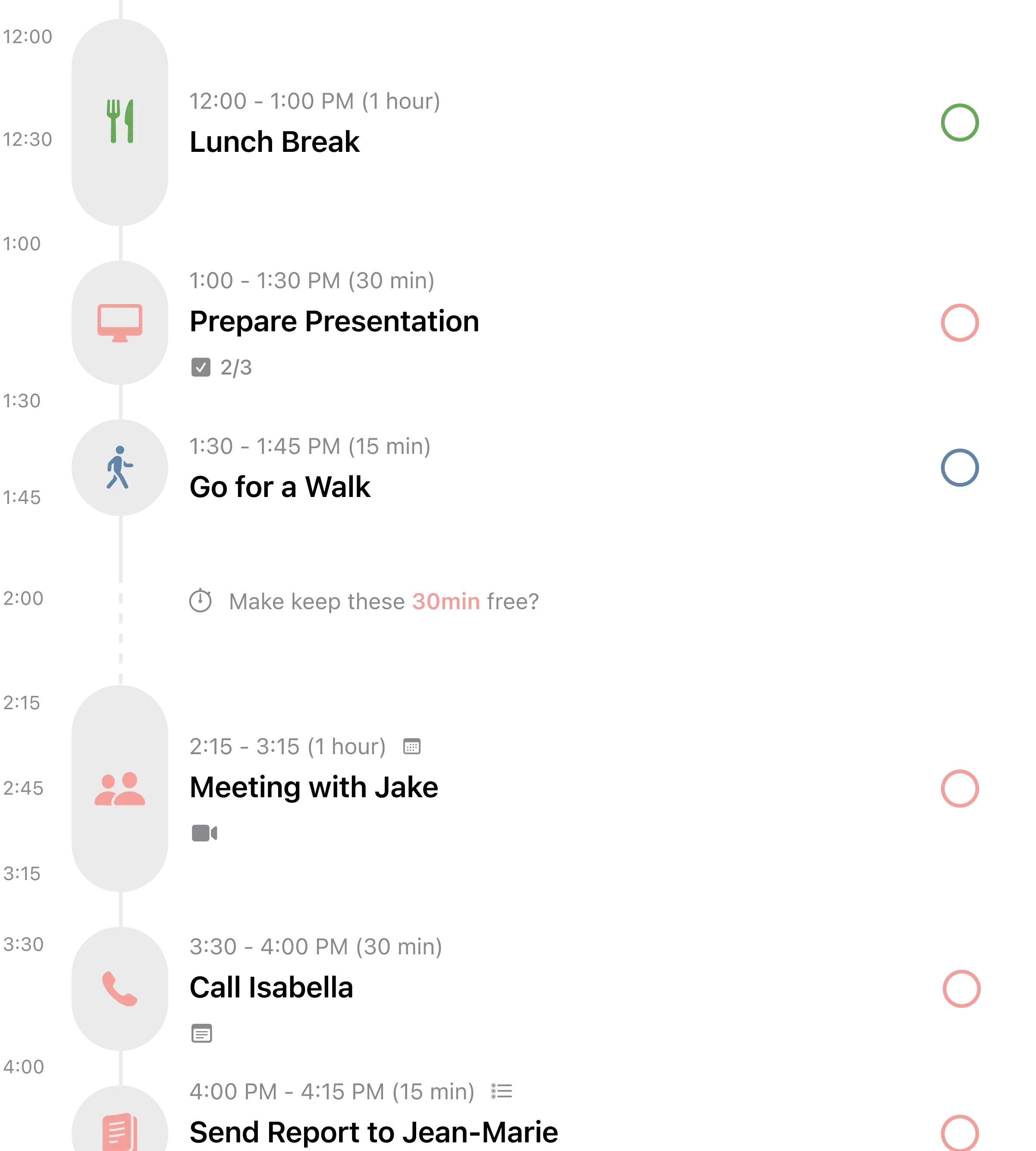
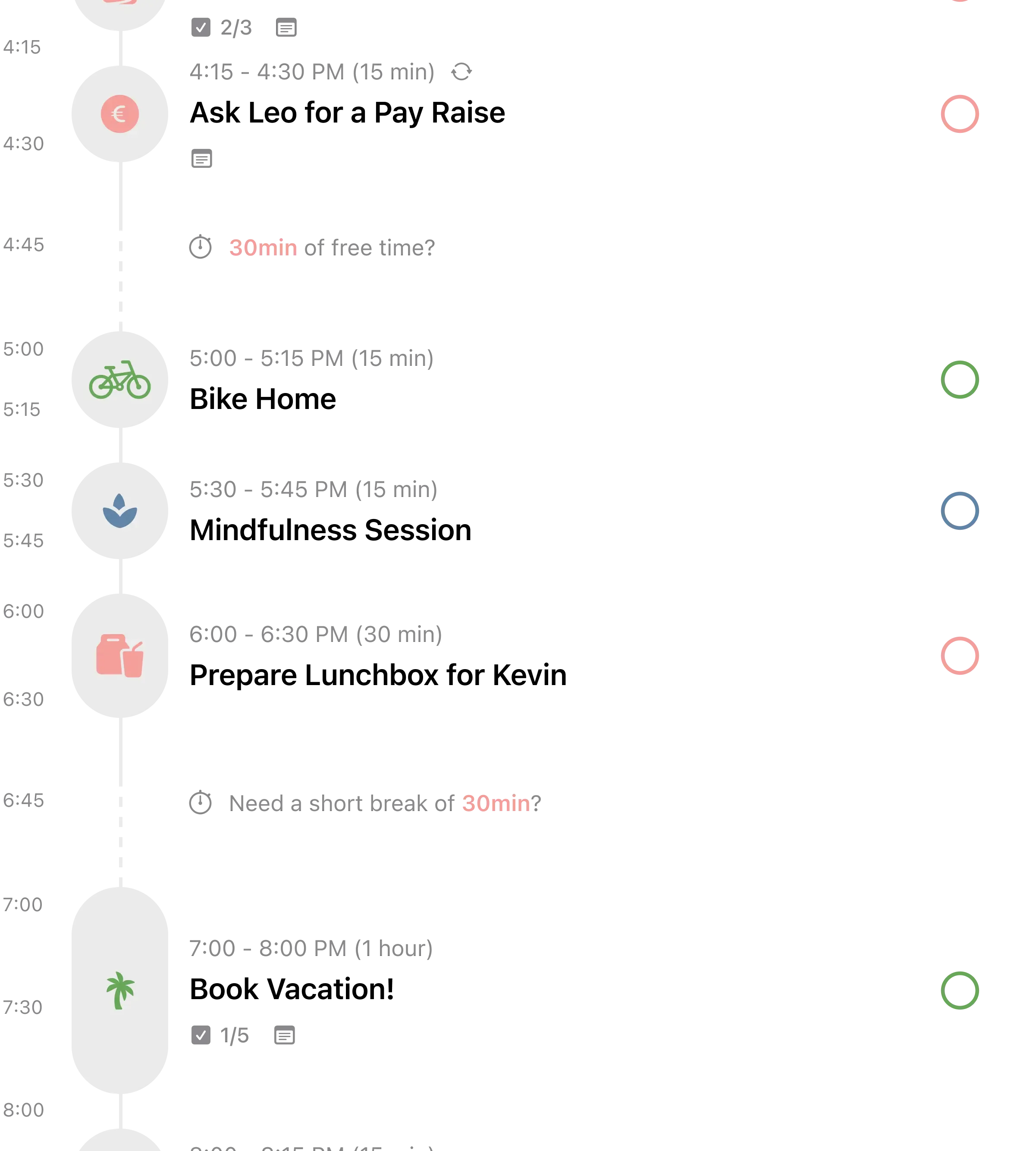
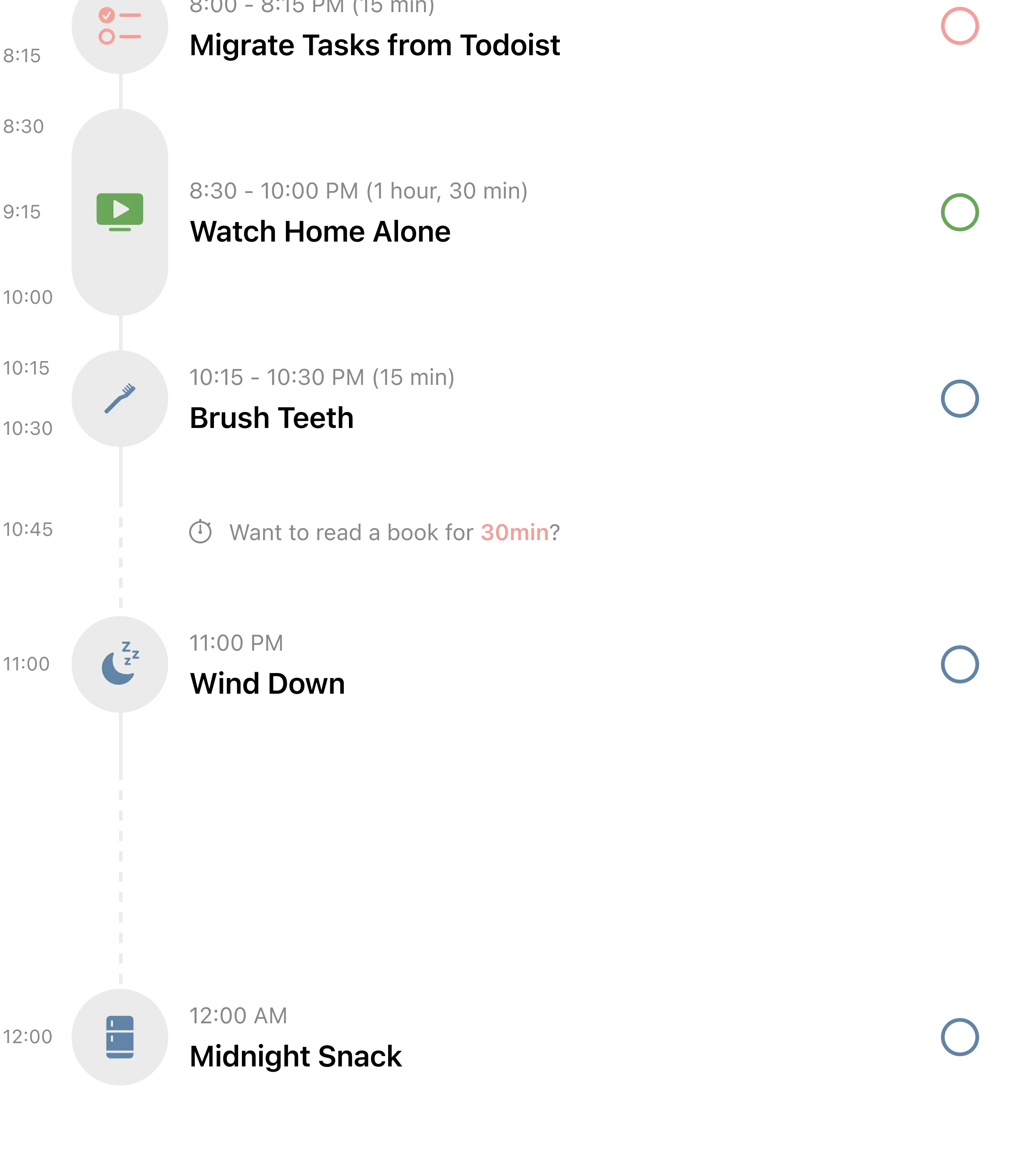
Most task apps show you a list. Structured shows you a timeline. Every task sits inside a colored block on a vertical schedule that mirrors how time actually passes. Gaps in your day are visible. Overloaded afternoons are obvious at a glance.
The app has earned 154,000+ ratings at 4.8 stars on the App Store, and over 25 reviews specifically mention how well it works for ADHD. One reviewer described it as "no mental friction, structure not imprisonment," which captures something most productivity apps get backwards. They add friction in the name of organization.
What it does well:
- Time-blocking as the core interaction. Every task gets a start time and duration. Drag to reschedule. The timeline updates instantly.
- AI quick planning (Pro). Feed it a rough list of tasks and it drafts a schedule, placing items into time slots based on your existing calendar events.
- Energy tracking. Tag each task with an energy level so you can balance the quarterly report with lighter work like inbox cleanup throughout the day.
- Multi-view flexibility. Daily, weekly, multi-day, and monthly views. See your next hour or your next month.
Where it falls short:
- Recurring tasks require Pro. This is the number one complaint across hundreds of reviews. Repeating daily tasks is arguably a basic planning feature, and it is paywalled at $9.99 a year.
- No collaboration. Purely a personal planner. Cannot share tasks, timelines, or projects with anyone. If your spouse needs to see the shared grocery run on your timeline, that is not happening here.
Pricing: Free tier includes timeline views, task creation, subtasks, color coding, widgets, and energy tracking. Pro costs $2.99/month, $9.99/year, or $29.99 lifetime. Pro adds recurring tasks, calendar import, AI planning, and custom notifications.
Platforms: iPhone, iPad, Mac, Apple Watch, Android, Web
Bottom line: If you think better when you can see your day as a visual timeline, Structured turns abstract task lists into something tangible. The Pro upgrade is worth it for recurring tasks alone. (Looking for routine-specific features? See our best daily routine apps comparison.)
3. Todoist - Best for Cross-Platform Task Planning
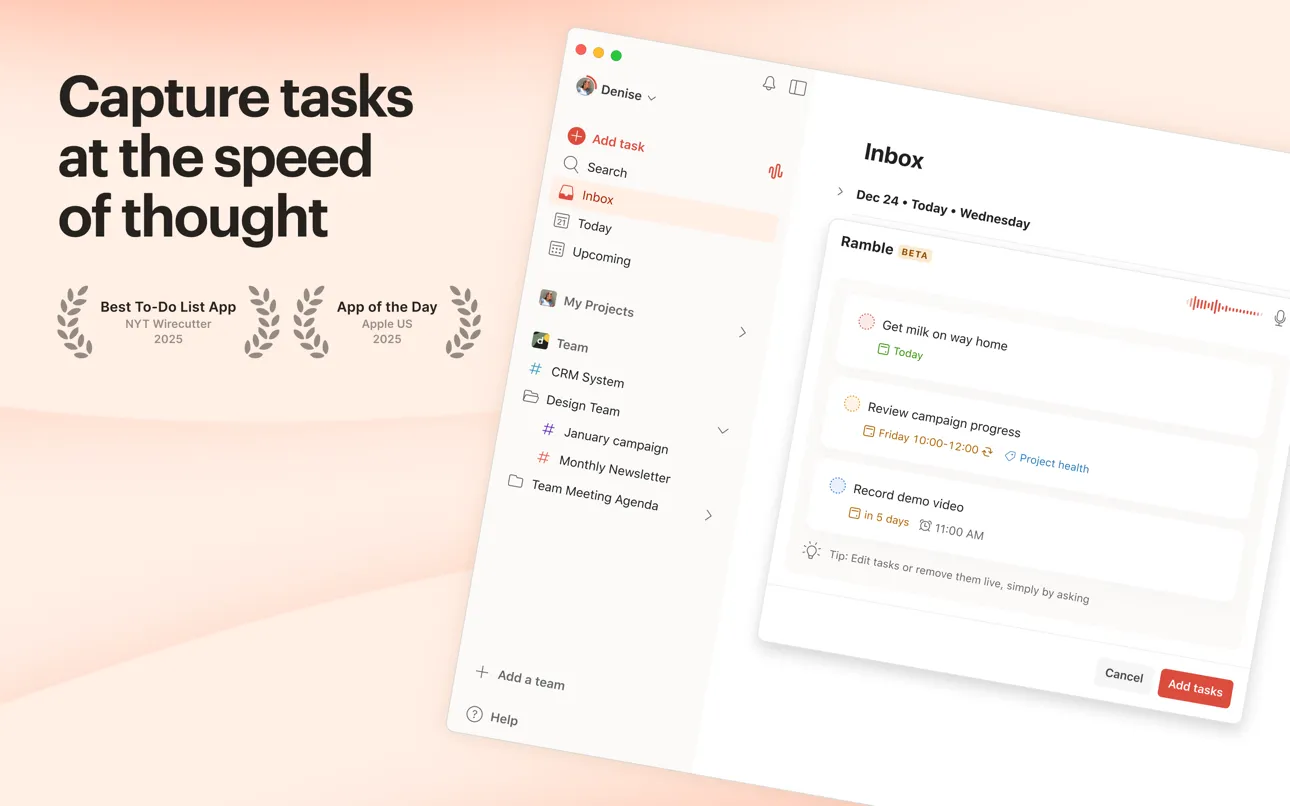
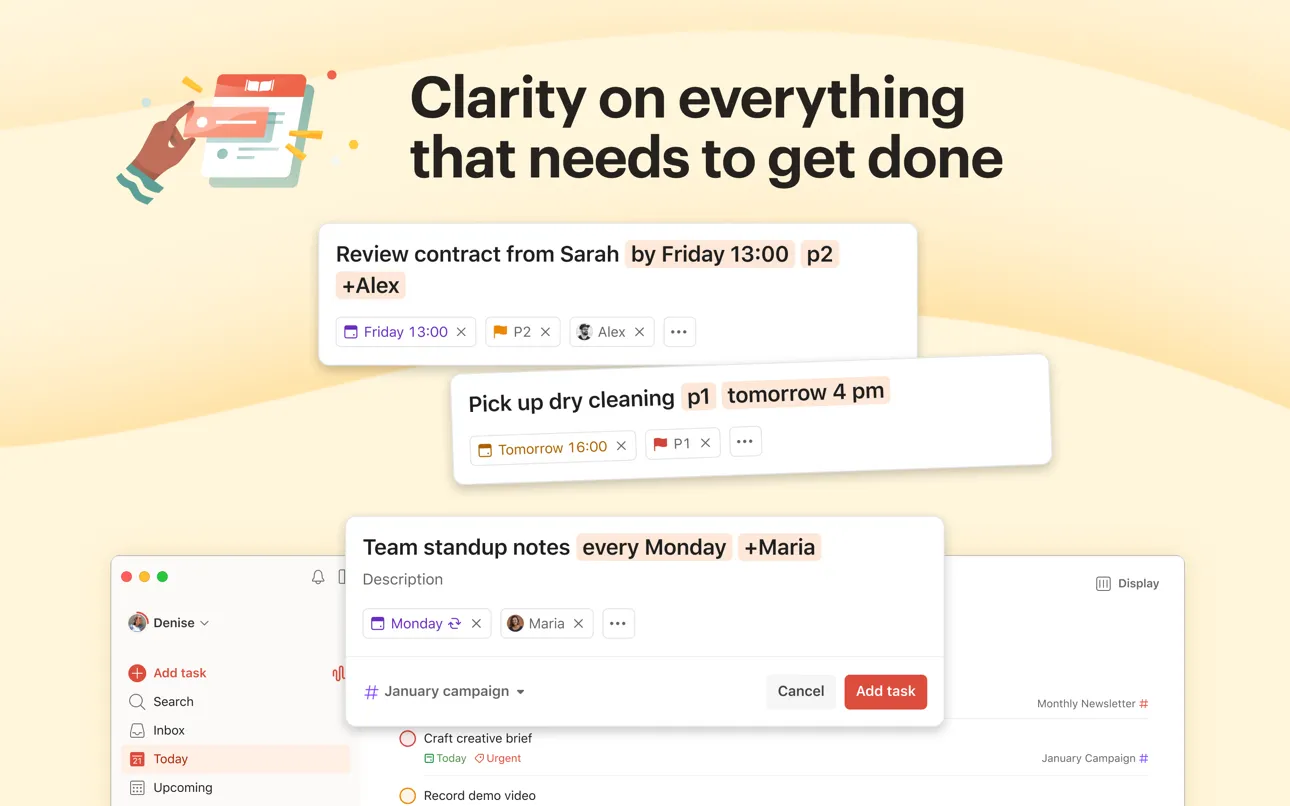
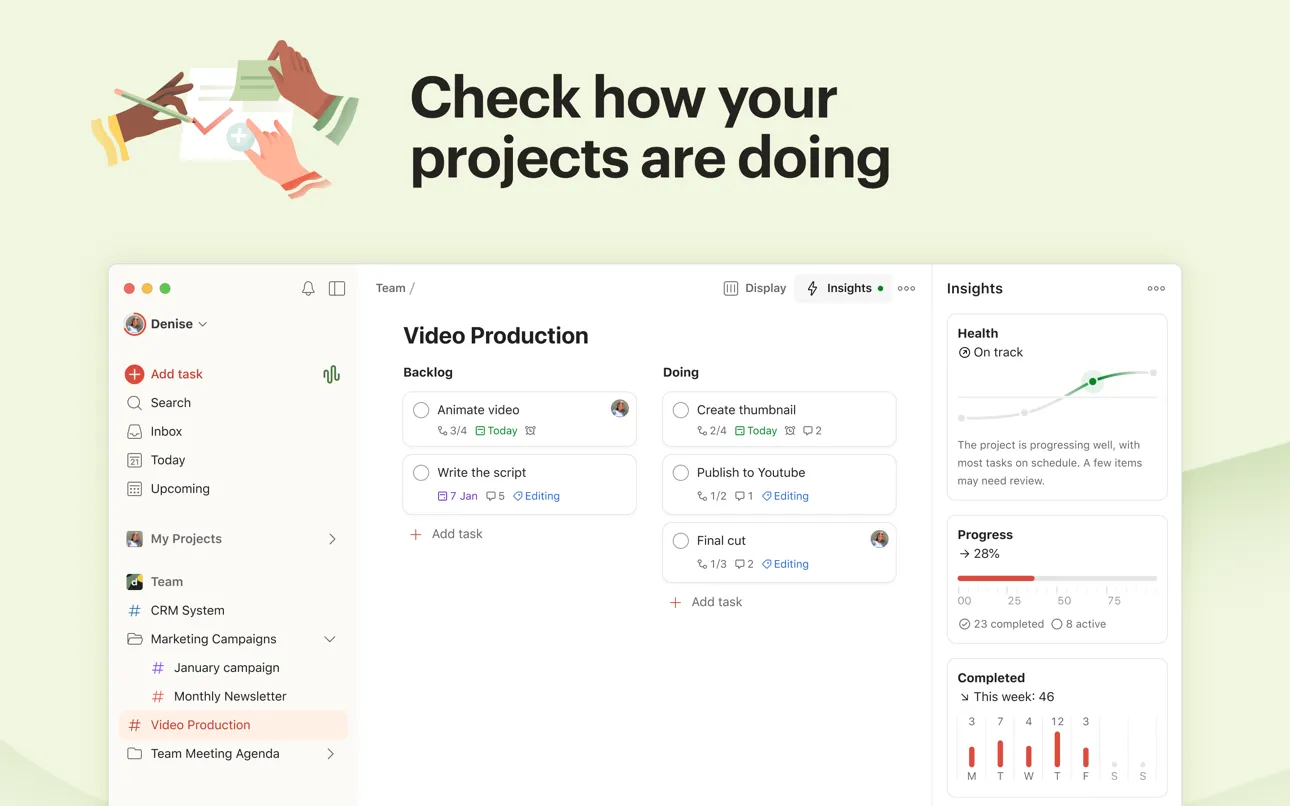
Todoist has been around since 2007. Over 40 million people use it, according to Doist's own figures. The reason is simple: it works everywhere, and entering tasks is nearly frictionless. Type "finish report tomorrow at 3pm p1 #work" and Todoist parses every piece. The task, the due date, the time, the priority, the project. No dropdowns. No date pickers. Just words you would have typed into a Slack message anyway.
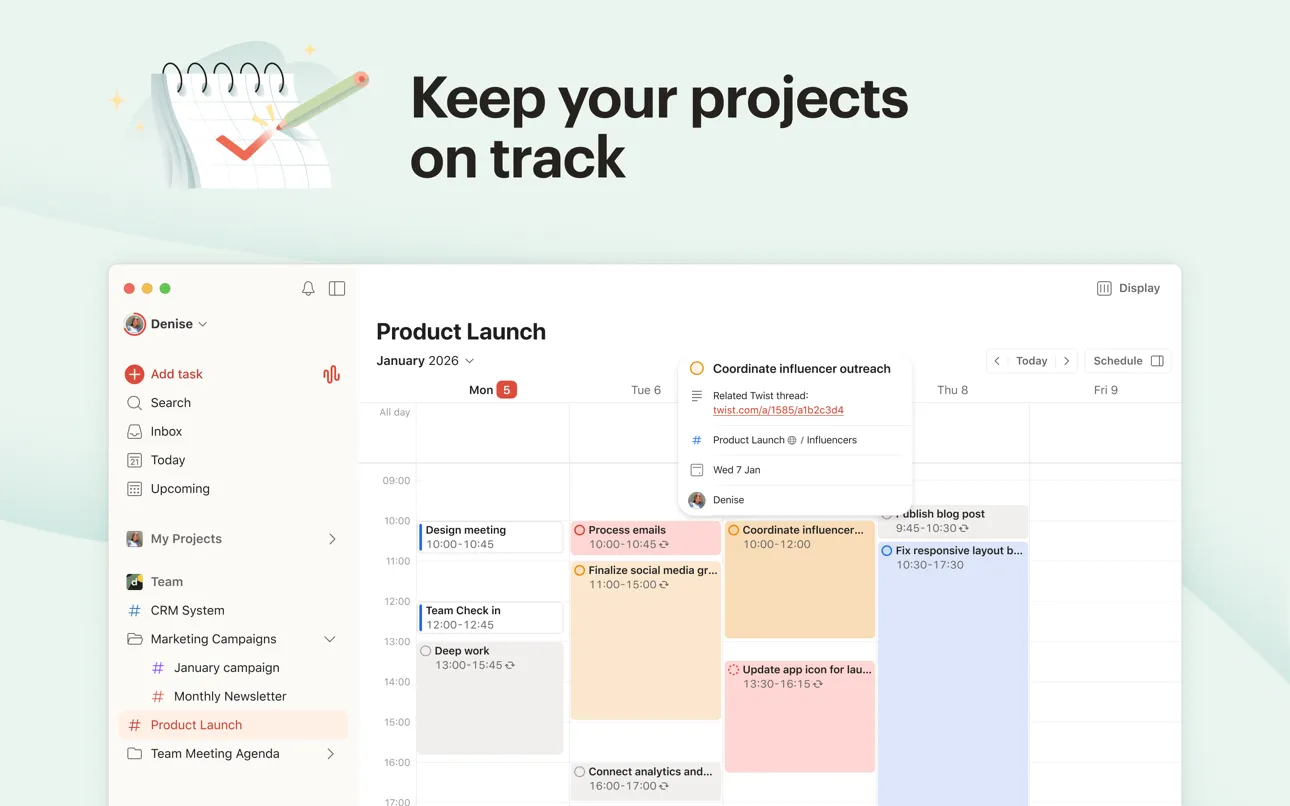
For daily planning specifically, the Today view pulls every task due today from across all your projects into a single list. Pro users get a calendar layout that lets you drag tasks into time slots, which is the feature that turns Todoist from a task manager into an actual planner. A reviewer on the App Store described it as "genuinely like having an admin assistant."
What it does well:
- Natural language processing. The fastest task entry of any app on this list. Parses dates, times, priorities, projects, and recurrence from plain English.
- Ramble (voice-to-task). Speak scattered thoughts and the AI converts them into structured, clear tasks. New in 2025 and one of the most praised features in recent reviews.
- Available on everything. iOS, Android, macOS, Windows, Linux, web, browser extensions, email plugins, Wear OS, and Apple Watch. If it has a screen, Todoist probably runs on it.
- Mature integration ecosystem. 100+ native integrations including Google Calendar, Outlook, Slack, and Zapier. Ten years of third-party connections that newer apps cannot match.
Where it falls short:
- Planning features are Pro-only. Calendar view, reminders, and most filters require a $48/year subscription. The free tier is a task list, not a daily planner. That distinction matters if you came here looking for scheduling.
- Time-blocking is secondary. The calendar layout exists but it is barebones compared to Structured or Fantastical. You can drag tasks into hours, but you cannot set durations or see how tasks overlap with calendar events the way a dedicated time-blocking app would show you.
Pricing: Free (5 active projects, basic views). Pro: $5/month billed annually ($60/year). Business: $8/user/month. Pro unlocks calendar layout, reminders, 300 projects, and AI features. (Prices increased December 2025.)
Platforms: iOS, Android, macOS, Windows, Linux, Web, Apple Watch, Wear OS
Bottom line: If you need a planner that works on every device you own and captures tasks with zero friction, Todoist is hard to beat. Just know that the real daily planning power requires Pro. (For a deeper look at Todoist as a checklist tool, see our best daily checklist apps comparison.)
4. Things 3 - Best Premium Apple Experience
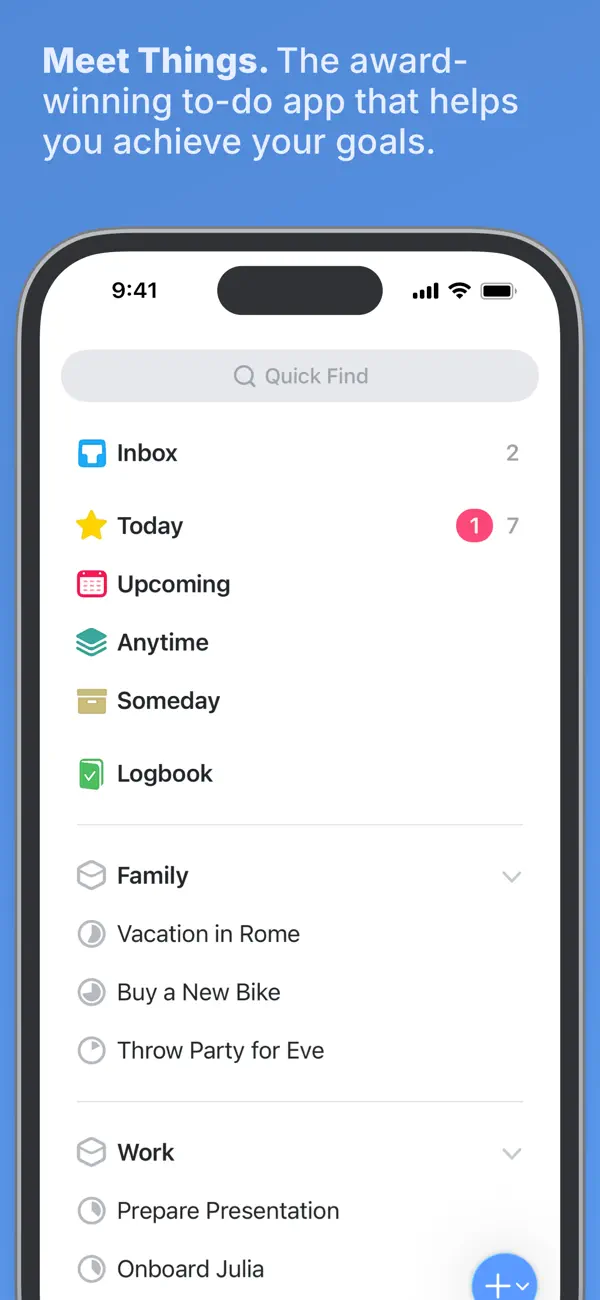
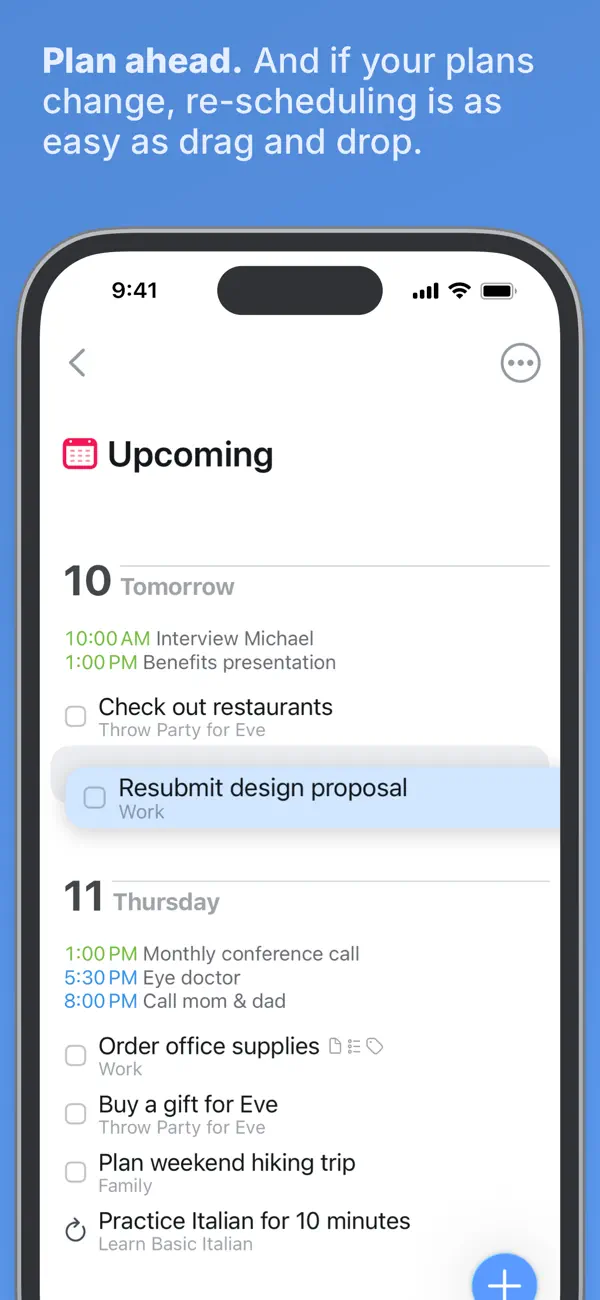
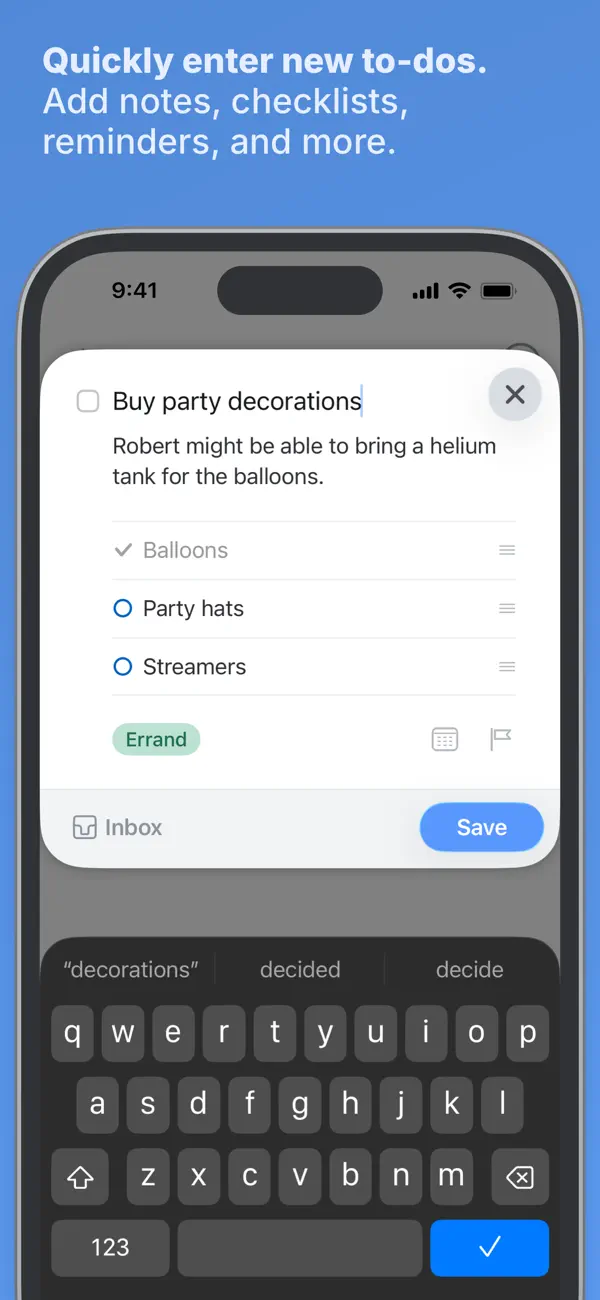
Things 3 won an Apple Design Award for a reason. Every interaction feels intentional. Dragging a task to tomorrow. Tapping to add a due date. Swiping through your project list. The animations are smooth, the typography is clean. And there is no monthly subscription, which at this point in the App Store feels almost contrarian.
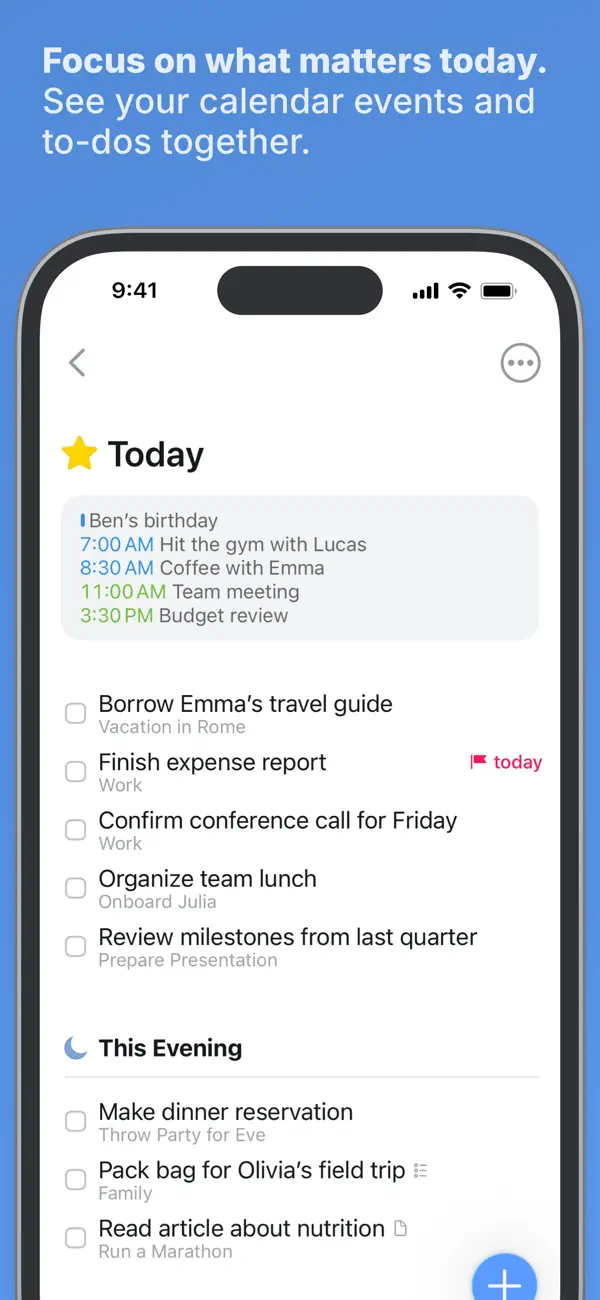
The daily planning workflow centers on the Today view, which shows all tasks scheduled for today alongside your calendar events. A "This Evening" section splits your day into two phases: daytime priorities stay at the top, evening tasks like the gym or picking up groceries sit below. No other task manager on this list offers that two-phase split, and once you use it for a week the absence in other apps becomes noticeable.
What it does well:
- Today + This Evening planning. Two-phase daily views keep morning priorities clean while evening tasks remain visible but out of the way. Reviewing and rescheduling takes seconds.
- One-time purchase. No subscription. Pay once, own it. Over two years, cheaper than any subscription competitor on this list by a wide margin.
- Areas, Projects, and Headings. Organize work into life areas (Home, Health, Work), projects within each area, and headings within projects. Deep structure without the visual clutter that makes most project managers feel like a second job.
- Rock-solid reliability. Years of daily use without major bugs or data loss, according to hundreds of reviews. One long-time user called the sync "stupid fast."
Where it falls short:
- Apple only, no web version. iPhone, iPad, Mac, and Vision Pro. Cannot access your plan from an Android phone or a Windows PC at work. There is no web fallback, not even a read-only one.
- No time-blocking. You can set due dates and start dates, but cannot assign duration or drop tasks into time slots. Planning when to start is possible. Planning how long is not.
Pricing: iPhone $9.99, iPad $19.99, Mac $49.99, Vision Pro $29.99 (all one-time purchases). Full Apple ecosystem: $109.96 total. No free tier on iPhone (Mac has a 15-day trial).
Platforms: iPhone, iPad, Mac, Apple Watch, Apple Vision Pro
Bottom line: Things 3 offers the most refined daily planning experience for people who live inside the Apple ecosystem and prefer paying once over subscribing monthly. The "This Evening" split is genuinely useful once you build the habit of reviewing it after dinner.
5. Fantastical - Best for Calendar-First Planning
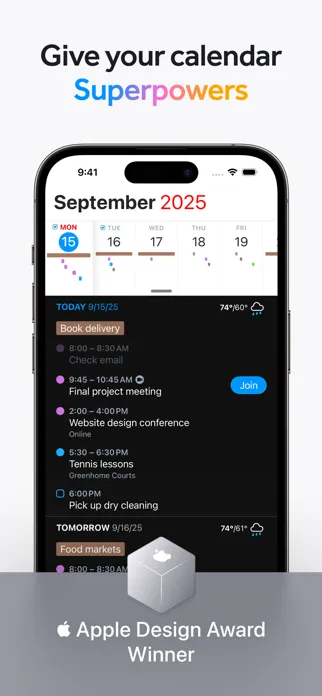
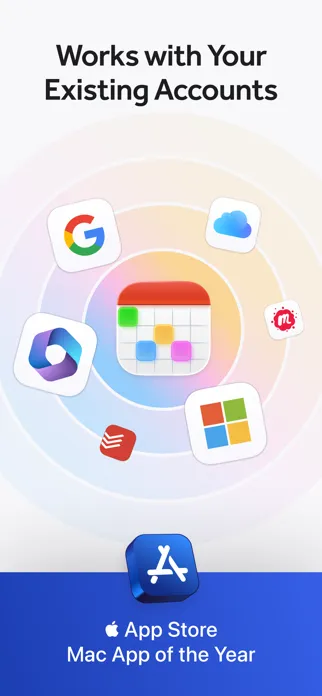
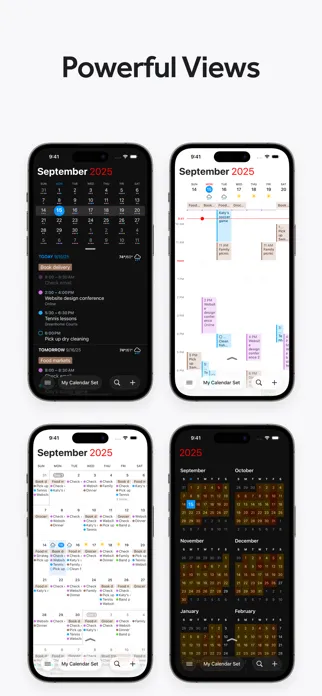
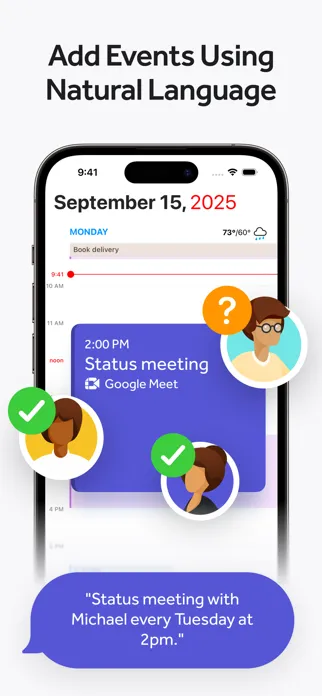
If your day is structured around meetings and appointments rather than tasks, Fantastical is the strongest planner on this list. It does one thing better than any competitor: it merges Google Calendar, Outlook, iCloud, and whatever niche CalDAV server your company insists on using into a single interface. Type "lunch with Alex at noon Friday at the cafe on 5th" and everything parses instantly. The title, the time, the date, the location.
Fantastical is a calendar with planning features rather than a planner with a calendar. That distinction matters more than it sounds. The DayTicker view gives you a scrollable daily agenda. Calendar Sets let you switch between "Work" and "Personal" contexts in one tap, which means your Saturday does not show your Monday standup. Focus Filters automatically surface the right calendars based on your Apple Focus Mode.
What it does well:
- Natural language event creation. The best in the category. Create events, set reminders, and invite people using conversational text. No tapping through date pickers.
- Calendar Sets + Focus Filters. Group calendars by context and let Focus Modes switch between them automatically. Your planner adapts to where you are without you touching anything.
- Scheduling links. Openings and Proposals let others book time on your calendar or vote on meeting times. A built-in Calendly alternative that saves you $96 a year if you were paying for the real thing.
- Weather and travel time. 10-day weather forecasts and automatic travel time estimates between events. Small details that make daily planning practical.
Where it falls short:
- Subscription required for core features. Premium starts at $40/year. The free tier is essentially a read-only calendar. For a calendar app, not a full productivity suite, you are paying before you can plan.
- Widget and stability issues. Over 15 App Store reviews mention widgets breaking after updates. For a daily planner, a broken home screen widget is a broken morning.
Pricing: Free (basic views and event creation). Premium: $4.99/month or $40/year. Family: $8/month or $65/year for up to 5 people. Premium unlocks scheduling, templates, weather, Calendar Sets, and widgets.
Platforms: iPhone, iPad, Mac, Apple Watch, Apple Vision Pro, Windows
Bottom line: If your daily plan revolves around calendar events and meetings, Fantastical organizes them better than anything else. For task-heavy planning, pair it with a dedicated task manager.
6. Any.do - Best for Simple Daily Scheduling
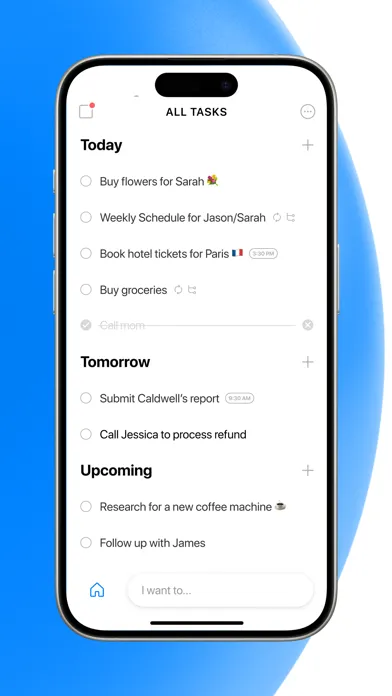
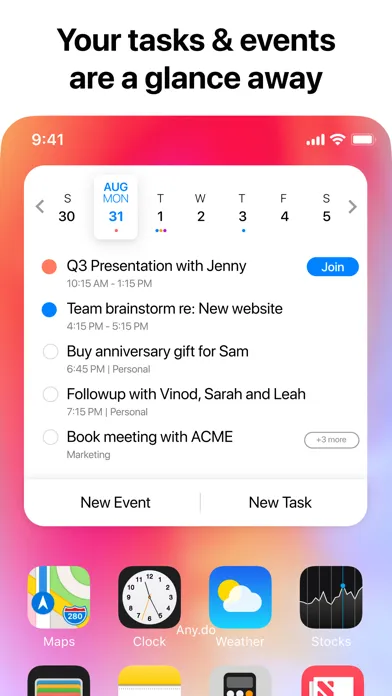
Any.do strips daily planning down to the basics. Open the app each morning and the "Plan Your Day" flow walks you through scheduling today's tasks. Drag items into calendar time slots. The AI suggests which tasks to prioritize. Done. The whole process takes maybe ninety seconds if you have six items to schedule.
With 40 million users and editorial endorsements from the New York Times and Wall Street Journal, Any.do has proven that simplicity scales. Research from the Harvard Business Review suggests that the simpler a planning system is, the more likely people maintain it over time. The home screen widget keeps your daily plan visible at all times, and families love the shared grocery list that auto-sorts items by aisle, a feature that sounds minor until you realize how many arguments it prevents at Trader Joe's.
What it does well:
- "Plan Your Day" morning workflow. A guided prompt each morning helps you decide what gets done today. Drag tasks from your backlog into specific time slots.
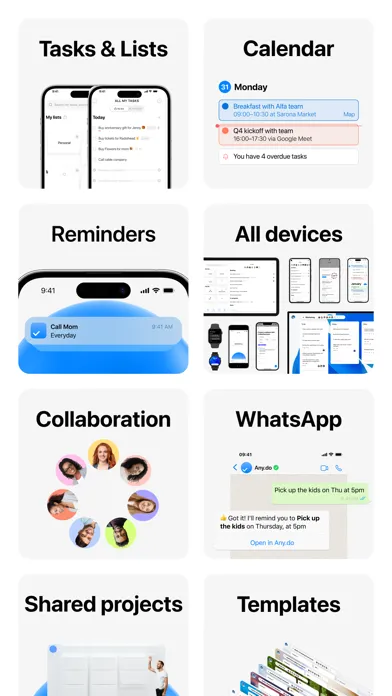
- Unified tasks + calendar view. Appointments and to-dos share one screen. See gaps, overlaps, and realistic time estimates at a glance.
- Cross-platform availability. iPhone, Android, Mac, Windows, Web, Apple Watch, and Wear OS. One of the few planners with truly universal access.
- Family-friendly features. Shared grocery lists with automatic aisle categorization. Shared task lists for household coordination.
Where it falls short:
- Reliability concerns. Data loss after updates is a recurring theme across years of App Store reviews. One user reported losing three months of tasks after an iOS update. For a daily planner you depend on every morning, that pattern is hard to overlook.
- Free tier is restrictive. No recurring tasks on the free plan. You cannot plan beyond 7 days ahead. For daily planning, recurring tasks are not a premium feature. They are the point.
Pricing: Free (basic tasks, daily planner, calendar sync). Premium: $4.99/month billed annually ($59.88/year). Family: $8.33/month for 4 members. Premium adds recurring tasks, location reminders, AI features, and color tags.
Platforms: iPhone, iPad, Mac, Android, Windows, Web, Apple Watch, Wear OS
Bottom line: If you want the simplest possible daily planner that still connects tasks to your calendar, Any.do delivers. Just back up your data regularly and be prepared to pay for recurring tasks.
Which Daily Planner App Should You Pick?
- If you want planning, habit tracking, and focus blocking in one app, pick Habi.
- If you think visually and want to see your day as a timeline, pick Structured.
- If you need one app on every device you own, pick Todoist.
- If you want the most polished experience with no subscription, pick Things 3.
- If your day revolves around calendar events and meetings, pick Fantastical.
- If you want the simplest daily planning workflow, pick Any.do.
None of these apps is universally "best." A review published in Psychological Bulletin found that implementation intentions (deciding exactly when and where you will do something) increase follow-through rates by 65% compared to vague goals. The right daily planner depends on whether you need visual time-blocking, cross-platform access, habit tracking, or calendar management. Start with the one that matches your primary planning pain point, use it for a full week, and see if it sticks.
For more planning and productivity comparisons, see our guides to the best daily routine apps, best daily checklist apps, and the 80/20 rule for time management.
Frequently Asked Questions
What is the best daily planner app for iPhone?
It depends on your planning style. Habi is best if you want to combine daily planning with habit tracking and a focus timer in one app. Structured is best for visual time-blocking. Todoist is best for GTD-style task management across every platform. Things 3 is best for a premium, no-subscription experience on Apple devices.
Is there a free daily planner app that actually works?
Habi offers the strongest free tier among daily planner apps: unlimited habits, tasks, projects, a focus timer, screen time blocking, and calendar integration at no cost. Structured's free tier is solid for basic time-blocking but locks recurring tasks behind a paywall. Todoist's free plan allows 5 active projects but restricts reminders and calendar views to paid plans.
What is the difference between a planner app and a to-do list?
A to-do list stores tasks. A daily planner helps you decide when to do them. Planner apps include time-blocking, calendar integration, and scheduling features that let you assign tasks to specific times. A good planner shows both your appointments and tasks in one view so you can build a realistic plan rather than a wishful list.
Can I use a daily planner app for habit tracking?
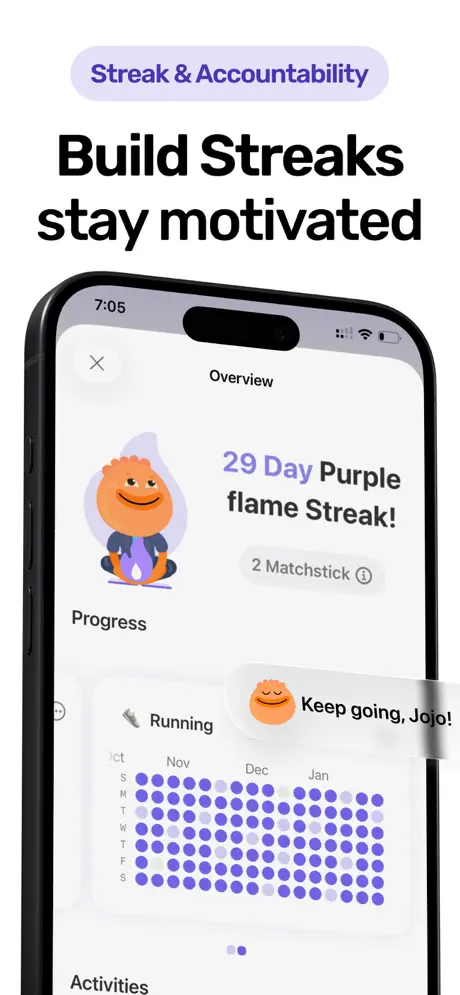
Some planner apps support recurring tasks, which can serve as basic habit tracking. But recurring tasks alone lack streaks, completion rates, and progress statistics. For genuine habit tracking with visual progress data, you need an app built for it. Habi combines daily planning with full habit tracking, including streak counters, completion percentages, and trend charts.
What daily planner app works best for ADHD?
Structured is frequently recommended by ADHD users for its visual timeline that makes time feel concrete. Over 25 App Store reviews specifically mention ADHD support. Todoist is also popular because natural language input removes friction from task capture. Habi's focus timer with app blocking helps ADHD users stay on task during planned sessions.
What is the best planner app for iPhone in 2026?
The best planner app for iPhone depends on how you plan. Habi is the top pick for people who need a schedule planner, habit tracker, and focus timer in one app. Structured is the best calendar planner if you think visually and want time-blocking. Things 3 offers the most polished premium experience with no subscription. For a planner that also works on Android and web, Todoist is the strongest cross-platform option.
Final Thoughts
The best daily planner is the one you open every morning. Features matter. Consistency matters more. Pick one app from this list. Use it exclusively for one week. Not alongside your old system. Not with a notebook backup just in case. If you open it every morning and it helps you make better calls about your time, you have found your planner. If you forget about it by Wednesday, that is useful information too. If you have ADHD and need a planner built around executive function support, check our dedicated best ADHD planner apps roundup.
If you want to start with an app that handles planning, habits, and focus in one place, download Habi from the App Store. It is free, and your first daily plan takes about two minutes to put together.
