7 Best Focus Timer Apps in 2026 (Pomodoro and Beyond)

Short on Time? Here's the Quick Take


Your phone has a built-in timer. So why would you download a separate focus timer app?
Because a countdown alone doesn't solve the problem. The problem is that you open your phone to start the timer and end up on Instagram. The problem is that you finish a 25-minute Pomodoro session but have no idea if your focus is actually improving over time. The problem is that your timer lives in one app, your habits in another, and your tasks in a third.
We spent over a week testing each of these seven focus timer apps during real work sessions. Writing, coding, studying, deep reading. We measured timer accuracy, tested customization options, tried every ambient sound mode, and checked whether the app blocking actually worked when temptation hit.
Full disclosure: Habi is our app. We built it. We included it because we think it earns its place, but every app on this list got the same honest treatment. Real pros. Real cons. No affiliate links. No app paid to be here.
Here's what we found.
How We Tested
We used each app for at least one full week of real work sessions, not just quick demos. Here's what we evaluated:
- Timer accuracy and flexibility. Does the timer count down reliably? Can you customize work and break durations beyond the standard 25/5 Pomodoro?
- App blocking. If the app claims to block distractions, does it actually work? Can you bypass it easily?
- Ambient sounds. Quality and variety of background sounds. Do they genuinely help focus or just add noise?
- Customization. Can you adjust session lengths, break patterns, and notification styles to fit how you actually work?
- Integration. Does the timer connect to your tasks, habits, or calendar? Or does it sit in a silo?
- Price-to-value. Is the free tier usable? Is the paid tier worth it?
No affiliate links in this article. No app paid to be here.
1. Habi - Best All-in-One Focus System
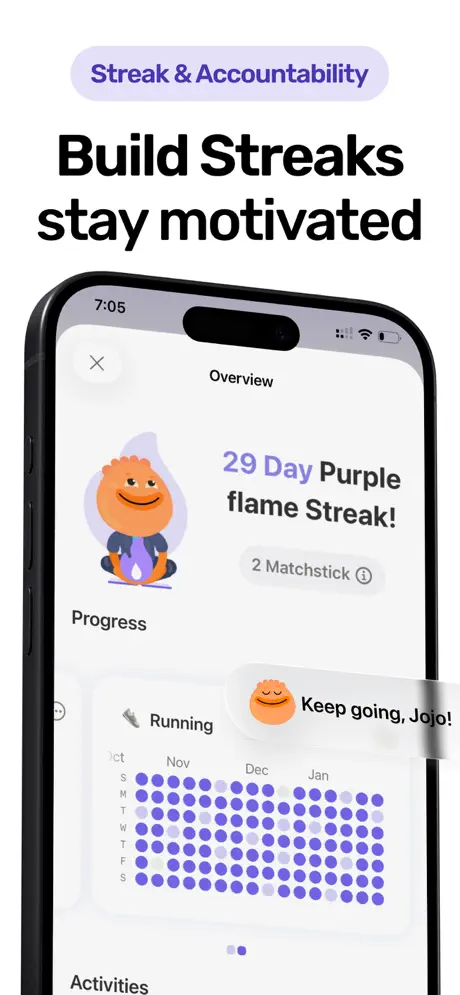
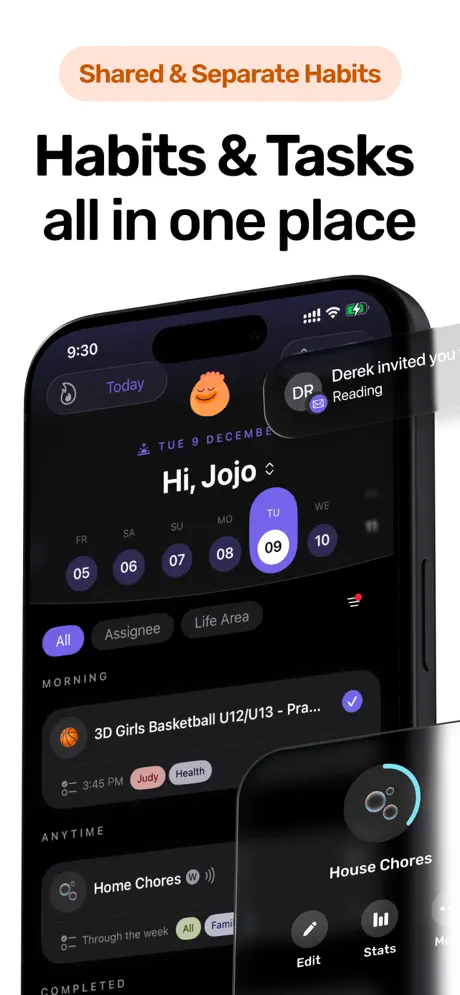
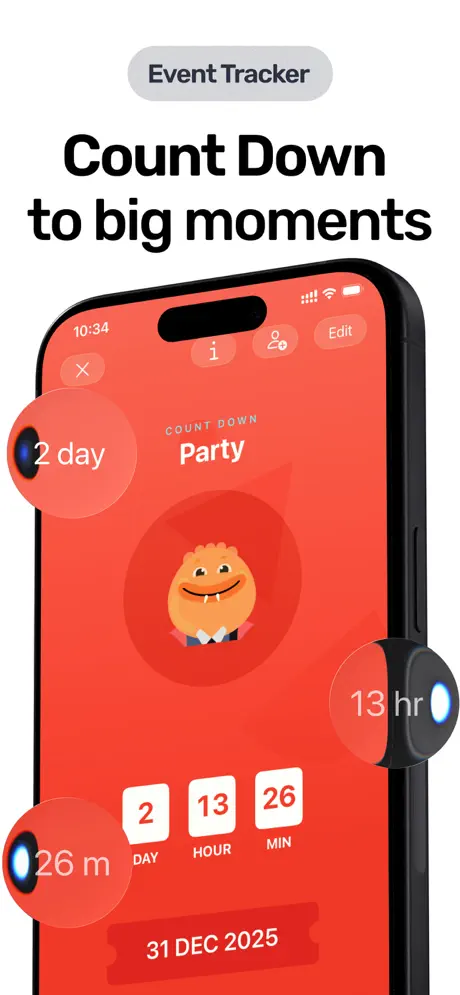
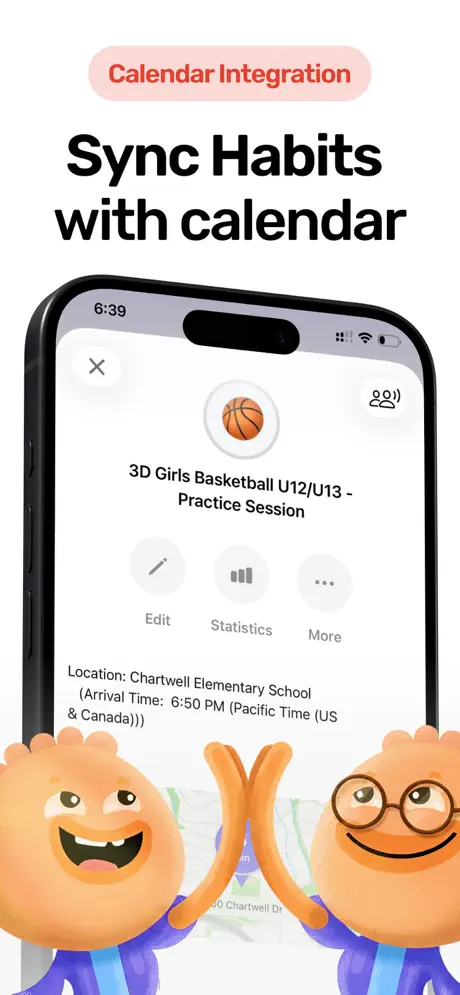
Most focus timer apps do one thing: count down from 25 minutes. Habi connects your focus sessions to your habits, tasks, and screen time in one app. Start a Pomodoro, block Instagram automatically, track how many deep work sessions you completed this week, and see the pattern alongside your other daily habits.
The timer itself supports both classic Pomodoro (25/5) and fully customizable sessions. Set a 50-minute deep work block with a 10-minute break. Set a 90-minute creative session with no interruptions. The timer adapts to how you work, not the other way around.
What makes Habi different from a standalone timer is the context. Your focus sessions don't disappear after the countdown ends. They show up in your habit streaks, your weekly stats, and your calendar. You can see that you focused for 3 hours on Tuesday but only 45 minutes on Wednesday, right next to whether you meditated, exercised, and hit your reading goal.
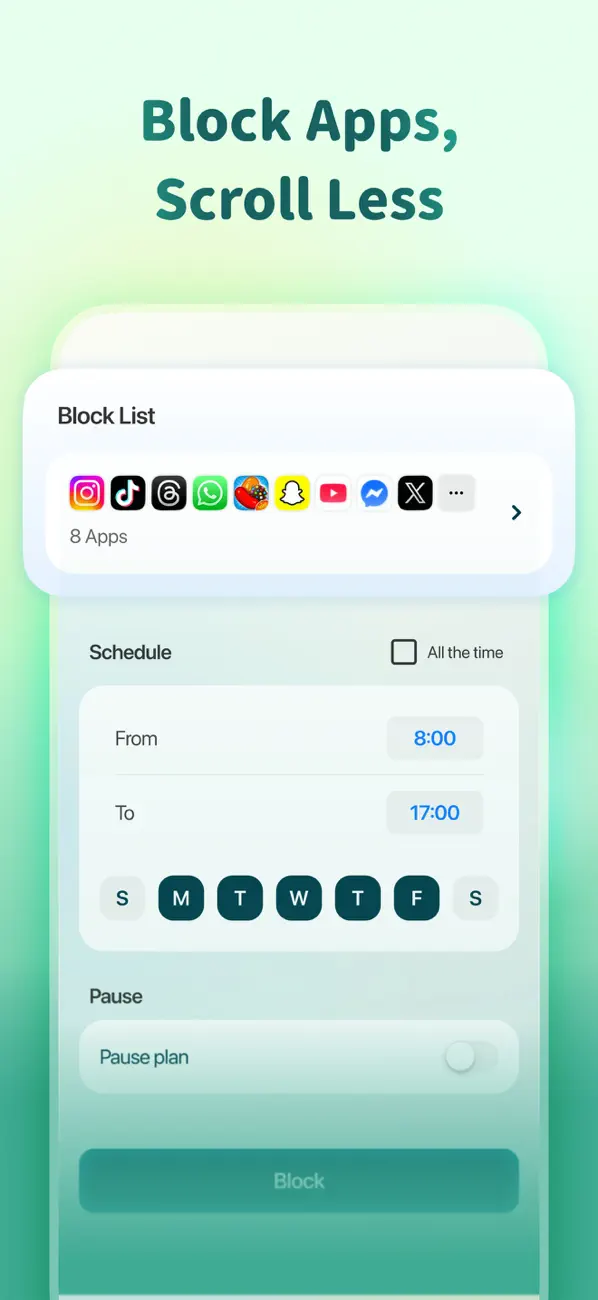
The app blocking is real. During a focus session, Habi restricts access to the apps you've flagged as distracting. No willpower required. You literally can't open TikTok until the session ends.
What it does well:
- App blocking during focus sessions. Block distracting apps automatically when the timer starts. This is the single biggest difference between a timer that helps and a timer you ignore.
- Focus + habits + tasks in one app. No switching between three apps. Your Pomodoro sessions, daily habits, and task list live in the same place.
- Ambient soundscapes. Rain, forest, ocean, white noise, and more. Layered sounds that you can mix, not just a single looping track. For more on how these sounds help, see our guide on ambient music and white noise for focus.
- Clean, minimal timer UI. Full-screen countdown with no clutter. The timer does its job without fighting for your attention.
Where it falls short:
- iOS only. iPhone, iPad, Mac, and Vision Pro. No Android version. If you need cross-platform, TickTick or Forest are better bets.
- Newer app. Habi launched in early 2026. The App Store rating is excellent, but it doesn't have the years of user feedback that Forest or Be Focused have accumulated.
Pricing: Free core (timer, habits, tasks). Optional Pro upgrade unlocks advanced features.
Platforms: iPhone, iPad, Mac (Apple Silicon), Apple Vision Pro.
Bottom line: If you want a focus timer that also tracks your habits, blocks distracting apps, and keeps everything in one place, download Habi from the App Store. It's the only app on this list where your timer sessions feed directly into your habit data.
2. Forest - Best for Gamified Focus
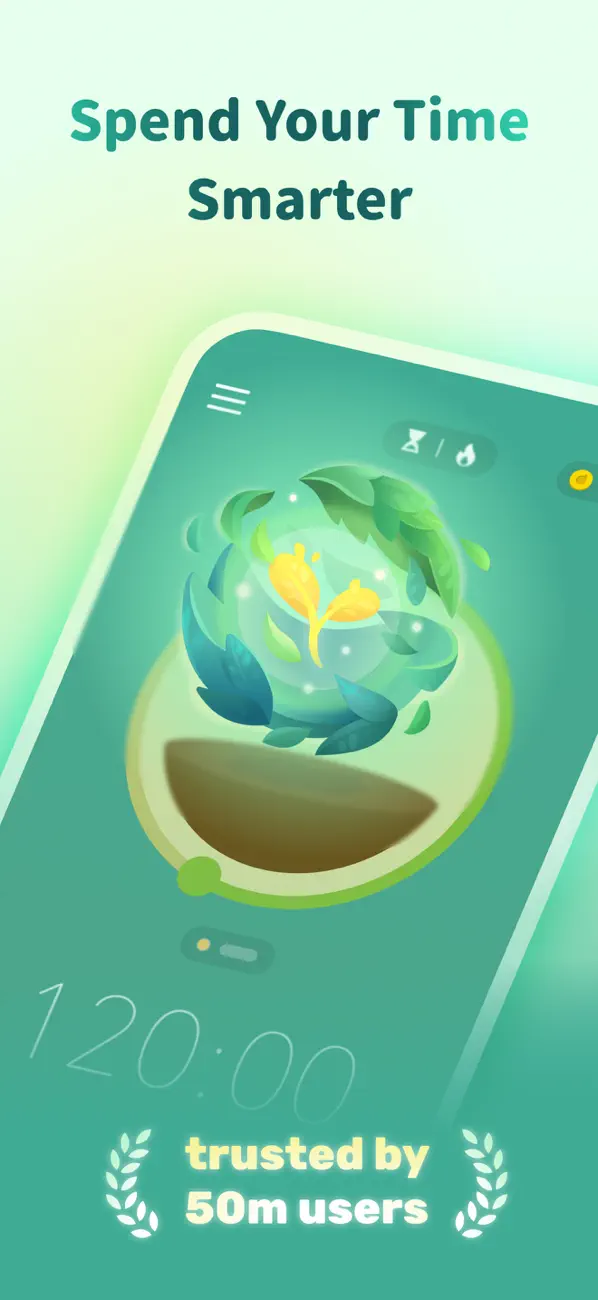
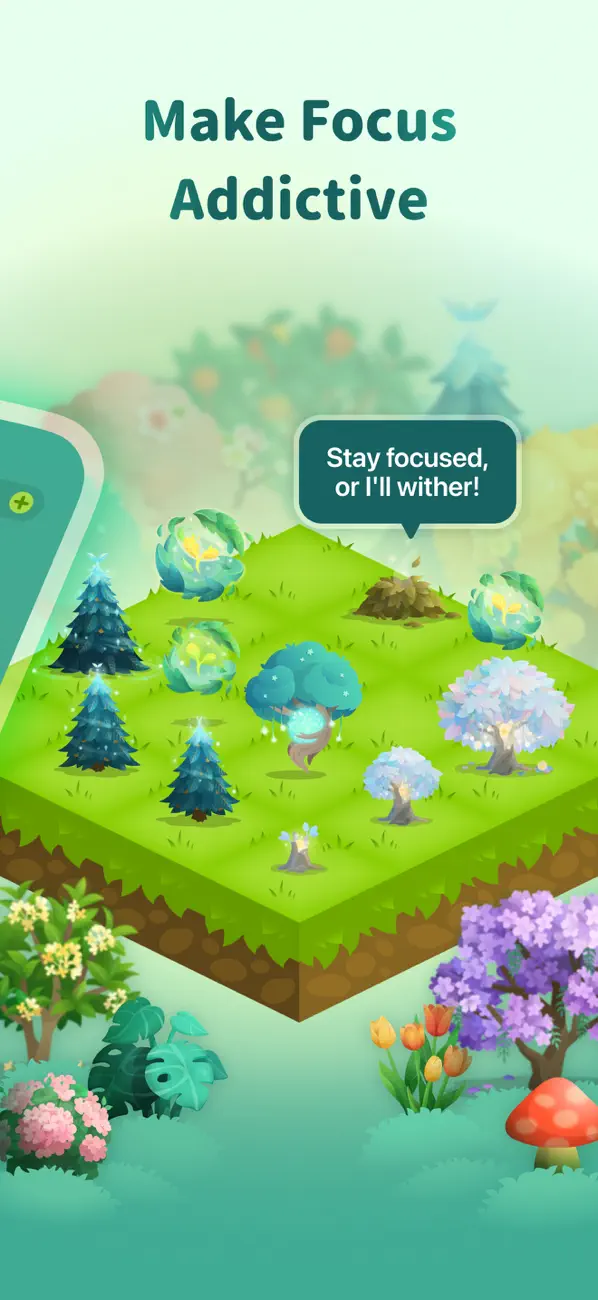
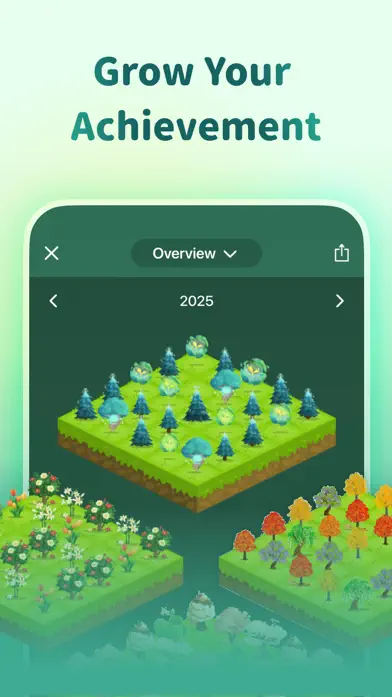
Plant a virtual tree. Stay focused for 25 minutes. Watch it grow. Leave the app early and the tree dies. It sounds childish until you realize you haven't touched your phone for two hours because you didn't want to kill a pixel tree.
Forest turns focus into a game, and it works. The app has been downloaded over 15 million times and has partnered with Trees for the Future to plant real trees using the virtual coins you earn. As of 2026, users have collectively planted over 5 million real trees.
The mechanic is dead simple. Set a timer between 10 and 180 minutes. A seed appears on screen. If you stay in the app (or lock your phone), the tree grows. If you leave to check social media, the tree withers. Over time, you build a forest that represents your accumulated focus sessions. There's something oddly satisfying about looking at a week's worth of lush trees.
Forest also supports group focus rooms. Start a session with friends or coworkers and everyone plants trees together. If one person leaves early, everyone's trees suffer. It's peer pressure in the best possible way.
What it does well:
- Addictive gamification. The tree-growing mechanic creates emotional stakes that a plain countdown never will. You don't want to kill your tree.
- Real trees planted. Virtual coins translate to actual trees through the Trees for the Future partnership. Focus with a purpose.
- Group focus rooms. Study with friends in real time. Shared accountability without needing to be in the same room.
- Cross-platform. iOS, Android, and a Chrome extension for blocking websites on desktop.
Where it falls short:
- Limited customization. You can change the timer length and pick tree species, but you can't customize break patterns, session structures, or create multi-phase focus blocks.
- No habit tracking. Forest is a timer, period. It doesn't track your daily habits, tasks, or routines. You'll need a second app for that.
- Gamification wears off for some. Several long-term users report that the tree mechanic loses its charm after a few months. Once the novelty fades, you're left with a basic timer.
Pricing: Free (limited). $3.99 one-time purchase for iOS. Free with ads on Android.
Platforms: iOS, Android, Chrome extension.
Bottom line: Forest is the best focus timer for people who need external motivation. If a plain countdown doesn't stop you from checking your phone, a dying virtual tree just might.
3. Focus Bear - Best for ADHD
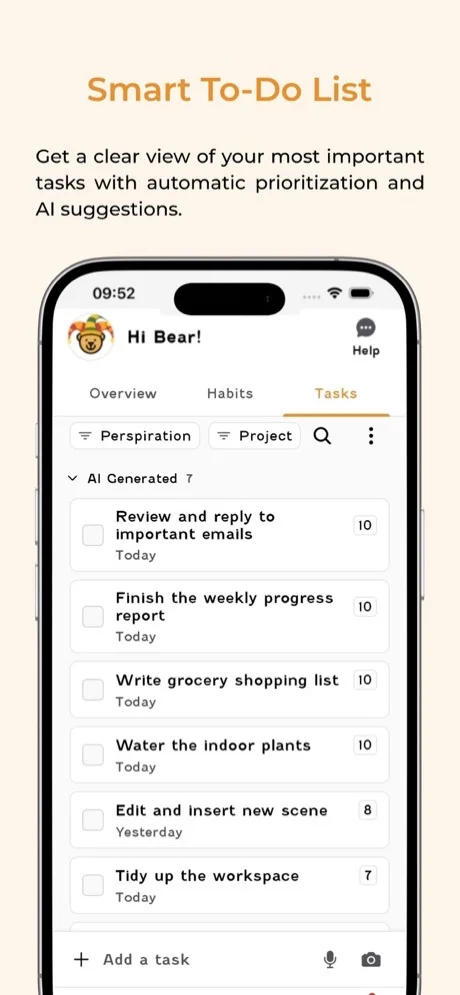
Most focus apps assume you can just "decide to focus." If you have ADHD, you know that's not how it works. Focus Bear was built specifically for neurodivergent brains, and the difference shows in every design decision.
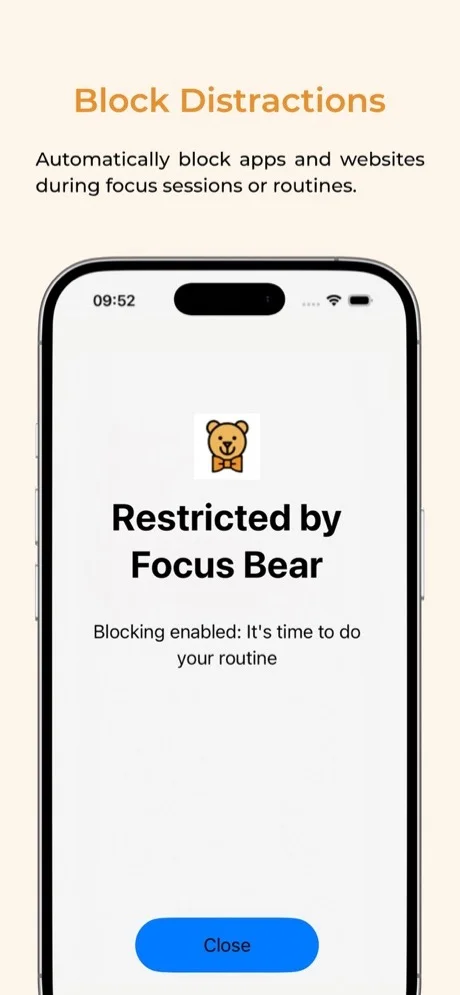
When you start a focus session, Focus Bear doesn't just start a timer. It blocks distracting websites and apps across your devices, displays your current task front and center, and removes the friction between "I should work" and actually working. The blocking is aggressive by design. You can't easily bypass it mid-session, which is exactly the point.
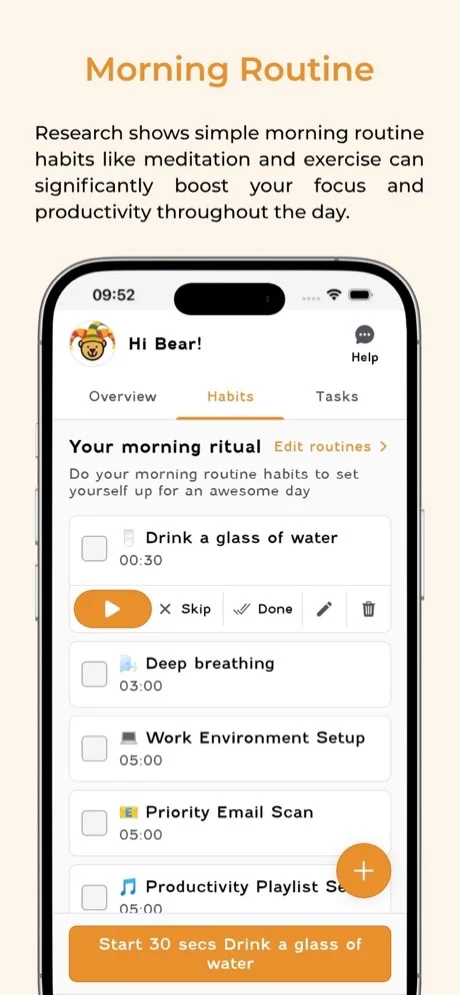
Beyond the timer, Focus Bear includes a morning routine builder that walks you through each step with visual cues and timers. For people with ADHD who struggle with transitions between activities, this scaffolding makes a real difference. The app also sends break reminders that suggest specific activities like stretching, drinking water, or stepping outside rather than just telling you to "take a break."
The app is founded by someone with ADHD, and the community around it is active and supportive. If you've tried five other focus apps and bounced off all of them, Focus Bear might be the one that sticks. For more on building habits with ADHD, see our guide on how to build habits with ADHD.
What it does well:
- Designed for neurodivergent brains. Visual task cues, structured routines, and aggressive blocking address ADHD-specific challenges, not generic productivity advice.
- Morning routine builder. Step-by-step guided routines with timers for each activity. Removes the "what do I do next?" paralysis.
- Blocks websites and apps. Cross-device blocking that's hard to bypass. The enforcement is what makes it effective.
- Guided break reminders. Suggests specific break activities instead of leaving you to decide, which often means scrolling social media.
Where it falls short:
- Subscription required. The free trial is limited, and the $4.99/month subscription is necessary for most useful features. No one-time purchase option.
- Less polished UI. The interface is functional but not as visually refined as Forest, Session, or Habi. It prioritizes function over aesthetics.
- Limited free trial. You get a short window to test the app before committing to a subscription, which isn't enough time to judge long-term value.
Pricing: Free trial. $4.99/month or $49.99/year for full access.
Platforms: macOS, Windows, iOS, Android.
Bottom line: Focus Bear is the only app on this list built from the ground up for ADHD. If standard Pomodoro timers haven't worked for you, the structured routines and aggressive blocking might be the difference.
4. Tide - Best for Ambient Focus
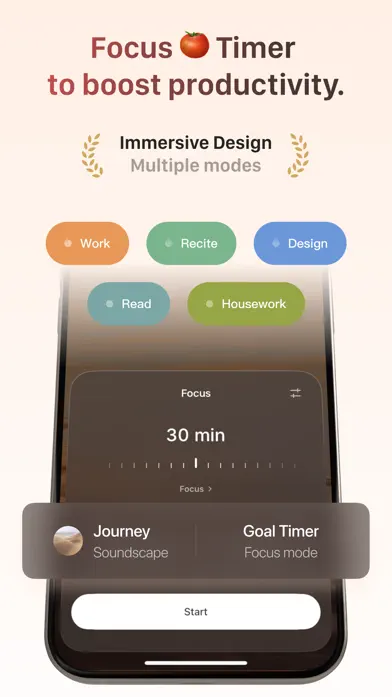
Some people need gamification to stay focused. Others need silence. Tide is for the third group: people who focus best when wrapped in the sound of rain hitting a window or waves rolling onto a beach.
Tide combines a focus timer with high-quality ambient soundscapes. Ocean waves, forest rain, thunderstorms, coffee shop murmur, wind through bamboo. Each sound is professionally recorded and loops seamlessly. The timer runs on top of the soundscape, so you set 25 or 45 minutes and the rain plays until your session ends.
The design philosophy is intentional minimalism. No streak counters, no gamification, no social features. Just a timer, a sound, and a beautiful full-screen visual. When you open Tide, the screen shows a single landscape photograph that changes daily. It feels calm in a way that most productivity apps don't even try for.
Beyond focus, Tide includes sleep sounds and a basic meditation timer. If you struggle with both focus during the day and falling asleep at night, having one app that covers both is genuinely useful.
What it does well:
- Beautiful ambient soundscapes. The best-sounding nature audio of any focus app we tested. High-quality recordings that don't sound like loops.
- Minimal design. No visual clutter. The app feels peaceful, which is the whole point of using ambient sounds for focus.
- Focus + sleep in one app. Use it for Pomodoro sessions during the day and wind-down sounds at night. Two use cases, one app.
- Meditation timer. Basic guided breathing and meditation sessions for when you need to reset between focus blocks.
Where it falls short:
- Limited timer customization. You get basic session lengths but can't create complex work/break patterns or multi-phase focus blocks.
- No app blocking. Tide plays sounds but doesn't prevent you from opening other apps. If you need enforcement, pair it with Screen Time or use Habi instead.
- Premium for most sounds. The free tier includes a handful of sounds. The best soundscapes require a $1.99/month subscription.
Pricing: Free (limited sounds). Tide Plus at $1.99/month or $11.99/year.
Platforms: iOS, Android, macOS, Apple Watch.
Bottom line: Tide is the focus timer for people who want their work environment to feel like a Japanese zen garden. If ambient sound is what gets you into flow, nothing else on this list comes close.
5. Session - Best Pomodoro for Mac
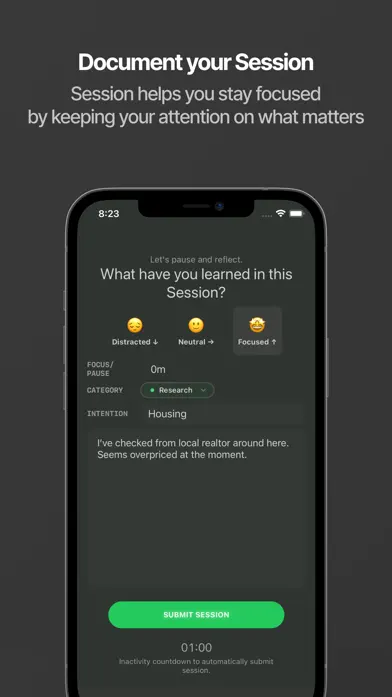
If you spend most of your focused work time on a Mac, Session is the Pomodoro app that feels like it was built for your workflow. It lives in your menubar, syncs with your calendar, and looks like it belongs in macOS.
Session's standout feature is intent setting. Before each focus session, you write a brief statement about what you plan to accomplish. "Write the introduction for the blog post." "Review the Q3 budget spreadsheet." This tiny act of declaring your intention before starting the timer dramatically reduces the "what was I supposed to be doing?" drift that plagues long work sessions.
The menubar widget shows your current timer status without needing to open the full app. Glance up, see 14 minutes remaining, get back to work. It's the least disruptive timer interface we tested. Session also integrates with your Mac calendar, so you can see your focus sessions alongside meetings and events.
The design is impeccable. If you care about your tools looking native and polished on macOS, Session sets the standard. Every interaction feels deliberate and refined.
What it does well:
- Native Mac app. Built for macOS with a menubar widget, keyboard shortcuts, and a design language that matches the platform. Not an Electron wrapper.
- Beautiful design. The best-looking Pomodoro timer on any platform. Every screen, every animation, every micro-interaction is polished.
- Calendar integration. Your focus sessions appear alongside your calendar events. See how much focused time you actually have between meetings.
- Intent setting. Declaring what you'll work on before starting the timer creates accountability and reduces task-switching.
Where it falls short:
- Mac and iOS only. No Windows, no Android, no web. If you don't use Apple devices, Session isn't an option.
- Subscription for sync. The free tier works on a single device. Syncing between Mac and iPhone requires a $3.99/month subscription.
- Limited to Pomodoro structure. Session is built around the Pomodoro technique. If you want flowtime, custom intervals, or non-timed focus blocks, it's not flexible enough.
Pricing: Free (single device). Pro at $3.99/month or $29.99/year for sync and advanced features.
Platforms: macOS, iOS.
Bottom line: Session is the best Pomodoro timer for Mac users who want a premium, native experience. The intent-setting feature alone makes it worth trying if you struggle with focus drift.
6. Be Focused - Best Simple Pomodoro
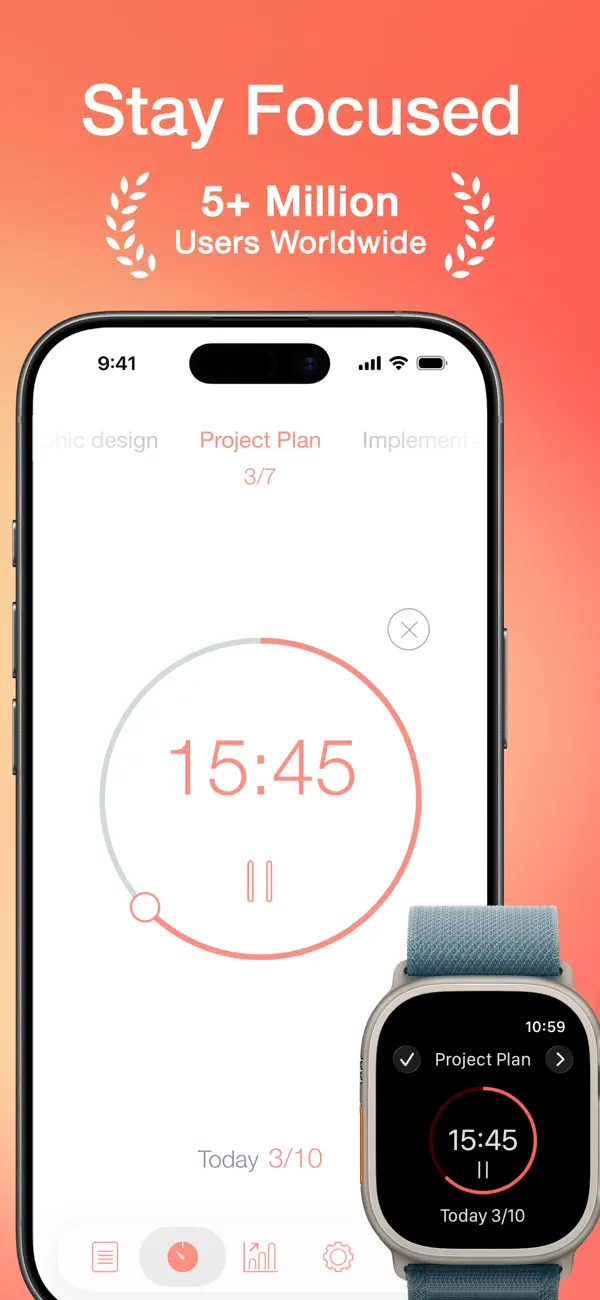
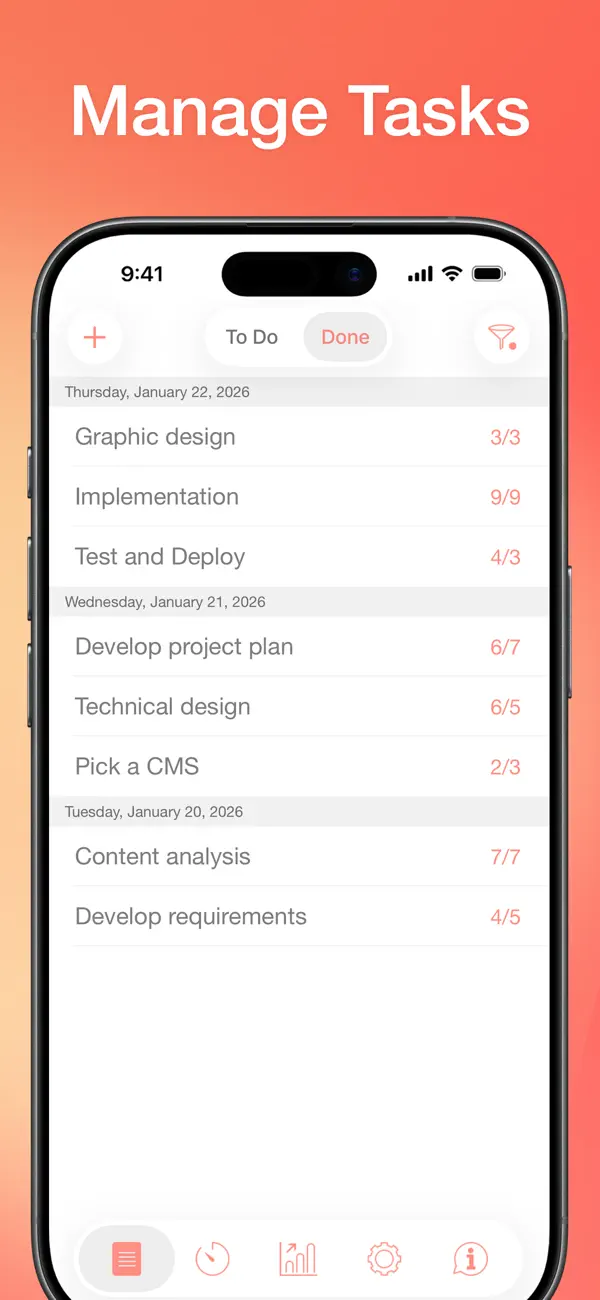
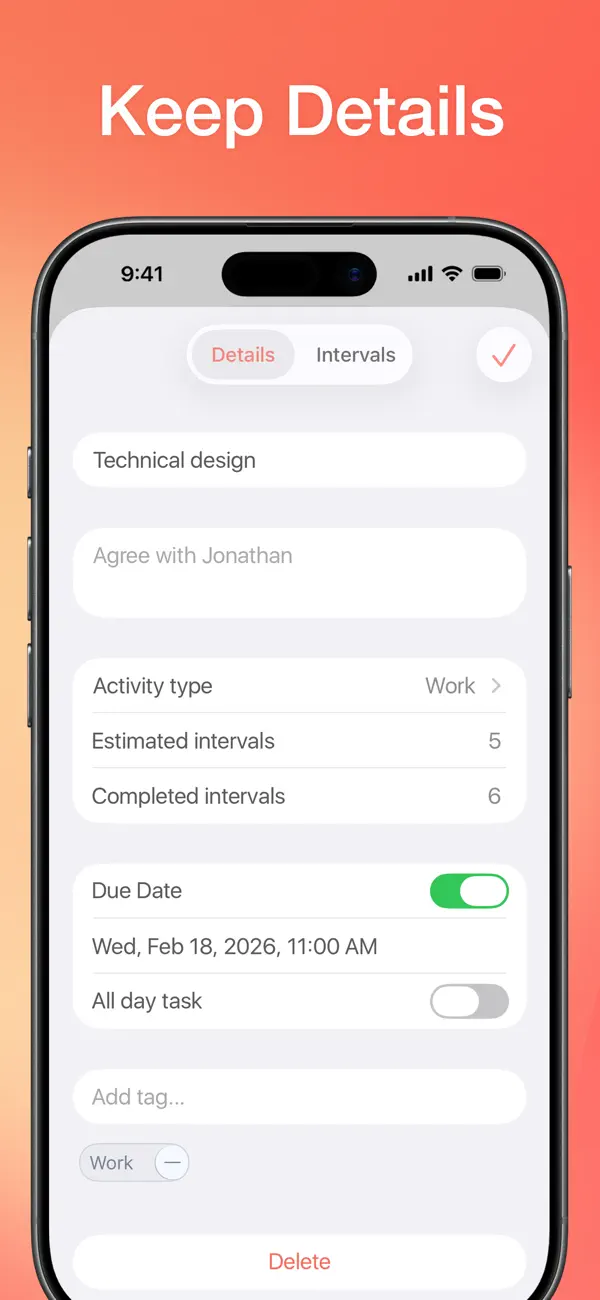
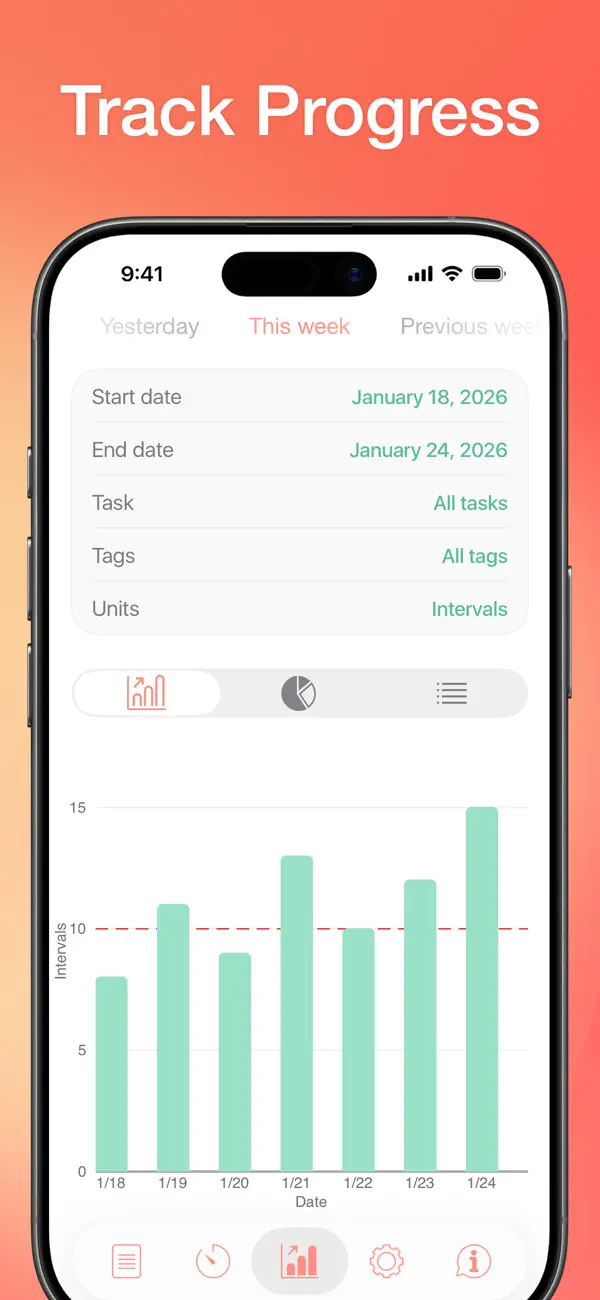
Sometimes you don't want an app that blocks websites, grows trees, plays rainforest sounds, or tracks your habits. Sometimes you just want a Pomodoro timer that counts down from 25 minutes and tells you when to take a break.
Be Focused is that app. It's a straightforward Pomodoro timer with a task list, basic stats, and nothing else. Set your work interval (default 25 minutes), your short break (5 minutes), your long break (15 minutes after 4 sessions), and start. The timer counts down. A notification tells you to stop. Another notification tells you to start again.
The task list lets you assign Pomodoro sessions to specific tasks. "Write article: 4 pomodoros. Review emails: 2 pomodoros." At the end of the day, you can see how many sessions you completed per task. It's not fancy analytics, but it's enough to understand where your time went.
Be Focused has been in the App Store for years, and its longevity is its strength. The app is stable, predictable, and boring in the best way. No feature bloat, no subscription creep, no redesigns that break your workflow.
What it does well:
- Dead simple. If you can set a kitchen timer, you can use Be Focused. Zero learning curve.
- One-time purchase for Pro. $4.99 and you own it forever. No monthly charges, no annual renewals, no premium tier that locks features behind a paywall.
- Mac + iOS. Works on both platforms with sync. Start a session on your Mac, check stats on your iPhone.
- Task categories. Organize your Pomodoro sessions by project or task type. Simple but useful for tracking where focus time goes.
Where it falls short:
- Dated design. The interface hasn't been meaningfully updated in years. It works fine but looks like it belongs in 2019.
- No ambient sounds. Just a timer and silence. If you want background noise, you'll need a separate app or Spotify playlist.
- No app blocking. Be Focused won't stop you from opening Twitter mid-session. It relies entirely on your self-control.
- Basic stats. You get session counts and task totals, but no trend lines, no weekly comparisons, no insights about your focus patterns.
Pricing: Free (with ads). Be Focused Pro: $4.99 one-time (iOS), $4.99 one-time (Mac).
Platforms: iOS, macOS.
Bottom line: Be Focused is the Toyota Corolla of Pomodoro apps. Not exciting, not flashy, but reliable and affordable. If all you want is a timer that works, this is it.
7. TickTick - Best Built-in Timer
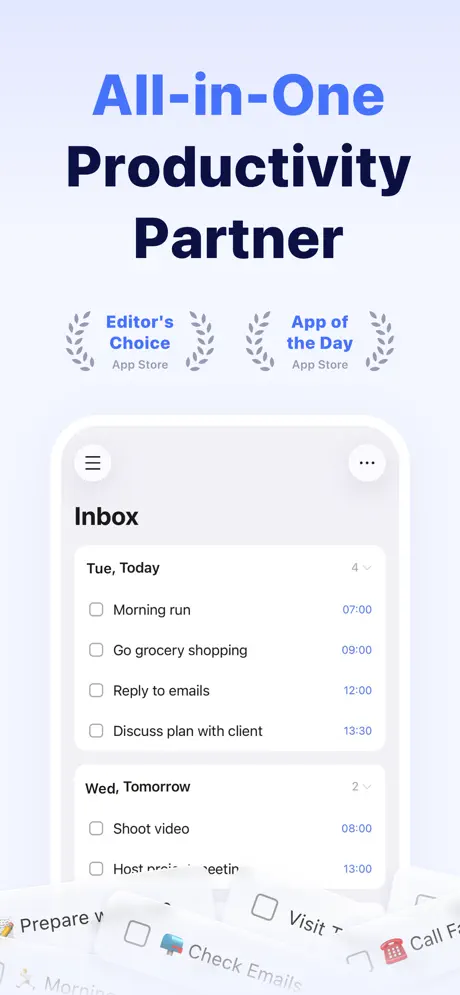
What if your focus timer was already inside your task manager? TickTick is primarily a task management app, but it includes a surprisingly capable Pomodoro timer that connects directly to your to-do list.
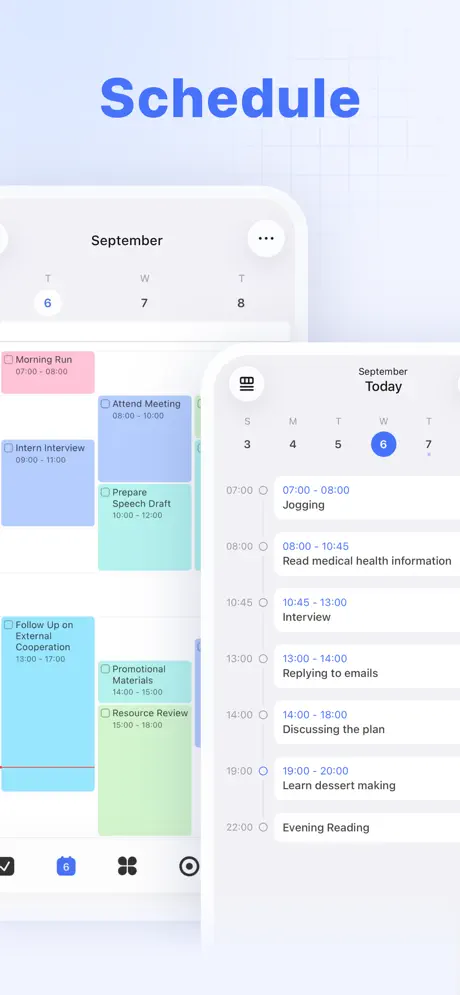
The workflow is seamless: browse your task list, tap a task, start a Pomodoro session. The timer tracks how many sessions you've spent on each task automatically. When you review your week, you can see not just what you completed but how much focused time each project consumed. No manual logging, no switching between apps.
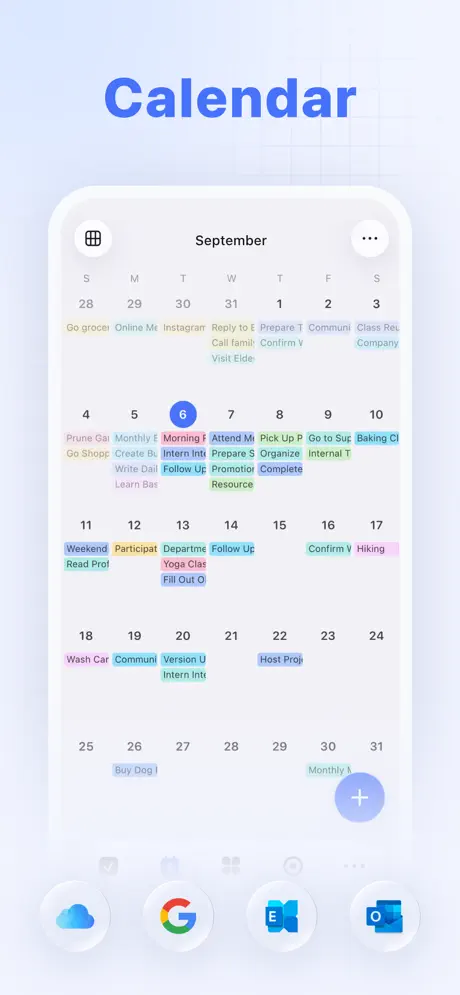
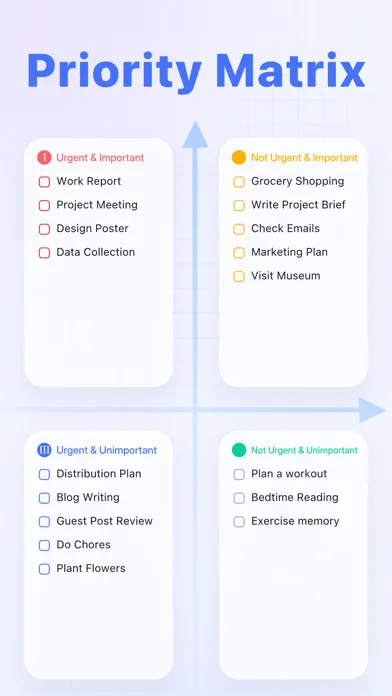
TickTick also includes a built-in habit tracker, calendar view, Eisenhower matrix, and Kanban boards. It's a full productivity suite with a focus timer baked in. If you already use TickTick for tasks, the timer is a natural extension that eliminates the need for a separate focus app.
The downside is that the timer is clearly a secondary feature. It lacks the polish, customization, and ambient sound options that dedicated focus apps provide. The white noise options are limited and lower quality compared to Tide or Habi. But if "good enough timer inside a great task manager" appeals to you, TickTick delivers.
What it does well:
- Timer is part of your task list. Start a Pomodoro session directly from a task. Focus time automatically logs against the task. No context switching.
- Habits built in. Track daily habits alongside your tasks and focus sessions. Morning routine, exercise, reading, all in one app.
- Calendar view. See your tasks, habits, and focus sessions on a calendar. Understand how your time is actually distributed.
- All platforms. iOS, Android, Mac, Windows, Web, Apple Watch, browser extensions. True cross-platform with real-time sync.
Where it falls short:
- Timer is secondary. The focus timer is one feature among dozens. It doesn't get the dedicated attention that apps like Session or Forest give their timers.
- Less customizable timer. Basic Pomodoro settings without the depth of custom intervals, focus modes, or session types that dedicated apps offer.
- Premium for best features. The free tier includes the timer, but the best task management features (calendar view, custom filters, more habits) require a $35.99/year subscription.
Pricing: Free (basic features). Premium at $35.99/year.
Platforms: iOS, Android, macOS, Windows, Web, Apple Watch.
Bottom line: TickTick is the best option if you want one app for tasks, habits, and focus sessions. The timer isn't the star of the show, but having everything in one place eliminates the app-switching that kills productivity.
Pomodoro vs. Flowtime vs. Custom Timers
Not every focus technique works for every task. Here's a quick breakdown:
Pomodoro (25 work / 5 break): Best for tasks you're dreading or procrastinating on. The short timer makes starting easy, and the forced break prevents burnout. Works well for emails, admin work, studying, and repetitive tasks.
Flowtime (work until focus fades, then break): Best for creative work, writing, coding, and deep problem-solving. Instead of a fixed timer, you work until you feel your focus slipping, then take a proportional break. This preserves flow states that Pomodoro would interrupt.
Custom timers (50/10, 90/20, or any ratio): Best for experienced focusers who know their own rhythms. Some people hit peak productivity at 45 minutes. Others can sustain 90-minute blocks. Custom timers let you match the technique to your brain.
Habi, Be Focused, and TickTick support custom timer durations. Forest and Tide offer adjustable session lengths but stick to single-phase timers. Session is built around traditional Pomodoro. Focus Bear uses structured time blocks designed for ADHD.
For a deeper comparison of these techniques with practical advice on which to use when, read our full guide on Pomodoro vs. Flowtime vs. Time Blocking.
Comparison Table
| App | Price | Platform | App Blocking | Ambient Sounds | Best For |
|---|---|---|---|---|---|
| 1. Habi | Free (optional Pro) | iOS, iPad, Mac, Vision Pro | Yes | Yes | All-in-one focus system |
| 2. Forest | Free / $3.99 one-time | iOS, Android, Chrome | Yes | No | Gamified focus |
| 3. Focus Bear | Free trial / $4.99/mo | macOS, Windows, iOS, Android | Yes | No | ADHD focus |
| 4. Tide | Free / $1.99/mo | iOS, Android, macOS | No | Yes | Ambient focus |
| 5. Session | Free / $3.99/mo | macOS, iOS | No | No | Pomodoro for Mac |
| 6. Be Focused | Free / $4.99 one-time | iOS, macOS | No | No | Simple Pomodoro |
| 7. TickTick | Free / $35.99/yr | All platforms | No | Limited | Built-in timer |
Frequently Asked Questions
What is the best Pomodoro app?
Forest for gamified Pomodoro sessions where you grow virtual trees. Habi for Pomodoro combined with habit tracking and app blocking. Be Focused for a simple, traditional Pomodoro timer without extra features. The best choice depends on whether you want gamification, integration, or simplicity.
Is Pomodoro the best focus technique?
Pomodoro works well for structured tasks like admin work, emails, and studying, but it can interrupt creative flow. Flowtime is better for deep work because you take breaks when focus naturally fades. Habi supports both Pomodoro and custom timers so you can match the technique to the task. For a deeper comparison, see our guide on Pomodoro vs. Flowtime vs. Time Blocking.
Do focus timer apps actually improve productivity?
Yes. Research shows that structured work intervals increase task completion by 25-30%. The timer creates a sense of urgency that fights procrastination, and the scheduled break prevents burnout. Even a simple countdown can reduce the mental friction of starting a task.
Can I use a focus timer with app blocking?
Habi, Forest, and Focus Bear can block distracting apps during focus sessions, combining the timer with enforcement. The other apps on this list are timer-only without built-in app blocking capabilities.
Is Forest worth paying for?
Yes, if gamification motivates you. Growing virtual trees is surprisingly effective at keeping your phone untouched. The free version is limited, but the paid version ($3.99) is a one-time purchase with no subscription, which makes it one of the best value focus apps available.
Final Verdict
The best focus timer is the one that actually keeps you focused. That sounds obvious, but it's worth saying because a beautiful timer you ignore is worse than an ugly timer you use every day.
Here's the short version:
- If you want focus + habits + app blocking in one app: pick Habi.
- If gamification is what motivates you: pick Forest.
- If you have ADHD and need structured support: pick Focus Bear.
- If ambient sounds help you focus: pick Tide.
- If you're a Mac power user who wants a premium Pomodoro: pick Session.
- If you just want a simple, cheap Pomodoro timer: pick Be Focused.
- If you already use a task manager and want a built-in timer: pick TickTick.
Pick one. Use it for two weeks before judging. The biggest productivity killer isn't the wrong app. It's spending so long comparing apps that you never start a single focus session. And once you're focusing consistently, read our guide on why the focus timer is such a simple but effective focus hack.
If you want to start right now, download Habi. It's free, takes 30 seconds to start your first focus session, and your data stays on your device.