6 Best Habit Tracker Apps in 2026 (Tested and Compared)

Short on Time? Here's the Quick Take




You don't need another habit tracker app. You need one that you'll actually open tomorrow.
That's the problem. The App Store has hundreds of habit trackers, and most of them get downloaded, used for a week, and abandoned. The notification badges pile up. The streaks break. The app moves to page three of your home screen and eventually gets deleted.
We spent two weeks testing over 25 habit tracking apps. We logged real habits, read hundreds of App Store reviews, dug through Reddit threads, and tracked which apps we actually kept using after the novelty wore off. Then we cut the list to six.
Full disclosure: Habi is our app. We built it. We included it because we think it belongs here, but every app on this list got the same honest treatment. Real pros. Real cons. No affiliate links. No app paid to be here.
Here's what we found.
Quick Comparison
| App | Best For | Price | Platforms | Our Rating |
|---|---|---|---|---|
| 1. Habi | Best overall | Free (optional Pro) | iOS, iPad, Mac, Vision Pro | 4.9/5 |
| 2. Streaks | Apple ecosystem | $5.99 one-time | iOS, iPad, Mac, Watch, Vision Pro | 4.5/5 |
| 3. Habitica | Gamification | Free / $4.99/mo | iOS, Android, Web | 4.0/5 |
| 4. Habitify | Cross-platform | Free / $3.33/mo | iOS, Android, Mac, Web, Watch | 4.0/5 |
| 5. Finch | Self-care | Free / ~$15/yr | iOS, Android, Windows | 4.0/5 |
| 6. Done | Simplicity | Free / $59.99/yr | iOS, Watch | 3.5/5 |
How We Evaluated These Apps
We looked at six things for every app:
- Daily habit tracking. How easy is it to log a habit at 6 AM when you're half awake?
- Streaks and motivation. Does the app give you a reason to come back tomorrow?
- Flexibility. Can it handle "meditate daily" and "gym 3x per week" equally well?
- Analytics. Can you see trends, completion rates, and patterns over time?
- Price-to-value. Is the free tier usable? Is the paid tier worth it?
- Real user sentiment. What do people on Reddit and the App Store say after months of use?
No affiliate links in this article. No app paid to be here.
The 6 Best Habit Tracker Apps
1. Habi - Best Overall
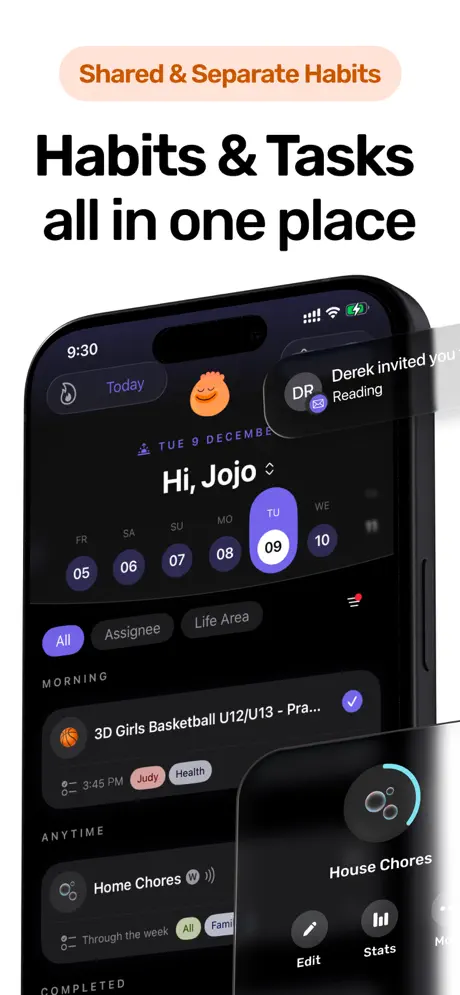
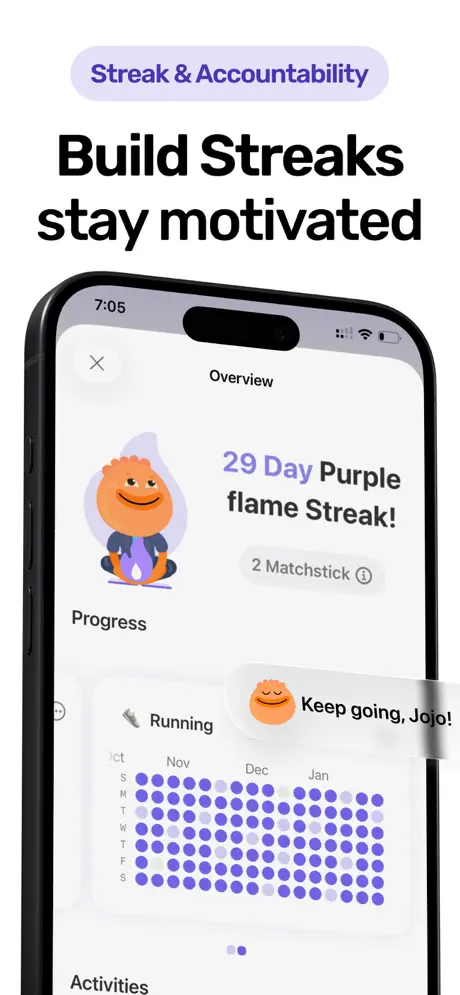
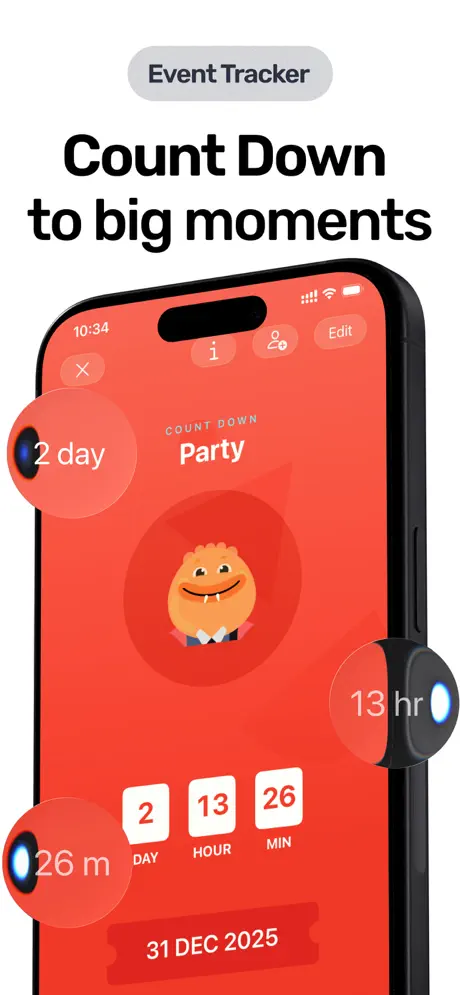
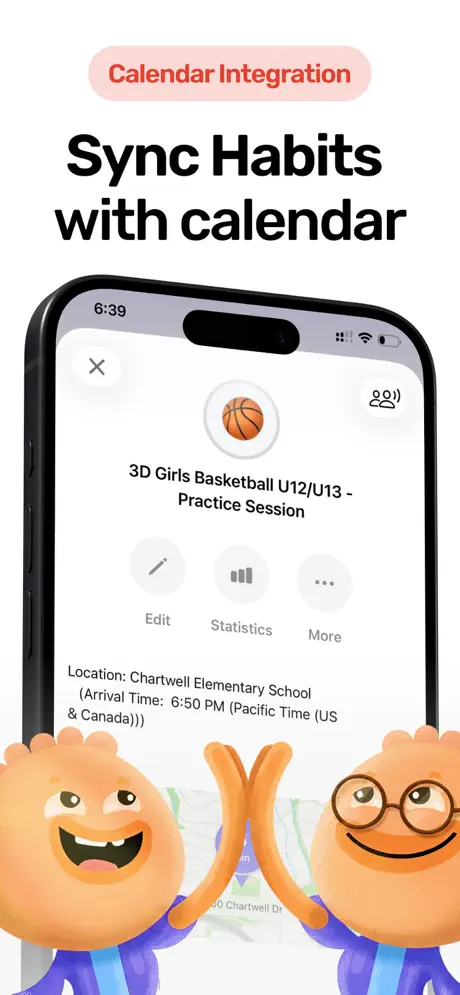
Your habits live inside your calendar. Your data lives on your device. Everything else lives in one app.
Most habit trackers sit in a silo. You check off your morning routine in one app, then switch to your calendar for the rest of the day. The two never talk to each other. Habi connects them. Anchor a habit to a calendar event ("stretch after standup," "prep gear before practice") and it shows up where your day already is.
That alone would make it interesting, but Habi bundles a lot more: task management, project tracking with visual progress bars, a Pomodoro focus timer, event countdowns, screen time blocking, and ambient soundscapes for focus. It's built for people who don't want five productivity apps fighting for home screen space.
What caught our attention during testing was the collaboration feature. You can share habits with friends or family and get nudged when someone falls behind. One reviewer described it as "accountability without the guilt." Another said: "I really love that I am able to organize habits with my friends. Very motivational."
What it does well:
- Shared habits and accountability. Invite friends or family to track habits together. See each other's progress and send gentle reminders. It turns solo tracking into a team effort.
- Screen time blocking. Block distracting apps during focus sessions. Most habit trackers help you build habits; Habi also helps you break the ones getting in the way.
- Widgets and quick logging. Home screen widgets let you check off habits without opening the app. Reduces the "I'll do it later" friction that kills streaks.
- Zero data collection. Everything syncs through your personal iCloud. No account, no backend server, no analytics. Your habits are nobody's business.
Where it falls short:
- Apple-only (for now). iPhone, iPad, Mac, and Vision Pro. No Android. If your accountability partner uses Android, you'll need Habitify or Habitica instead.
- New to the market. Habi launched in early 2026. The 5.0 App Store rating is real, but with only a handful of reviews, it doesn't have the battle-tested track record of a Streaks or Habitica. That's changing fast.
Pricing: Free to use. Optional Pro upgrade ($1.99 to $89.99) unlocks extras, but the core habit tracking works without paying.
Platforms: iPhone, iPad, Mac (Apple Silicon), Apple Vision Pro.
Bottom line: If you want habit tracking baked into your actual schedule, with collaboration features and genuine privacy, download Habi from the App Store. It does a lot for an app that collects nothing.
2. Streaks - Best for Apple Ecosystem
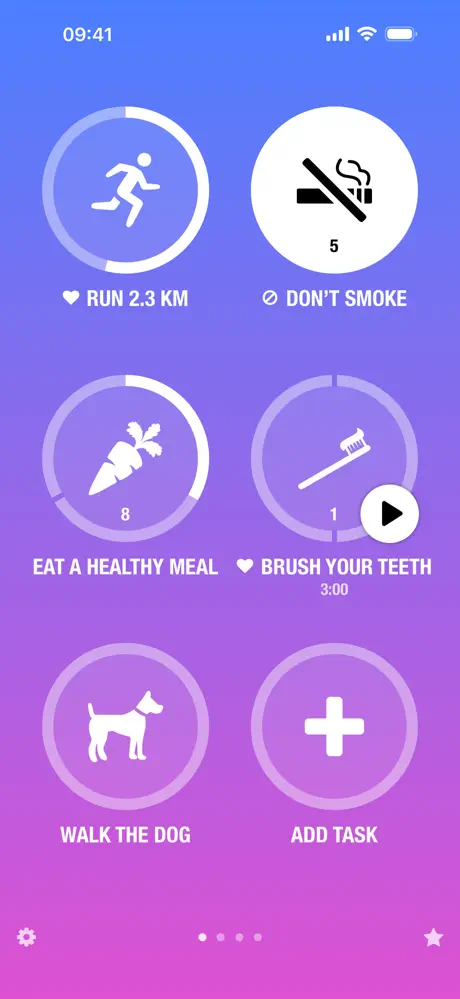
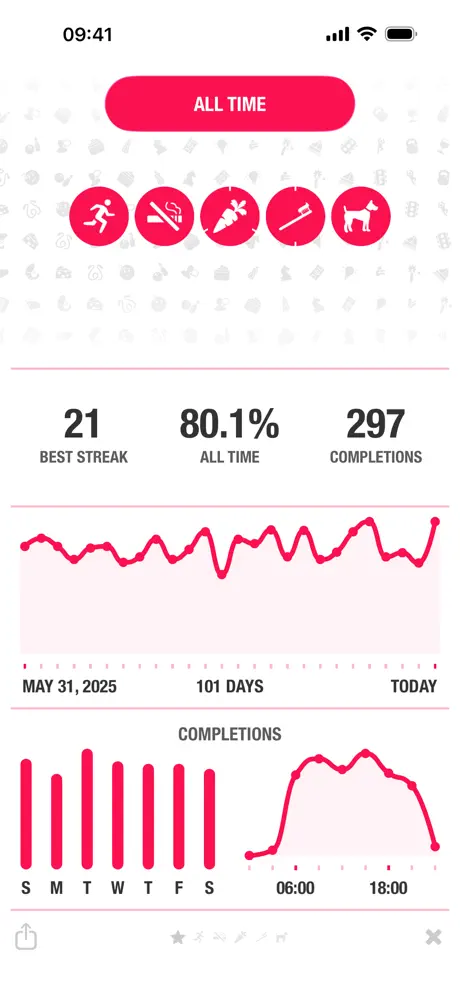
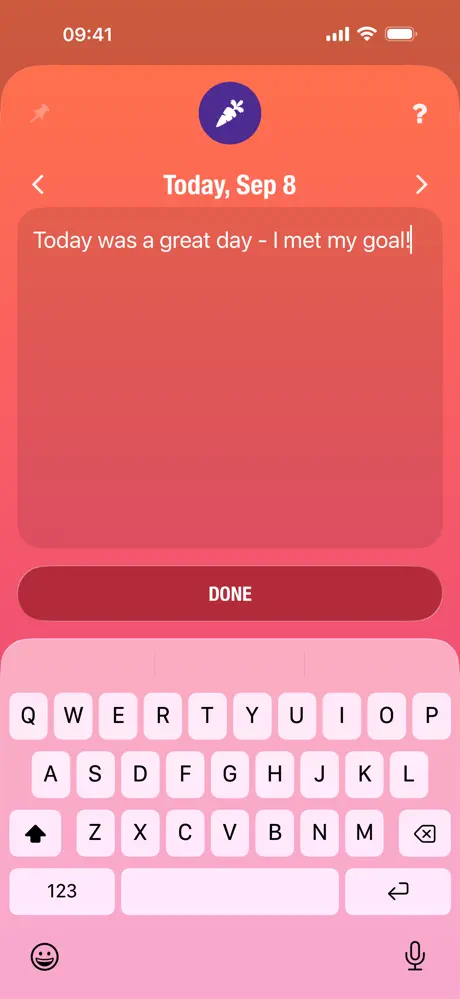
Six circles on a screen. Tap when done. Watch the number climb. That's the entire app, and it's been enough to earn an Apple Design Award.
Streaks bets everything on constraint. No projects, no categories, no social features, no AI suggestions. Just 24 habits, displayed as large tappable circles, with a counter that grows each day you show up. Break the chain and the counter resets to zero. The psychology behind that reset is what makes it work. As one user on a 1,470+ day streak put it: "A streak is mentally rewarding, which is why these check-off apps work well."
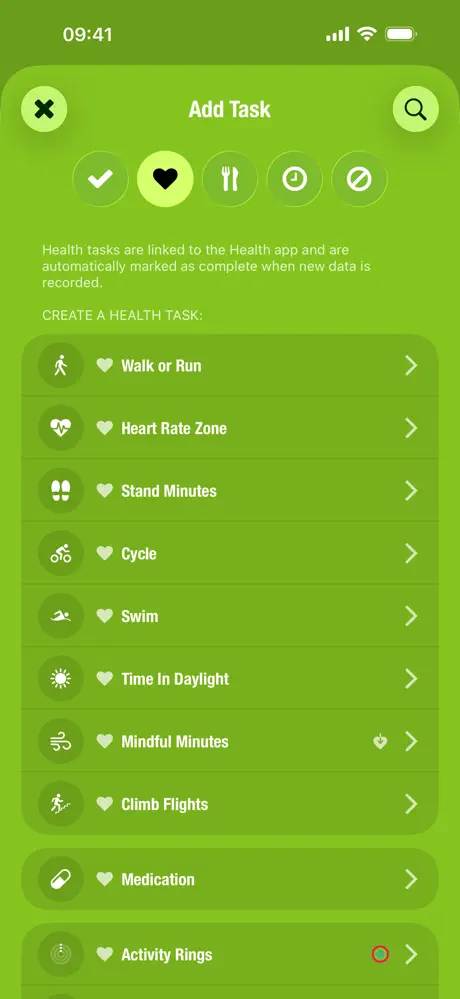
What separates Streaks from simpler check-off apps is the flexibility hiding behind that minimal interface. You can track yes/no habits, timed habits (meditate for 10 minutes), quantity habits (drink 8 glasses of water), and even negative habits (things you want to stop doing). Each one integrates with Apple Health, Siri Shortcuts, and the Apple Watch, so logging happens wherever you are.
With 27,000+ ratings averaging 4.82/5 over a decade, this is one of the most battle-tested habit trackers on iOS.
What it does well:
- Negative habit tracking. Track habits you want to break, not just build. "No social media after 9 PM" works as naturally as "meditate daily." Few competitors handle this well.
- Timer and quantity habits. Not everything is a simple check-off. Streaks handles "run for 30 minutes" and "drink 8 glasses" with built-in timers and counters.
- Apple Watch logging. Complete habits from your wrist without touching your phone. This kills the "I opened my phone to log a habit and ended up on Instagram" problem.
- $5.99 and done. One-time purchase. No subscription. No ads. No premium tier. You pay once and own it forever.
Where it falls short:
- Apple only. No Android, no web, no Windows. If your partner or roommate uses Android, you can't share or compare habits.
- Minimal analytics. You get calendars and bar graphs, but nothing deeper. No trend lines, no correlations, no weekly summaries. If data motivates you, Habitify is a better fit.
Pricing: $5.99 one-time (iOS). $4.99 separate purchase for Mac.
Platforms: iPhone, iPad, Mac, Apple Watch, Apple Vision Pro.
Bottom line: Streaks proves that less is more. If you want a habit tracker that takes 3 seconds to use and stays out of your way the rest of the day, this is it.
3. Habitica - Best for Gamification
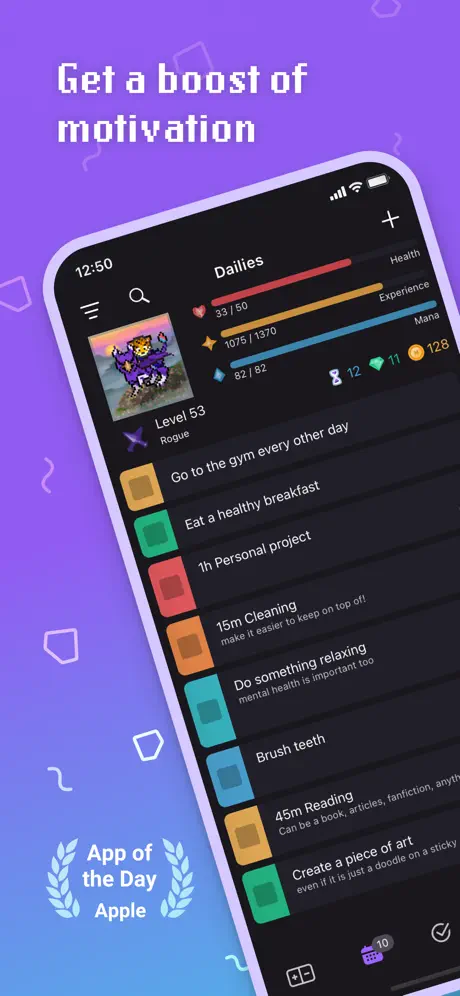
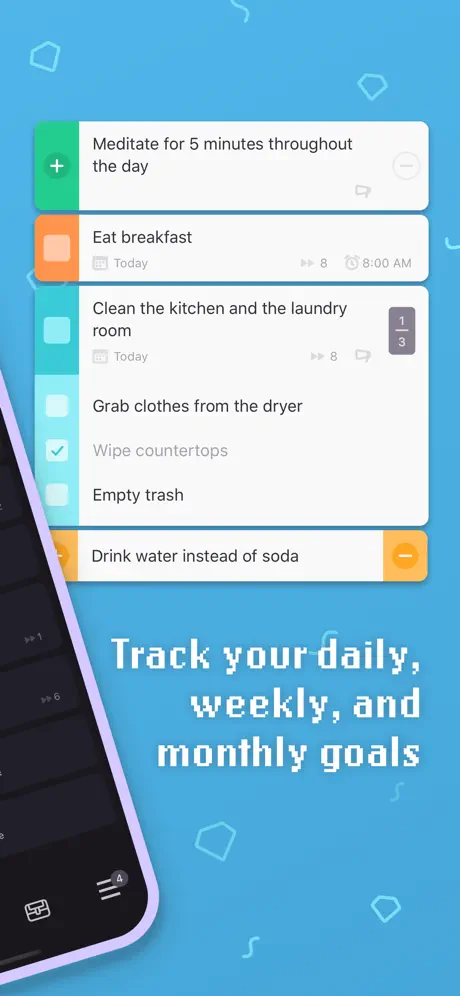
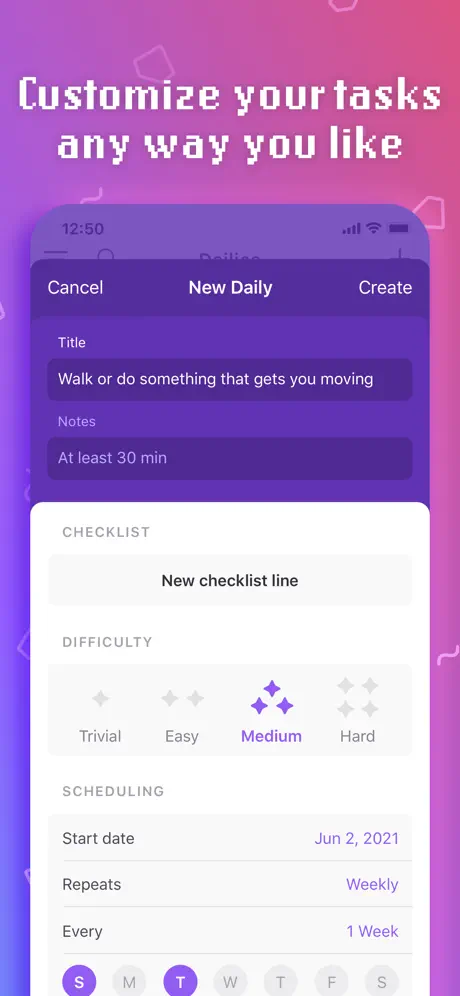
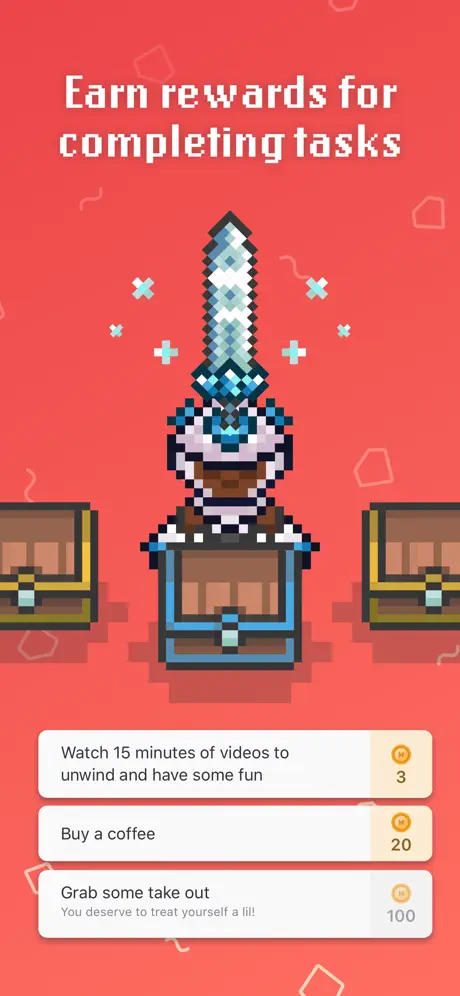
If you've abandoned every habit tracker after a week, it's not a willpower problem. It's a reward problem. Habitica fixes that.
Habitica keeps showing up in ADHD and productivity communities as the one tracker people actually stick with. The reason is instant feedback. Tap a habit, watch your avatar gain XP, collect gold, hatch a pet egg. The 0.5-second dopamine hit after each check-off is what separates Habitica from apps that offer nothing but a checkmark and a streak counter.
The three-part task system is smarter than it looks. "Habits" are flexible behaviors you want to encourage or discourage (tap positive or negative). "Dailies" are recurring tasks on a set schedule. "To-Dos" are one-time items with optional checklists. Most habit trackers force everything into a single list. Habitica's separation means "drink more water" and "finish tax return" don't compete for the same space.
Then there's the party system. Join a group, fight a boss together. Your completed dailies deal damage. Your missed dailies hurt everyone in the group. One reviewer called it "basically ADHD medication" because the social pressure and instant rewards create the accountability loop that plain trackers can't.
What it does well:
- Custom real-life rewards. Define your own treats with gold costs: "Watch a movie = 100 Gold," "Buy a coffee = 50 Gold." You earn gold by completing habits. It's a self-directed incentive system that no other tracker offers.
- Three task types, not one. Habits, Dailies, and To-Dos serve different purposes. This mirrors how behavior actually works better than a single habit list.
- Open source. The entire codebase is on GitHub. Community-driven development, full transparency. No other major habit tracker can say that.
- Completely free core. Habits, dailies, to-dos, parties, quests, 100+ collectible pets, character classes. All free. The subscription unlocks cosmetics, not features.
Where it falls short:
- Steep learning curve. Classes, equipment, quests, pets, mounts, gems, gold, challenges, parties. New users frequently report feeling overwhelmed before they ever track a habit.
- iOS app quality. The web and Android versions run smoother. iOS users report persistent lag, widget issues, and occasional crashes. If you're on iPhone, expect some friction.
Pricing: Free (all core features). Subscription at $4.99/month or $47.99/year for cosmetic perks.
Platforms: iOS, Android, Web.
Bottom line: Habitica is the only habit tracker where missing your habits has real consequences and completing them feels like winning. If rewards motivate you more than minimalism, start here. Looking for alternatives? See our Habitica alternatives roundup.
4. Habitify - Best Cross-Platform
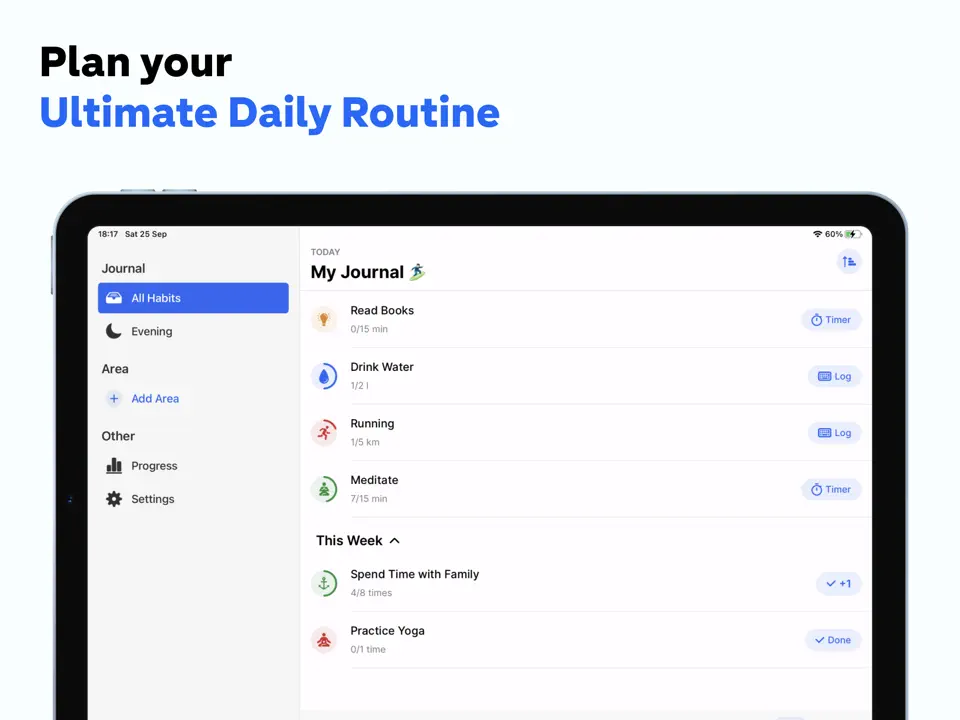
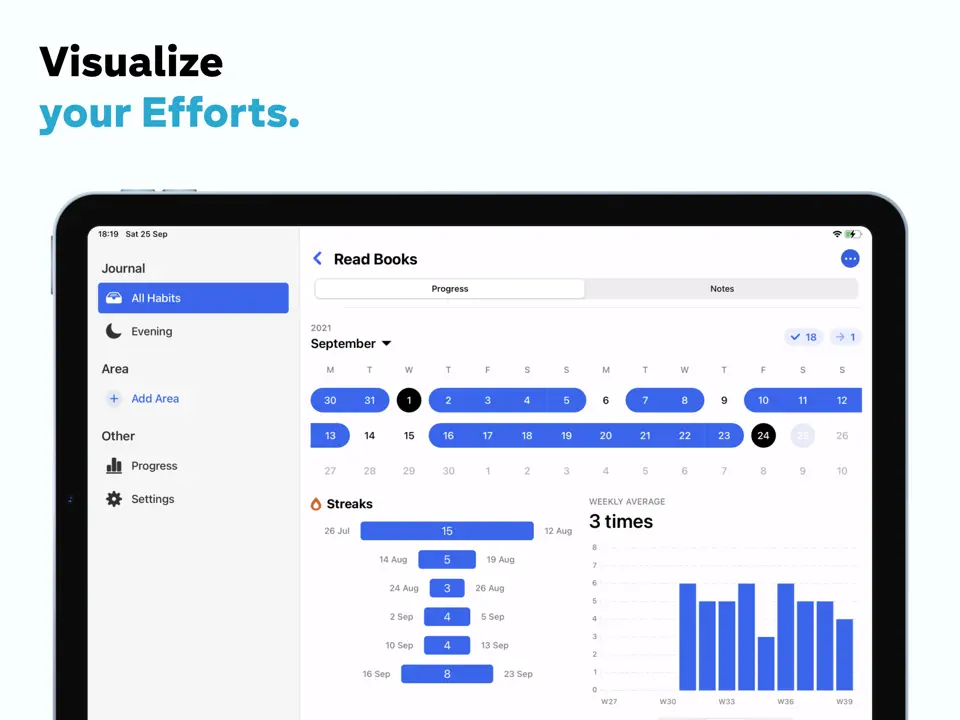
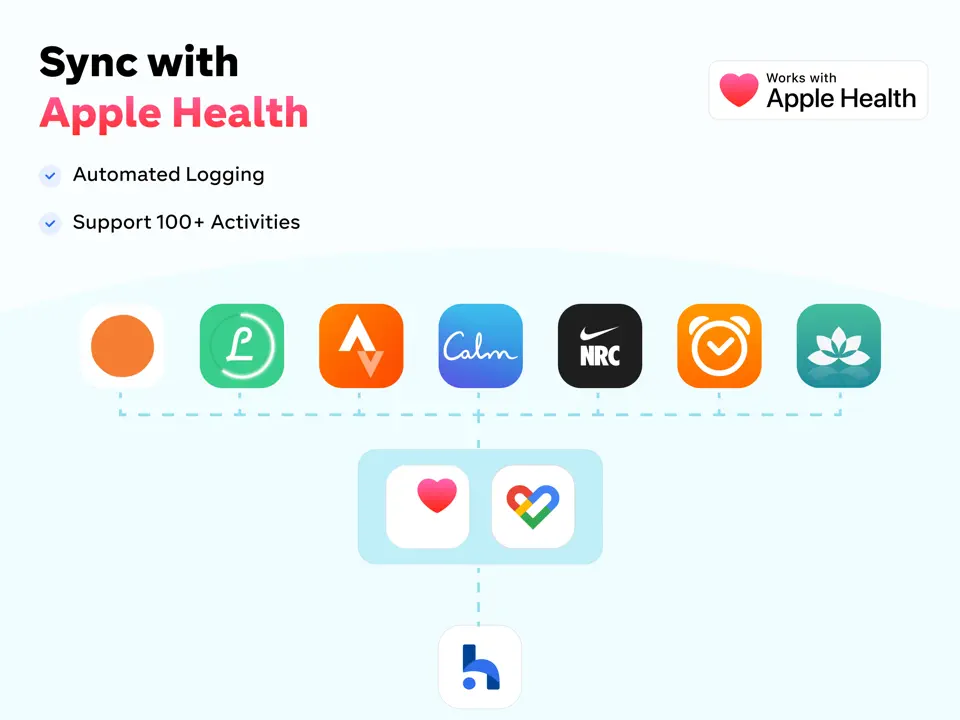
Track habits everywhere. iOS, Android, Mac, Apple Watch, and web, all synced in real time.
Habitify solves a problem most habit trackers ignore: what happens when you switch between devices throughout the day? You log your morning habits on your iPhone, check progress on your Mac at work, and review your evening routine on the web app. Everything stays in sync.
The app has been around since 2016 and claims 2.5 million users. Its clean interface organizes habits by time of day (morning, afternoon, evening) and supports three tracking types: yes/no, timed, and quantity. The analytics are solid, showing completion rates, streaks, and patterns over time.
As one user researcher wrote: "If this app didn't exist, I would've built it myself. The interface is intuitive and a great UI. If I could give 6 stars I would."
What it does well:
- True cross-platform. Native apps on iOS, macOS, Apple Watch, Android, and web. One purchase unlocks everything. Very few competitors offer all five platforms.
- Habit stacking reminders. Auto-cues the next habit when one is completed, implementing a core principle from Atomic Habits.
- Detailed analytics. Calendar views, streak tracking, completion rates, and progress reports help you see patterns and adjust.
- Location-based reminders. Trigger habits when arriving at specific places (gym, office, home). It's a rare feature in the category.
Where it falls short:
- Only 3 free habits. The free tier limits you to 3 habits. That's barely enough to test the app. Many users feel misled by the "free" label.
- Widget issues. iOS home screen widgets frequently fail to refresh or show incorrect data. This is the second most common complaint in recent reviews.
Pricing: Free (3 habits). Premium at $7.49/month, $39.99/year, or $89.99 lifetime. One purchase unlocks all platforms.
Platforms: iPhone, iPad, Mac, Apple Watch, Android, Web.
Bottom line: If you use both Apple and Android devices (or need a web dashboard), Habitify is the best habit tracker that syncs across everything. If the widget issues or 3-habit limit are dealbreakers, see our Habitify alternatives guide for options.
5. Finch - Best for Self-Care

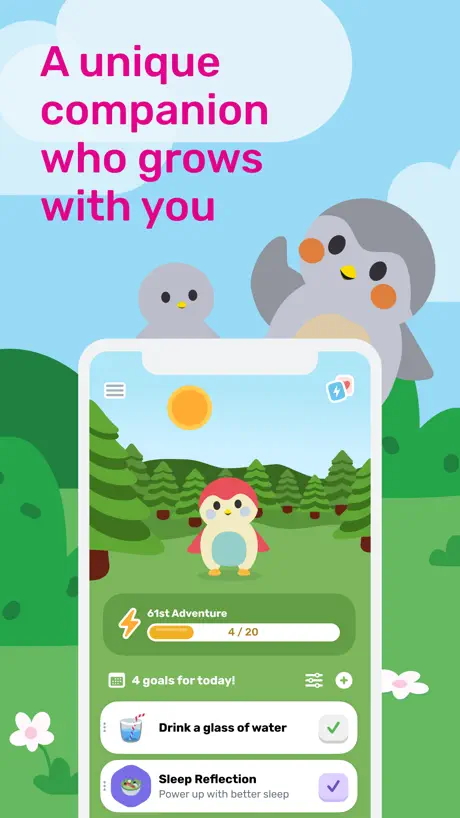
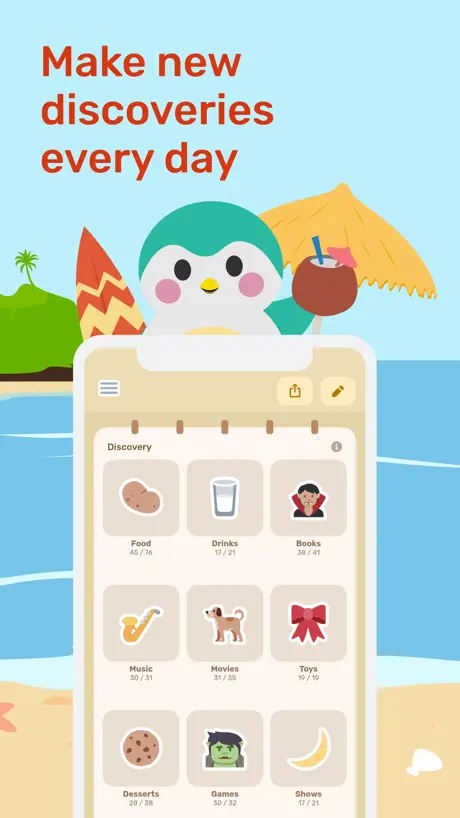
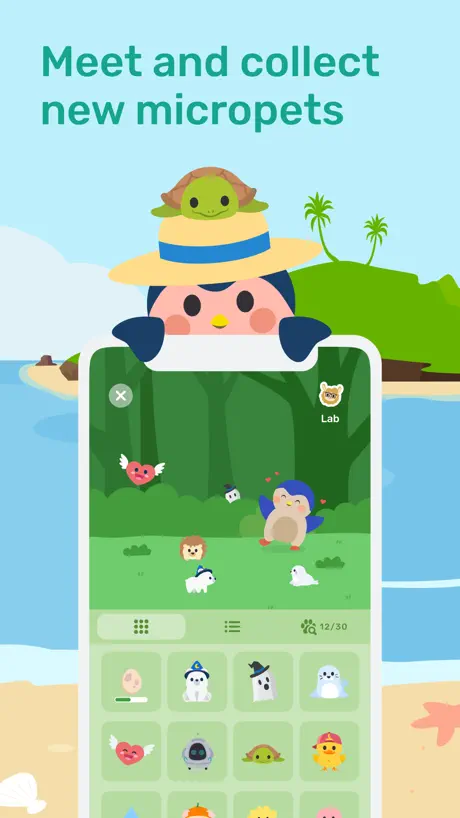
Raise a virtual bird by taking care of yourself. No streak pressure. No guilt. Just a tiny bird that believes in you.
Finch is not a traditional habit tracker. It's a self-care companion that uses a virtual pet mechanic to make habit building feel gentle instead of punishing. You name your bird, complete real-life self-care tasks (drink water, journal, stretch, take medication), and watch your Finch gain energy, go on adventures, and unlock outfits.
The difference from other habit apps? Finch treats getting out of bed the same as hitting the gym. There's no hierarchy of achievement. Skipping a day has zero consequences. No broken streaks, no lost HP, no guilt. For people dealing with anxiety, depression, or executive dysfunction, that approach matters.
With 10 million+ downloads and a 4.9 rating from over 500,000 reviews, Finch has found a massive audience. One long-term user captured it perfectly: "I was so focused on my little bird that I didn't realize how well it was working. Mojito and I are now 419 adventure days in."
What it does well:
- Emotional motivation. The virtual pet creates an intrinsic reason to complete habits that streaks and points can't match. You're doing it for your bird.
- Non-judgmental design. No penalties for skipping, no streak anxiety. The polar opposite of apps like Duolingo that weaponize fear of loss.
- Mental health focus. Daily mood check-ins, journaling prompts, breathing exercises, and soundscapes. It's a habit tracker combined with a wellness toolkit.
- Generous free tier. Most core features work without paying. Many users report the free version is enough.
Where it falls short:
- Not a "serious" habit tracker. If you want detailed analytics, flexible scheduling, or multi-count tracking, Finch isn't built for that. It's optimized for self-care, not productivity.
- 12-hour wait mechanic. After your bird goes on an adventure, you wait hours before interacting again. Even speed-ups leave a gap. Users find this frustrating.
Pricing: Free (generous). Finch Plus at roughly $15/year on iOS (pricing varies by platform and region, which is a common complaint).
Platforms: iPhone, iPad, Android, Windows.
Bottom line: If traditional habit trackers feel like homework, Finch turns self-care into something you want to do. It's the best choice for anyone who needs gentle accountability.
6. Done - Best for Simplicity
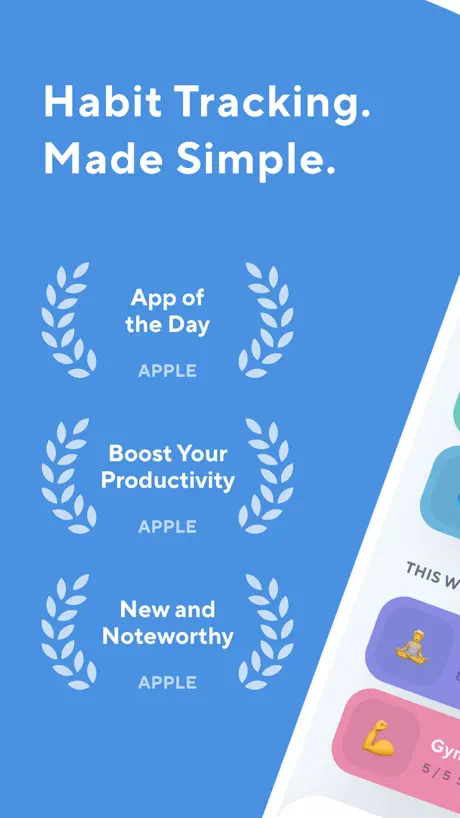
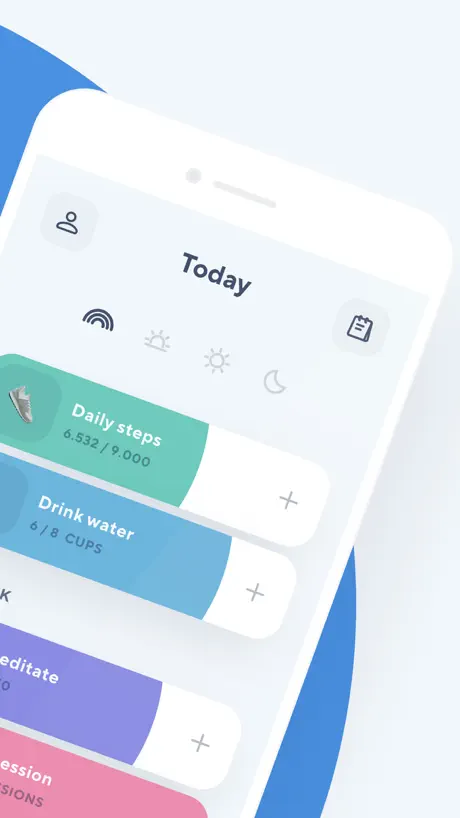
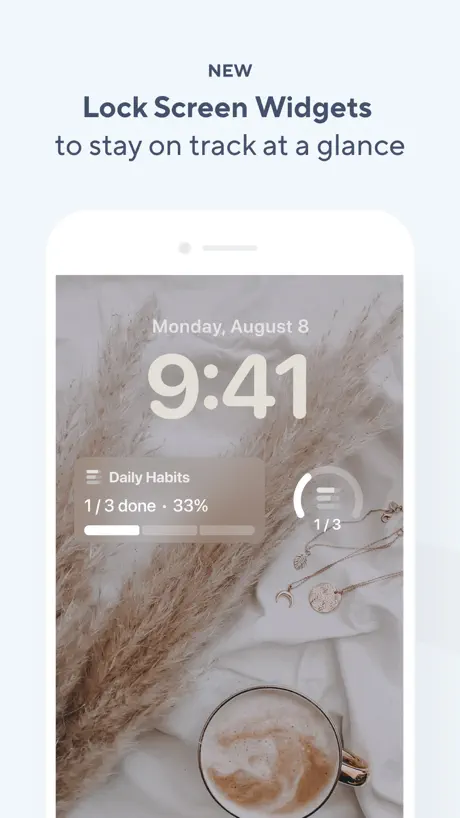
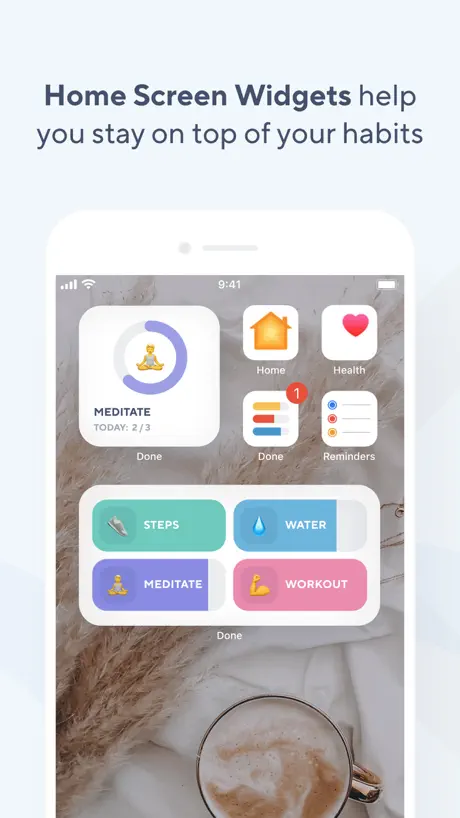
Color-coded habit tracking with multi-count goals. Tap to fill. Simple as that.
Done (now called "Do Habits") takes a minimalist approach. You create habits, assign them colors, and tap to log completions. Gray bars fill with bright colors as you progress. It's visually satisfying, and the interface has less friction than almost any competitor.
What sets Done apart is multi-count tracking. Most habit trackers only support a single daily check-off. Done lets you set goals for multiple completions per day, week, or month ("drink 8 glasses of water" with 8 individual taps). The partial-fill color bar shows exactly how far you've come.
As one long-term user confirmed: "I've been using this app for years and can confirm I am now a daily flosser, a daily bed maker, and I never miss taking my vitamins."
What it does well:
- Beautiful simplicity. The most frequently praised aspect across hundreds of reviews. "I've downloaded all the habit tracking apps and can confidently say this is the best one. It's simple, beautiful, and gives you the features you need without the fluff."
- Multi-count goals. Track habits multiple times per day, week, or month. The partial-fill progress bar is unique and motivating.
- Apple Health integration. Automatically attributes step, exercise, and calorie data to matching habits.
Where it falls short:
- Performance problems. The most common recent complaint. Multiple users report 30-45 second freezes when opening the app or checking off habits. For a daily habit tracker, that friction is a serious issue.
- Pricing concerns. The app changed ownership and switched from a $5 one-time purchase to a $60/year subscription. Many lifetime purchasers lost premium access. Customer support is widely reported as unresponsive.
Pricing: Free (3 habits). Premium at $59.99/year. Lifetime at $499.99 (frequently discounted 80-95% to $25-$100).
Platforms: iPhone, iPad, Apple Watch.
Bottom line: Done's design is genuinely excellent, and multi-count tracking solves a real gap other apps miss. But the recent performance issues and pricing controversy mean you should try the free tier before committing money.
Which Habit Tracker App Should You Pick?
Here's the short version:
- If you want a calm, all-in-one habit tracker that respects your privacy and lives inside your calendar: pick Habi.
- If you're deep in the Apple ecosystem and want beautiful design with Apple Watch and Health integration: pick Streaks.
- If traditional trackers bore you and you want RPG gamification with group accountability: pick Habitica.
- If you need your habits on every device (iPhone, Android, Mac, web): pick Habitify.
- If you need gentle self-care and find streak-based apps stressful: pick Finch.
- If you just want the simplest possible check-in with multi-count tracking: pick Done.
Looking for something more goal-oriented? See our best goal tracker apps roundup. Need structured time-blocked routines instead of habit tracking? Check out our best daily routine apps guide.
No single app is perfect for everyone. The best habit tracker is the one you'll actually open tomorrow morning.
Frequently Asked Questions
What's the best free habit tracker app?
Habitica offers the most for free: habits, dailies, to-dos, quests, parties, and 100+ collectible pets with no paywall on core features. Habi is also free to use with a fully functional core experience. Finch's generous free tier covers daily check-ins, mood tracking, and most self-care content.
Do habit tracker apps actually work?
Yes, when you use them consistently. Research on implementation intentions shows that tracking a behavior makes you significantly more likely to follow through. A meta-analysis of 138 studies on self-monitoring found that people who regularly tracked their progress were significantly more likely to reach their goals. The key is choosing an app simple enough that logging takes under 10 seconds. If check-ins feel like a chore, you'll stop within a week. For more on building lasting habits, see our guide on how to build habits that stick.
What's the best habit tracker app for iPhone?
For overall functionality, Habi combines habits, tasks, focus timer, and calendar integration in one app. For pure streak tracking with deep Apple Watch and Health integration, Streaks is hard to beat. For cross-platform users who also use Android or web, Habitify syncs across all devices.
Is there a habit tracker app with widgets?
Most modern habit trackers support iOS home screen widgets. Streaks offers four widget types with the best customization. Habi provides widgets for habits, tasks, and countdowns. Habitify and Done also have widget support, though some users report widget refresh issues with both.
What's the difference between a habit tracker and a routine app?
A habit tracker focuses on building or breaking individual behaviors over time (drink water, exercise, meditate) with streaks and completion stats. A routine app organizes multiple activities into timed sequences for your morning, workout, or bedtime. Some apps like Habi do both. For dedicated routine apps, see our best daily routine apps guide.
Final Thoughts
Habits don't form because you downloaded an app. They form because you showed up, day after day, and did the thing. The app just makes showing up a little easier.
Pick one app from this list. Just one. Use it for 30 days before deciding if it works. The biggest mistake isn't choosing the wrong app. It's spending so long comparing options that you never start tracking. And if you're worried about overdoing it, our guide on habit tracking without burnout explains how to stay consistent without turning your tracker into a source of stress.
If you want to start right now, give Habi a try. It's free, takes about two minutes to set up your first habit, and your data stays on your device. Need ideas for what to track? Here are the 50+ best habits to track in 2026. And if you want to understand the science behind building lasting habits, read our guide on how to build habits that stick.
The best time to start tracking was yesterday. The second best time is now.