6 Best Productivity Apps in 2026 (Tested and Compared)
Short on Time? Here's the Quick Take

You don't have a shortage of productivity apps. You have a shortage of the right one.
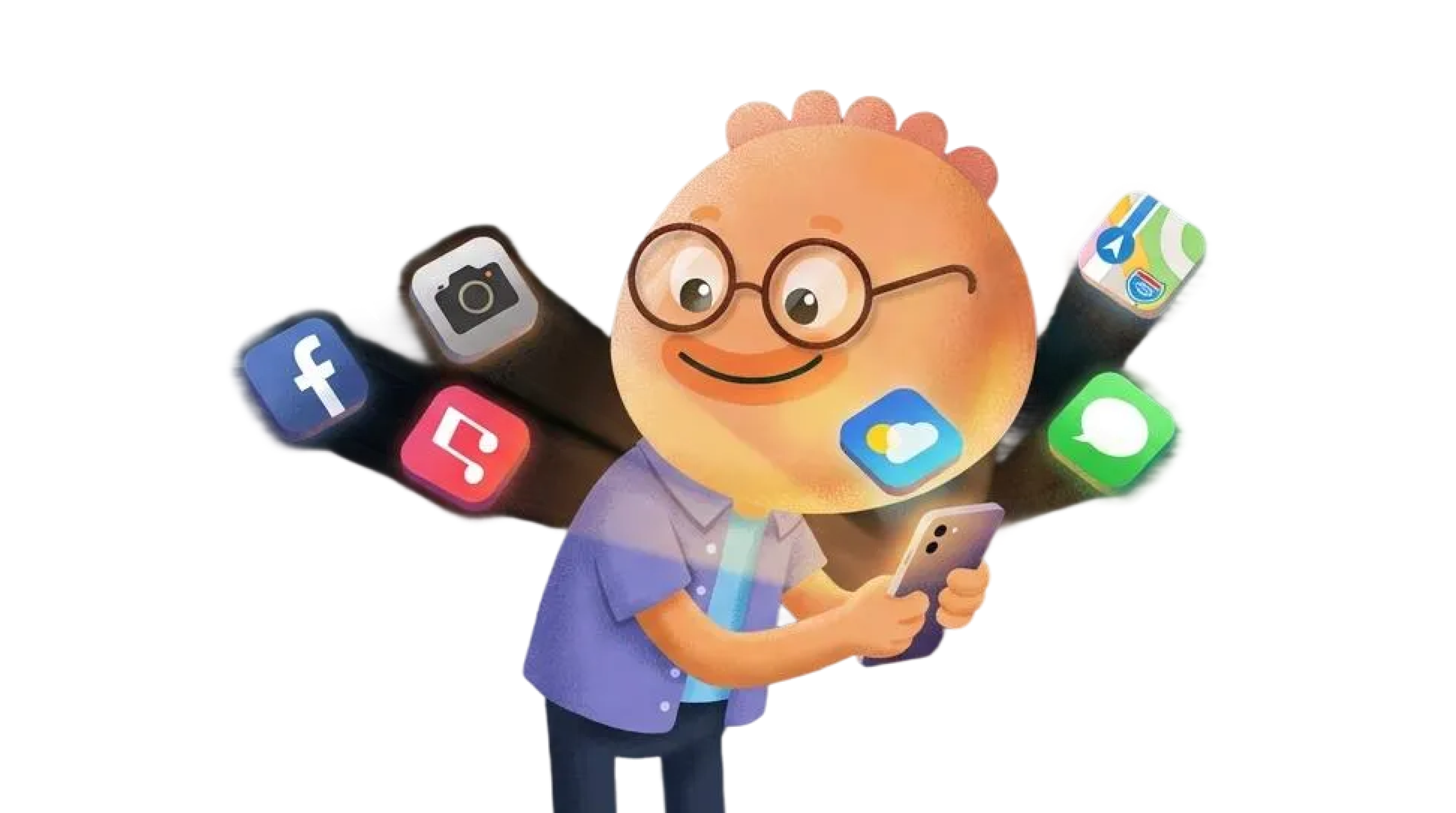
A 2022 Harvard Business Review study found that workers toggle between apps roughly 1,200 times per day, losing almost four hours every week just reorienting themselves. That's five full working weeks per year spent switching, not working. The irony is brutal: the tools meant to make you productive are eating your productivity.
We looked at 30+ productivity apps, narrowed to the six that cover the full spectrum: task management, habit building, focus tools, scheduling, and deep work. Some are specialists. One tries to do it all. We tested each on iPhone and iPad, and gave every app the same honest treatment. Habi is our app. We'll tell you where it leads and where others are stronger.
Here's what we found.
Quick Comparison
| App | Best For | Price | Platforms | Our Rating |
|---|---|---|---|---|
| Habi | All-in-one productivity | Free (Pro from $1.99) | Apple ecosystem | 4.9/5 |
| Notion | Custom productivity systems | Free (Plus $10/mo) | All platforms | 4.5/5 |
| Todoist | Task management everywhere | Free (Pro $4/mo) | All platforms | 4.6/5 |
| Forest | Gamified deep focus | Free (Plus subscription) | iOS, Android, browser | 4.5/5 |
| Structured | Visual day planning | Free (Pro $9.99/yr) | Apple, Android, web | 4.6/5 |
| Streaks | Simple habit tracking | $5.99 (one-time) | Apple only | 4.5/5 |
How We Evaluated These Apps
Every app was tested on iPhone and iPad for at least two weeks. We evaluated based on six criteria:
- Core feature depth. Does the app excel at its primary function, or does it spread thin?
- Daily workflow fit. How naturally does it integrate into a morning-to-evening routine?
- Free tier value. Can you actually use the app without paying, or is the free version a demo?
- Reliability. Crashes, sync failures, and widget bugs all count against an app.
- User sentiment. We analyzed 100+ App Store reviews per app to find patterns, not outliers.
- Integration breadth. Can it connect to the other tools in your stack?
No affiliate links. No app paid to appear on this list. Where an app connects to a deeper review on our site, we've linked to it.
The 6 Best Productivity Apps
1. Habi - Best for All-in-One Productivity
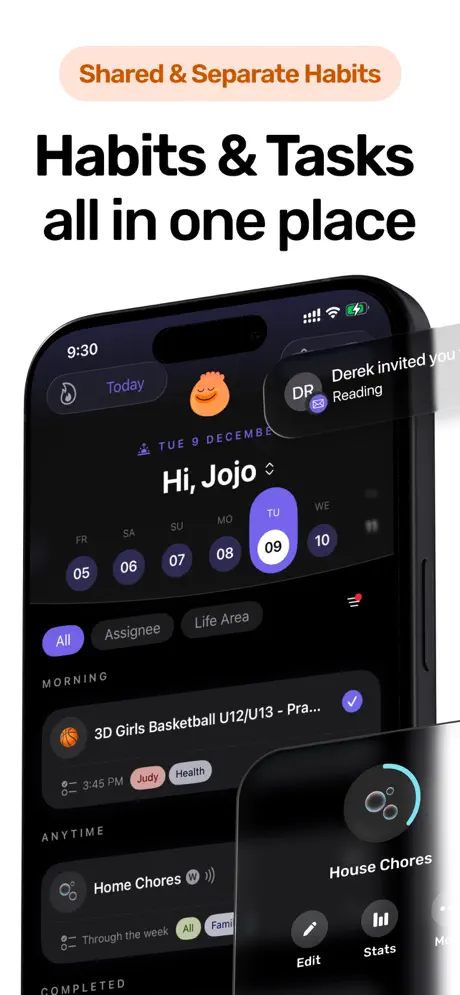
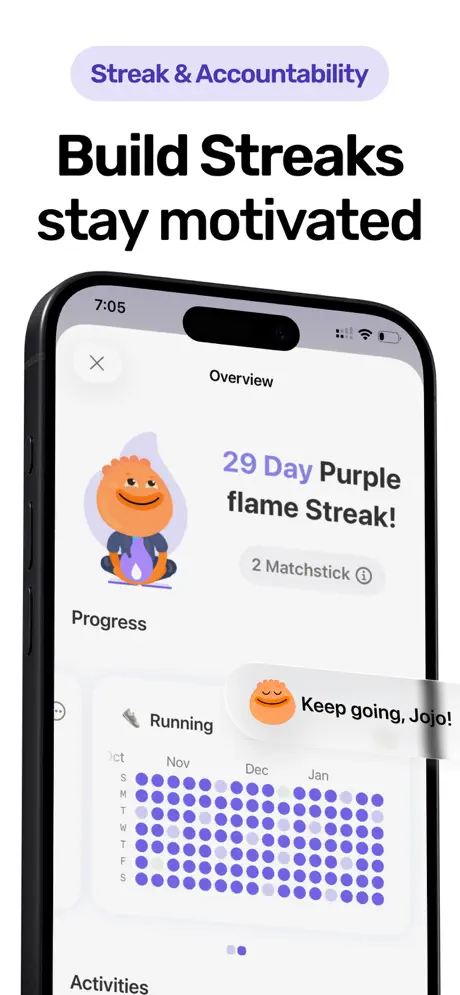
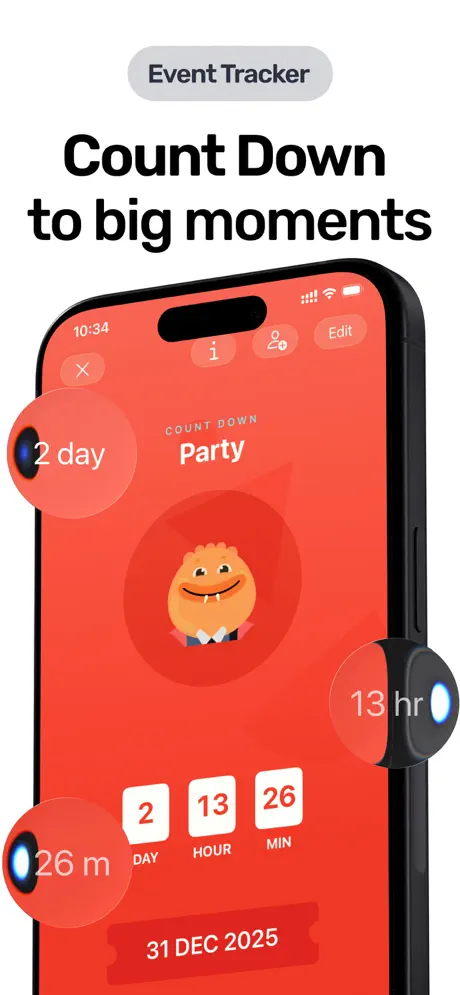
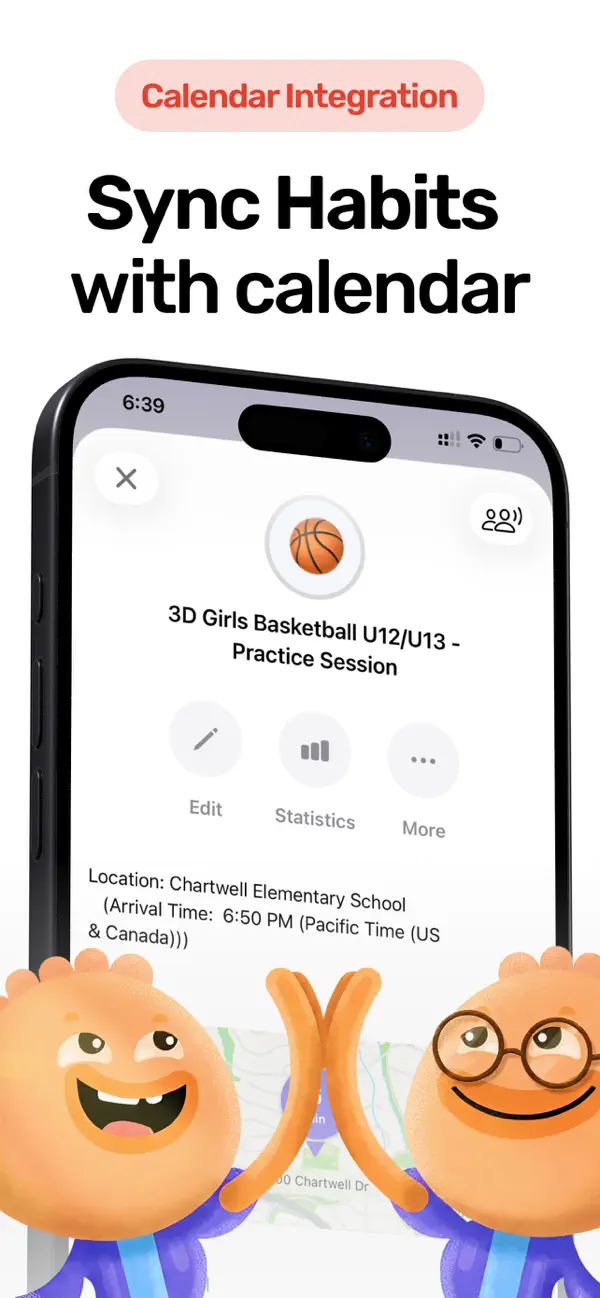
The toggling problem the HBR study identified is exactly what Habi was built to solve. Instead of using one app for habits, another for focus timing, a third for screen time limits, and a fourth for tasks, everything lives in a single daily view. Open the app, see your habits alongside your to-dos, start a focus session, and your distracting apps get blocked automatically.
That integration changes behavior in a way separate tools can't. You finish a focus session and your habit gets checked off. Your screen time data informs which apps to block tomorrow. Your shared projects keep your family or accountability partner in the loop. The pieces talk to each other.
Our lead developer's daughter forgetting her basketball gear is what started this project. That simple problem (needing a checklist attached to a calendar event) expanded into a full productivity system because, as it turns out, habits, focus, and screen time are deeply connected. Fixing one without addressing the others is like patching one hole in a leaky bucket.
What it does well:
- True all-in-one. Habit tracking, task management, projects, a Pomodoro focus timer with ambient sounds, and screen time blocking in one app. No switching needed.
- Strongest free tier. Unlimited habits, full focus timer, screen time controls, widgets, shared projects, and calendar features. All free. No 3-habit paywall, no trial expiration.
- Privacy by design. Zero data collected. No account required. Everything syncs through your personal iCloud. We don't run a backend server.
- Shared accountability. Invite family members or friends to shared projects. Nudge notifications keep everyone honest. Most productivity apps are solo-only.
Where it falls short:
- Apple ecosystem only. iPhone, iPad, Mac, Apple Watch, and Vision Pro. No Android, no web. If your team is cross-platform, Todoist or Notion are better choices.
- Young app. Launched in early 2026. The 5.0 rating is real but the review count is still growing. Todoist and Notion have a decade head start.
Pricing: Free (Pro from $1.99 for advanced themes)
Platforms: iPhone, iPad, Mac, Apple Watch, Vision Pro
Bottom line: If you're tired of juggling three or four productivity apps and want one that handles habits, focus, tasks, and screen time together, download Habi and see if consolidation works for you.
2. Notion - Best for Custom Productivity Systems
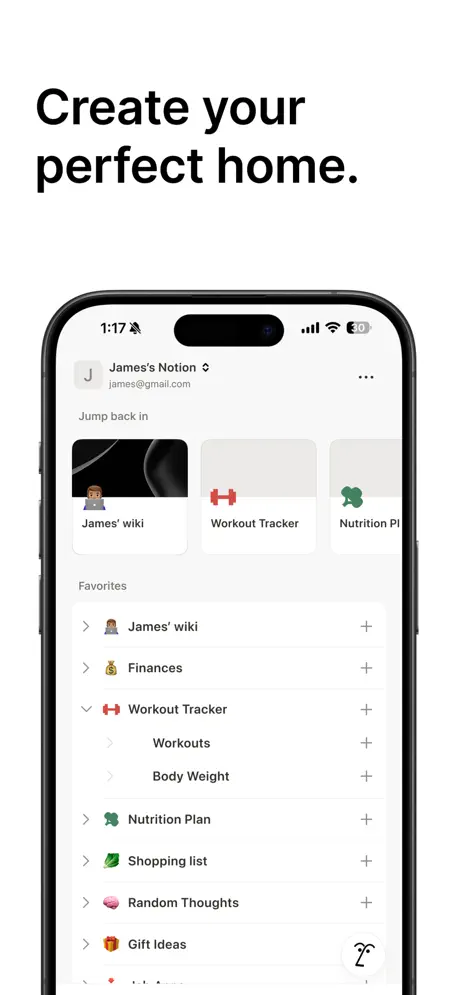
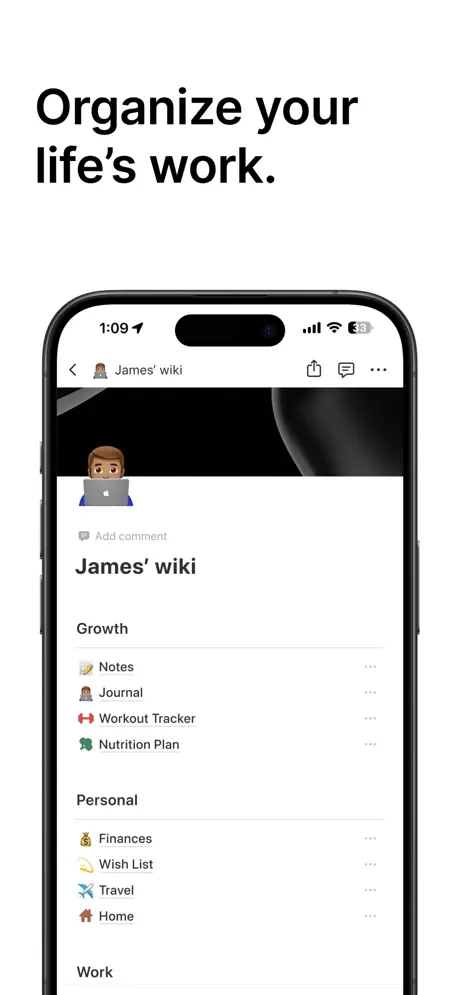
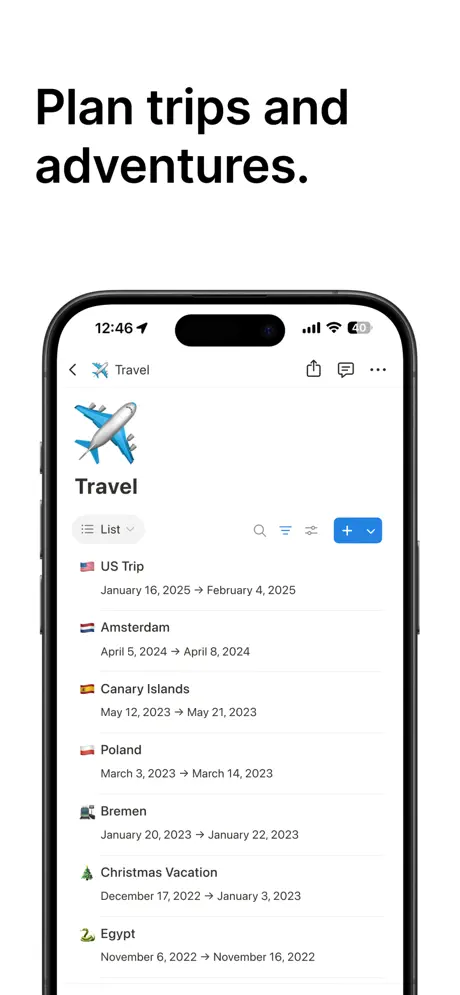
Notion is a blank canvas with an instruction manual the size of a novel. It can be a note-taking app, a task manager, a project tracker, a wiki, a database, a CRM, and a habit tracker. It can be all of those at once. The catch is that none of those come pre-built. You either configure them yourself or start from a community template.
For people who enjoy building systems, that's the appeal. One Reddit user described spending three weeks building a "Life OS" dashboard with linked databases for goals, habits, projects, and weekly reviews. The result replaced five separate apps. The investment paid off because everything was connected: completing a habit updated a goal, which fed into a quarterly review page.
The AI features (powered by GPT-4.1 and Claude) are now integrated throughout. Ask it to summarize meeting notes, draft a project plan, or fill in a table from scattered notes. The AI meeting transcription is particularly useful for turning raw conversations into structured action items.
What it does well:
- Infinite flexibility. Databases with six view types (table, board, calendar, gallery, timeline, list) let you model any workflow. If you can think it, you can build it.
- AI assistant built in. Writing, summarizing, brainstorming, and meeting transcription. Not a bolted-on feature; it's woven into every text block.
- Template ecosystem. Thousands of community templates for GTD systems, habit trackers, goal tracking, and daily planners. Skip the blank-canvas paralysis.
- Generous free plan. Unlimited pages and blocks for solo users, 10 guest seats, and basic API access. Most individuals never need to upgrade.
Where it falls short:
- No reliable offline mode. The single most common complaint across platforms. If your commute has dead zones or you travel frequently, this is a real problem.
- Performance degrades at scale. Large databases with many relations slow down noticeably, especially on mobile. Quick check-ins feel sluggish compared to native apps.
Pricing: Free for personal use. Plus: $10/user/month. Business: $20/user/month.
Platforms: iPhone, iPad, Mac, Windows, Android, Web
Bottom line: Notion is for builders. If you want total control over how your productivity system works and you're willing to invest the setup time, nothing else comes close. If you want something that works out of the box, keep reading.
3. Todoist - Best for Task Management Everywhere
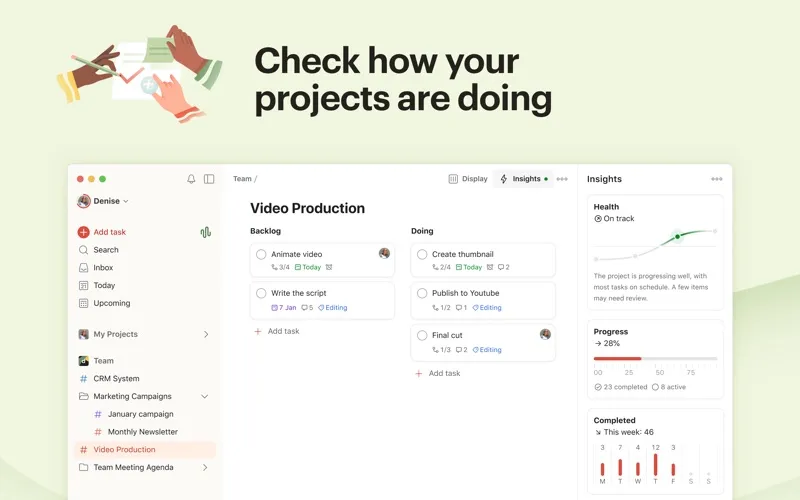
Todoist has done one thing for nearly 20 years: manage tasks. The result is a tool that feels invisible. You type "finish report Friday at 3pm p1 #work" and it parses every piece: the due date, the time, the priority level, and the project. No menus. No date pickers. Just words.
That frictionless capture is why 40 million people use it. One App Store reviewer described it as "genuinely like having an admin assistant" because the natural language processing handles the organizational overhead that usually makes task management feel like a chore.
The newer Ramble feature takes this further. Speak a scattered stream of thoughts, and the AI converts them into structured, individual tasks. Multiple reviewers have called it a "game changer," particularly for ADHD users who struggle with the organizational step between thinking of something and writing it down properly.
What it does well:
- Industry-leading task capture. Natural language parsing that understands dates, recurrence, priorities, labels, and projects in a single sentence. The fastest way to get a thought out of your head and into a system.
- Truly everywhere. iOS, Android, macOS, Windows, Linux, web, browser extensions, email plugins, Wear OS, and Apple Watch. If it has a screen, Todoist runs on it.
- 100+ integrations. Google Calendar, Outlook, Slack, Zapier, and dozens more. A mature ecosystem with 19 years of third-party connections.
- Karma gamification. A points system that rewards task completion and penalizes overdue items. Subtle, but effective for people who respond to streaks and scores.
Where it falls short:
- Core features behind a paywall. Reminders, calendar view, and most filters require Pro ($48/year). The free tier is a task list, not a productivity system. Multiple reviewers call this a "bait and switch."
- No focus or time-tracking tools. Todoist captures what you need to do, but doesn't help you actually do it. No timer, no distraction blocking, no session tracking. You still need a separate focus app.
Pricing: Free (5 projects). Pro: $4/month (annual). Business: $6/user/month (annual).
Platforms: iOS, Android, macOS, Windows, Linux, Web, browser extensions, Wear OS, Apple Watch
Bottom line: If your productivity bottleneck is capturing and organizing tasks across multiple devices, Todoist has been the answer for nearly two decades. Pair it with a focus tool and you've covered both planning and execution.
4. Forest - Best for Gamified Deep Focus
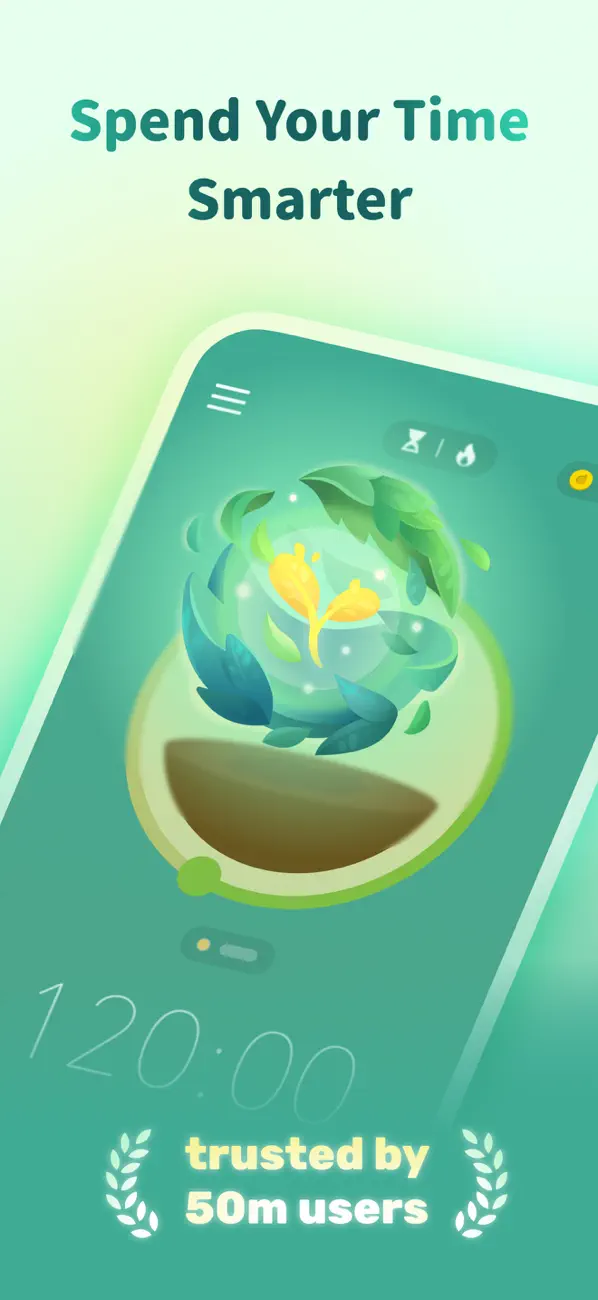
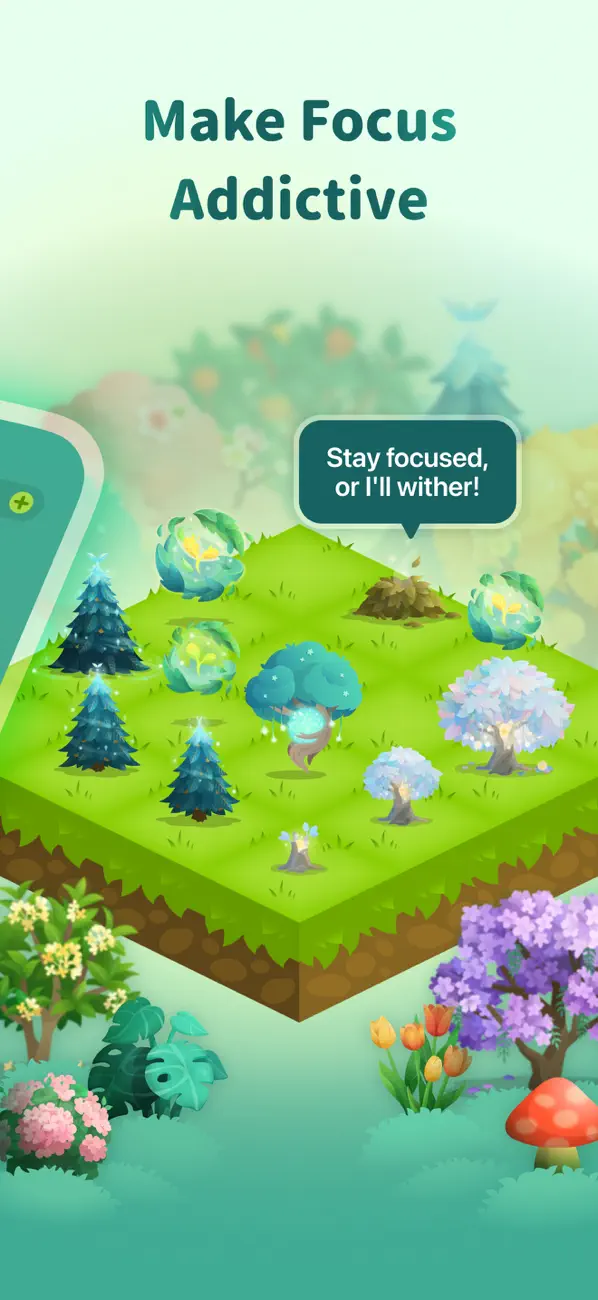
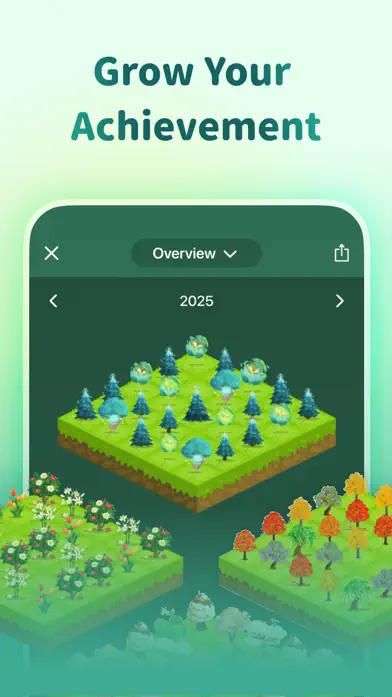
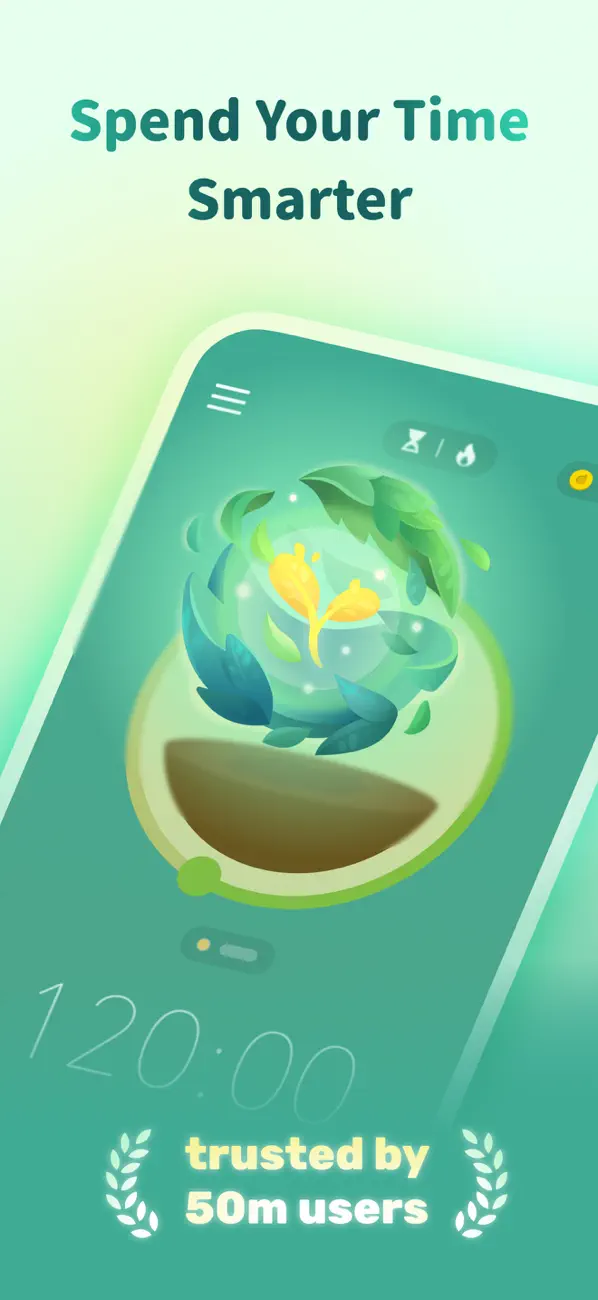
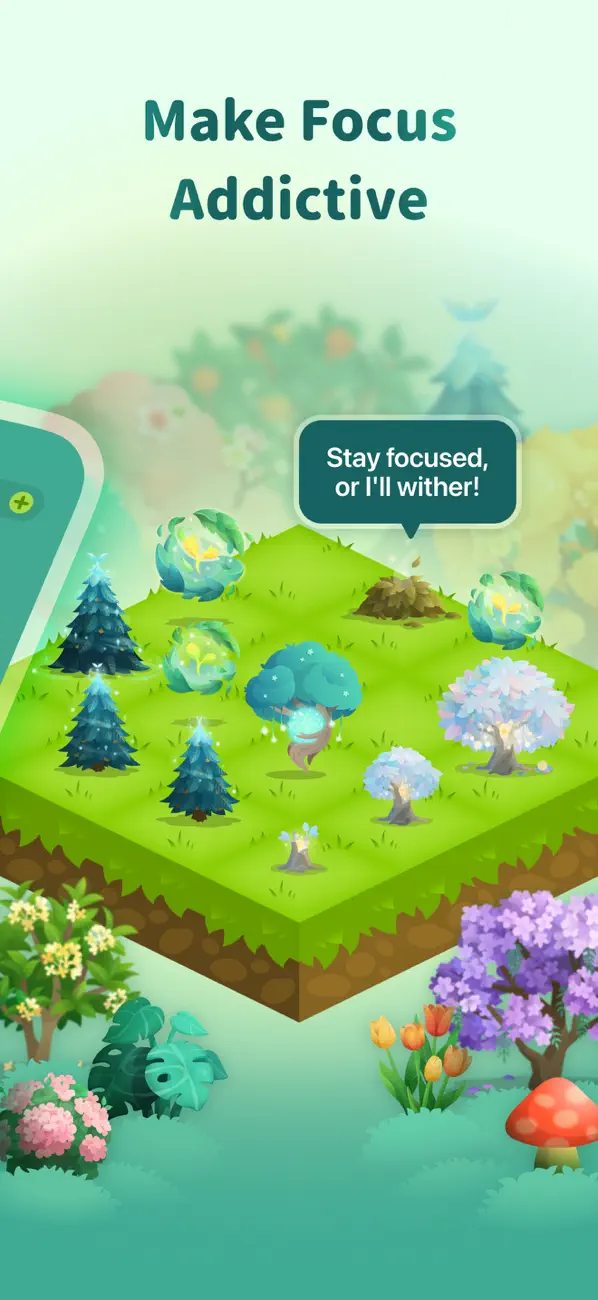
Forest makes a simple bet: you care more about a virtual tree than you think. Start a focus session and a seed gets planted. Stay off your phone and the tree grows into your virtual forest. Leave the app and the tree dies. Over 1.5 million real trees have been planted through the app's partnership with Trees for the Future since 2016.
The psychology is sound. The dying-tree mechanic creates a tangible loss aversion that abstract timers can't match. One App Store reviewer described using Forest daily for over 10 years. Students, in particular, praise it as their go-to study tool because the visual consequence of breaking focus is immediate and emotional.
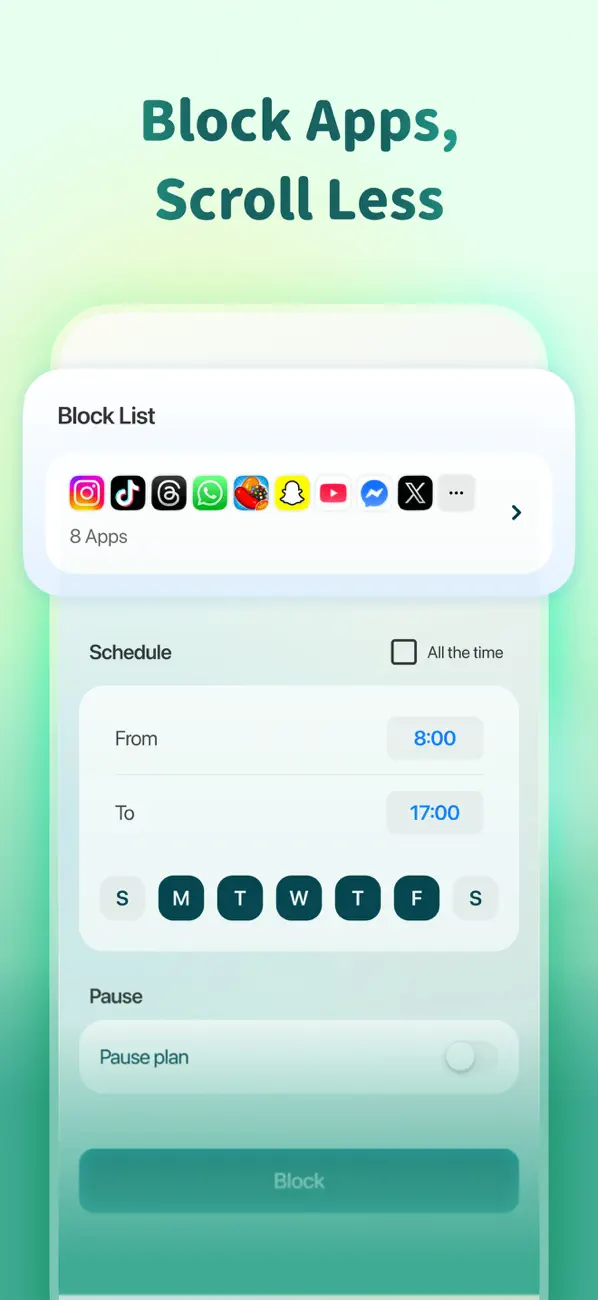
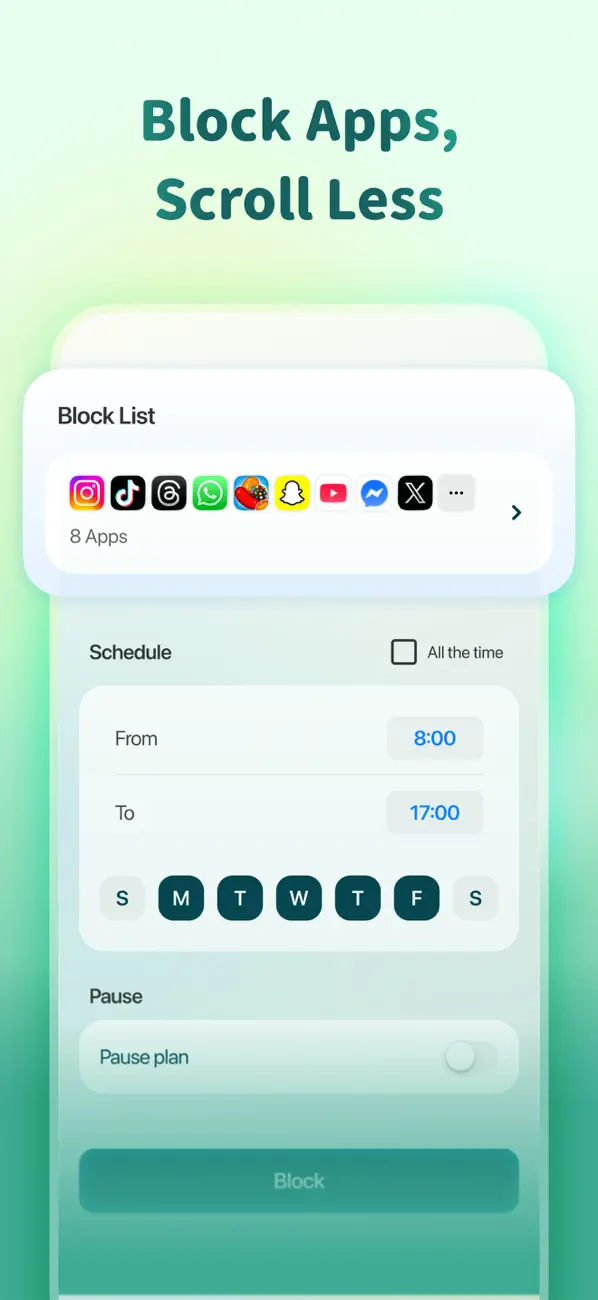
The Allow List feature adds practical teeth. Whitelist the apps you need for work, and everything else gets blocked during sessions. It's not as aggressive as a full screen time blocker, but it handles the "I'll just check Instagram for a second" problem effectively.
What it does well:
- Motivation through consequence. The dying-tree mechanic turns abstract "stay focused" into a concrete, emotional experience. You see your forest grow over weeks and months. Killing a tree actually stings.
- Real environmental impact. 1.5 million trees planted with Trees for the Future. Your focus sessions contribute to reforestation. No other productivity app offers this.
- Social focus sessions. Plant trees with friends in shared sessions. Peer accountability without the awkwardness of body-doubling or Zoom calls.
- Long-term engagement. The forest-building mechanic creates a visual record of your focus history. Users report maintaining daily use for years because abandoning the forest feels wasteful.
Where it falls short:
- Subscription controversy. Forest shifted from a $3.99 one-time purchase to a freemium model with "Forest Plus." Long-time users feel features they paid for are now locked behind a subscription. The most common complaint in recent reviews.
- Single-purpose tool. Forest does focus timing and nothing else. No task management, no habit tracking, no scheduling. You need at least one more app to build a full productivity system.
Pricing: Free (with ads). Forest Plus: subscription (pricing varies by region).
Platforms: iPhone, iPad, Apple Watch, Android, Browser Extension
Bottom line: If your productivity problem is specifically phone addiction during work, Forest's gamified approach has proven itself over a decade. It does one thing, and it does it with more emotional pull than any Pomodoro timer.
5. Structured - Best for Visual Day Planning
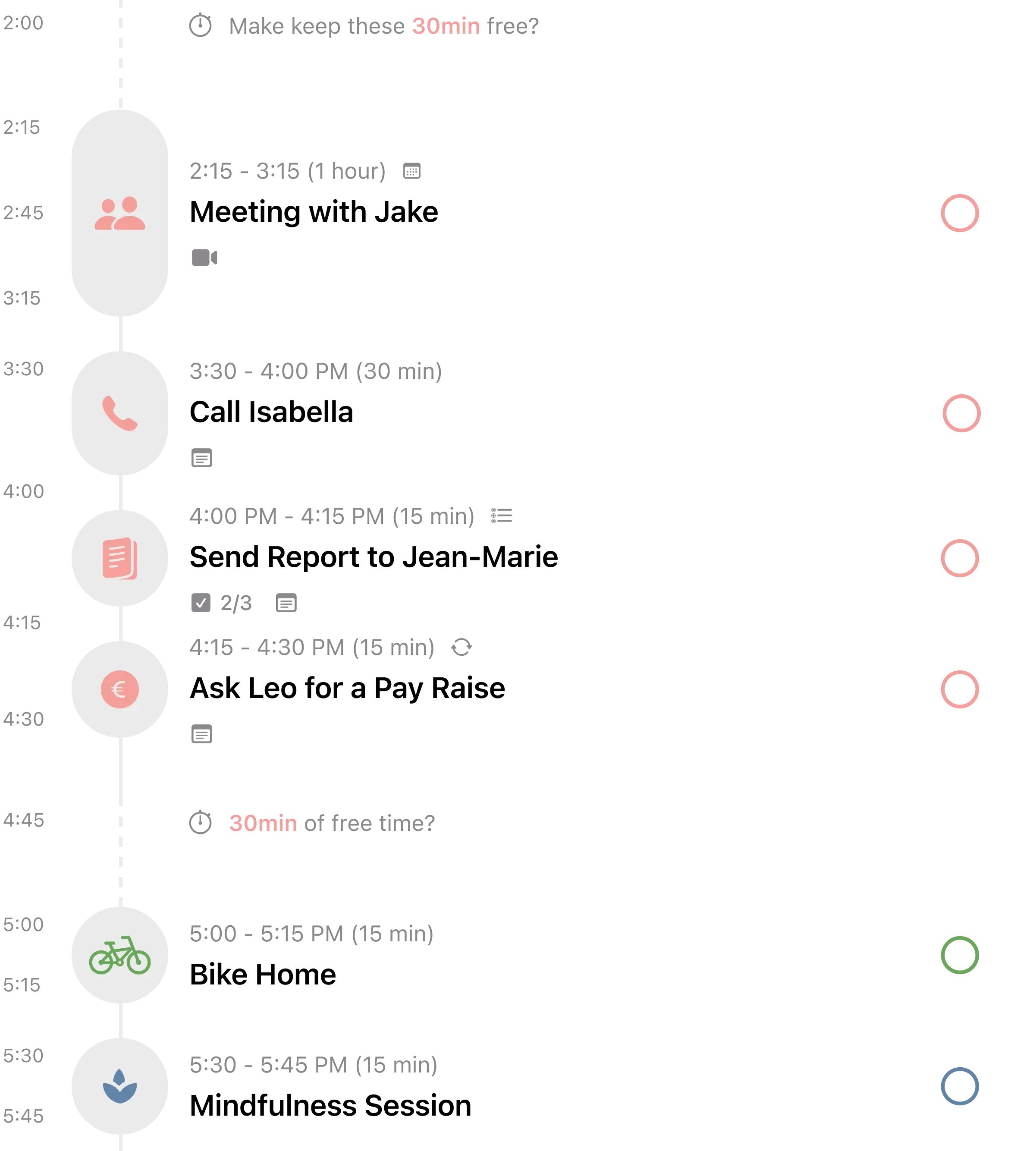
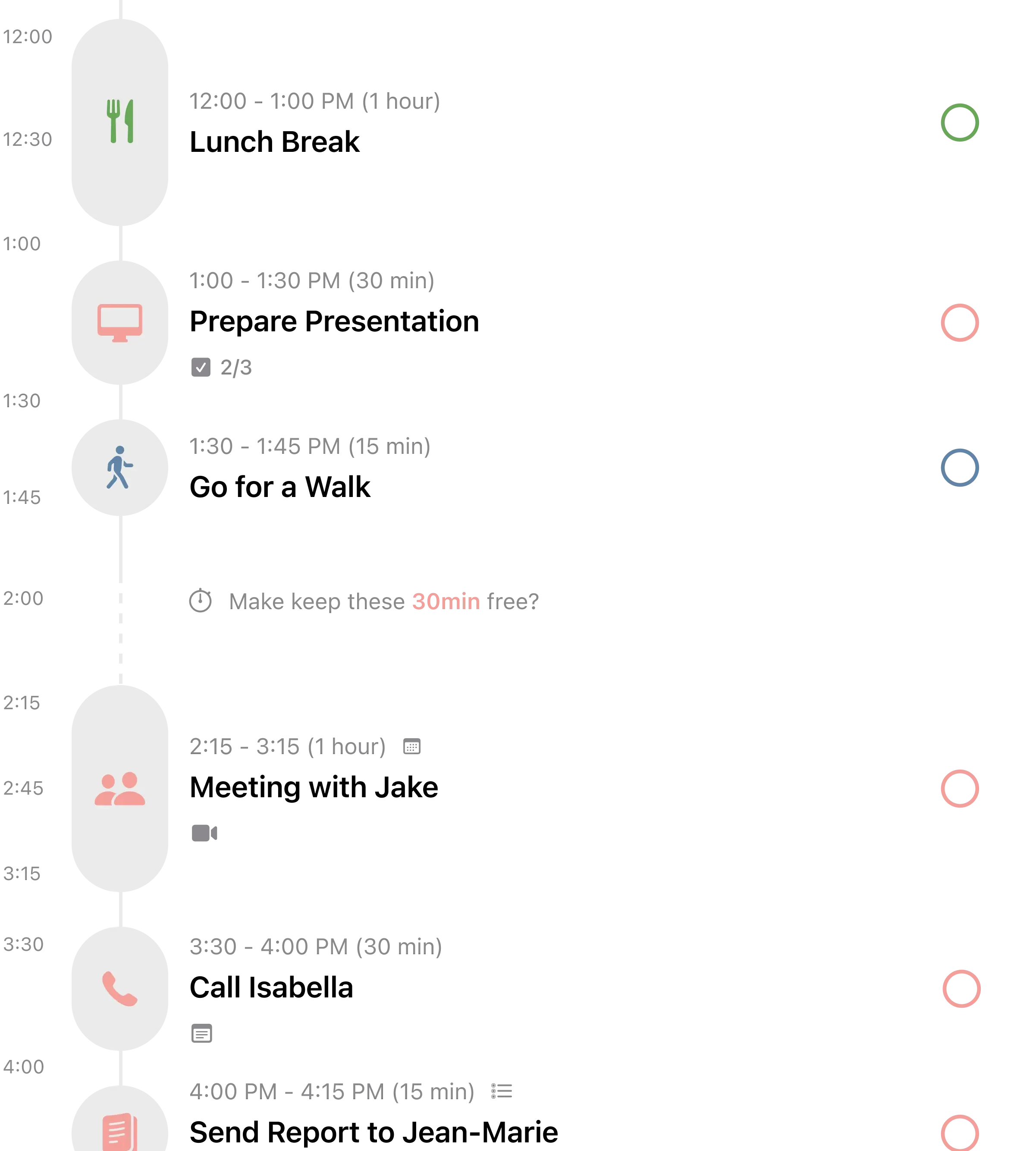
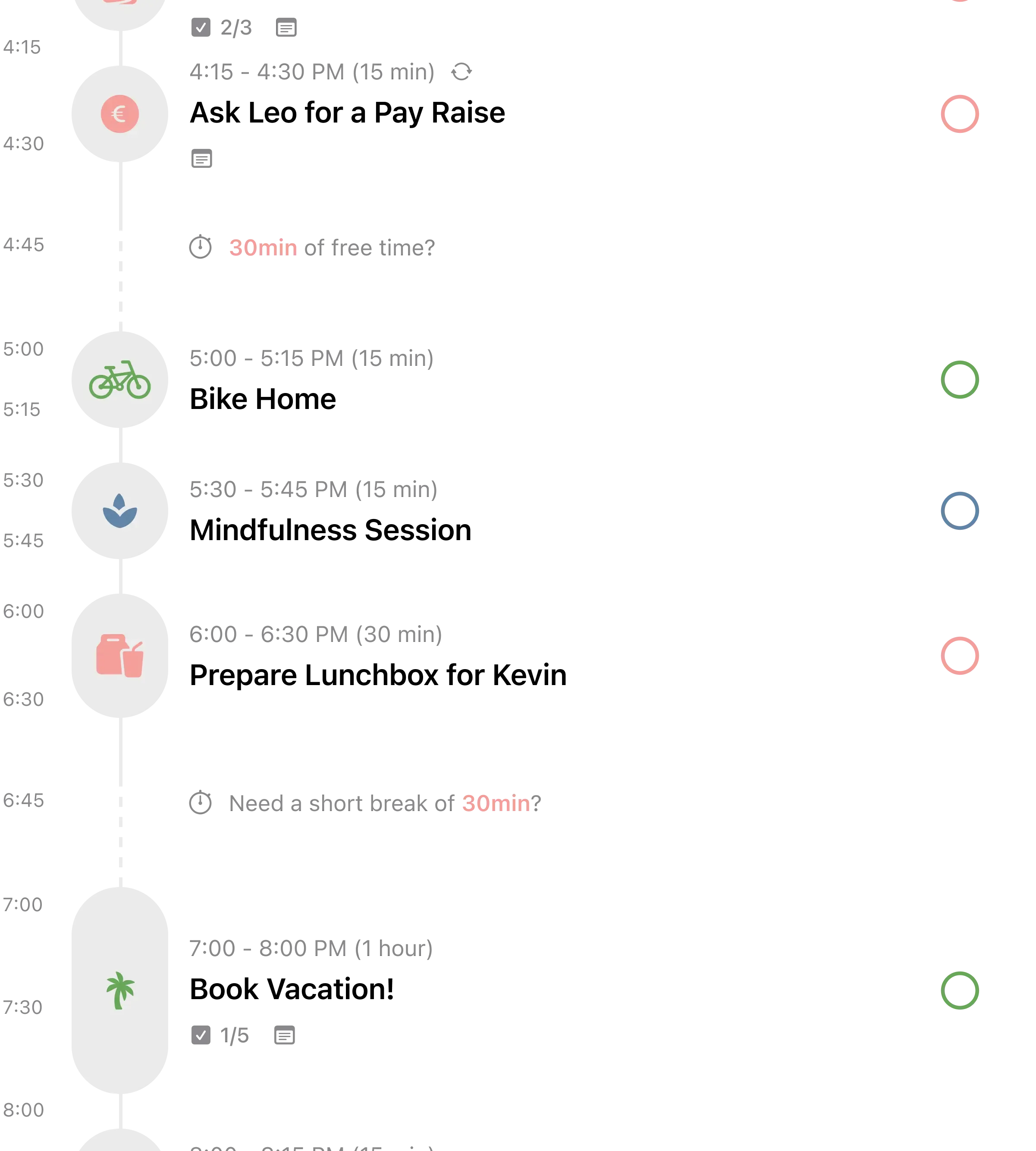
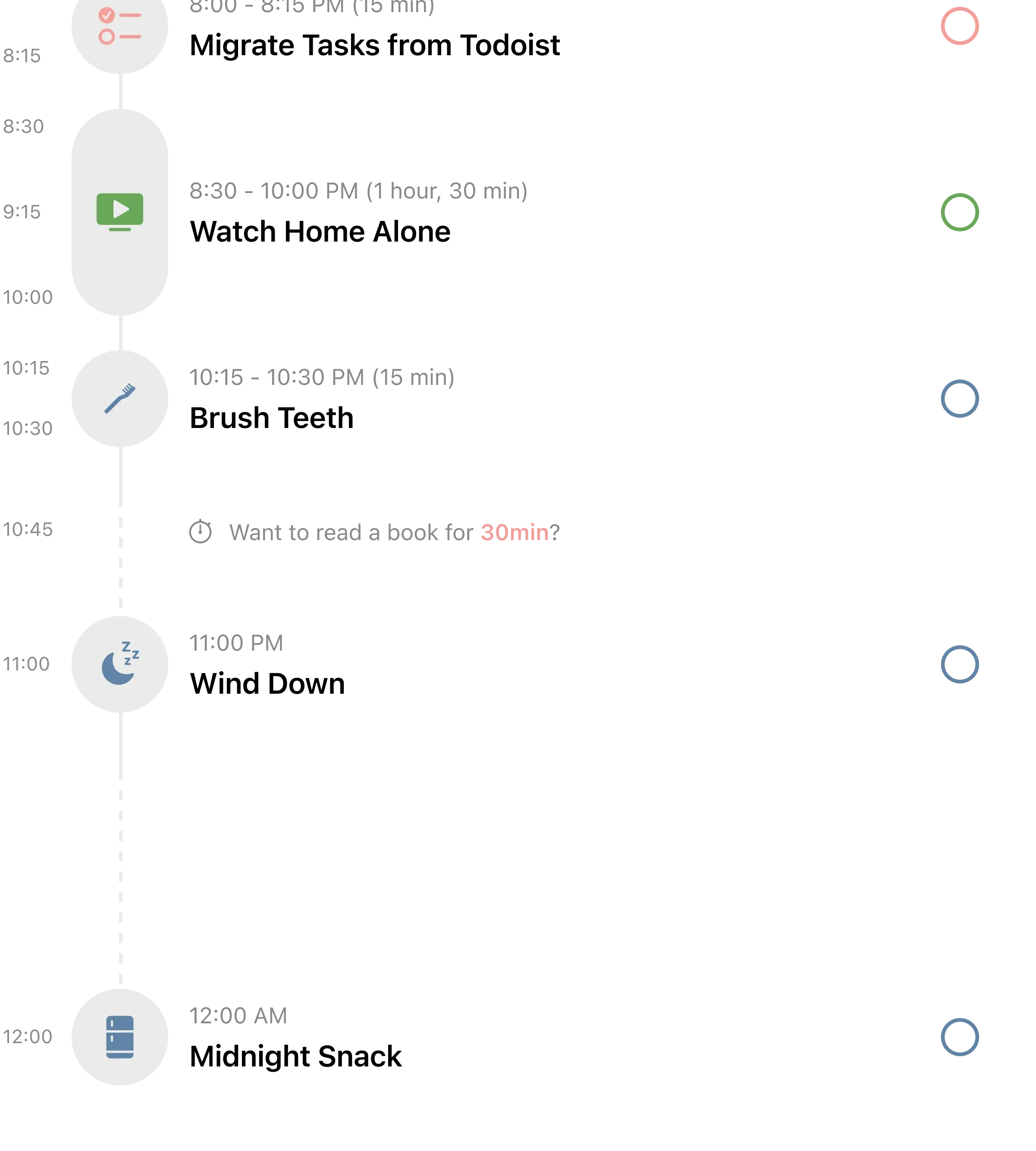
Structured answers a question most task apps ignore: when? Writing down "finish report" is step one. Knowing it happens from 2pm to 4pm, after your meeting ends and before school pickup, is what makes it real. Every task in Structured occupies a block on a vertical timeline, and empty gaps in your day are immediately visible.
That visual honesty is why 154,000+ users rate it 4.8 stars. When you can see that your afternoon is already packed, you stop adding tasks to it. When you see a two-hour gap in your morning, you fill it intentionally instead of drifting into email. The daily planning becomes spatial rather than abstract.
The AI quick planning feature (Pro) speeds up the morning setup. Give it a rough list of tasks and it drafts a schedule around your existing calendar events. Energy tracking lets you tag tasks as high, medium, or low energy, so you can front-load demanding work and save lighter tasks for the afternoon slump.
What it does well:
- Visual time-blocking as the core interaction. Drag tasks to reschedule. See your entire day as colored blocks on a timeline. Overloaded days are obvious at a glance.
- Energy-aware scheduling. Tag tasks by energy level and balance your day so cognitive heavy lifting doesn't pile up at the wrong time.
- Affordable Pro. $9.99/year or $29.99 lifetime. The most reasonable upgrade pricing on this list.
- ADHD-friendly design. Over 25 App Store reviews specifically mention how well Structured works for ADHD. The visual structure reduces the mental load of deciding what to do next.
Where it falls short:
- Recurring tasks require Pro. The most common complaint across hundreds of reviews. Daily routines need the paid tier, which feels restrictive for a planning app.
- No built-in focus tools. Structured plans your time but doesn't protect it. No timer, no distraction blocking. Pair it with Forest or Habi's focus timer for execution.
Pricing: Free. Pro: $2.99/month or $9.99/year or $29.99 lifetime.
Platforms: iPhone, iPad, Mac, Android, Web, Apple Watch
Bottom line: If you're someone who needs to see your day before you can manage it, Structured turns abstract to-do lists into a spatial map of your time. The best daily routine starts with knowing where everything fits.
6. Streaks - Best for Simple Habit Tracking
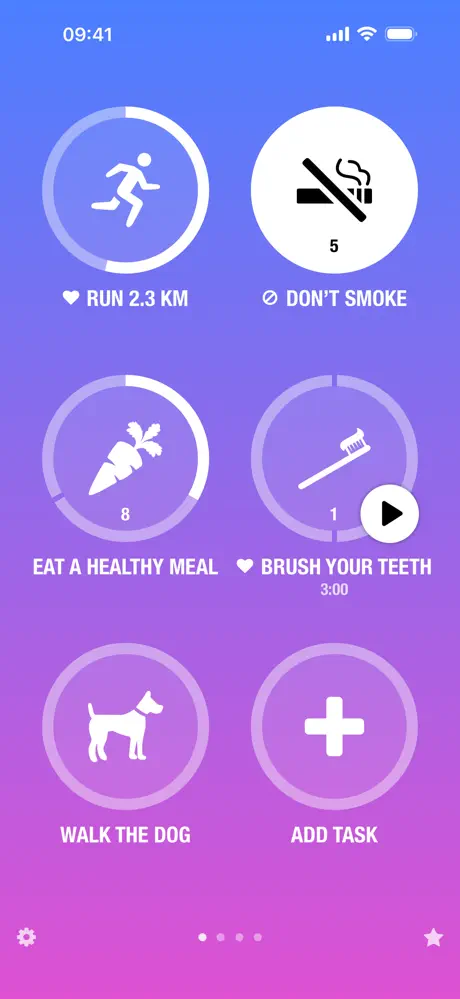
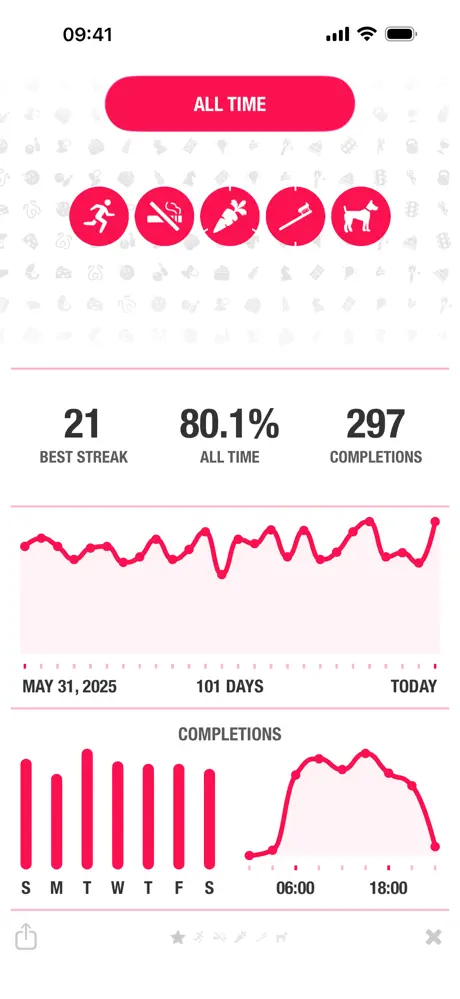
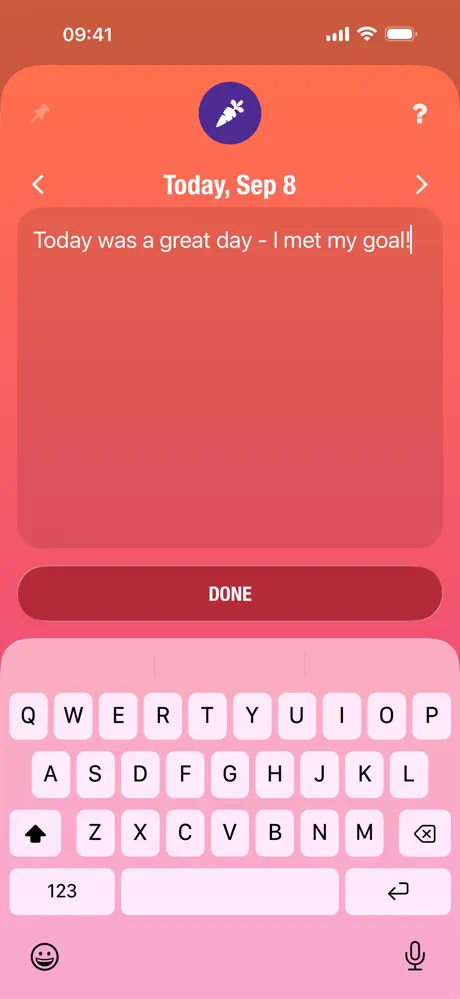
Productivity isn't always about doing more. Sometimes it's about doing the same important things every single day. Streaks is a constraint machine: 24 habits maximum, displayed as circles you tap when done. The streak counter climbs. Miss a day and it resets. That's the app.
The constraint is deliberate. By capping habits at 24 (displayed six per page), Streaks forces you to pick what actually matters. You can't add 50 aspirational habits and watch them all fail. You pick six to twelve core behaviors, and the visual pressure of a growing streak number keeps you showing up.
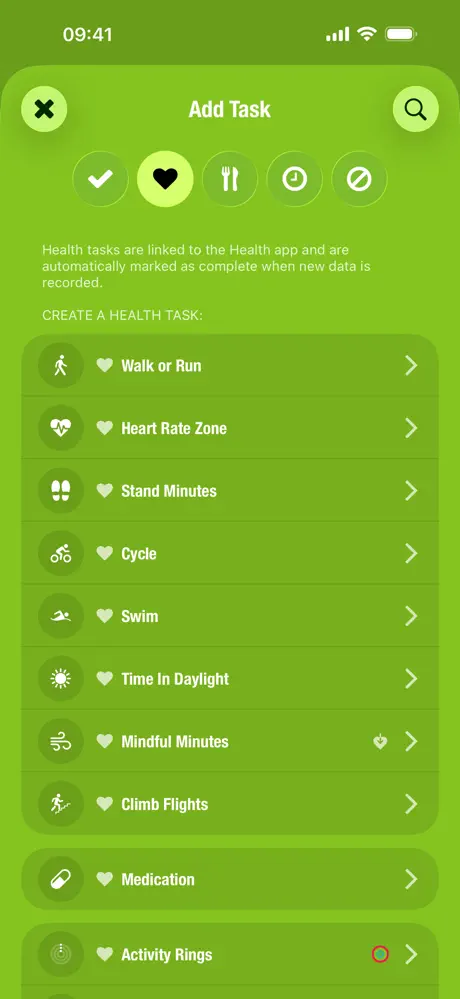
The Apple ecosystem integration is deeper than any competitor. Habits can auto-complete from Apple Health data (steps, exercise minutes, mindfulness sessions). The Apple Watch app lets you check off habits from your wrist without opening your phone, which eliminates the common trap of "I opened my phone to log a habit and ended up scrolling for 20 minutes."
What it does well:
- Pay once, own forever. $5.99. No subscription, no ads, no premium tier. In a market where simple habit trackers charge $60 to $80 per year, that's a statement.
- Apple Health automation. Link a habit to Health data and it completes itself. Walked 10,000 steps? The circle fills. Finished a workout? Checked off. Passive tracking for measurable habits.
- Multiple habit types. Yes/no, timed, quantity, and negative habits. "Don't check social media after 9pm" works as naturally as "meditate for 10 minutes." Few competitors handle negative habits well.
- Minimal time investment. Open the app, tap your circles, close the app. Thirty seconds. The fastest daily interaction of any app on this list.
Where it falls short:
- Apple only, no exceptions. No Android. No web. No Windows. If you switch ecosystems or share habits with someone on Android, you're stuck.
- Surface-level analytics. Calendars and bar graphs, but no trend analysis, no correlations between habits, and no data export. If numbers motivate you, you'll want more.
Pricing: $5.99 (one-time purchase). Family Sharing supported.
Platforms: iPhone, iPad, Mac, Apple Watch
Bottom line: Streaks proves that a productivity tool doesn't need to be complex to be effective. If your definition of productive is showing up for the same six to twelve habits every day, this is the most respectful way to track them.
Which Productivity App Should You Pick?
If you want everything in one place, pick Habi. Habits, tasks, focus timer, screen time blocking, and shared accountability in a single app with the strongest free tier on this list.
If you want to build a custom system, pick Notion. Infinite flexibility for notes, tasks, databases, and wikis. Be prepared to invest setup time.
If you need task management on every device, pick Todoist. The best natural language capture and the widest platform support. Pair it with a focus tool for execution.
If your problem is phone addiction during work, pick Forest. The gamified focus timer with real-world tree planting that's motivated users for over a decade.
If you think visually, pick Structured. Color-coded time blocks turn your day from a list into a map.
If you want simple daily habits with zero friction, pick Streaks. Pay $5.99 once, tap circles, maintain streaks. Done.
One more consideration: these aren't always either/or choices. Many productive people pair a task manager (Todoist) with a focus tool (Forest or Habi) because they solve different problems. The key is minimizing the number of tools so you spend more time working and less time toggling. As the HBR research shows, every additional app has a cost.
Frequently Asked Questions
What is the best productivity app for iPhone in 2026?
Habi is the best all-in-one productivity app for iPhone in 2026. It combines habit tracking, task management, a focus timer with app blocking, and screen time controls in a single app. For pure task management, Todoist offers the best cross-platform experience. For visual day planning, Structured is the top pick.
Do I need multiple productivity apps?
Not necessarily. Research from Harvard Business Review shows that workers lose up to 9% of their annual work time switching between apps. An all-in-one app like Habi or Notion can reduce that overhead. However, if you prefer best-in-class tools for each function, combining a task manager (Todoist) with a focus timer (Forest) can also work well.
What is the best free productivity app?
Habi offers the most generous free tier among productivity apps, with unlimited habits, a full focus timer, screen time blocking, widgets, and shared projects at no cost. Todoist's free plan includes 5 active projects and basic task management. Notion's free plan is excellent for individuals who want notes, databases, and tasks in one workspace.
Is Notion good as a productivity app?
Notion is excellent if you want maximum flexibility and don't mind spending time building your own system. It can replace notes, tasks, wikis, and project management tools. The downsides are a steep learning curve, no reliable offline mode, and no built-in focus or time-tracking features. It works best for people who enjoy customizing their setup.
What productivity app helps you stay focused?
Forest and Habi are the two best options for staying focused. Forest uses gamification (grow a virtual tree while focusing, it dies if you leave the app) and has planted over 1.5 million real trees through its partnership with Trees for the Future. Habi combines a Pomodoro focus timer with active app blocking and ambient soundscapes to protect your focus sessions.
Final Thoughts
The best productivity app is the one you actually open every day. Not the one with the longest feature list or the prettiest marketing page.
If you're reading this because your current system isn't working, the problem probably isn't the app. It might be that you're using too many of them, or that the one you chose solves a problem you don't have. A visual planner won't help if your issue is phone addiction. A focus timer won't help if you don't know what to focus on.
Start with the bottleneck. If it's building daily consistency, try Habi or Streaks. If it's capturing scattered tasks, try Todoist. If it's protecting deep work time, try Forest or Habi's focus timer. If it's seeing where your time goes, try Structured.
And if you want to try the one that combines habits, focus, and screen time in a single place, Habi is free to download.