5 Best Tiimo Alternatives in 2026

Short on Time? Here's the Quick Take





Searching for a Tiimo alternative? You are not the only one. Despite winning iPhone App of the Year 2025, Tiimo has a growing number of users looking for options that better fit their needs, their budget, or their platform.
Tiimo does a lot right. The visual timeline is genuinely helpful for neurodivergent users who need to see their day laid out in front of them. The gentle, guilt-free approach to missed tasks is a breath of fresh air compared to most productivity apps. But at $54 per year (or $12 per month if you pay monthly), it is one of the pricier planners on the market. And several users report frustrations with timer bugs, limited customization, and aggressive prompts to leave App Store ratings.
We tested over a dozen alternatives that serve the same core audience: people who need visual structure, gentle accountability, and tools designed with neurodivergent brains in mind. We narrowed it to five that genuinely compete with what Tiimo offers.
Full disclosure: Habi is our app. We built it because we wanted something that combined focus tools with habit tracking. Every app on this list got the same honest evaluation. No affiliate links. No paid placements.
Here are the five best Tiimo alternatives worth trying.
Quick Comparison
| App | Best For | Price | Platforms | Our Rating |
|---|---|---|---|---|
| 1. Habi | Focus and distraction blocking | Free (optional Pro) | iOS, iPad, Mac, Vision Pro | 4.9/5 |
| 2. Structured | Visual day planner | Free / $9.99/yr | iOS, Android, Mac, Web | 4.6/5 |
| 3. Routinery | Guided routines | Free / $27.49/yr | iOS, Android, Watch | 4.2/5 |
| 4. Goblin Tools | Task breakdown | Free (web) / $1.99 (app) | iOS, Android, Web | 4.3/5 |
| 5. Llama Life | Timeboxing sessions | $39/yr | iOS, Web | 4.1/5 |
About Tiimo
Tiimo is a visual daily planner built by and for neurodivergent people. It turns your day into a color-coded timeline where each task gets a visual block, a countdown timer, and gentle reminders. The app was designed specifically for users with ADHD, autism, and other executive function challenges, and it does not punish you for missing tasks. No red warnings, no guilt messages. Tasks just move forward.
The AI planner helps break tasks into realistic schedules, and the app syncs across phone, tablet, watch, and web. Tiimo earned Apple's iPhone App of the Year in 2025 and has built a loyal community of over 6,600 reviewers.
What Tiimo does well: Visual timeline design, neurodivergent-first philosophy, gentle accountability without guilt, cross-platform sync, AI-assisted scheduling.
Common complaints: Subscription pricing ($54/year or $12/month) feels steep for a planner. Timer functionality has reported bugs. Limited free tier. Aggressive in-app prompts to rate the app. Customization options feel restricted compared to more flexible planners. Some users find the visual style too playful for professional use.
If any of those pain points resonate, the alternatives below each address at least one of them directly.
How We Evaluated These Alternatives
Every app was tested against five criteria, specifically chosen for what Tiimo users care about:
- Visual structure. Does the app present your day in a way that helps you see what is coming next? Tiimo's timeline view is its defining feature, so alternatives need to offer comparable visual clarity.
- Neurodivergent-friendly design. Is the app gentle with missed tasks? Does it avoid overwhelming you with too many screens, notifications, or guilt-inducing language?
- Focus support. Does it help you actually do the tasks, not just plan them? Timers, distraction blocking, and step-by-step guidance all count here.
- Value for money. How does pricing compare to Tiimo's $54/year? What do you get for free?
- Platform availability. Does it work on the devices you use daily?
No affiliate links. No app paid to be here.
The 5 Best Tiimo Alternatives
1. Habi - Best for Focus and Distraction Blocking
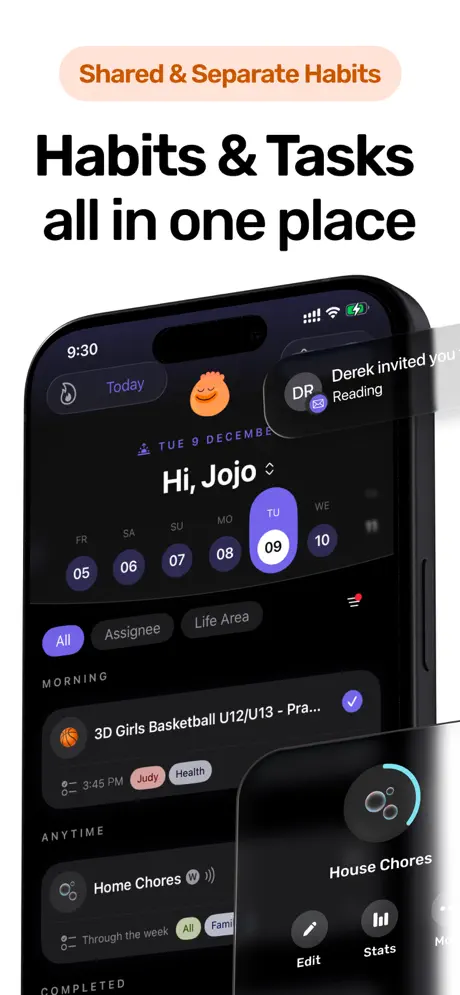
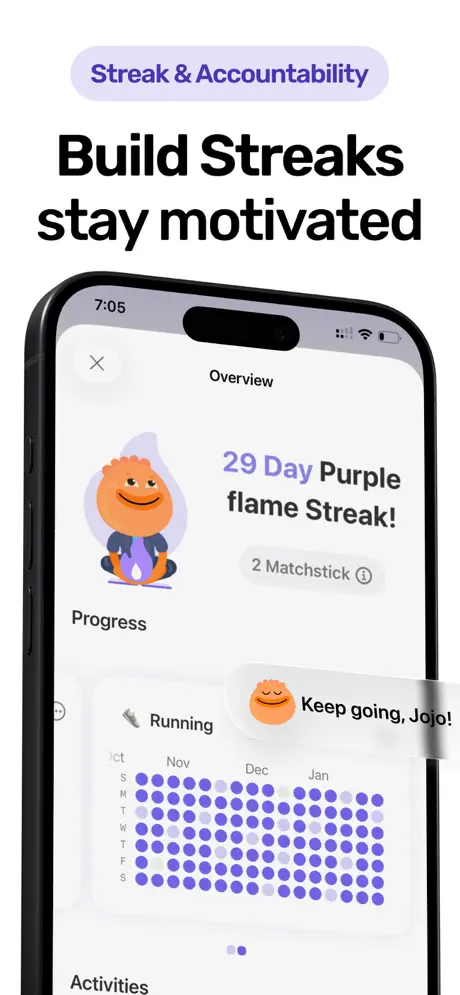
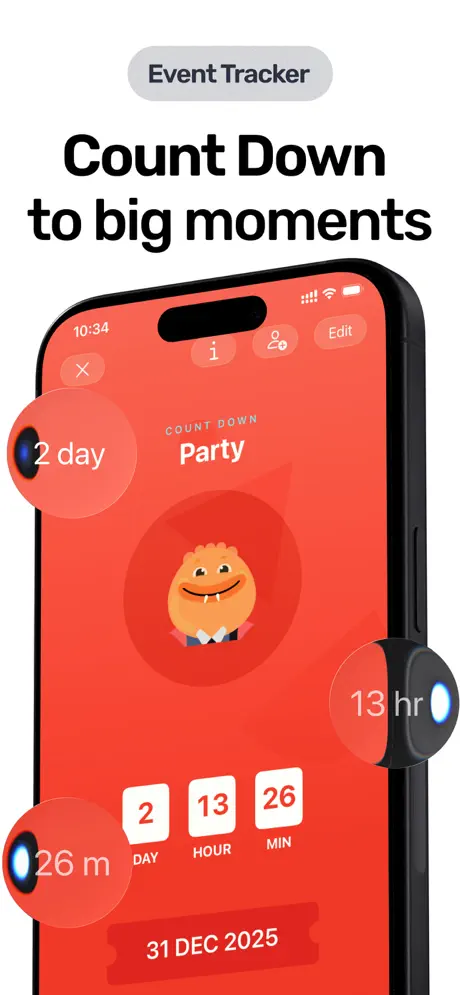
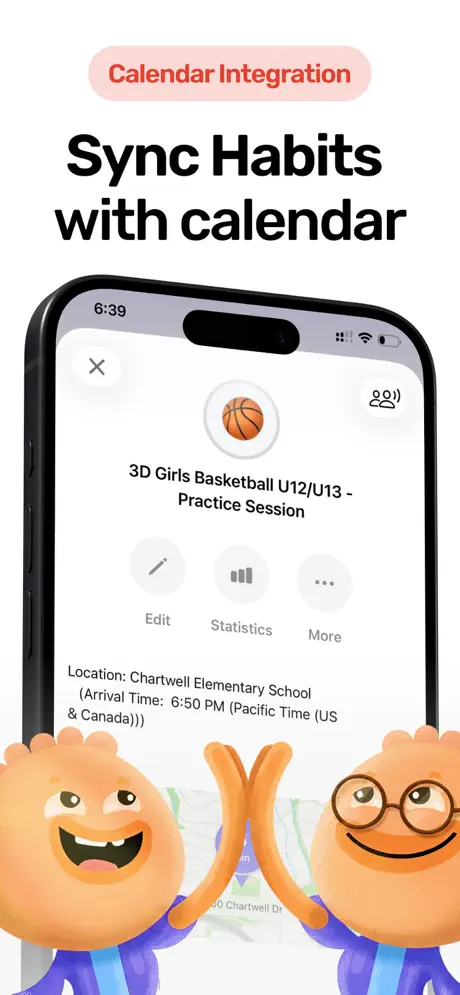
Tiimo helps you plan your day visually. Habi helps you actually follow through on that plan by removing distractions while you work.
Habi combines habit tracking, a focus timer with ambient soundscapes, and screen time blocking into a single app. Where Tiimo shows you what to do next, Habi makes sure you are not scrolling Instagram instead of doing it. The screen time blocker prevents you from opening distracting apps during focus sessions, which directly addresses one of the biggest frustrations neurodivergent users face: the gap between planning and execution.
The focus timer plays ambient sounds (rain, white noise, forest, cafe) that help you settle into deep work. Research on ambient noise and cognitive performance suggests that moderate background sound can improve focus for many people, and for ADHD brains that need sensory input to concentrate, this is especially useful. Tiimo does not offer ambient sounds or distraction blocking. If your main struggle is starting tasks rather than planning them, Habi fills that gap.
The drag-and-drop scheduling lets you reorder your day based on energy levels instead of following a rigid sequence. You can build projects with checklists, invite friends to collaborate, and track habits with streak counters. It is not a visual timeline like Tiimo, but it is a toolkit that covers the doing part that Tiimo leaves to willpower alone.
What it does well:
- Screen time blocking. Block distracting apps during focus sessions or habit time. Tiimo does not offer any distraction prevention. This is the biggest differentiator for users who can plan their day fine but struggle to stay on task.
- Focus timer with ambient sounds. Built-in Pomodoro timer with rain, white noise, forest, and cafe soundscapes. Helps ADHD brains get into a focused state without needing a separate app like Noisli or Tide.
- Habit streaks and tracking. Tiimo is a planner, not a habit tracker. Habi does both. Visual streak counters give you the dopamine hit of seeing your consistency build over time.
- Free core features. Habit tracking, focus timer, screen time blocking, and project management all work without paying. Tiimo's free tier is heavily limited.
Where it falls short:
- No visual timeline. If Tiimo's color-coded day view is what you rely on, Habi does not replicate that. Structured is a better match for timeline scheduling.
- Apple-only. iPhone, iPad, Mac, and Vision Pro. No Android or web version. If you need cross-platform, Tiimo or Structured are better choices.
Pricing: Free to use. Optional Pro upgrade ($1.99 to $89.99) unlocks extras, but the core habit tracking, focus timer, and screen time blocking all work without paying.
Platforms: iPhone, iPad, Mac (Apple Silicon), Apple Vision Pro.
Bottom line: Habi does not replace Tiimo's visual timeline. It replaces the need for one. If your real problem is not planning but following through, Habi's focus timer and distraction blocker tackle the execution gap that Tiimo leaves open. Try it free.
2. Structured - Best Visual Day Planner
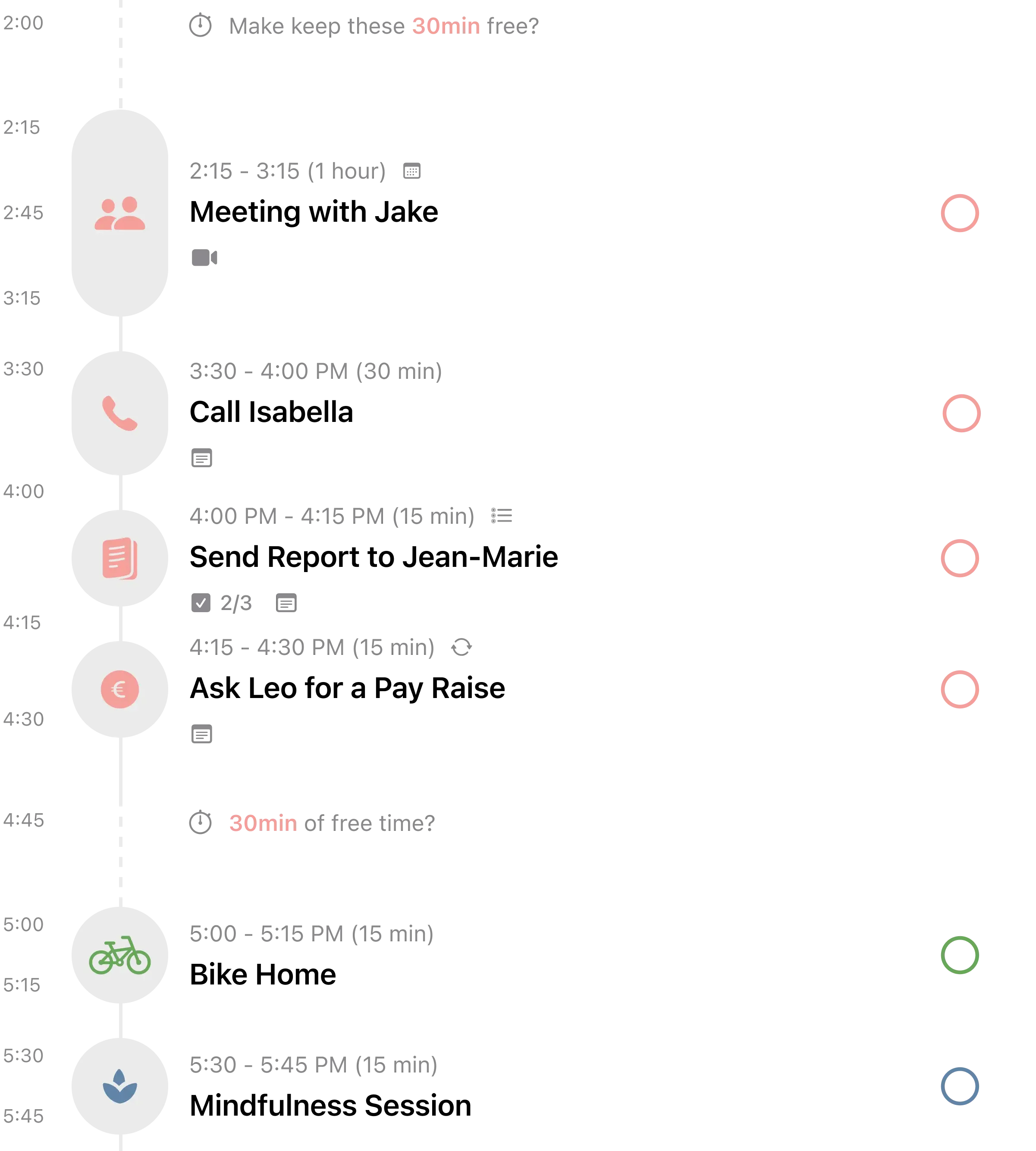
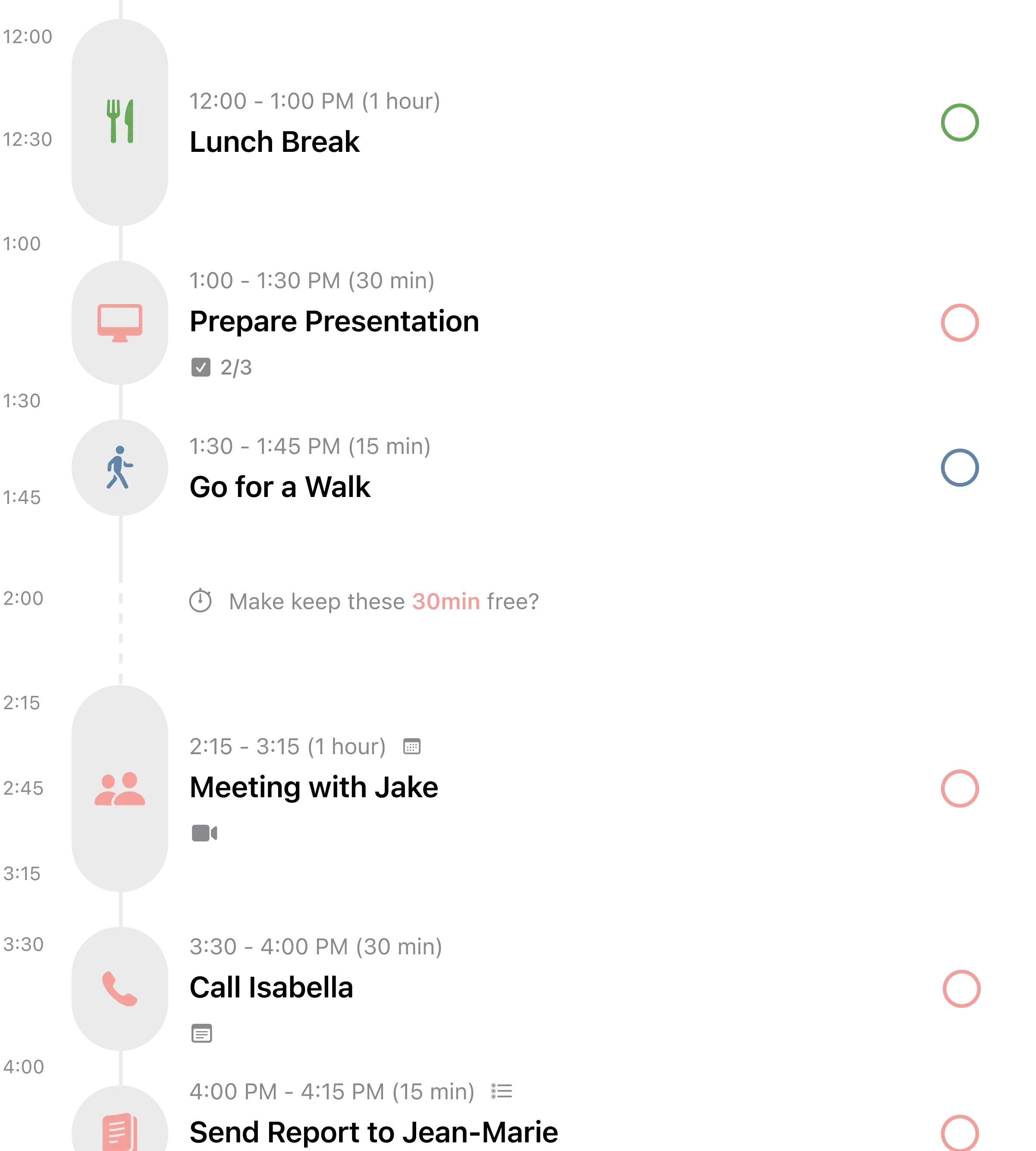
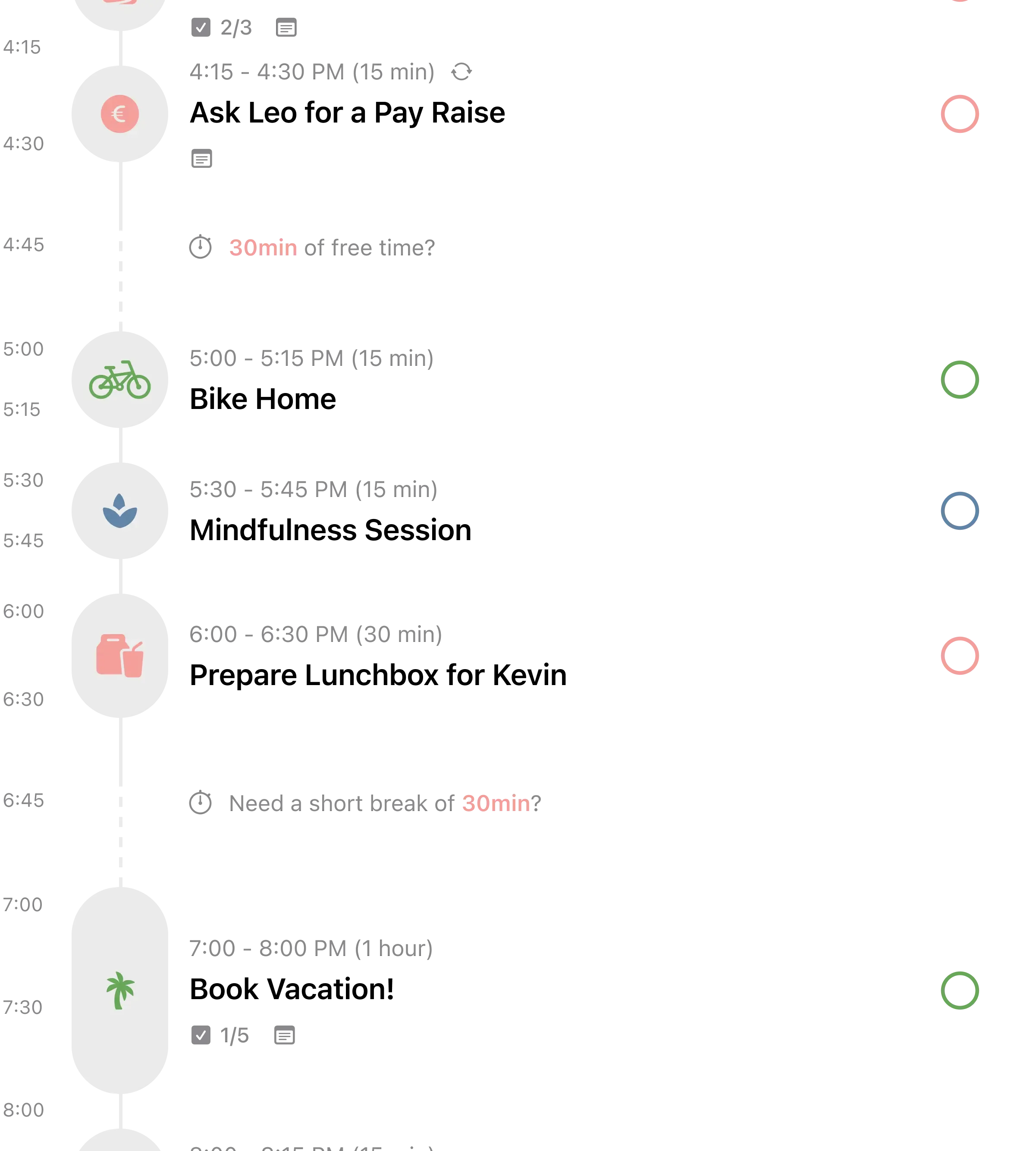
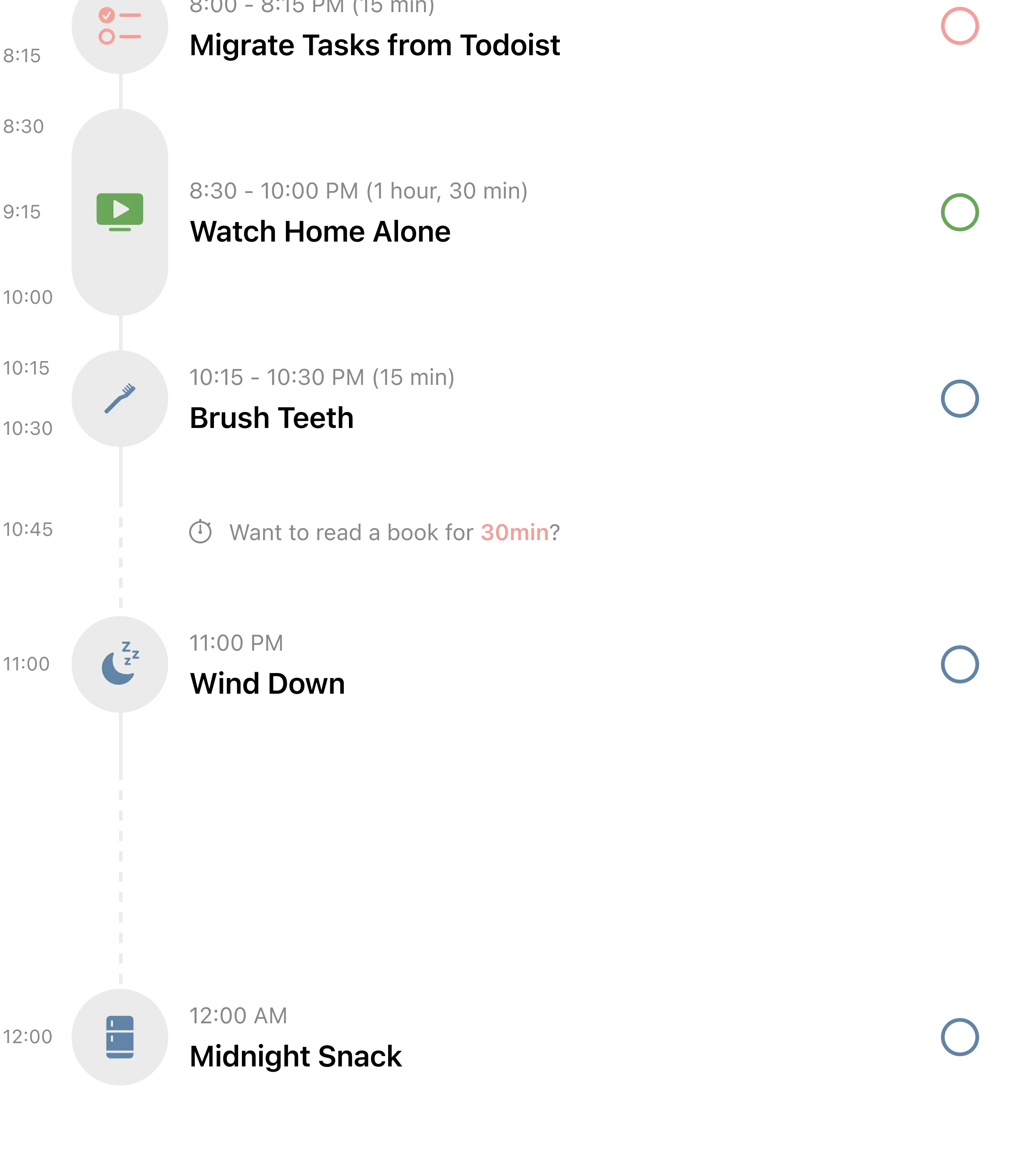
If what you love most about Tiimo is seeing your day as a visual timeline, Structured is the closest match on the market.
Structured turns your to-do list into a color-coded timeline where every task occupies a visual block of time. You can see your entire day at a glance: what you have done, what is happening now, and what is coming up. It pulls in events from your calendar so your tasks and appointments live together in one view. For users with ADHD-related time blindness, that visual representation of passing time is genuinely helpful.
Where Tiimo uses AI to build your schedule, Structured takes a more manual approach. You add tasks, set durations, and arrange them in your timeline. The AI scanner feature (new in 2025) lets you photograph a physical planner or handwritten to-do list and import it directly, which is a clever bridge for people transitioning from paper planning.
The app also includes a Pomodoro focus timer, sub-tasks for breaking down larger projects, and an inbox for quick capture. At $9.99 per year for the Pro version, it costs a fraction of Tiimo's $54 annual subscription. The free version is more generous than Tiimo's too, letting you plan and schedule without paying.
What it does well:
- Visual timeline that mirrors Tiimo. Color-coded time blocks let you see your whole day laid out. The closest visual match to what Tiimo offers, often cited by ADHD users as the reason they chose Structured.
- Calendar integration. Imports events from Apple Calendar, Google Calendar, and Outlook. Tiimo handles calendars too, but Structured's sync is faster and more reliable according to user reports.
- AI scanner for paper planners. Photograph a handwritten to-do list and import it. Useful for people who sketch plans on paper first, something Tiimo cannot do.
- Dramatically cheaper. $9.99 per year vs. Tiimo's $54 per year. Same core concept at roughly one-fifth the price.
Where it falls short:
- iCloud sync issues. Multiple reviewers report syncing problems between devices, especially between iOS and Android. If you rely on cross-platform sync, test it before committing.
- No neurodivergent-specific design. Structured is a general-purpose day planner that happens to work well for ADHD brains. Tiimo was built from the ground up for neurodivergent users, and that intentionality shows in details like the guilt-free missed task handling.
Pricing: Free (generous free tier). Pro at $2.99/month or $9.99/year. Lifetime at $29.99.
Platforms: iPhone, iPad, Mac, Apple Watch, Android, Web.
Bottom line: Structured is the Tiimo alternative that looks and feels the most like Tiimo. If the visual timeline is the feature you cannot live without and you want to pay $45 less per year, Structured is the obvious switch.
3. Routinery - Best for Guided Routines
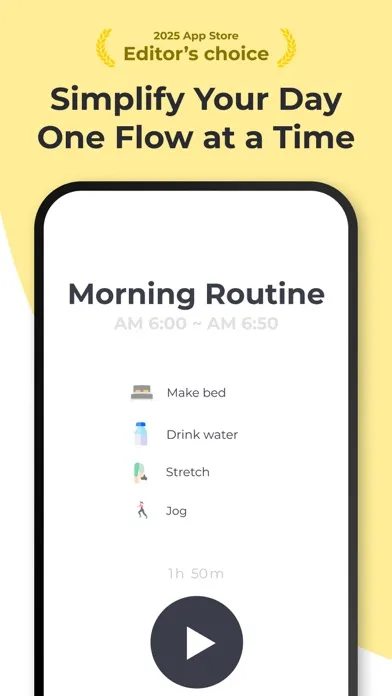
Tiimo shows you what to do next. Routinery walks you through it, step by step, with a timer counting down each action.
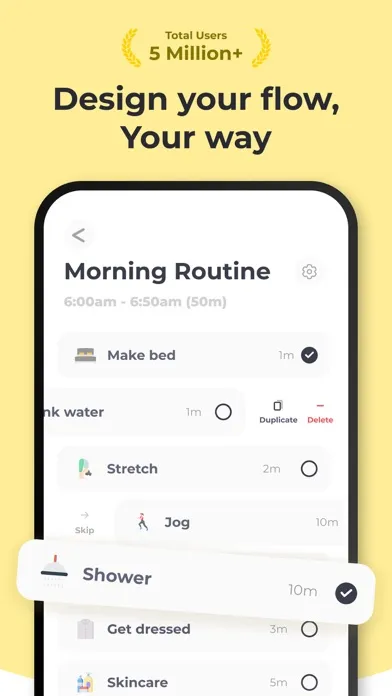
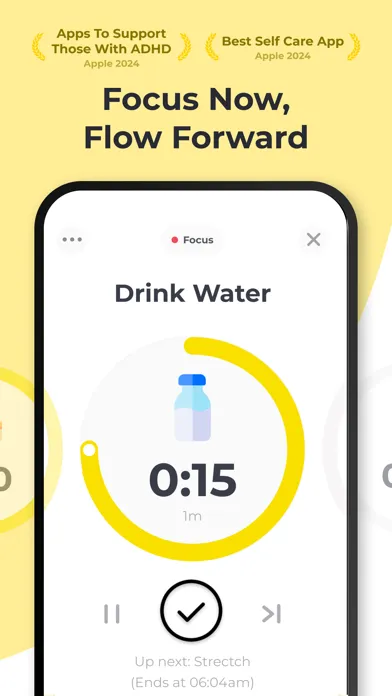
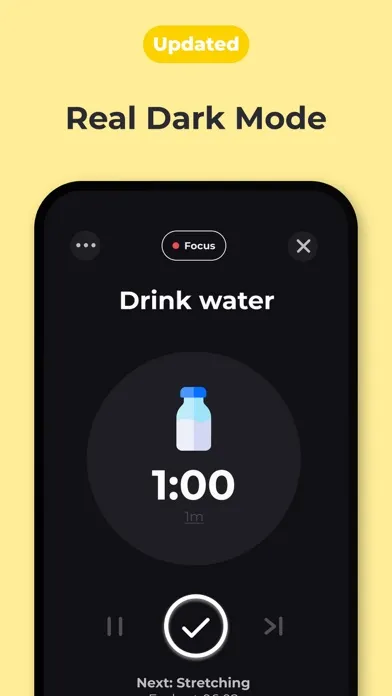
Routinery is a routine-based planner that breaks your day into timed sequences. "Shower (10 min), make coffee (5 min), review calendar (3 min)." Each step gets its own countdown timer, and the app automatically moves you to the next step when time runs out. Push notifications and optional voice alerts keep you on track even when your phone is in another room.
For neurodivergent users who struggle with task initiation, this approach removes the decision of "what should I do next?" entirely. The app decides. You just follow. That is a fundamentally different philosophy from Tiimo, which shows you a visual timeline but still expects you to initiate each task yourself.
Routinery was named Apple's App of the Day and is trusted by over 5 million users. The analysis calendar lets you track your consistency over time, which gives you the same streak-based motivation that habit trackers provide. The app works on both iOS and Android, with Apple Watch support for quick glances at your current step.
What it does well:
- Timer-guided task execution. Each routine step has its own countdown. The app moves you forward automatically. Removes the "what next?" paralysis that Tiimo's static timeline does not address.
- Voice alerts and push notifications. Keeps you on schedule even when you are not looking at your phone. Useful for morning routines when you are moving around the house.
- Flexible timer controls. Pause, skip, adjust times, or add tasks on the fly. If a step takes longer than expected, you are not punished. Just like Tiimo's guilt-free approach, but with active timer support.
- Cross-platform with Watch support. iOS, Android, and Apple Watch. Broader device coverage than Habi, and Watch support that Tiimo also offers.
Where it falls short:
- Routine-focused, not a full planner. Routinery is designed for repeating sequences like morning routines and evening wind-downs. It does not handle one-off tasks, meetings, or calendar events the way Tiimo does. You may need a separate calendar app alongside it.
- Shrinking free tier. Premium features keep moving behind the paywall. At $27.49 per year, it is cheaper than Tiimo but still a meaningful cost. Long-time users have noticed the pattern.
Pricing: Free (limited). Premium at $3.99/month or $27.49/year.
Platforms: iPhone, iPad, Android, Apple Watch.
Bottom line: Routinery is the Tiimo alternative for people who need more than a plan. If seeing your schedule is not enough and you need the app to actively guide you through each step, Routinery fills that gap. See our best daily routine apps guide for more details.
4. Goblin Tools - Best for Task Breakdown
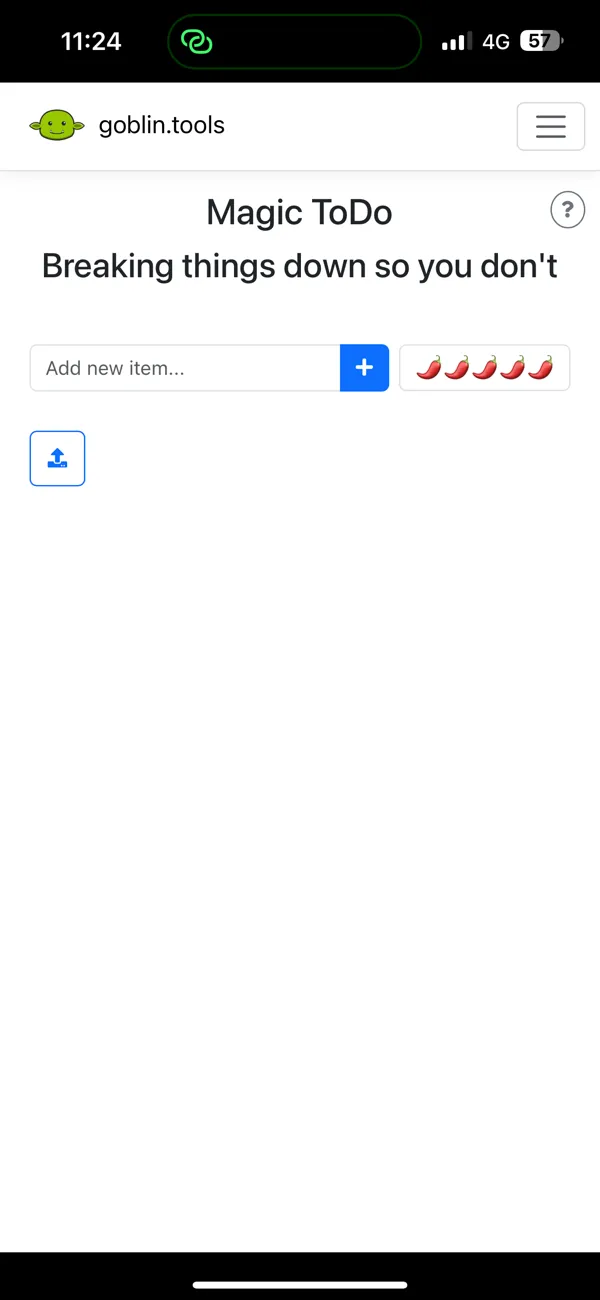
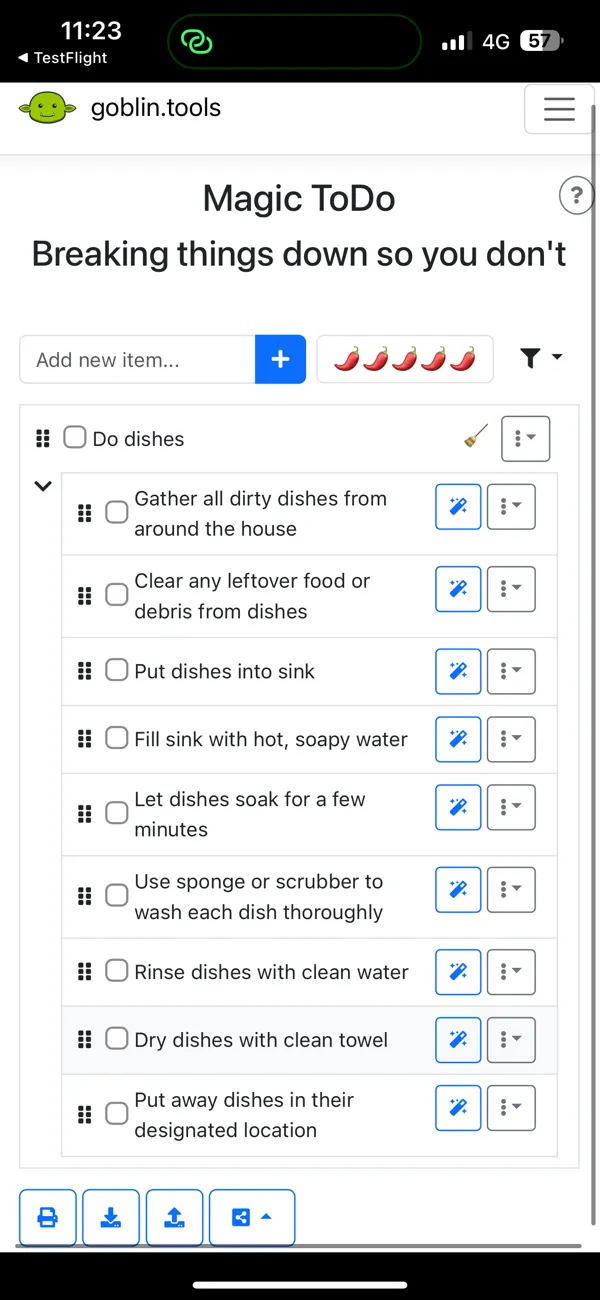
The biggest challenge for many Tiimo users is not scheduling tasks. It is figuring out what the tasks actually are. "Clean the house" sits on your timeline as a single block, but your brain cannot start because it does not know where to begin. That is where Goblin Tools comes in.
Goblin Tools is a collection of AI-powered micro-tools built specifically for neurodivergent users by Bram de Buyser, a Belgian AI engineer who saw a gap in the market for genuinely accessible productivity tools. The flagship feature, Magic ToDo, takes a vague task like "clean the house" and breaks it into specific, actionable steps: "put away items on the kitchen counter," "wipe kitchen surfaces," "vacuum living room," and so on. You can adjust the "spiciness level" to control how granular the breakdown gets.
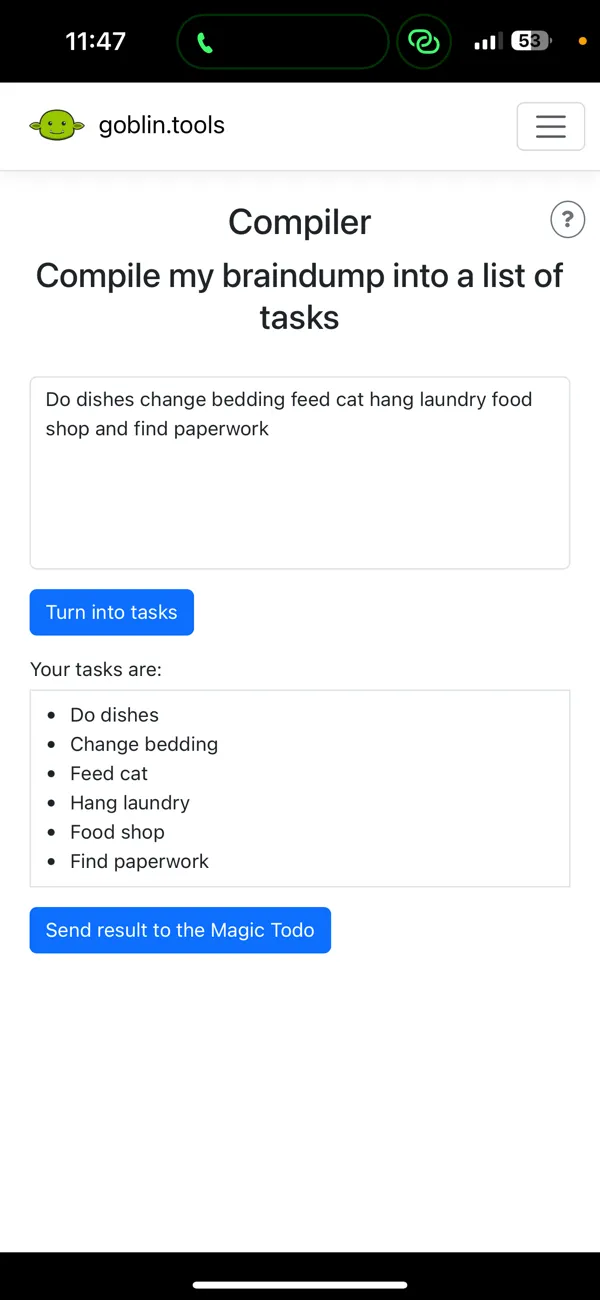
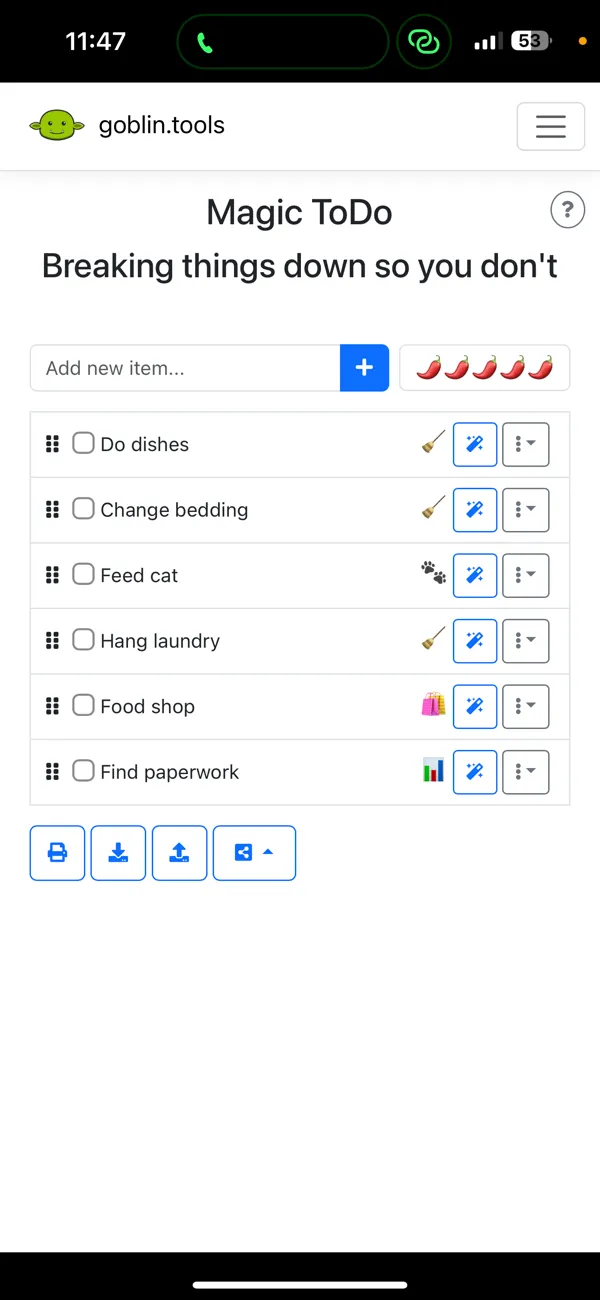
Beyond task breakdown, Goblin Tools includes a Formalizer (rewrites text in different tones), a Judge (analyzes the tone of a message you received), a Compiler (turns a brain dump into an organized list), and an Estimator (predicts how long a task will take). Each tool solves a specific executive function challenge that neurodivergent users face daily.
The website is completely free, with no ads and no paywalls. Mobile apps cost a one-time $1.99 on iOS and Android. Compared to Tiimo's $54 per year, that is a dramatic difference in cost for a tool that directly addresses the task overwhelm problem.
What it does well:
- AI task breakdown. Turns vague, overwhelming tasks into specific action steps. Adjustable spiciness levels let you control the granularity. This directly solves the executive function bottleneck that Tiimo's timeline view does not address.
- Brain dump organization. The Compiler tool takes chaotic thoughts and structures them into clean lists. Useful for planning sessions before you even open your planner.
- Time estimation. The Estimator predicts how long tasks will take. Helpful for building realistic schedules, whether in Tiimo, Structured, or any other planner.
- Nearly free. Website is free forever. Mobile app is $1.99 once. No subscriptions, no ads, no data selling. The creator has committed to keeping it accessible.
Where it falls short:
- Not a planner or scheduler. Goblin Tools does not have a timeline, calendar, or task manager. It breaks tasks down, but you need another app to schedule and track them. Pair it with Structured or Habi for a complete system.
- AI quality varies. Task breakdowns are usually helpful, but occasionally the AI produces steps that are too generic or miss the point. You will want to review and edit the output rather than blindly following it.
Pricing: Free (web). Mobile app $1.99 one-time (iOS and Android).
Platforms: Web, iPhone, Android.
Bottom line: Goblin Tools is not a Tiimo replacement. It is a Tiimo companion, or a standalone solution for the specific problem of task overwhelm. If your main struggle is not knowing where to start, Goblin Tools solves that for less than the cost of a coffee.
5. Llama Life - Best for Timeboxing Sessions

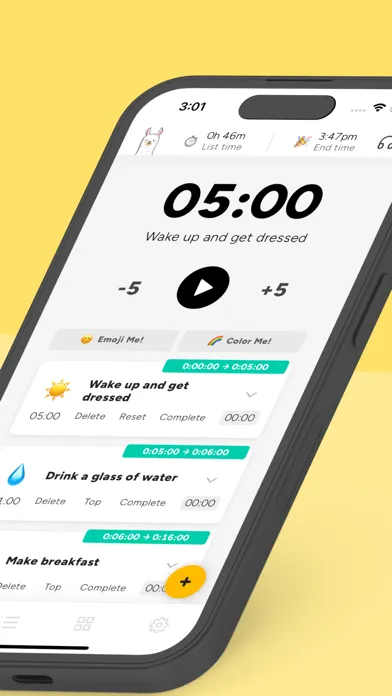
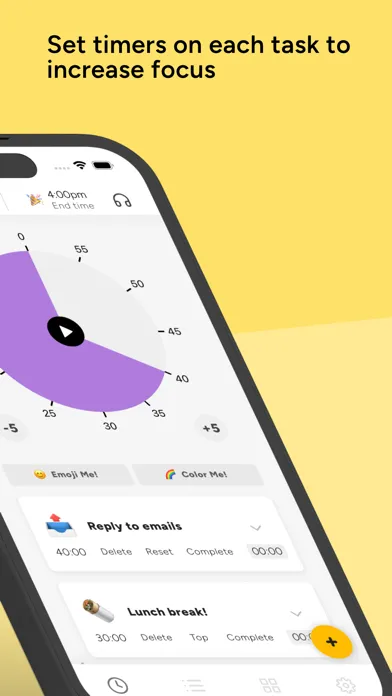
Tiimo gives each task a time block on a visual timeline. Llama Life takes that concept further by making every task a countdown timer that you work through in sequence.
Llama Life is a timeboxing app built by a founder with ADHD. The concept is simple: create a list of tasks, assign a time estimate to each one, and start the timer. The app counts down through each task, shows overtime tracking if you go over, and automatically moves to the next one. At the top of the screen, you always see the estimated completion time for your entire list, which helps with time blindness by giving you a concrete "done by" time.
The app includes built-in soundscapes (white noise, nature sounds) that play while you work, similar to what Habi offers with its focus timer. Task templates let you save recurring task lists so you do not have to rebuild them each morning. Colors and emojis make the interface playful without being distracting, and the overall design feels deliberately calm.
Llama Life sits in a unique space between Tiimo and a Pomodoro timer. It does not show your day as a timeline, but it does show you exactly how much time you have left on the current task and when you will finish everything. For ADHD users who need that constant time awareness, it is a powerful approach.
What it does well:
- Countdown timer for every task. Each task gets its own timer with overtime tracking. You always know exactly where you stand, which addresses time blindness in a way that Tiimo's static time blocks do not.
- Estimated completion time. The app shows when you will finish your entire task list based on remaining timers. That "done by 2:30 PM" number is grounding for brains that lose track of time.
- Built-in soundscapes. White noise and nature sounds play while you work. Helps you enter a focused state without a separate app.
- Designed by someone with ADHD. The founder built Llama Life for her own brain first. That lived experience shows in design decisions like the overtime tracker (acknowledging you will go over sometimes) and the playful aesthetic that keeps things light.
Where it falls short:
- No free tier. $39 per year or $6 per month after a 3-day trial. Cheaper than Tiimo, but there is no way to test it meaningfully for free. Habi and Goblin Tools both offer free core features.
- Limited platform support. iOS and web only. No Android app, no Apple Watch, no desktop app. If you use Android, this one is not an option for native app use.
Pricing: $6/month or $39/year. 3-day free trial.
Platforms: iPhone, Web.
Bottom line: Llama Life is the Tiimo alternative for people who respond better to active countdown pressure than passive visual timelines. If seeing a timer count down motivates you more than seeing a color block on a schedule, Llama Life converts planning into momentum.
Which Alternative Should You Pick?
The right Tiimo alternative depends on which part of Tiimo you relied on most. Here is the short version:
- If your real problem is distraction, not planning: pick Habi. Focus timer, ambient sounds, and screen time blocking tackle the execution gap that Tiimo leaves open.
- If you need the visual timeline at a lower price: pick Structured. Same color-coded day view concept, $9.99 per year instead of $54.
- If you need the app to walk you through each step: pick Routinery. Timer-guided routines remove the decision-making that visual planners still require.
- If the hardest part is figuring out what to do: pick Goblin Tools. AI task breakdown turns vague goals into concrete steps you can schedule anywhere.
- If you work best under gentle time pressure: pick Llama Life. Countdown timers for every task keep you anchored to passing time.
Many of these apps work well together. Goblin Tools for breaking tasks down, Structured or Habi for scheduling them, and Llama Life or Habi's focus timer for executing them. For more neurodivergent-friendly productivity strategies, see our guide on how to build habits with ADHD and our best ADHD planner apps roundup.
Frequently Asked Questions
Is Tiimo worth the subscription price?
For some users, yes. Tiimo's visual timeline and neurodivergent-first design are genuinely helpful for people with ADHD or autism who struggle with traditional planners. But at $54 per year or $12 per month, it is one of the more expensive planners available. If you mainly need habit tracking with focus support, Habi offers that for free. If you want a visual day planner, Structured costs $9.99 per year. The value depends on whether you use Tiimo's specific features daily.
What is the best free alternative to Tiimo?
Habi is the strongest free alternative for habit tracking and focus support. Goblin Tools is free on the web for AI-powered task breakdowns. Structured also has a generous free tier for visual day planning. None replicates Tiimo's exact feature set for free, but each covers a core part of what brings people to Tiimo: staying on task and managing executive function challenges.
Which Tiimo alternative is best for ADHD?
It depends on which ADHD challenge you are trying to solve. For time blindness and visual scheduling, Structured is the closest match. For task initiation paralysis, Goblin Tools breaks overwhelming tasks into small steps. For distraction blocking during focus time, Habi prevents you from opening distracting apps. For step-by-step routine guidance, Routinery walks you through each task with a countdown timer. For more strategies, see our guide on how to build habits with ADHD.
Can I transfer my Tiimo data to another app?
Tiimo does not currently offer a data export feature. You will need to recreate your routines and tasks manually in your new app. The upside: most alternatives on this list let you set up a full daily schedule in under 10 minutes. If you already know your routine, rebuilding is faster than you might expect.
Does Tiimo work on Android?
Yes, Tiimo is available on both iOS and Android, plus a web app. If you are switching for reasons other than platform support, most alternatives here also work cross-platform. Structured and Routinery both support iOS and Android. Goblin Tools works on iOS, Android, and web. Habi is currently Apple-only (iPhone, iPad, Mac, Vision Pro). Llama Life works on iOS and web.
Final Thoughts
Tiimo earned its iPhone App of the Year recognition for good reason. The visual timeline, the neurodivergent-first design philosophy, and the gentle approach to missed tasks set a standard that most productivity apps still have not matched. It helped normalize the idea that planners should adapt to how your brain works, not the other way around.
But the market for neurodivergent-friendly productivity tools has grown significantly since Tiimo first launched. Structured offers a comparable visual timeline at a fraction of the price. Routinery goes further with active step-by-step guidance. Goblin Tools tackles the task breakdown problem that no planner solves on its own. And tools like Habi and Llama Life focus on execution, helping you actually do the things you planned.
You do not have to pick just one. The most effective system for many neurodivergent users is a combination: Goblin Tools to break tasks down, a visual planner to schedule them, and a focus tool to block distractions while you work.
If you want to start with one app today, try Habi. It is free, it takes about two minutes to set up, and the focus timer with screen time blocking addresses the execution gap that visual planners leave open. For a broader look at ADHD-friendly tools, see our best daily routine apps guide.