5 Best Habitica Alternatives in 2026 (Tested and Compared)

Short on Time? Here's the Quick Take




Habitica turned millions of people into habit trackers by making daily tasks feel like a video game. But for a growing number of users, the game is getting in the way.
The complaints are consistent: the interface is overwhelming for non-gamers, the iOS app has persistent bugs and lag, the guild and Tavern removal in August 2023 gutted the community that made it special, and the HP loss mechanic creates anxiety instead of motivation. "I was bullied out of a party for not wanting to join a challenge due to my mental health," wrote one reviewer in 2024. Others describe the experience more simply: too much game, not enough tracker.
We tested 15+ habit trackers to find apps like Habitica that keep the motivation but ditch the complexity. We narrowed it down to five that solve real problems Habitica users face.
Full disclosure: Habi is our app. We built it as a family who wanted a simpler approach to daily habits. Every app on this list got the same honest treatment. No affiliate links. No paid placements.
Quick Comparison
| App | Best For | Price | Platforms | Our Rating |
|---|---|---|---|---|
| 1. Habi | Best overall Habitica alternative | Free (optional Pro) | iOS, iPad, Mac, Vision Pro | 4.9/5 |
| 2. Streaks | Best for distraction-free tracking | $5.99 one-time | iOS, iPad, Mac, Watch | 4.8/5 |
| 3. Finch | Best for guilt-free motivation | Free / $5.83/mo | iOS, Android | 4.9/5 |
| 4. Productive | Best for time-blocked routines | Free / ~$6.99/mo | iOS, Android | 4.6/5 |
| 5. Done | Best for multi-count goals | Free / $19.99 lifetime* | iOS, Watch | 3.5/5 |
*Done's lifetime purchase is currently experiencing widespread activation issues. See our full review for details.
Why People Switch From Habitica
We read over 500 Habitica App Store reviews, dozens of Reddit threads, and multiple editorial reviews before writing this guide. Five problems came up repeatedly.
The RPG layer adds friction, not fun. For gamers, Habitica's character sheets, class abilities, and boss mechanics are engaging. For everyone else, they add confusion. New users describe spending more time understanding the game system than actually tracking habits. "Overwhelming interface for non-gamers," noted CRM.org in their 2026 review. If you just want to check off "drink water" and "meditate," navigating through HP bars and equipment menus feels unnecessary.
The iOS app trails the web version. Habitica's web app is reasonably capable, but the iOS experience has persistent complaints about lag, crashes, and missing features. Social features are buried in nested menus on mobile, and some community tools are only available through the browser.
Guilds and the Tavern are gone. In August 2023, Habitica removed guilds and the Tavern, the community spaces where users found accountability partners, joined interest-based groups, and participated in challenges with thousands of members. "I loved Habitica for its community and the guilds you could join. Now that those are gone..." wrote a 10-year user in October 2025. The party system remains, but finding a party now requires knowing people who already play.
HP loss creates anxiety, not motivation. Missing your dailies costs HP. In a party, your failure damages everyone. Research on punishment-based motivation suggests this approach can increase short-term compliance but often creates avoidance behavior and stress. Some users describe checking off tasks out of guilt rather than genuine progress. Others stop using the app entirely when life gets hard rather than face the penalties.
No Apple Watch support. For an app that wants you to check in multiple times per day, Habitica has never shipped an Apple Watch app. That means pulling out your phone every time you want to log a habit, which for many people adds the exact kind of friction that kills daily consistency.
How We Evaluated These Apps
Every app on this list was tested against six criteria:
- Simplicity. Can you start tracking habits within five minutes without reading a tutorial?
- Motivation mechanics. Does the app help you stay consistent without creating guilt or anxiety?
- Platform support. Does it work on your phone, watch, or computer when you need it?
- Pricing fairness. Is the free tier usable? Are paid features worth the cost?
- Analytics. Can you see your progress over time in a way that's actually useful?
- Unique strengths. What does this app do that Habitica and the others cannot?
No affiliate links. No app paid to be here.
The 5 Best Habitica Alternatives
1. Habi - Best Overall Habitica Alternative
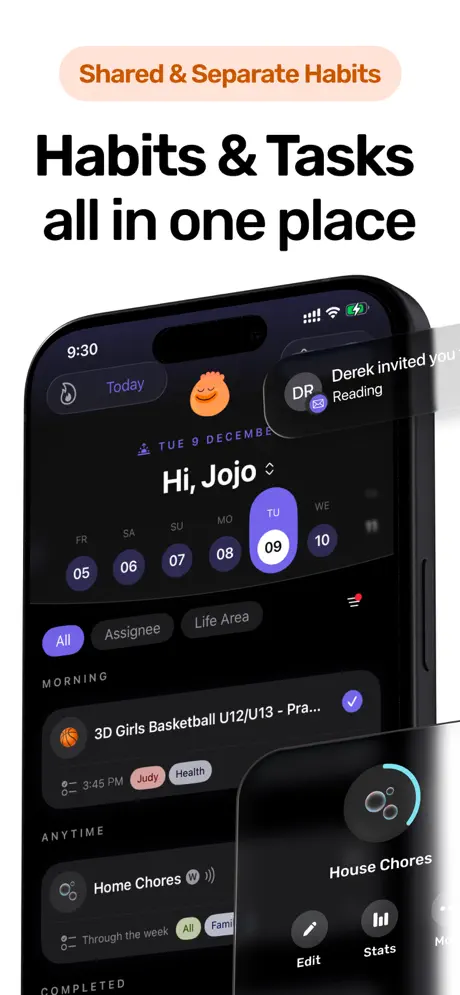
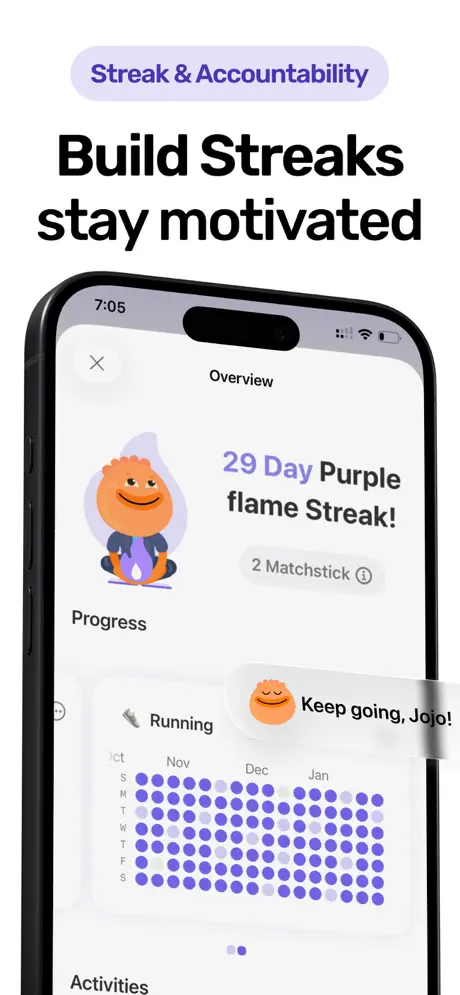
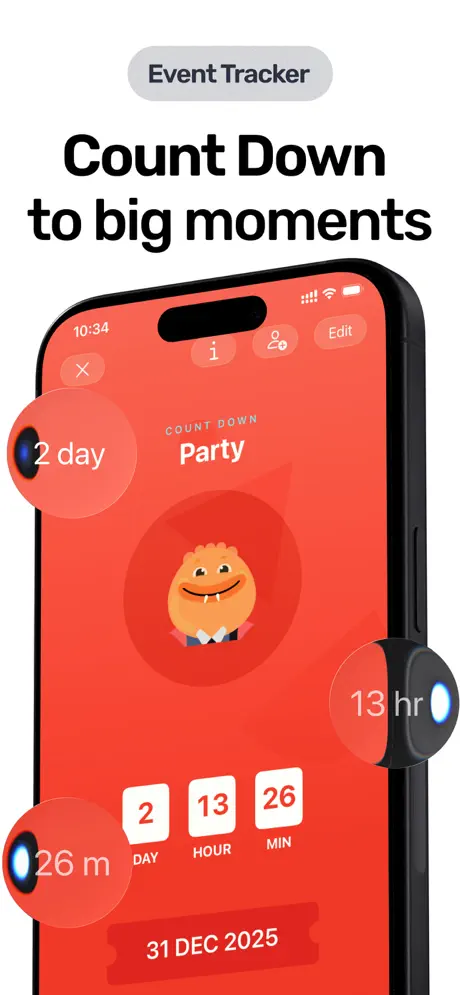
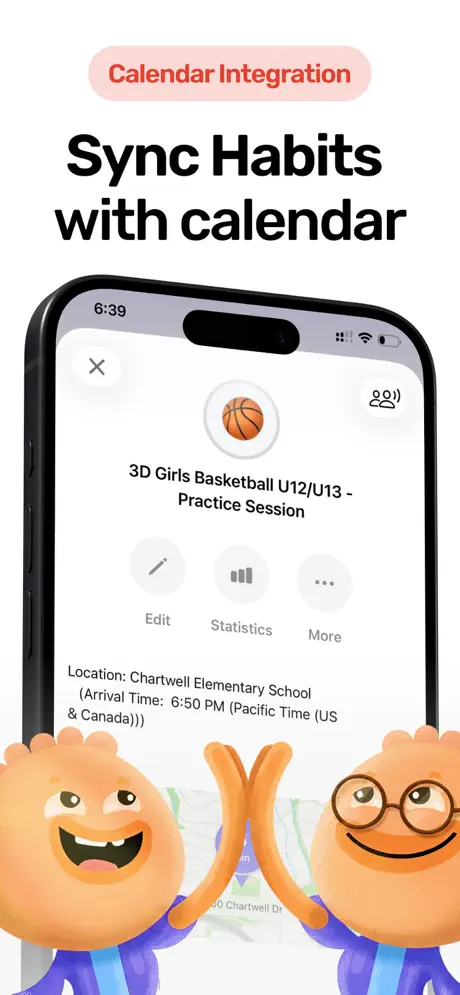
Habitica assumes you want a game wrapped around your habits. Habi assumes you want your habits and nothing else.
Where Habitica buries your task list under character stats, equipment, and quest progress, Habi puts habit tracking front and center. Open the app, see your habits, check them off. The design philosophy is intentionally minimal: a family built this app because every other tracker added too much between you and the thing you were trying to do.
The focus timer fills a gap Habitica has never addressed. Habitica tracks whether you did the habit. Habi helps you do the habit by blocking distracting apps and playing ambient soundscapes while you work. That combination of tracking plus active focus support is something no other app on this list offers.
For Habitica users who used the party system for accountability, Habi's shared projects provide a simpler version of the same idea. Invite friends to a project, create shared checklists, and track progress together without boss fights, HP penalties, or needing everyone to understand an RPG system first.
What it does well:
- Immediate clarity. No tutorials, no character creation, no game mechanics to learn. Your first habit is tracked within 60 seconds of opening the app. After Habitica's onboarding, the contrast is striking.
- Focus timer with distraction blocking. Habitica can tell you to "study for 1 hour" but cannot stop you from opening Instagram mid-session. Habi's screen time blocker and ambient sound timer actively protect your focus.
- Shared projects for accountability. Invite friends or family to a project with shared checklists. Simpler than Habitica's party system, and nobody needs to understand what a Healer class does.
- Drag-and-drop daily scheduling. Reorder your day based on energy, not an alphabetical task list. Habitica's dailies show up in whatever order you created them.
Where it falls short:
- No gamification. If the RPG layer is genuinely what keeps you motivated, Habi will feel bare by comparison. There are no rewards, no character progression, no visual feedback beyond a checkmark.
- Apple-only. iPhone, iPad, Mac, and Vision Pro. No Android, no web dashboard. Habitica works on iOS, Android, and web.
Pricing: Free to use. Optional Pro upgrade ($1.99 to $89.99) unlocks extras, but core habit tracking, the focus timer, and screen time blocking all work without paying.
Platforms: iPhone, iPad, Mac (Apple Silicon), Apple Vision Pro.
Bottom line: Habi is for people who opened Habitica wanting a habit tracker and found a video game instead. If you want clean, focused tracking that respects your time, give it a try.
2. Streaks - Best for Distraction-Free Tracking
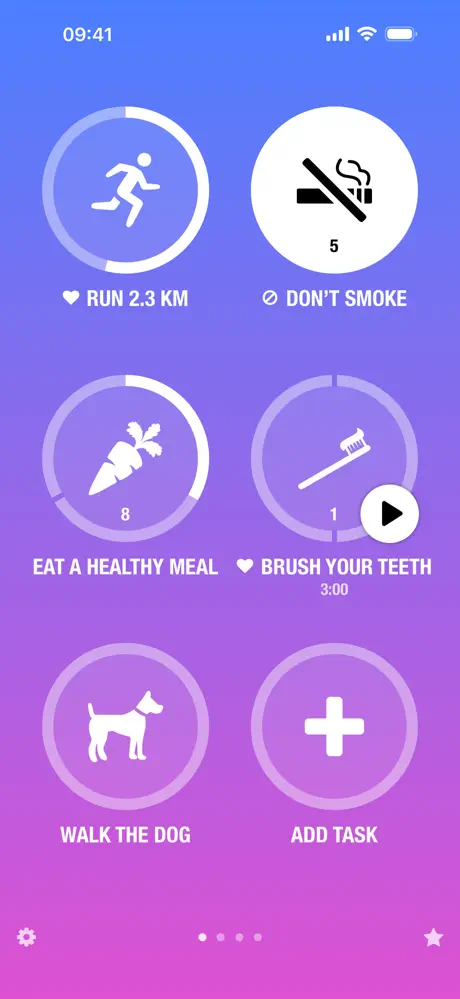
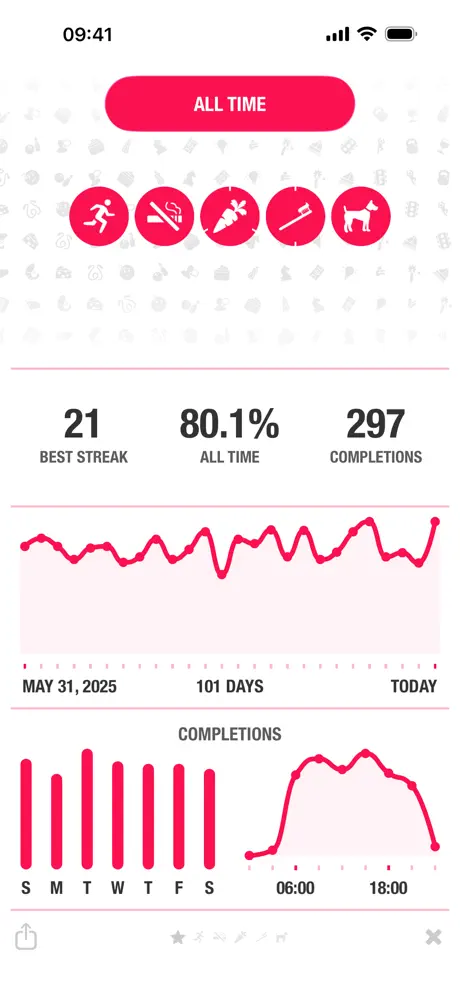
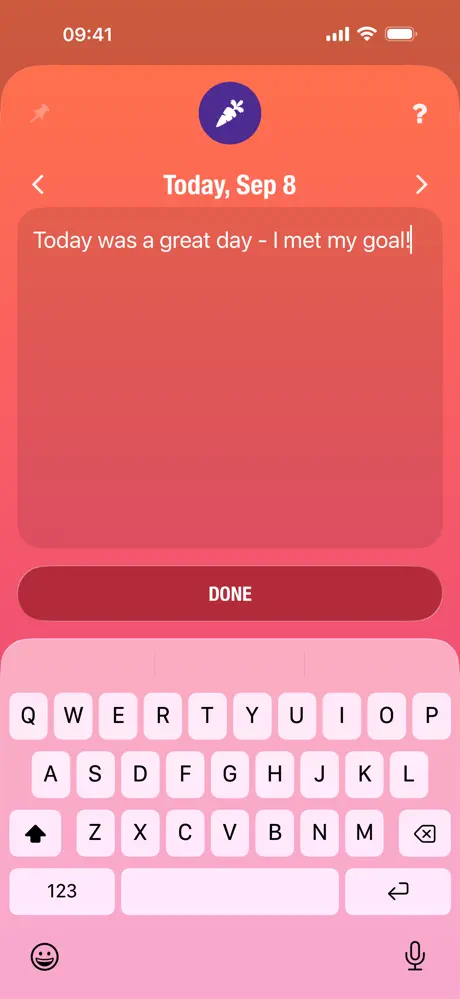
Habitica requires your phone, your attention, and several taps through menus to mark a habit complete. Streaks lets you log a habit from your wrist in under two seconds without ever pulling out your phone.
That matters more than it sounds. Every time you unlock your phone to check off a Habitica daily, you pass through notifications, messages, and social media apps. Streaks' Apple Watch app sidesteps that entire distraction funnel. Raise your wrist, tap the circle, move on. For habits you are building precisely because you want less screen time, this is a significant advantage.
The 24-habit cap is the other Habitica antidote worth mentioning. Habitica lets you add unlimited habits, dailies, and to-dos. Users frequently describe ending up with sprawling task lists that recreate the overwhelm they were trying to escape. Streaks forces you to pick 24 or fewer. One reviewer captured it well: "With Streaks they forced me to think more critically on the most important 24 habits I wanted to form a streak with."
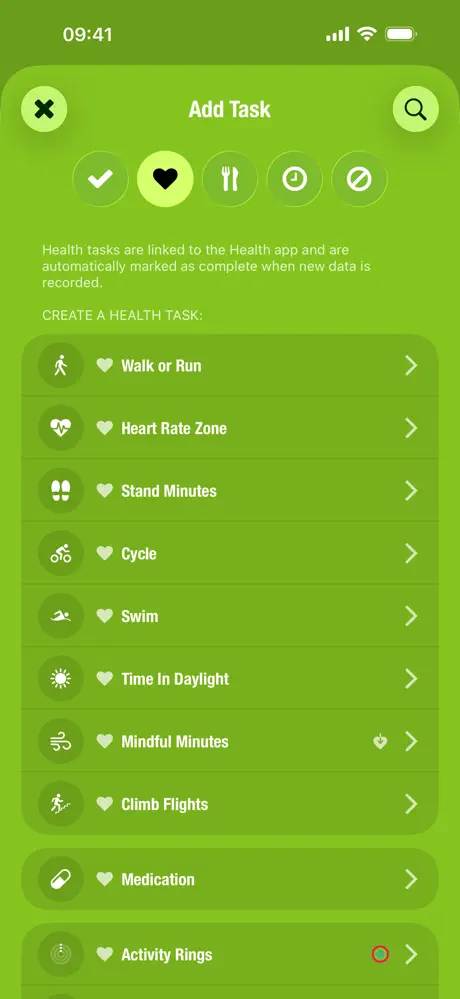
The Apple Health integration auto-completes habits like step counts, workouts, and water intake without any manual logging. Habitica requires you to mark every task by hand.
What it does well:
- Apple Watch as your primary interface. Best-in-class watchOS app with complications, standalone operation, and haptic feedback. Log habits without your phone. Habitica has no watch support at all.
- Intentional habit limits. The 24-habit cap prevents the task-list sprawl that plagues long-term Habitica users. Less is more when you are building consistency.
- Automatic health tracking. Steps, workouts, heart rate, and water intake sync from Apple Health and mark habits complete without manual input. Habitica cannot auto-complete anything.
- One payment, no surprises. $5.99 once. No subscription, no free trial that converts, no gems or in-app currency. After navigating Habitica's gem economy, the simplicity is refreshing.
Where it falls short:
- No social or accountability features. Streaks is a solo experience. If Habitica's party quests were your primary motivation, Streaks offers nothing to replace that social layer.
- Learning curve for the interface. The minimalist design relies on taps, long-presses, and swipes without obvious visual cues. Some users find it "extremely unintuitive" in the first few days before it clicks.
Pricing: $5.99 one-time (iOS). $4.99 separate purchase for Mac. No subscription.
Platforms: iPhone, iPad, Mac, Apple Watch, Apple Vision Pro.
Bottom line: Streaks is the best Habitica alternative for people who want to track habits without being pulled into their phone. The watch-first workflow and enforced simplicity solve two of Habitica's biggest problems at once. See our full Streaks review for more.
3. Finch - Best for Guilt-Free Motivation


Habitica punishes you for missing tasks. Finch never does.
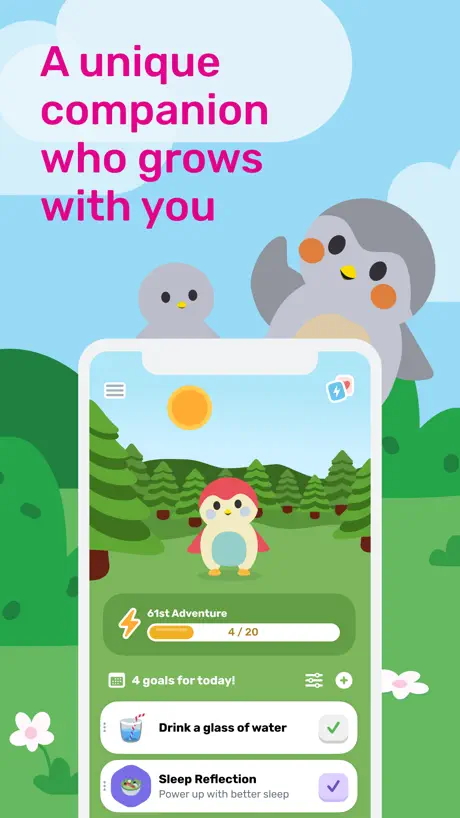
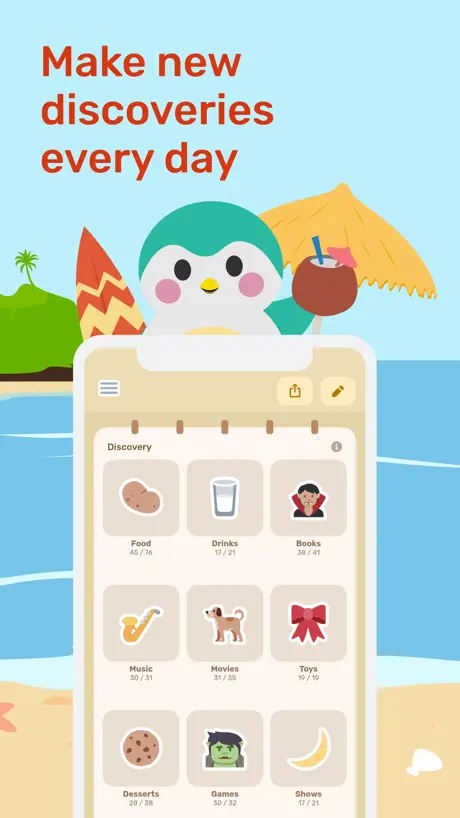
That difference defines the entire experience. In Habitica, skipping a daily costs HP, can damage your party, and might kill your character. In Finch, skipping a day means your bird just waits for you. No penalties. No lost progress. No angry teammates. "Finch doesn't lecture you or make you feel bad," wrote one user. "It just quietly encourages you to do one small thing at a time."
This is not softness. It is a fundamentally different model of motivation. Habitica uses extrinsic pressure: do the task or suffer consequences. Finch uses emotional connection: do the task because your little bird grows when you take care of yourself. Research on self-determination theory suggests that autonomous motivation (wanting to do something) sustains behavior change better than controlled motivation (doing something to avoid punishment). Finch is built on that principle.
For Habitica users who found the HP-loss system stressful rather than motivating, especially those managing anxiety, depression, or ADHD, Finch offers the gamification without the guilt. Your bird goes on adventures when you complete goals. You collect micropets by staying consistent. The dopamine loop exists. It just does not come with a punishment loop attached.
What it does well:
- Motivation without punishment. No HP loss, no streak-break penalties, no damage to friends. You grow a pet bird by completing goals. Miss a day and nothing bad happens. After Habitica's anxiety-inducing consequences, the relief is immediate.
- Mental health tools built in. Mood tracking, guided breathing exercises, journaling prompts, and CBT-informed reflections. Habitica tracks tasks. Finch tracks how you feel while doing them.
- Generous free tier. Core habit tracking, mood journaling, breathing exercises, pet customization, and adventures are all free. No ads, no data selling. Habitica's free tier is similarly generous, but Finch matches it without requiring you to learn a game system.
- Highest-rated app in this roundup. 4.95/5 with over 641,000 ratings. That is not a niche following. Finch has earned broad trust, especially among neurodivergent users who describe it as "the only habit app that stuck."
Where it falls short:
- No structured task management. Habitica separates habits, dailies, and to-dos into distinct categories with different tracking mechanics. Finch treats everything as a daily goal. If you need detailed task organization, Finch is too simple.
- Crashes after major updates. Multiple users report the app becoming unstable after seasonal events and feature updates. "The latest event has made the app unusable," wrote one reviewer who lost a 70-day streak to repeated crashes.
Pricing: Free (fully functional). Finch Plus at $9.99/month or $69.99/year for bonus customization, extra reflection prompts, and seasonal event perks. 7-day free trial available.
Platforms: iPhone, Android.
Bottom line: Finch is the anti-Habitica. Same concept of making habits feel rewarding, opposite approach to what happens when you slip. If Habitica's punishment system stressed you out more than it helped, Finch proves that gentle motivation works.
4. Productive - Best for Time-Blocked Routines
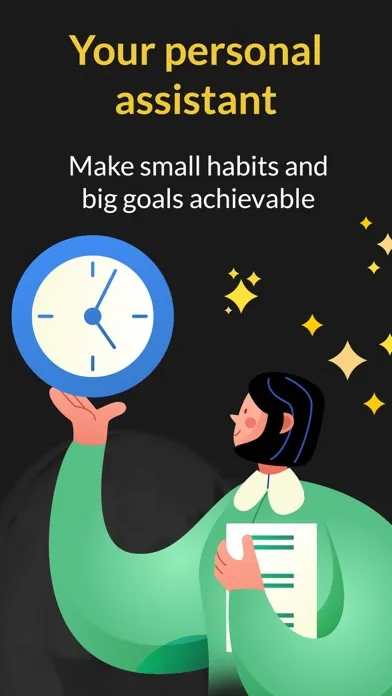
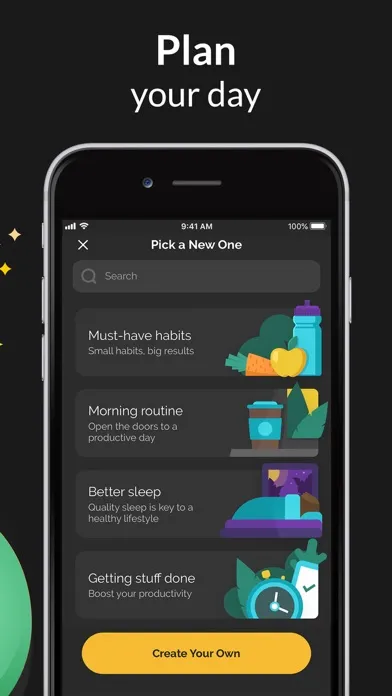
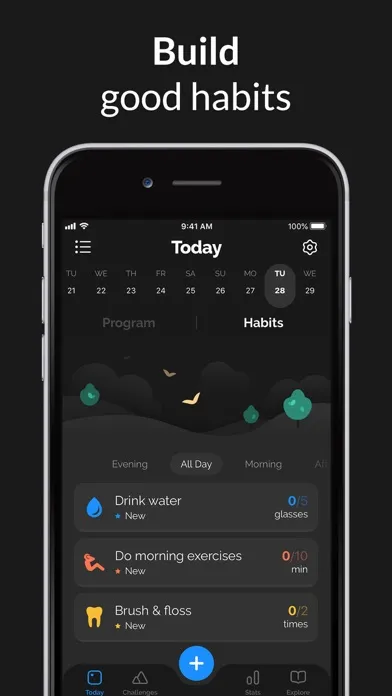
Habitica dumps all your tasks into a single scrollable list: habits at the top, dailies in the middle, to-dos at the bottom. There is no sense of when during the day you are supposed to do each one. Productive fixes this by organizing habits into morning, afternoon, and evening time blocks.
That structural difference matters for daily consistency. Instead of looking at a list of 30 tasks and deciding what to do first, you open Productive in the morning and see only your morning habits. Meditate, drink water, stretch. At lunch, afternoon habits appear. After dinner, your evening wind-down routine takes over. The app does the scheduling so you do not have to.
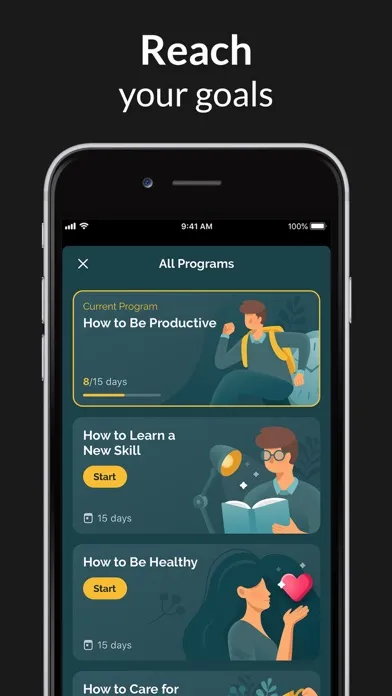
Productive also offers curated habit-building programs with daily guidance articles. Topics range from "Healthy Morning" to "Stress Management." It is not the RPG-style motivation that Habitica provides, but for users who want structure without game mechanics, it fills a similar role.
The catch is pricing. Productive was acquired by Bending Spoons, the same company that bought Evernote, and prices have climbed steeply since. Long-time users report annual costs jumping from $15 to $60 or higher without notice. The free tier limits you to roughly five habits with constant upgrade prompts. We recommend Productive for its time-blocking approach, but go in with eyes open about what the subscription will cost.
What it does well:
- Time-of-day organization. Morning, afternoon, and evening blocks give each habit a natural place in your day. Habitica shows everything at once. Productive shows what matters now.
- Location-based reminders. Trigger habit reminders when you arrive at the gym, office, or home. Habitica's reminders are time-based only. Location awareness adds context that time alone cannot provide.
- Curated programs. Pre-built habit sequences with daily articles for specific goals. Useful for beginners who do not know where to start. Habitica's equivalent requires finding and joining community challenges.
- Polished visual design. Clean, modern interface with color-coded habits and smooth animations. For users who found Habitica's retro aesthetic off-putting, Productive is on the opposite end of the design spectrum.
Where it falls short:
- Aggressive pricing and upselling. Free tier is heavily limited. Premium prices have increased dramatically under Bending Spoons ownership, with some users reporting annual costs above $80. "A price increase just to remind me to clean my room?" wrote one frustrated subscriber.
- Data loss after updates. Multiple users report losing years of habit data after major app updates. "For the second time, they made a big update to the app, and I lost 4+ years of data," wrote one reviewer. Habitica stores data on their servers, making this less likely.
Pricing: Free (limited to ~5 habits). Premium at approximately $6.99/month. Annual pricing varies and has been reported anywhere from $23.99 to $99.99/year depending on when you subscribed. 7-day free trial available.
Platforms: iPhone, Android.
Bottom line: Productive's time-blocked approach is the best solution for Habitica users who want their habits organized by when they happen rather than thrown into one list. Just be prepared for pricing that may surprise you.
5. Done - Best for Multi-Count Goals
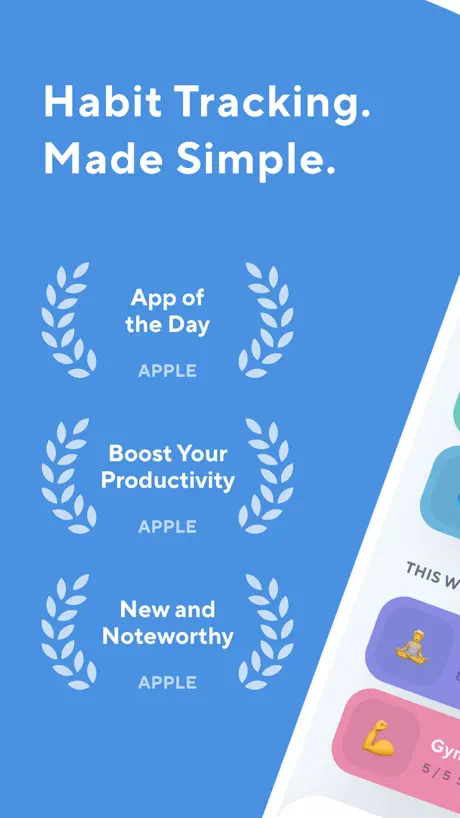
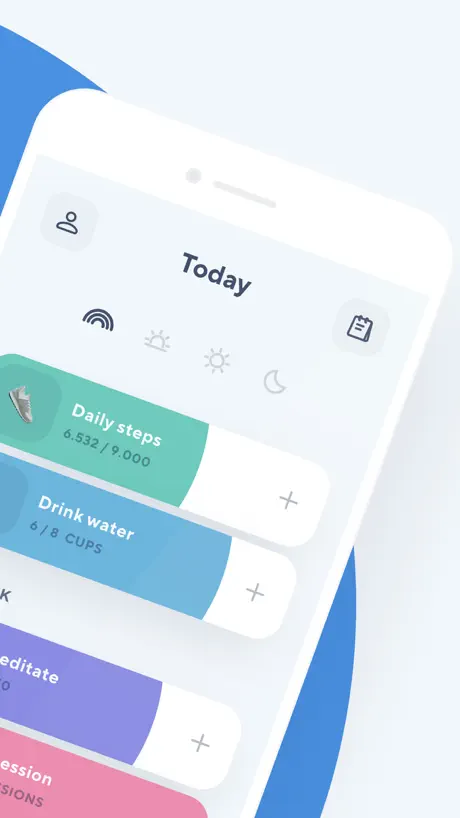
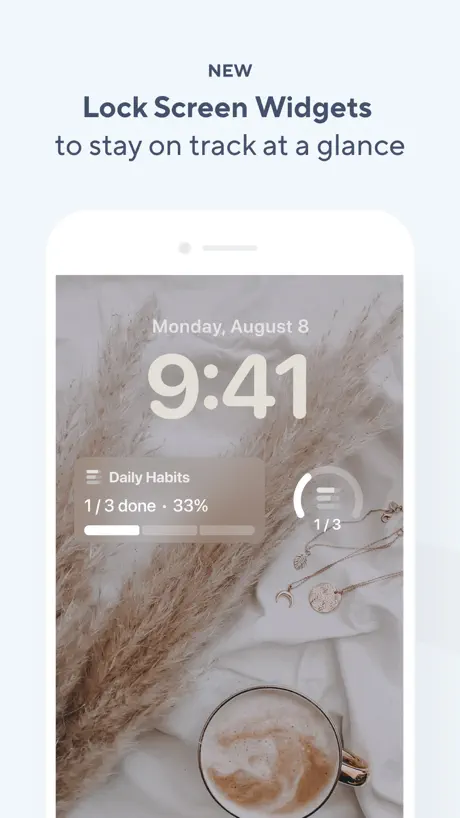
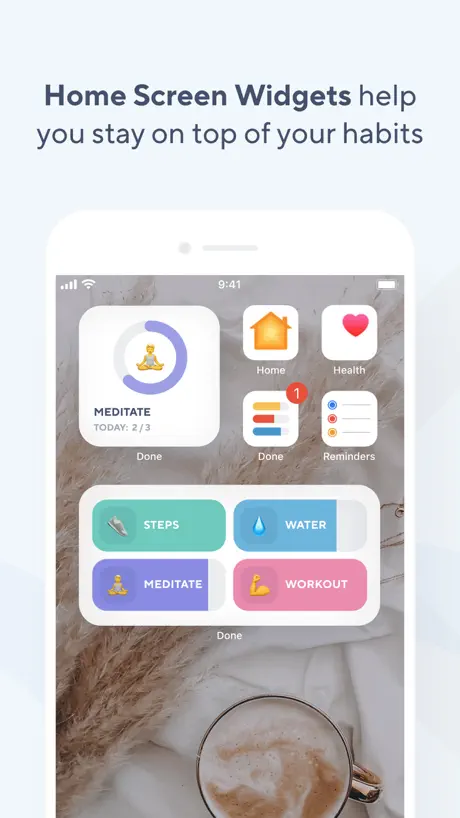
Most habit trackers, including Habitica, treat habits as binary: done or not done. Done lets you track habits multiple times per day with individual counts.
That sounds minor until you consider habits that naturally repeat. Drink 8 glasses of water. Take medication 3 times. Do 5 sets of pushups. Practice guitar for 4 separate sessions. In Habitica, you would either create a single daily that you mark once or use the habit button and tap it repeatedly with no clear target. Done gives each habit a number goal and tracks every individual completion, with a color-coded circle that fills as you progress.
Done also supports habit breaking, letting you set limits on things you want to reduce rather than only tracking things you want to increase. Set a goal of 0 cigarettes per day or a maximum of 2 cups of coffee, and the app tracks your count against that ceiling. Habitica's negative habits use a simple plus/minus counter without daily targets.
An honest warning: Done's core concept is excellent, but the app is in a troubled state as of February 2026. We are including it because the multi-count tracking feature is genuinely unique and worth knowing about. But you should read the full picture before downloading.
What it does well:
- Multi-daily tracking. Track how many times per day you do something, not just whether you did it. 8 glasses of water, 3 meals, 5 study sessions. The filling progress circle provides clear visual feedback that Habitica's simple checkmark cannot match.
- Habit breaking with limits. Set ceilings on bad habits instead of only building good ones. "Zero cigarettes today" or "max 2 sodas" gives you a concrete target Habitica's negative habit counter does not provide.
- Extremely simple interface. No gamification, no social features, no articles, no programs. Just habits with counts and colors. For Habitica refugees who want the opposite of complex, Done delivers on that promise.
Where it falls short:
- Broken lifetime purchase. This is the critical issue. Dozens of recent reviewers report paying $19.99 to $79.99 for "lifetime premium" that never activates. "I paid $20 for an app that is functionally useless," wrote one user. Pages 3 through 5 of App Store reviews are dominated by 1-star ratings about this problem. We cannot recommend paying for premium until this is resolved.
- Customer support is non-existent. Users report weeks or months without responses to support emails. The developer (Kodeon, Inc.) appears to have minimal resources dedicated to this app. If something goes wrong, you are likely on your own.
- Severe performance degradation. Long-time users report the app becoming "excruciatingly slow" over the past year, with some waiting 45 seconds for it to open. A habit tracker that lags defeats its own purpose.
Pricing: Free (3 habits maximum). "Lifetime" premium advertised at various prices ($19.99 to $79.99), but widespread reports indicate purchases are not activating properly. Exercise caution before buying.
Platforms: iPhone, Apple Watch.
Bottom line: Done's multi-count tracking concept is genuinely useful and fills a gap that Habitica and most competitors ignore. But the current state of the app makes it hard to recommend without reservation. If you try it, stick with the free tier until the purchase issues are resolved.
Which Habitica Alternative Should You Pick?
Your best alternative depends on what you actually need from a habit tracker:
- If you want clean, focused habit tracking without any game mechanics: pick Habi. Projects, focus timer, screen time blocking, and a design that stays out of your way.
- If you want to log habits from your wrist without touching your phone: pick Streaks. Best Apple Watch support in any habit tracker, and the 24-habit cap prevents the task-list overwhelm that Habitica enables.
- If Habitica's punishment system stressed you out: pick Finch. Same idea of making habits feel rewarding, but no HP loss, no party damage, no penalties when life gets hard.
- If you want your habits organized by time of day: pick Productive. Morning, afternoon, and evening blocks beat Habitica's single-list approach, though watch the pricing.
- If you track habits that happen multiple times per day: explore Done. The multi-count feature is unique, but try the free tier first given the app's current issues.
For a broader comparison beyond Habitica alternatives, see our best habit tracker apps roundup. If accountability is your priority, our accountability apps guide covers apps with social features in depth.
Frequently Asked Questions
Is Habitica still worth using in 2026?
For the right person, yes. The core habit tracking and party quest system still work well, and the subscription is cosmetic only so it costs nothing to try. But the August 2023 guild removal gutted the community features, the iOS app lags behind the web version, and there is no Apple Watch support. If you thrive on RPG mechanics and have friends willing to join a party, Habitica still delivers. If you want something that works quietly in the background, the alternatives on this list are a better fit.
What is the best free Habitica alternative?
Finch is the strongest free alternative. Its core features including habit tracking, mood journaling, breathing exercises, and the virtual pet system are all available without paying. Habi is also free for habit tracking, focus timer, and screen time blocking. Both offer substantially more free functionality than Productive (5-habit free limit) or Done (3-habit free limit).
Can you use Habitica without the RPG elements?
Technically, yes. You can ignore the character, skip parties, and just use the habits, dailies, and to-dos lists. But the entire interface is built around the RPG framework. You will still see HP bars, experience points, and gold rewards on every screen. If you want habit tracking without game elements layered on top, Streaks or Habi offer cleaner experiences designed for straightforward tracking.
What is the best habit tracker without a subscription?
Streaks at $5.99 one-time purchase. No subscription, no auto-renewal, no in-app purchases after the initial buy. It includes Apple Watch support, Apple Health auto-tracking, and up to 24 habits. Habitica is also free with a cosmetic-only subscription, though the app itself carries more complexity than most people need.
Are gamified habit trackers actually effective?
Research suggests they can be, with caveats. A 2019 meta-analysis published in the Journal of Medical Internet Research found that gamification elements like points, badges, and leaderboards improved health behavior outcomes in most studies reviewed. However, the effects depend on the person. Extrinsic rewards like gold and XP work well initially but can undermine intrinsic motivation over time if the game becomes the reason you do the habit. Apps like Finch use gentler gamification through emotional attachment rather than points, which research on self-determination theory suggests may sustain motivation longer.
Final Thoughts
Habitica did something important: it proved that habit tracking could be engaging. The party quest system, the character progression, the community challenges, these ideas brought millions of people into habit tracking who would never have used a plain checklist app.
But engaging and sustainable are not the same thing. When the game mechanics become a source of stress rather than motivation, when the community spaces get removed, when the iOS app cannot keep up with the web version, it is worth looking at what else exists.
Every app on this list learned from what Habitica got right and tried to fix what it got wrong. If you are ready to try something different, start with Habi. It is free, takes about two minutes to set up, and your data stays on your device. For the science behind lasting habits, read our guide on how to build habits that stick.