4 Best Habitify Alternatives in 2026 (Tested and Compared)

Short on Time? Here's the Quick Take



Why People Leave Habitify
Habitify earned its reputation as the cross-platform habit tracker that works everywhere: iOS, Android, Mac, Apple Watch, and web. With 2.5 million users and eight years of updates since its 2016 launch, it's not a bad app. But three issues keep pushing people to look elsewhere.
The 3-habit free limit. You can track exactly three habits before Habitify asks for money. That's not enough to evaluate whether the app fits your workflow. "Only 3 free habits, then pay" is the single most common complaint in App Store reviews. One user called it "greedy." Another said they "kinda regret" the lifetime purchase.
Widget and sync reliability. Habitify's iOS widgets have a documented history of not updating. "Widgets on iOS do not update or show current status," wrote one reviewer. Cross-device sync between iOS and Mac can break without warning: "Doesn't sync. When you contact support, they reply initially then just disappear." These are the exact features that justify a subscription, and they don't always work.
The pricing question. Premium costs $29.99/year or $59.99 lifetime. That's reasonable for what you get. But when widgets don't refresh and sync erratically breaks, the value proposition weakens. Several competing apps offer unlimited habits at lower prices, or for a one-time fee, or for free.
We tested every alternative below against these three pain points. If Habitify works perfectly for you, keep using it. If you've hit one of these walls, here's where to look next.
Quick Comparison: Habitify vs. the Alternatives
| App | Best For | Price | Platforms | Our Rating |
|---|---|---|---|---|
| Habitify (reference) | Cross-platform analytics | Free (3 habits) / $29.99/yr | iOS, Android, Mac, Web, Watch | 4.0/5 |
| 1. Habi | Focus and accountability | Free (full features) | iOS, iPad, Mac, Vision Pro | 4.9/5 |
| 2. Streaks | Pay-once simplicity | $5.99 one-time | iOS, iPad, Mac, Watch, Vision Pro | 4.8/5 |
| 3. Strides | SMART goal tracking | Free (3 habits) / $29.99/yr | iOS, iPad, Mac | 4.8/5 |
| 4. Productive | Daily routine scheduling | Free (limited) / ~$59.99/yr | iOS, Android | 4.6/5 |
How We Evaluated These Apps
We used each app for at least two weeks, tracking identical habits across all of them. Here's what we measured:
- Free tier usability. Can you actually test the app before paying? Three free habits is not a real test.
- Sync reliability. Does data stay consistent across devices without manual intervention?
- Widget accuracy. Do home screen widgets reflect current progress?
- Analytics depth. Can you see trends, completion rates, and patterns over time?
- Price-to-value. What do you get per dollar compared to Habitify Premium?
- Real user sentiment. What do long-term users on the App Store say after months of use?
Habi is our app. We gave every alternative the same honest treatment. No affiliate links. No app paid to be here.
The 4 Best Habitify Alternatives
1. Habi - Best for Focus and Accountability
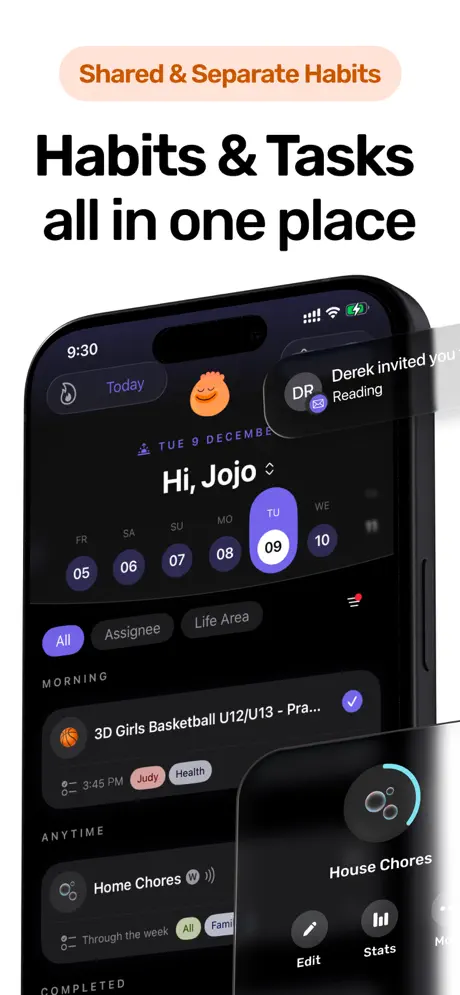
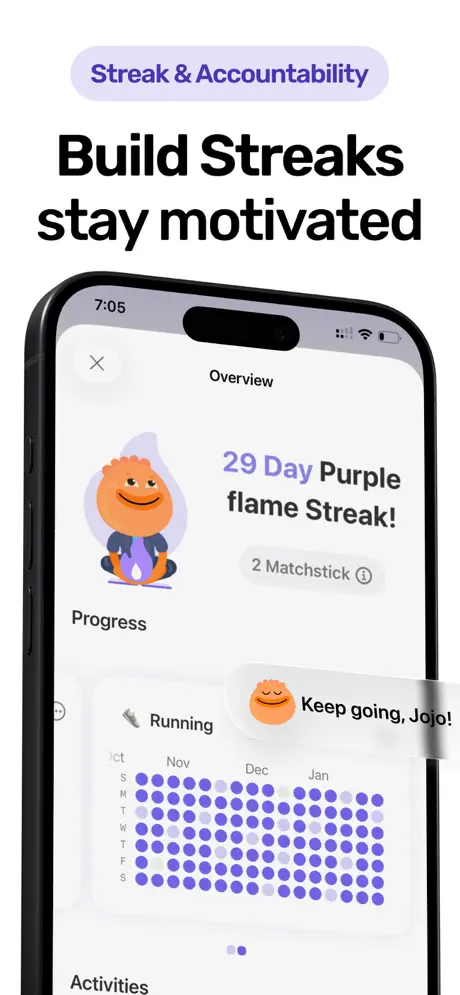
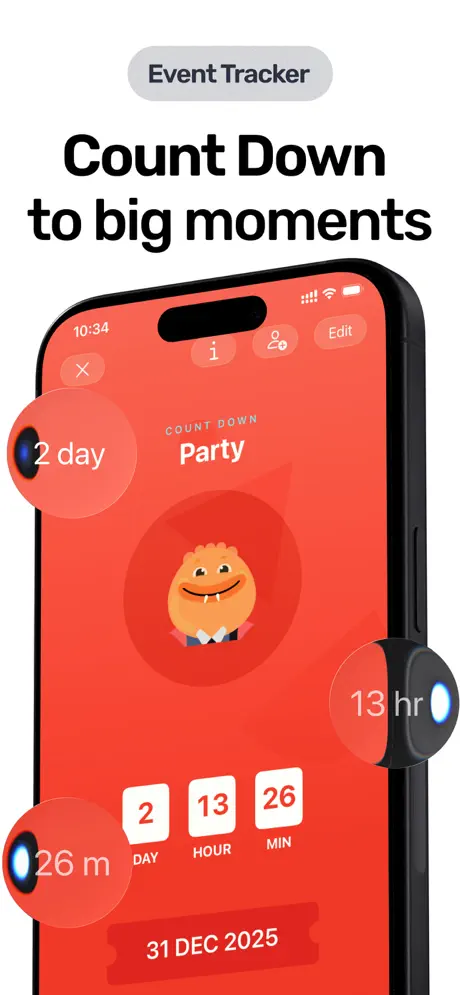
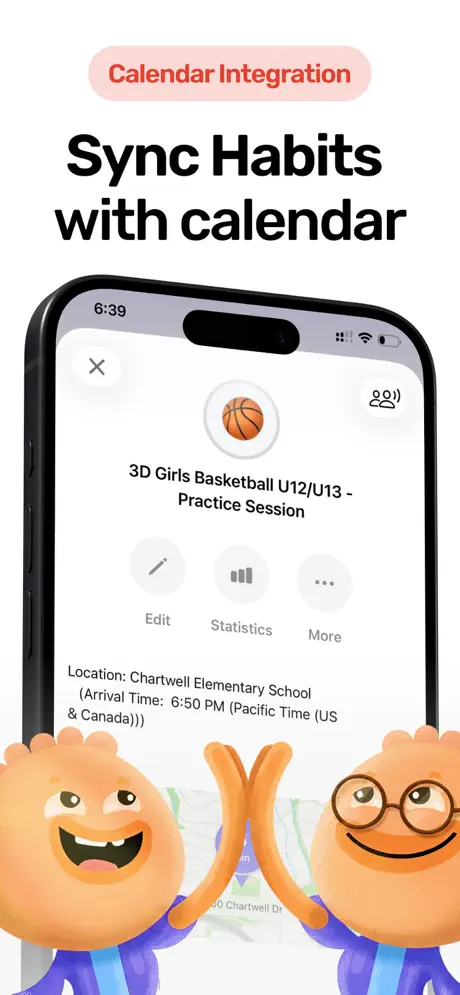
Habitify tracks whether you did the habit. Habi helps you actually do it.
That's the core difference. Habitify gives you charts, completion rates, and analytics dashboards. Habi gives you a focus timer that blocks Instagram while you study, ambient soundscapes that keep you locked in, and screen time limits that prevent the 2 AM scroll. It's habit tracking that extends into habit execution.
The accountability angle fills a gap Habitify never addressed. You can invite friends or family to shared projects, track progress together, and see who's falling behind. One reviewer described it as "I really love that I am able to organize habits with my friends. Very motivational." Habitify's tracking is strictly solo. If your habits involve other people (morning runs with a partner, reading challenges with friends), Habi turns private tracking into a team effort.
Everything works without paying. Habits, the focus timer, screen time blocking, widgets, shared projects. The free tier is not a demo restricted to three items. It's the full app.
What it does well:
- Focus timer with distraction blocking. A Pomodoro timer that blocks selected apps during work sessions. Habitify tells you to meditate. Habi stops you from opening TikTok while you try. That active protection is the difference between tracking and doing.
- Ambient soundscapes for deep work. White noise, rain, forest sounds. Built in, not a separate subscription. Habitify has no equivalent. Pair this with the screen time blocker and you have a focus environment, not just a checklist.
- Real accountability through shared projects. Invite anyone to collaborate on habits and see each other's progress. Habitify is single-player only. For couples, families, or friend groups building habits together, this is a meaningful upgrade.
- No paywall on core features. Unlimited habits. Focus timer. Screen time blocking. Widgets. All free. After hitting Habitify's 3-habit wall, the contrast is immediate.
Where it falls short:
- Apple-only. iPhone, iPad, Mac, and Vision Pro. No Android, no web. If cross-platform was Habitify's main appeal, Habi can't replace that. Yet.
- Lighter analytics. Habitify's data layer is deeper: completion rates broken down by day of the week, time-of-day patterns, and exportable CSVs. If spreadsheet-level habit data is what you need, Habitify still has the edge there.
Pricing: Free to use. Optional Pro upgrade ($1.99 to $89.99) unlocks extras like advanced themes, but core features work without paying.
Platforms: iPhone, iPad, Mac (Apple Silicon), Apple Vision Pro.
Bottom line: Habi is for people who want their habit tracker to do more than count checkmarks. The focus timer and distraction blocking solve the problem most trackers ignore: what happens between opening the app and completing the habit. Download it from the App Store.
2. Streaks - Best for Pay-Once Simplicity
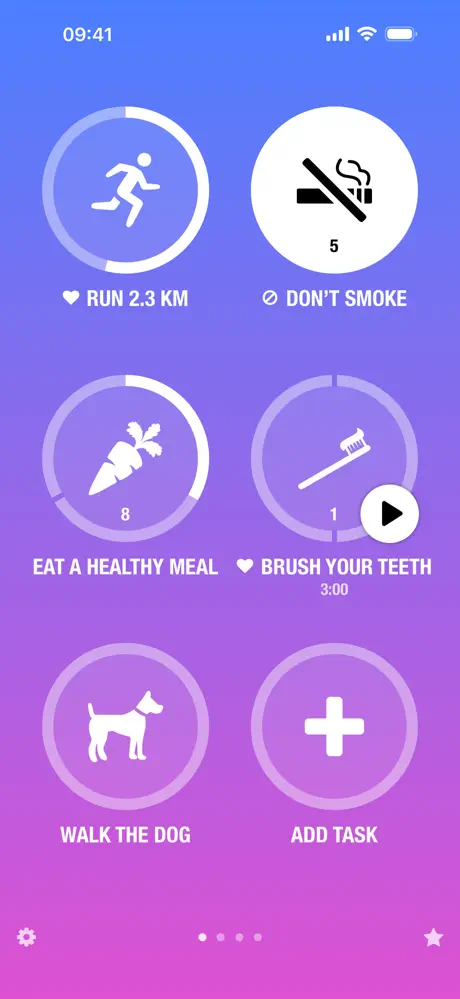
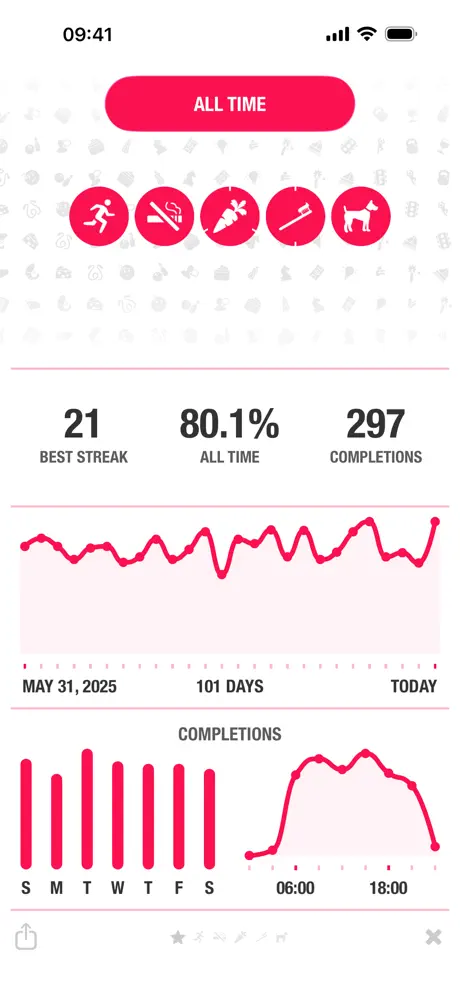
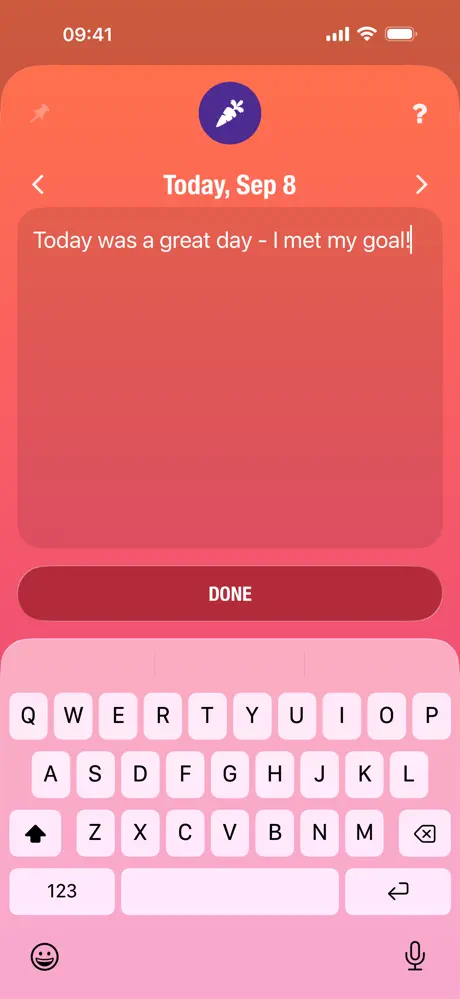
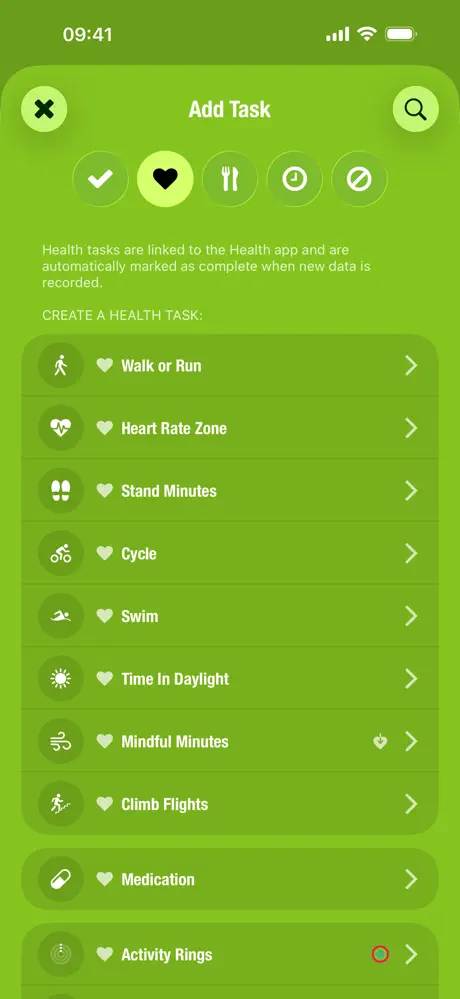
Habitify charges $29.99/year. Forever. Cancel and you lose access to everything beyond 3 habits. Streaks charges $5.99 once. That's it. No renewal. No "your subscription is expiring" emails. No lock-out after you stop paying.
For anyone frustrated by Habitify's subscription model, this pricing difference alone is worth the switch. You pay less than a single month of Habitify Premium and own the app permanently. One long-time user put it simply: "I would pay for it not only once but every single day. Thank you for building such an amazing app."
The app earns its Apple Design Award through constraint. Up to 24 habits, displayed as large tappable circles. 78 color themes. Over 600 task icons. Siri Shortcuts let you log habits by voice. The interface is opinionated in a way that Habitify is not: you won't find habit areas, time-of-day groups, or area tags. Just your habits, a counter, and the satisfaction of watching numbers climb.
With 27,000+ ratings averaging 4.82/5 over a decade of updates, Streaks has outlasted most of its competitors. It's not the most feature-rich tracker. It's the one people actually stick with.
What it does well:
- $5.99, forever. Habitify's lifetime plan costs $59.99. Streaks costs a tenth of that for comparable habit tracking. No free tier to worry about, no trial conversion. You pay once and the discussion is over.
- Siri Shortcuts and voice logging. "Hey Siri, I meditated." Done. Habitify supports some Shortcuts through Zapier, but it requires a Premium subscription and third-party setup. Streaks does it natively.
- 78 themes and deep customization. Habitify has one look. Streaks has 78 color themes and 600+ task icons. For a tool you open every day, visual variety matters more than it sounds.
- Decade of stability. First released in 2015, updated consistently since. Where Habitify users report widgets breaking after updates, Streaks' review history shows remarkably few stability complaints relative to its size.
Where it falls short:
- 24-habit ceiling. Habitify offers unlimited habits on Premium. Streaks caps you at 24. Most people won't hit this limit, but power users tracking 30+ behaviors will feel the restriction. "Why only allow 24 items?" is a recurring complaint.
- No analytics beyond calendars. Habitify's completion rate charts, streak analysis, and exportable data are a clear step above Streaks' basic calendar views. If data-driven reflection is part of your routine, Streaks won't satisfy.
Pricing: $5.99 one-time (iOS). $4.99 separate purchase for Mac.
Platforms: iPhone, iPad, Mac, Apple Watch, Apple Vision Pro.
Bottom line: Streaks is the subscription detox. If you're tired of paying monthly for a habit tracker and getting charged for features that should be standard, $5.99 buys you a decade-proven app with no strings attached. See our full Streaks review for more.
3. Strides - Best for SMART Goal Tracking


Habitify tracks habits. Strides tracks habits and measurable goals in the same app.
That distinction matters if your self-improvement goes beyond daily check-offs. Want to save $10,000 by December? Run a 5K in under 25 minutes? Read 52 books this year? Habitify can only track whether you did the habit today. Strides tracks your progress toward the actual target number, shows you whether you're on pace, and projects when you'll reach it.
The app offers four tracking modes: Habit (daily/weekly check-off), Target (reach a specific number), Average (maintain a running average), and Project (milestones with subtasks). This flexibility puts it in a category Habitify never tried to enter. Over 150 pre-built templates cover everything from fitness to finance, each with suggested tracking modes already configured.
The developer has been responsive for over a decade, and users notice. "Been using since 2014!" wrote one reviewer. "Developer very responsive to feedback." Another quit smoking and tracked 1,157 consecutive days. With 18,700+ ratings averaging 4.79/5, Strides has earned long-term trust through consistent updates and no dramatic pricing changes.
What it does well:
- Four tracking modes in one app. Habit, Target, Average, and Project. Habitify has one mode: did you do it or not. Strides handles "save $500/month" and "meditate daily" with equal precision.
- Progress projections. See whether you're on pace to hit your annual goals. Strides shows projected completion dates based on your current rate. Habitify shows completion percentages but can't project forward.
- 150+ pre-built templates. Skip the blank-canvas problem. Templates for health, finance, productivity, and learning come with suggested tracking modes and schedules. Habitify offers no templates at all.
- No ads, no nagging. "NO ANNOYING ADS!!" wrote one reviewer in all caps. The app doesn't pressure you to upgrade on every screen. After Habitify's review prompts and upgrade nudges, the restraint is refreshing.
Where it falls short:
- Same 3-habit free limit. Like Habitify, the free tier caps you at 3 trackers. If Habitify's paywall is why you're leaving, Strides repeats the same frustration. Premium at $29.99/year or $79.99 lifetime unlocks unlimited.
- iOS-only ecosystem. iPhone, iPad, and Mac. No Android, no web dashboard. Habitify covers more platforms. If you switch between Apple and Android devices, Strides won't follow you everywhere.
Pricing: Free (3 trackers). Strides Plus at $4.99/month, $29.99/year, or $79.99 lifetime.
Platforms: iPhone, iPad, Mac.
Bottom line: Strides is for people who outgrew simple habit check-offs. If you need to track progress toward specific numbers, deadlines, and milestones alongside your daily habits, Strides handles both in one app. Habitify never tried.
4. Productive - Best for Daily Routine Scheduling

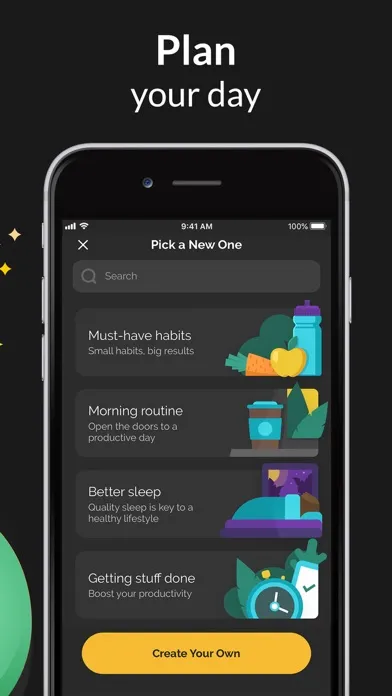
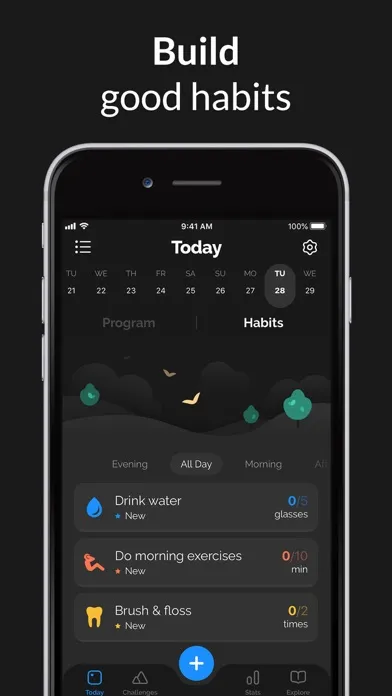
Habitify shows all your habits in one long list, grouped by area. Open the app in the evening and your morning habits are still staring at you, checked or not. Productive organizes habits by when they happen: morning, afternoon, evening, and anytime. Open the app after lunch and you see only afternoon habits.
That time-aware design changes how the app feels. Instead of scanning a list to find what's relevant right now, the app surfaces the right habits at the right time. For people building multi-part routines (morning stretch, afternoon walk, evening journal), this structure eliminates the mental sorting that Habitify requires.
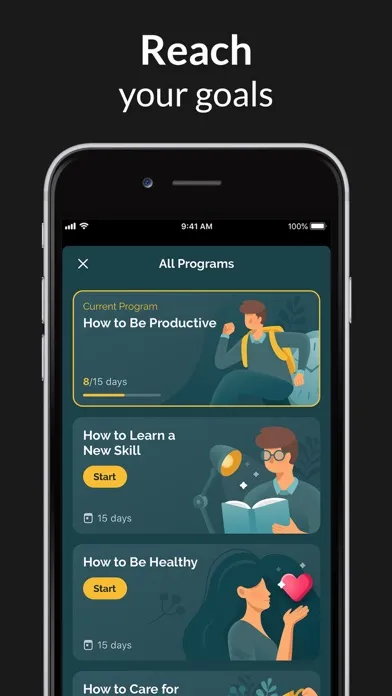
Productive also includes coaching programs that Habitify lacks entirely. Pre-built sequences like "Healthy Morning" and "Better Sleep" provide daily guidance articles alongside habit tracking. If you want to start building habits but don't know which ones or what order, these programs give you a structured entry point. Habitify assumes you already know what you want to track.
The pricing situation requires honest acknowledgment. Productive was acquired by Bending Spoons (the same company behind Evernote), and costs have climbed significantly. Long-time users report annual subscriptions jumping from $15 to $60 or higher. "Went from $17 to $54!" wrote one reviewer who canceled immediately. At $60+/year, Productive costs nearly double what Habitify charges.
What it does well:
- Time-of-day habit scheduling. Habits appear when they're relevant: morning block at breakfast, evening block at bedtime. Habitify's area-based grouping requires manual filtering. Productive's approach removes friction.
- Built-in coaching programs. Structured habit-building sequences with daily articles. Topics include morning routines, stress management, and better sleep. Habitify offers tracking tools but zero guidance on what to track.
- Cross-platform including Android. iOS and Android with sync between them. Of the five alternatives on this list, Productive is the only one that matches Habitify's Android support.
- Polished Pomodoro timer. Built-in focus timer for timed habits. Habitify has no timer feature. Productive's implementation is clean, though it stops working when the app is backgrounded.
Where it falls short:
- Rapidly increasing prices. The most common complaint by far. Users report subscription costs doubling or tripling without notice. "They are doubling price" and "$100 a year for a habit app?" appear repeatedly in recent reviews. At current pricing, Productive costs significantly more than Habitify.
- Broken timer and data loss. The Pomodoro timer stops counting when you switch apps. Multiple users report losing years of habit data after major updates. "Lost 4+ years of data each time. I'm not going to trust this app again." These reliability issues echo the same sync complaints that push people away from Habitify.
Pricing: Free (heavily limited, ~5 habits). Premium at approximately $6.99/month. Annual pricing varies: reported anywhere from $23.99 to $99.99/year depending on when you subscribed. 7-day free trial.
Platforms: iPhone, Android.
Bottom line: Productive's time-blocked habit scheduling is genuinely better than Habitify's flat list. The coaching programs add real value for beginners. But the pricing trajectory is concerning, and data reliability issues undermine the subscription. Worth trying on the free trial; just set a calendar reminder before it converts. See our full Productive review for more.
Which Habitify Alternative Should You Pick?
- If you want habit tracking that also helps you focus: pick Habi. The focus timer, screen time blocking, and shared projects solve problems Habitify doesn't touch. All free.
- If you never want to think about subscriptions again: pick Streaks. $5.99 once. No renewal, no lock-out. A decade of proven reliability.
- If you track measurable goals alongside habits: pick Strides. Four tracking modes, progress projections, and milestone tracking. Habitify can't compete here. For more options, see our best goal tracker apps comparison.
- If you want habits organized by time of day with coaching: pick Productive. Best time-blocked scheduling in any habit app. Just watch the pricing.
- If cross-platform sync is your top priority: honestly, Habitify might still be your best option. No alternative on this list matches iOS + Android + Mac + Web in one subscription. If the sync works reliably for you, stay.
Frequently Asked Questions
Is Habitify still worth using in 2026?
For cross-platform users who need iOS, Android, Mac, and web access in one subscription, yes. Habitify still offers the widest device coverage of any habit tracker. But the 3-habit free limit makes it impossible to evaluate properly before paying, widget sync issues persist across multiple iOS updates, and pricing has crept up since launch. If you already have a Premium subscription and it works for you, there is no urgent reason to switch. If you're evaluating Habitify for the first time, the alternatives on this list let you test more features before committing money.
What is the best free Habitify alternative?
Habi offers the most functionality without paying. Habit tracking, a focus timer with ambient sounds, screen time blocking, shared projects, and widgets all work on the free tier. Strides lets you track up to 3 habits for free with detailed progress reports. Streaks has no free tier but costs $5.99 once with no subscription, which is less than two months of Habitify Premium.
Can I export my data from Habitify?
Yes, but only on Premium. Habitify's data export feature is locked behind the paid plan. You can export habit data as CSV files from the web app or desktop version. If you're switching to a new tracker, export first, then cancel. Most alternatives don't support direct Habitify imports, so you'll need to set up your habits manually in the new app.
Which Habitify alternative works on both iPhone and Android?
Productive is available on both iOS and Android. Strides recently expanded to iPad and Mac but remains iOS-only for phones. Streaks and Habi are Apple-only. If cross-platform is your primary requirement and Habitify's sync issues are driving you away, Productive is the closest match in device coverage, though its pricing has increased significantly under new ownership.
What is the best habit tracker without a subscription?
Streaks at $5.99 one-time purchase. No subscription, no auto-renewal, no in-app purchases after you buy it. Habi also works without paying for core features including habit tracking, focus timer, and screen time blocking. If you want unlimited habits without a recurring fee, these two are the strongest options.
Final Thoughts
Habitify pioneered the cross-platform habit tracker and still does it better than anyone on device coverage alone. But cross-platform doesn't matter when widgets don't refresh and sync fails between your own devices.
The best Habitify alternative depends on what drove you away. Pricing frustration? Streaks solves that in one $5.99 transaction. Wanting more than a checklist? Habi's focus tools and accountability features fill gaps Habitify never tried to address. Need measurable goals alongside habits? Strides is the only tracker that handles both. Want scheduling structure? Productive's time blocks are genuinely clever.
We've been building Habi because we believe habit tracking should help you do the work, not just record it. If that sounds right, try it free on the App Store. But whichever app you choose, the best habit tracker is the one you actually open tomorrow.
Looking for more comparisons? Check our best habit tracker apps roundup or our guide to best daily routine apps.