5 Best Routinery Alternatives in 2026 (Tested and Compared)

Short on Time? Here's the Quick Take





Looking for Routinery alternatives? You are not alone. Routinery's step-by-step timer approach to morning routines is genuinely clever, but a growing number of users are hitting the same walls: fixed start times that break with variable schedules, a free tier limited to just two routines, and a subscription that keeps getting more expensive.
We tested over 15 routine and habit apps to find five that solve what Routinery does not. Each one was evaluated on flexibility, free tier generosity, unique features, and overall value for the price.
Full disclosure: Habi is our app. We built it because we wanted something that combines habits, focus, and screen time management in one place. Every app on this list got the same honest evaluation. No affiliate links. No paid placements.
Here are the five worth trying.
Quick Comparison
| App | Best For | Price | Platforms | Our Rating |
|---|---|---|---|---|
| 1. Habi | Best all-in-one alternative | Free (optional Pro) | iOS, iPad, Mac, Vision Pro | 5.0/5 |
| 2. Tiimo | Best for visual planning (ADHD-friendly) | Free / $54/yr | iOS, iPad, Watch, Web | 4.6/5 |
| 3. Structured | Best for timeline-style planning | Free / $29.99/yr or $49.99 lifetime | iOS, iPad, Mac, Watch, Android | 4.5/5 |
| 4. TickTick | Best for task management + habits | Free / $35.99/yr | iOS, Android, Mac, Windows, Linux, Web | 4.9/5 |
| 5. Focus Bear | Best for distraction blocking + routines | Free / $4.99/mo | iOS, Android, Mac, Windows | 4.5/5 |
Why People Look for Routinery Alternatives
We read hundreds of App Store reviews, Reddit threads, and community forums before writing this guide. Four frustrations came up repeatedly.
Fixed start times. Routinery is built around routines that start at specific times. If your morning shifts between 6 AM and 8 AM depending on the day, you either create multiple versions of the same routine or accept that your timing will always be off. Users with variable schedules, shift workers, or parents with unpredictable mornings feel this the most.
A shrinking free tier. The free version now limits you to two routines. That was enough when Routinery first launched, but as the app has grown, features that were once free have moved behind the paywall. One App Store reviewer wrote: "They keep removing features from the free version and putting them behind a paywall." The pattern is familiar to anyone who has watched a free app slowly become a premium one.
Pricing that adds up. At $7.99/month or $39.99/year, Routinery is not cheap for an app focused primarily on routine timing. Competitors like Structured offer a one-time $49.99 lifetime purchase. Habi gives you habits, focus timer, and screen time blocking for free.
Post-update reliability. Several recent reviews mention bugs after updates: routines not saving, timers glitching, and steps disappearing. The development team seems responsive, but the pattern is worth noting if stability matters to you.
If any of this sounds familiar, here is what we found. For a broader look at routine apps, see our best daily routine apps guide.
How We Evaluated These Alternatives
Every app was tested against six criteria:
- Routine flexibility. Can you build routines without fixed start times? Does the app adapt to variable schedules?
- Free tier generosity. How much can you do without paying? Two routines (Routinery's limit) is the baseline to beat.
- Unique features. What does this app offer that Routinery cannot? Focus tools, distraction blocking, visual planning, task management?
- User experience. Can you set up your first routine within five minutes? Is the daily workflow smooth?
- Value for money. If paid, is the subscription justified by what you get compared to Routinery's $39.99/year?
- Platform availability. Does it work on the devices you actually use?
No affiliate links. No app paid to be here.
The 5 Best Routinery Alternatives
1. Habi - Best All-in-One Alternative
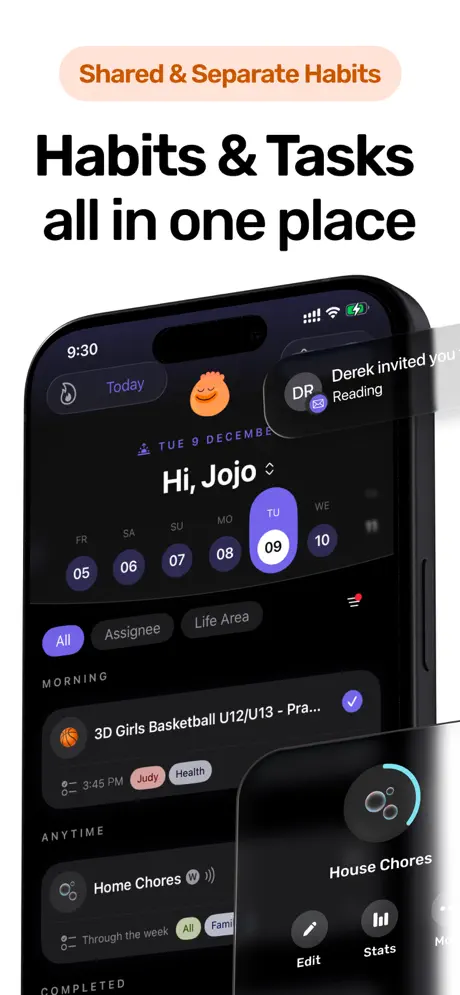
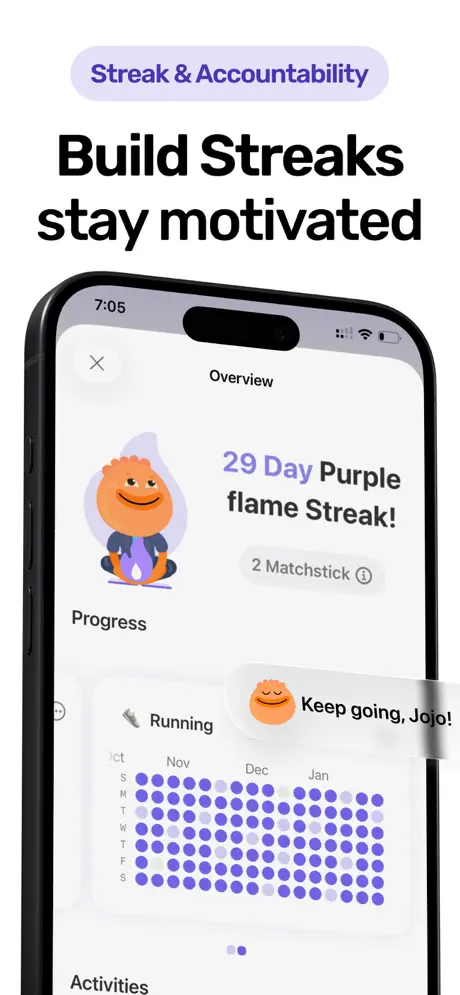
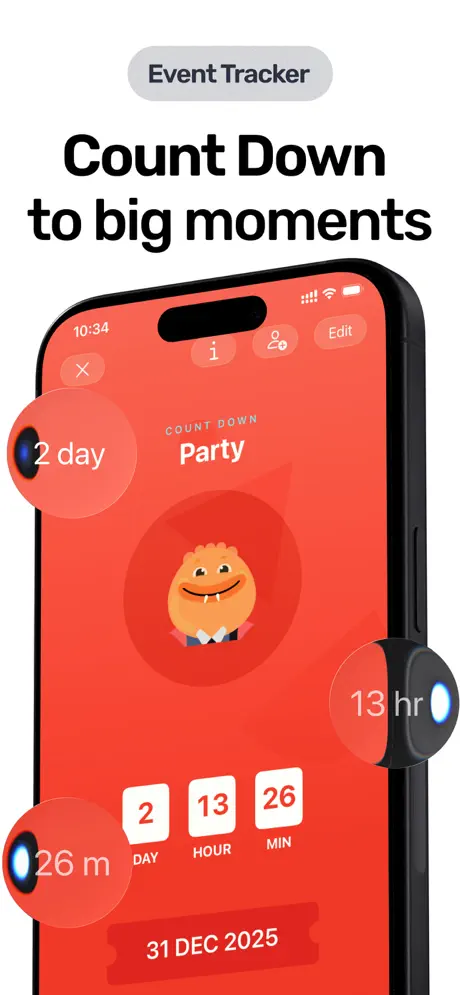
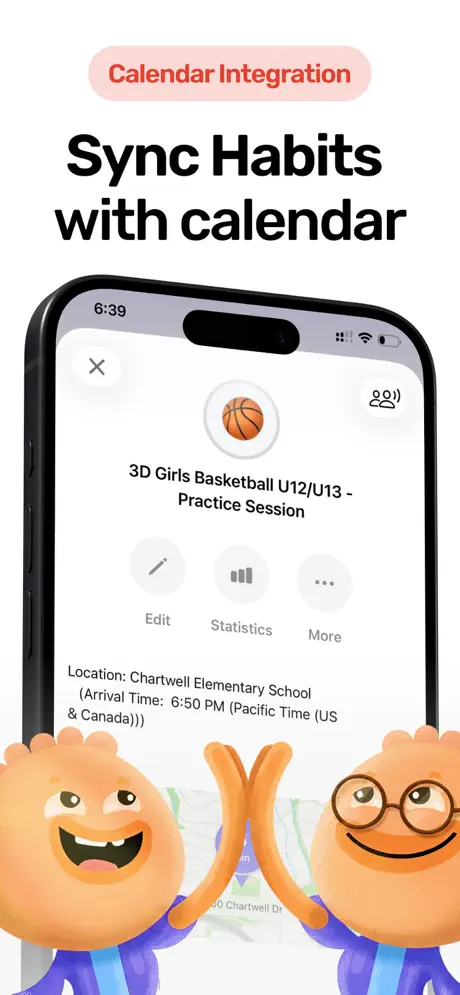
Routinery does one thing well: timed routine sequences. Habi takes a different approach. Instead of locking you into step-by-step timers, it gives you a flexible toolkit that covers habits, focus sessions, screen time management, and project tracking in a single app.
The drag-and-drop scheduling is the key difference. Where Routinery expects your routine to start at a fixed time and follow a rigid sequence, Habi lets you rearrange your day based on how you actually feel. Woke up late? Drag your morning habits to a new slot. Need to skip meditation today? Just move on. No guilt, no broken sequence.
The focus timer fills a gap Routinery does not even attempt. A built-in Pomodoro timer with ambient soundscapes (rain, white noise, forest sounds) paired with screen time blocking during focus sessions. You can block distracting apps while you work through your routine. Routinery times your routine steps but cannot stop Instagram from pulling you away mid-step.
What it does well:
- Flexible scheduling without fixed start times. Drag-and-drop your habits and tasks based on how your day unfolds. No rigid sequences that break when your morning shifts by an hour.
- Focus timer with distraction blocking. Pomodoro timer plus screen time blocking during focus sessions. Routinery times your steps but cannot prevent distractions. Habi blocks them.
- Projects and shared accountability. Create projects with checklists, invite friends, track progress together. Routinery has no project management or collaboration features.
- Strongest free tier. Unlimited habits, focus timer, screen time blocking, widgets, shared projects, and calendar features. All free. Routinery limits free users to two routines.
Where it falls short:
- No step-by-step timer sequences. If Routinery's timed walkthrough is specifically what keeps you on track, Habi's flexible approach may feel less structured. Structured is a closer match for that use case.
- Apple-only. iPhone, iPad, Mac, and Vision Pro. No Android or web version. If you need Android, look at TickTick or Focus Bear.
Pricing: Free to use. Optional Pro upgrade ($1.99 to $89.99) unlocks extras, but the core habit tracking, focus timer, and screen time blocking all work without paying.
Platforms: iPhone, iPad, Mac (Apple Silicon), Apple Watch, Apple Vision Pro.
Bottom line: If Routinery's rigid timing was too inflexible, Habi is the flexible alternative that also handles focus and distraction management. The free tier alone offers more than Routinery's paid plan. Give it a try.
2. Tiimo - Best for Visual Planning (ADHD-Friendly)
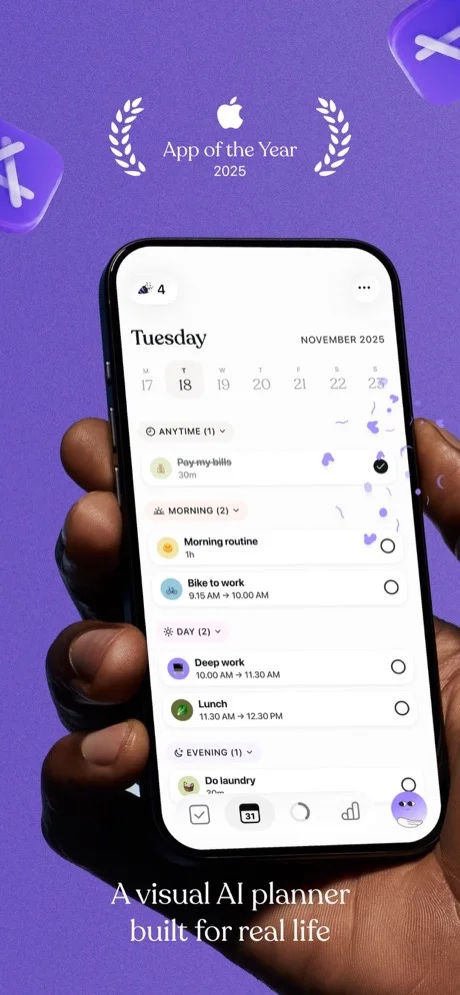
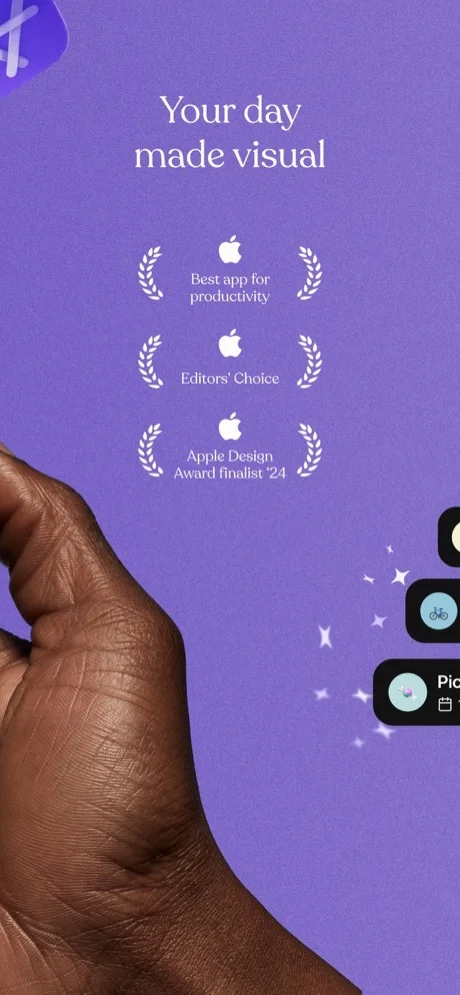
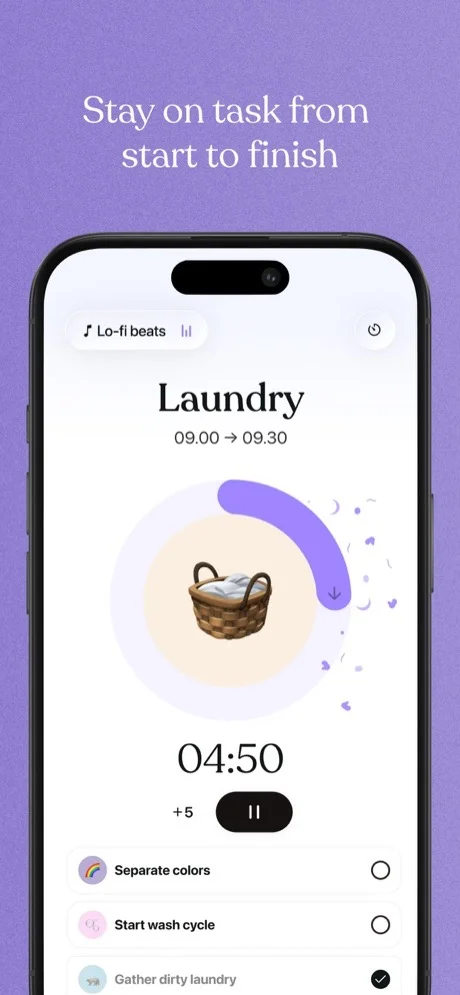
Where Routinery guides you through routines with countdown timers, Tiimo takes a visual-first approach that makes your entire day feel concrete and manageable. It won iPhone App of the Year 2025 at the Apple App Store Awards, and the reason is clear: it was built by a neurodivergent team specifically for people with ADHD and autism.
The color-coded daily timeline is the standout feature. Each task and routine shows as a visual block you can see at a glance. Where Routinery shows you one step at a time, Tiimo shows your whole day. For people who struggle with time blindness, seeing the full picture helps more than a countdown on a single step.
Tiimo also takes a no-punishment approach that Routinery lacks. Miss a step in Routinery and your routine timer keeps ticking. Miss a task in Tiimo and nothing turns red, nothing marks as failed. For anyone whose ADHD brain spirals when an app shows "missed" or "incomplete," that design choice matters.
One reviewer with ADHD wrote: "Both types of ADHD, very severe, and this is already such a difference." Another long-time user said: "This app has truly changed my life. My brain is organized."
What it does well:
- Visual color-coded planning. See your entire day as colored blocks instead of a list of timed steps. Routinery shows one step at a time. Tiimo shows the whole picture.
- No-punishment system. Unfinished tasks never turn red or show as failed. This removes the emotional barrier that makes many ADHD users abandon productivity apps entirely.
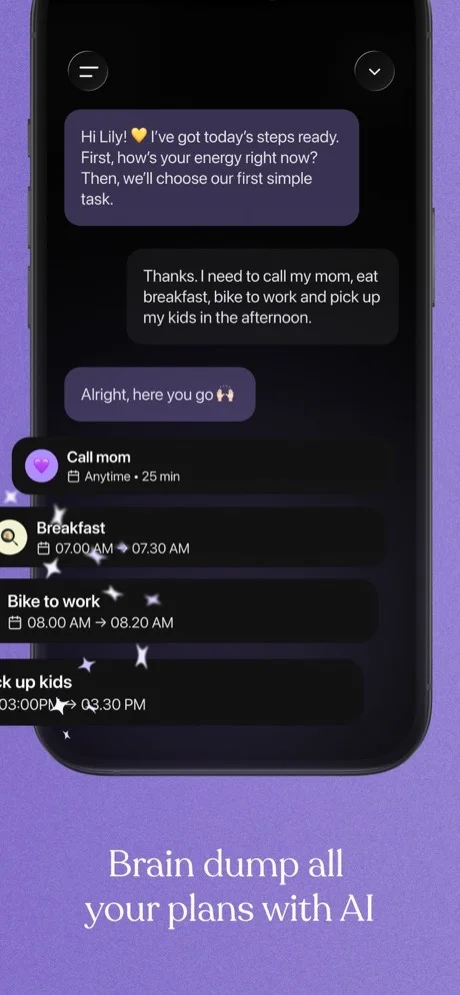
- AI co-planner. An AI assistant that can break large tasks into manageable steps and estimate time. Routinery has no AI features.
- Built for neurodivergent brains. Designed by people with ADHD and autism. Includes features like Open Dyslexic font, customizable colors, and profile-based organization.
Where it falls short:
- AI reliability issues. The AI assistant is the most common complaint in recent reviews. Users report it scheduling tasks on wrong days, failing to make changes, and occasionally freezing. As one reviewer wrote: "Works 70% of the time, and it is marketed for neurodivergent people who really need it to work well."
- No Android. Tiimo discontinued its Android app. Available on iOS, iPad, Apple Watch, and web only. If you need Android, TickTick or Focus Bear are better picks.
Pricing: Free (basic planner, limited AI). Pro at $54/year ($4.50/month) or $12/month. 7-day free trial.
Platforms: iPhone, iPad, Apple Watch, Web.
Bottom line: If Routinery felt too rigid and you want a planner designed around how ADHD brains actually work, Tiimo is the most thoughtful option. The iPhone App of the Year recognition is not just marketing. Just go in knowing the AI features are still maturing. For more ADHD strategies, see our guide on how to build habits with ADHD.
3. Structured - Best for Timeline-Style Day Planning
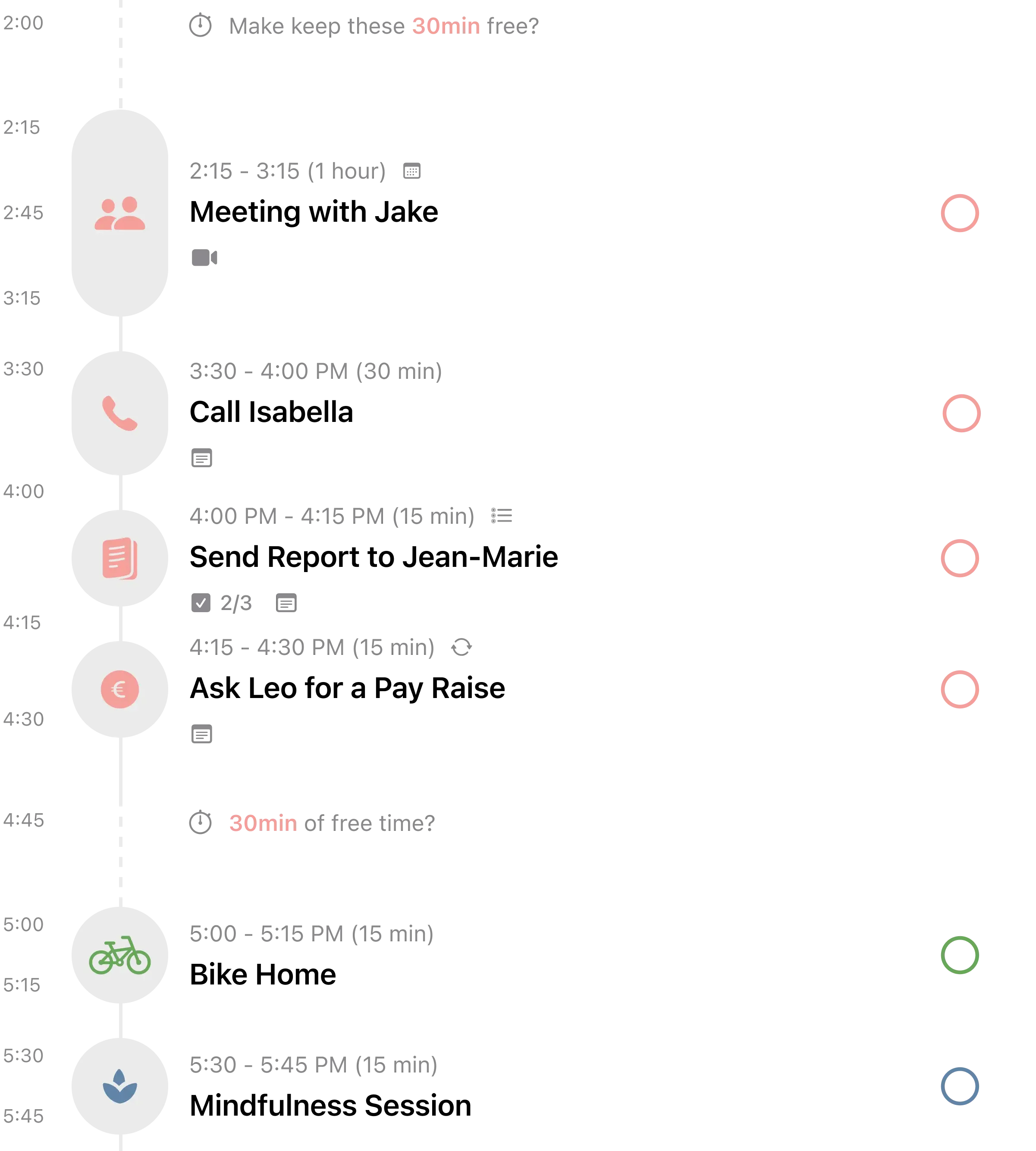
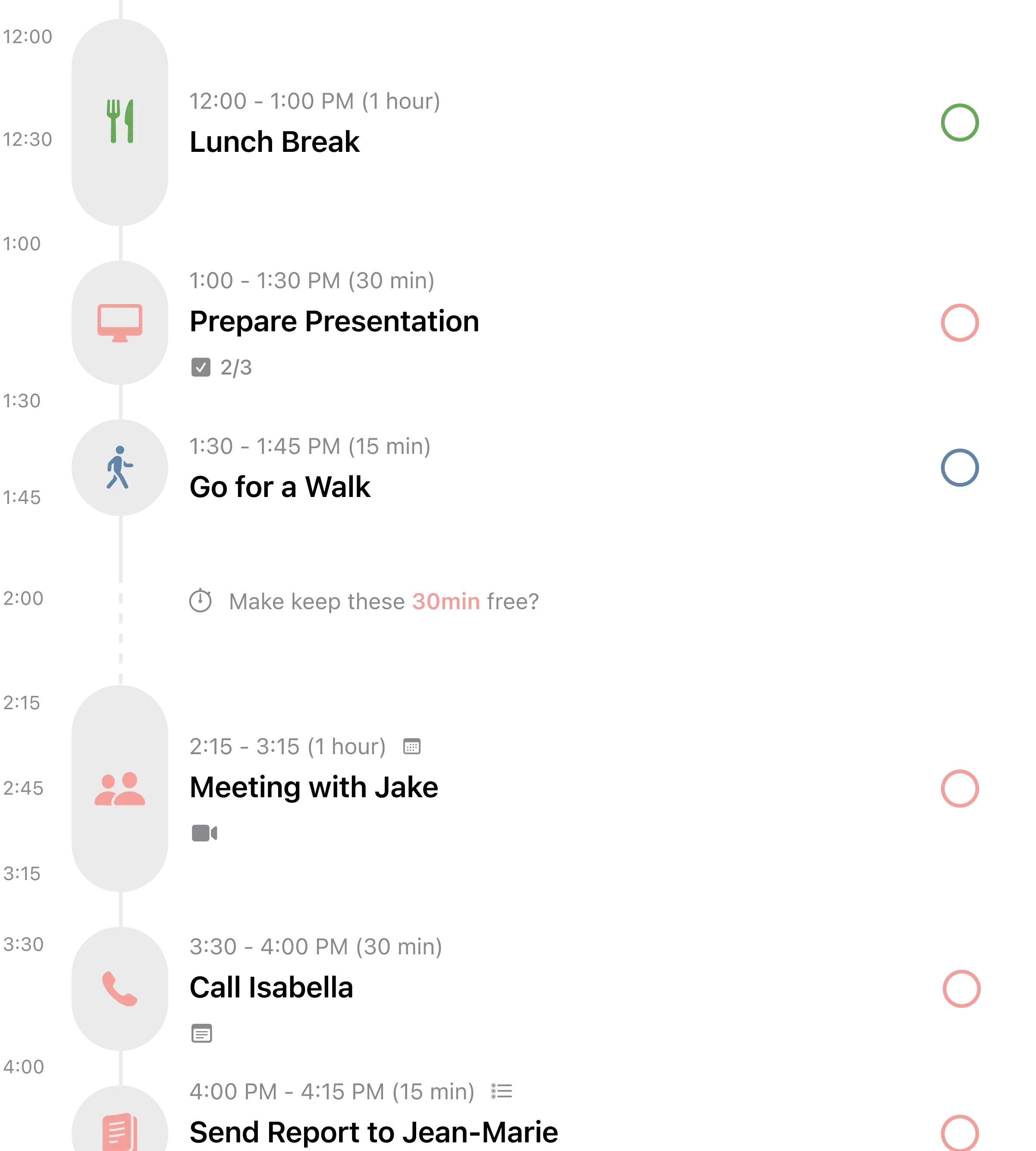
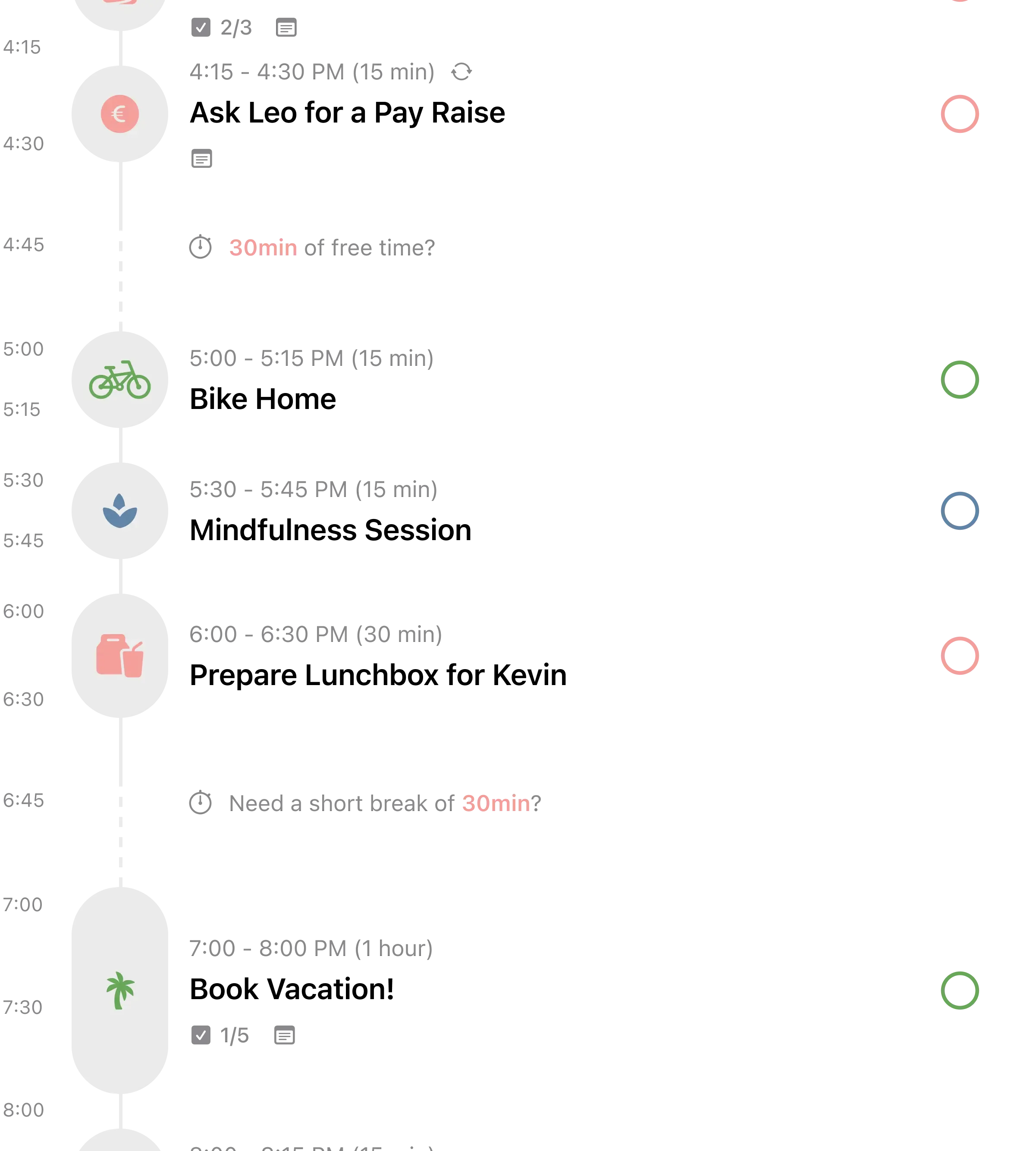
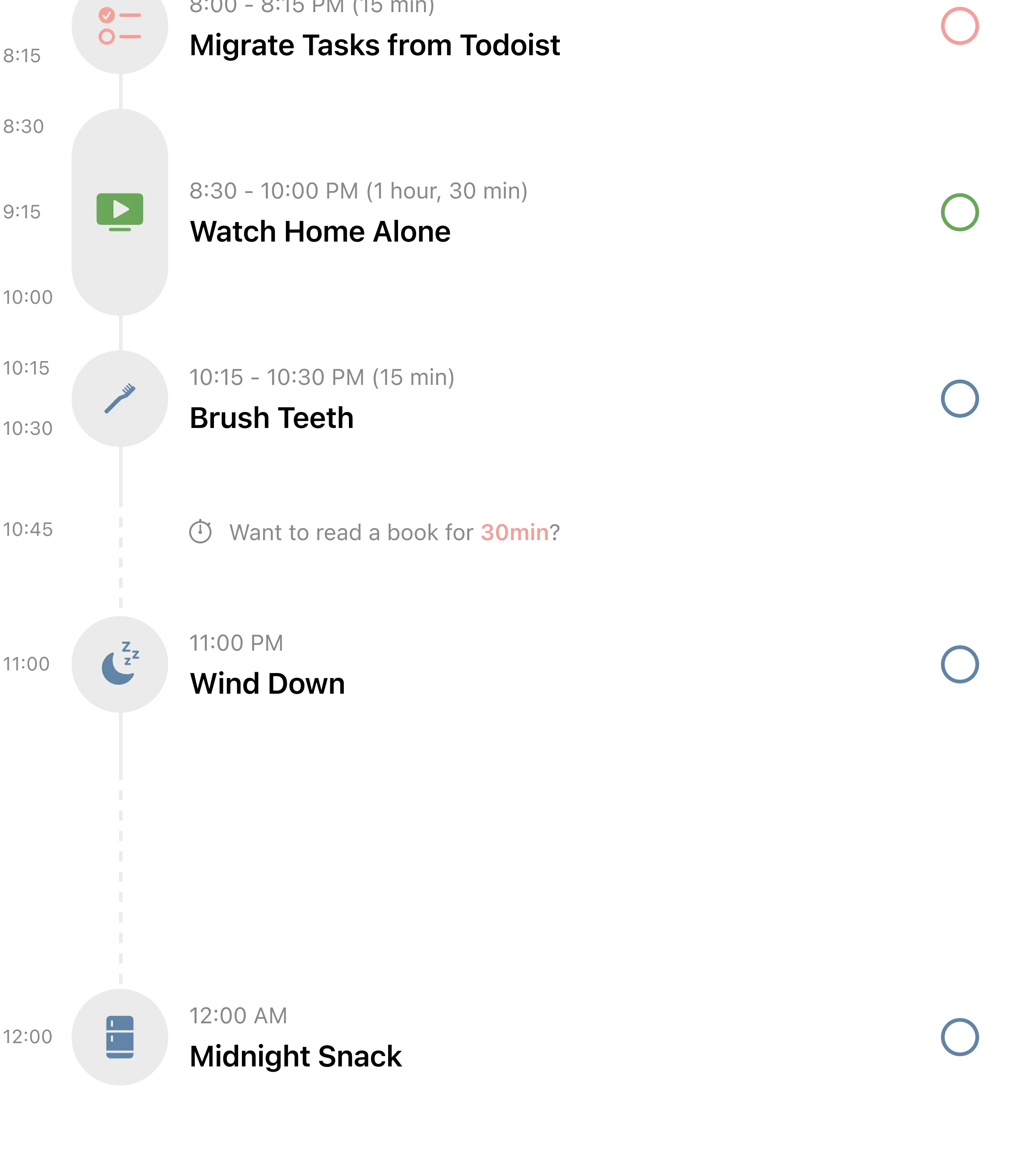
If what you loved about Routinery was seeing your day as a visual sequence, Structured takes that concept further by merging your calendar events and tasks into one unified timeline.
You see your entire day laid out as colored blocks stacked vertically. Calendar meetings import automatically from your iPhone calendar. Tasks and routines slot in between. The result is a single view of everything you need to do, in order, with time allocated. Routinery only handles routines. Structured handles your whole day.
For routine building, you create recurring tasks at specific times. "Morning journaling" at 6:30 AM, "Exercise" at 7:00 AM, "Make breakfast" at 7:30 AM. Each shows up as a block on your timeline every day. It is not timer-guided like Routinery, but the visual layout gives you the same sense of structured sequence without the rigidity.
With over 154,000 ratings and a lifetime purchase option, Structured has earned serious loyalty. As one user wrote: "I have tried probably a dozen planning apps and this is the one that stuck."
What it does well:
- Calendar + tasks in one timeline. See meetings and routines together. Routinery handles routines in isolation from the rest of your day. Structured shows everything in context.
- Lifetime purchase option. $49.99 once, own it forever. Routinery charges $39.99 every year. After two years, Structured is the cheaper option and you never think about renewal again.
- Gorgeous visual design. The day-as-timeline view is intuitive and satisfying. Color-coded blocks give you an instant sense of how full your day is. Multiple users cite the visual design as the reason they stayed.
- Apple Watch companion. View your next tasks and check them off from your wrist. Routinery's Watch support is more limited.
Where it falls short:
- No step-by-step timer. Routinery walks you through each routine step with a countdown. Structured shows your tasks on a timeline but does not guide you through them one by one. If timer guidance is what keeps you moving, this is a downgrade.
- Recurring tasks require Pro. For a daily routine app, having recurring tasks locked behind the subscription is a real limitation on the free tier.
Pricing: Free with limits. Pro at $2.49/month, $29.99/year, or $49.99 lifetime.
Platforms: iPhone, iPad, Mac, Apple Watch, Android.
Bottom line: If you want to see your routines in the context of your full day, Structured is the best visual planner for that. The lifetime purchase makes it an especially good long-term value compared to Routinery's annual subscription. See our full Structured review for more.
4. TickTick - Best for Task Management + Habits
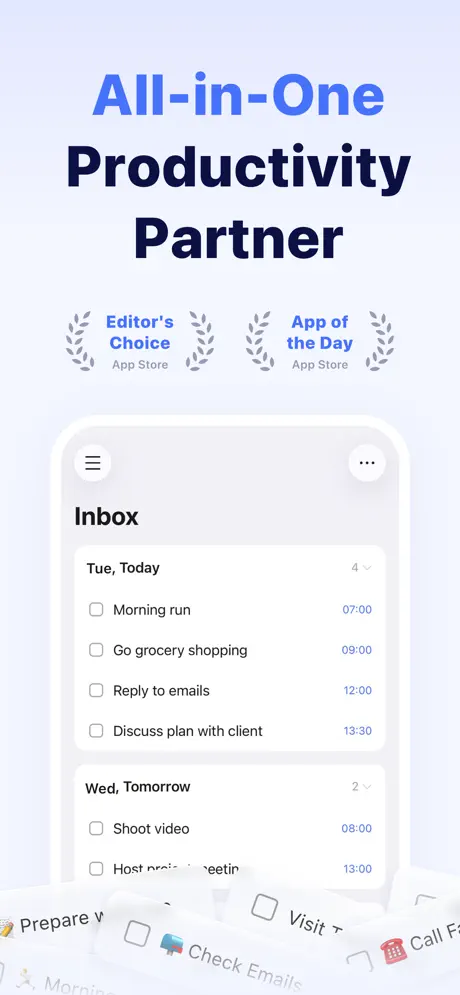
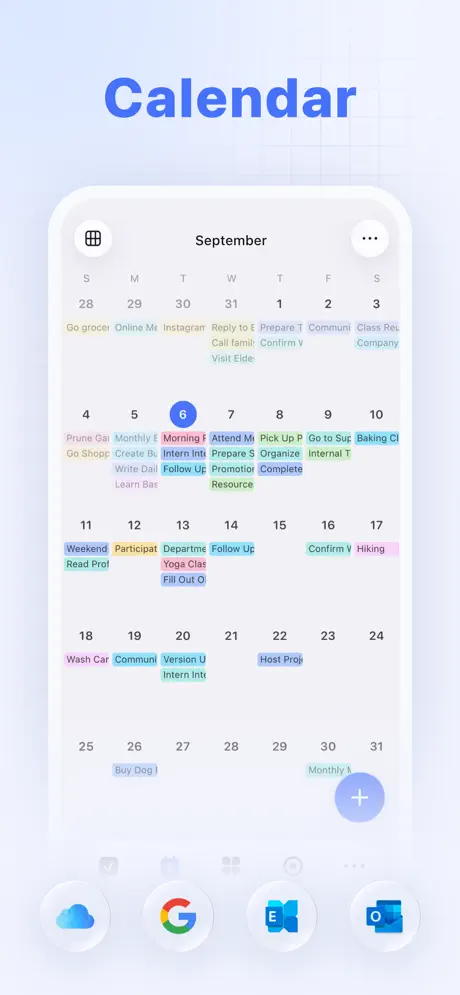
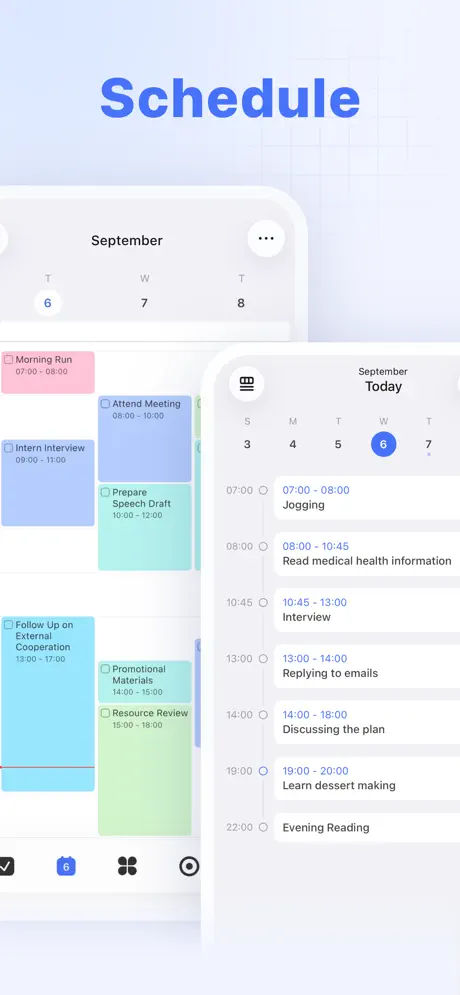
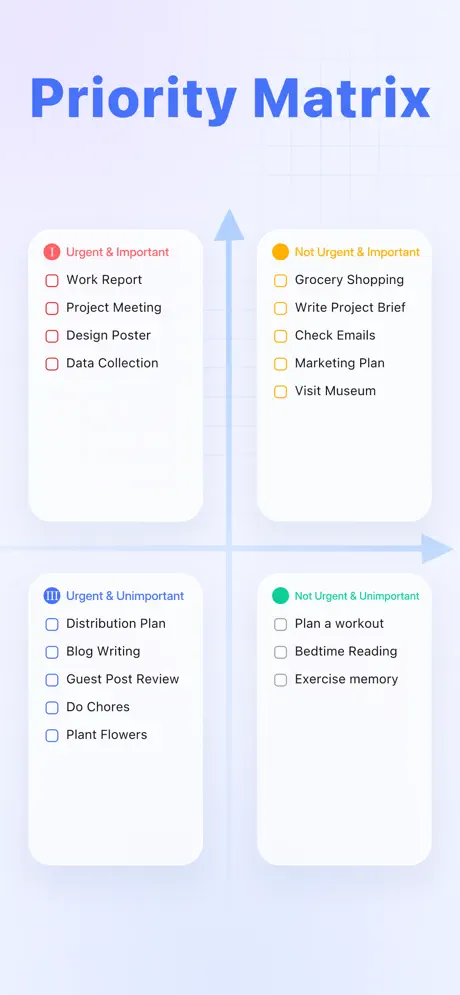
Routinery focuses on routine timing. TickTick does that plus task management, habit tracking, calendar, Pomodoro timer, and an Eisenhower Matrix for prioritization. It is what happens when a task manager grows up and absorbs every productivity tool around it.
The habit module lets you choose from 60+ pre-built habits or create custom ones. Each habit can have a measurable goal ("drink 8 glasses of water"), flexible scheduling, and reminders. Streaks provide just enough gamification to keep you going. The built-in Pomodoro timer includes ambient sounds for focus sessions, filling a gap that Routinery does not address at all.
The platform coverage is unmatched. iOS, Android, Mac, Windows, Linux, and web with real-time sync across all six. Routinery covers iOS, Android, and web. If you use Linux or Windows alongside your phone, TickTick is the only option on this list that works everywhere.
With a 4.86/5 rating from over 41,000 App Store reviews, TickTick has earned serious loyalty. As one long-term user wrote: "It replaced 5+ other apps on my phone because it does all these things better than dedicated apps."
What it does well:
- All-in-one productivity. Tasks, habits, calendar, Pomodoro timer, and notes in a single app. Routinery handles routines only. TickTick replaces your routine app, task manager, and focus timer.
- Works on every platform. iOS, Android, Mac, Windows, Linux, and web. Real-time sync across all six platforms. Routinery covers three.
- Natural language input. Type "Morning run tomorrow at 7am" and TickTick parses it automatically. Fast task capture with minimal friction.
- Built-in Pomodoro timer. Focus timer with ambient sounds included. Routinery times your routine steps but offers nothing for deep focus work between routines.
Where it falls short:
- Not a dedicated routine app. TickTick handles habits and tasks, but it does not offer Routinery's step-by-step timer walkthrough for routines. You build routine-like habits, not guided sequences.
- Calendar view is paywalled. The most common complaint. Users feel a calendar should be a basic feature, not locked behind the $35.99/year subscription.
Pricing: Free with limits. Premium at $3.99/month or $35.99/year (about $3/month).
Platforms: iOS, Android, Mac, Windows, Linux, Web, Apple Watch.
Bottom line: If you want more than just routine timing, TickTick consolidates habits, tasks, focus sessions, and calendar into one app that works on every device. It costs less than Routinery and does far more. See our focus method comparison for more on how Pomodoro and time blocking work.
5. Focus Bear - Best for Distraction Blocking + Routines
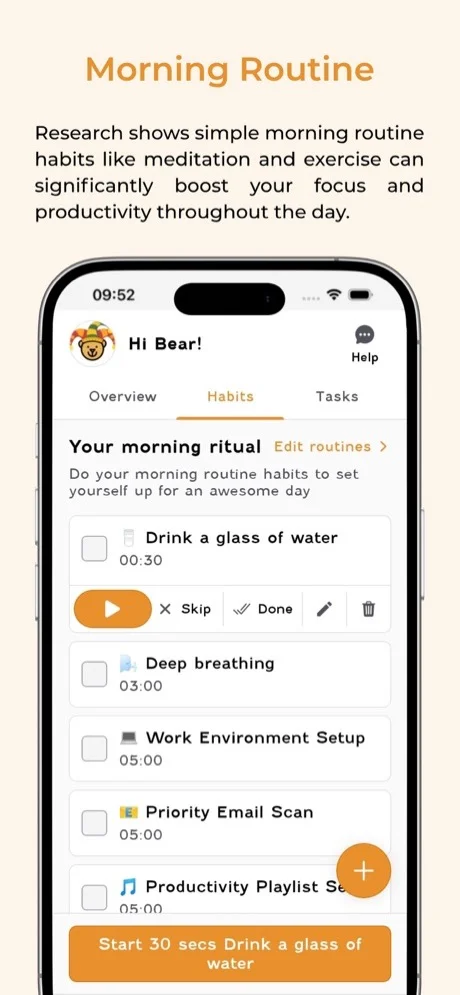
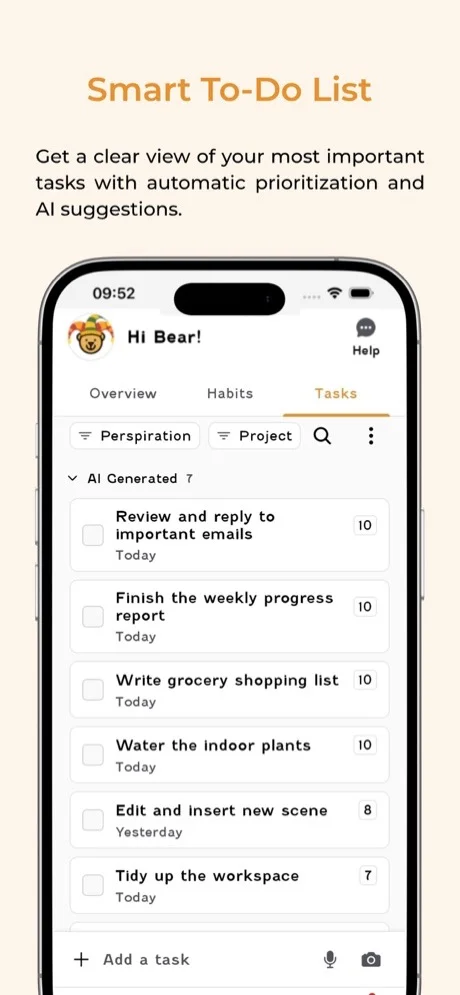
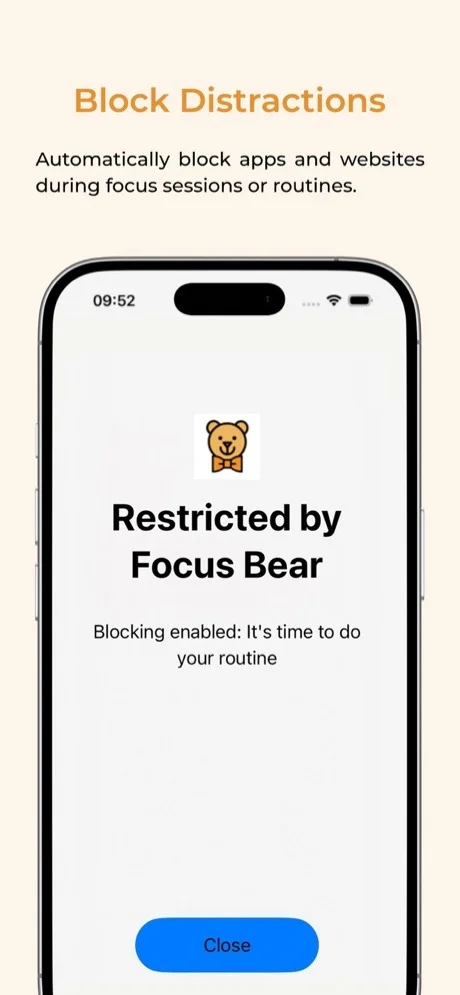
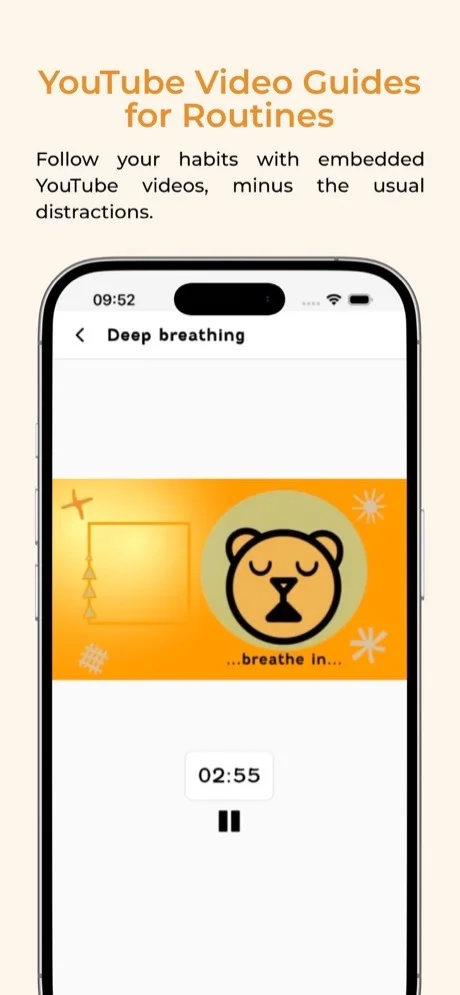
Routinery times your routine steps. Focus Bear goes further: it locks your entire phone and computer until your routine is done.
Built by a team with ADHD and ASD, Focus Bear takes the most aggressive approach to routine completion on this list. In "grizzly bear" mode, your devices are locked during routines. You cannot open other apps, check social media, or browse the web until you finish your morning steps. In "cuddly bear" mode, you can bypass blocks, but you have to wait before the option appears. It is the nuclear option for people who know they will grab their phone mid-routine if given the chance.
The distraction blocking extends beyond routines. During focus sessions, Focus Bear uses AI to determine whether a website is relevant to your current task. Relevant sites stay accessible. Everything else gets blocked. If you try to visit a blocked site, the app shows an AI-generated low-dopamine summary of the content instead of the full page. It is a clever middle ground between full blocking and no blocking.
The "Late No More" feature sends increasingly intense notifications before meetings. If you have ADHD and struggle with time awareness, escalating alerts beat the single notification that Routinery sends.
What it does well:
- Device locking during routines. Your phone and computer are locked until your morning routine is complete. Routinery times your steps but cannot stop you from opening Twitter mid-brush. Focus Bear can.
- AI-powered distraction blocking. Blocks websites and apps that are not relevant to your current task. Goes beyond routines into deep focus sessions. Routinery has no distraction management.
- Cross-platform blocking. Mac, Windows, iOS, and Android. The blocking works across all your devices simultaneously. Most distraction blockers only work on one platform.
- Escalating meeting alerts. "Late No More" sends increasingly urgent notifications before events. Built for the ADHD brain that ignores the first (and second, and third) notification.
Where it falls short:
- Very small user base. Only 11 ratings on the App Store compared to Routinery's established community. The app is newer and less battle-tested.
- Occasional bugs with routine timing. Users report evening routines being scheduled at incorrect times and timer resets. The team is small and iterating, but stability is not yet on par with more established apps.
Pricing: Free (basic features after 7-day full trial). Premium at $4.99/month or approximately $30/year. Student and hardship discounts available by email.
Platforms: iPhone, Android, Mac, Windows.
Bottom line: Focus Bear is the most aggressive alternative for people who need external enforcement to complete their routines. If you have tried Routinery and still end up scrolling through your phone mid-routine, Focus Bear's device locking might be exactly what you need. The app is young and rough around the edges, but the core concept is powerful.
Which Routinery Alternative Should You Pick?
Every Routinery alternative comes down to what frustrated you most. Here is the short version:
- If you want flexible scheduling without fixed start times plus focus and distraction tools: pick Habi. Habits, focus timer, screen time blocking, and projects in one free app.
- If you have ADHD and need a planner that works with your brain, not against it: pick Tiimo. iPhone App of the Year 2025. Color-coded, no-punishment design built by a neurodivergent team.
- If you want to see your routines alongside your calendar in one visual timeline: pick Structured. The lifetime purchase ($49.99) means you never pay again.
- If you need habits, tasks, calendar, and focus timer on every device including Linux and Windows: pick TickTick. The widest platform coverage at a lower price than Routinery.
- If you need your devices literally locked until your routine is done: pick Focus Bear. The most aggressive approach to routine completion, built by a team with ADHD and ASD.
For broader comparisons, see our Fabulous alternatives guide and our best daily routine apps roundup. If you want to understand the science behind building lasting routines, read our guide on how to build a morning routine.
Frequently Asked Questions
Is Routinery worth the subscription?
Routinery's core concept is strong: timed, step-by-step routine guidance. But at $7.99/month or $39.99/year with a shrinking free tier, the value depends on how much you rely on timer-guided routines. If that specific feature is what keeps you consistent, Routinery delivers. If you also need habit tracking, focus tools, or distraction blocking, alternatives like Habi or TickTick bundle more for less.
What is the best free alternative to Routinery?
Habi offers the strongest free tier among Routinery alternatives. You get unlimited habits, a focus timer with ambient sounds, screen time blocking, shared projects, and drag-and-drop scheduling without paying. TickTick also has a generous free tier with tasks, habits, and a built-in Pomodoro timer.
Can I import my Routinery routines to another app?
Routinery does not offer a data export feature. You will need to manually recreate your routines in your new app. Most alternatives let you set up your full routine in under 10 minutes, since you already know the steps and timing you want.
Which routine app is best for ADHD?
Tiimo was built by a neurodivergent team specifically for ADHD and autism. It won iPhone App of the Year 2025 and features a no-punishment system where unfinished tasks never turn red. Focus Bear takes a different approach by locking your entire device until your morning routine is complete, which works well for ADHD brains that need external structure. For more strategies, see our guide on how to build habits with ADHD.
Does Routinery work on Android?
Yes, Routinery is available on iOS, Android, and web. However, some users report that the Android version receives updates later than iOS. If cross-platform support is important, TickTick offers the widest device coverage: iOS, Android, Mac, Windows, Linux, and web.
Final Thoughts
Routinery pioneered the step-by-step timed routine format, and it still does that well. But routines are only one piece of the productivity puzzle. Screen time management, focus sessions, task organization, and flexible scheduling all matter too, and Routinery does not address any of them.
The apps on this list each solve a specific gap. Choose based on what frustrated you most about Routinery, not which app has the most features overall.
If you want to start fresh today, try Habi. It is free, takes about two minutes to set up, and your data stays on your device. Want to understand the science behind why some habits stick and others do not? Read our guide on how to build habits that stick.